
This article applies to all OPSWAT Central Management V7.5.0+ releases deployed on Windows or Linux systems.
How to change your PIN (administrative accounts created subsequent to V7.3.0 only)
Log into your OPSWAT Central Management Console, then open the User Information page by clicking on your account name in the top, right-hand corner of the screen, as illustrated below.
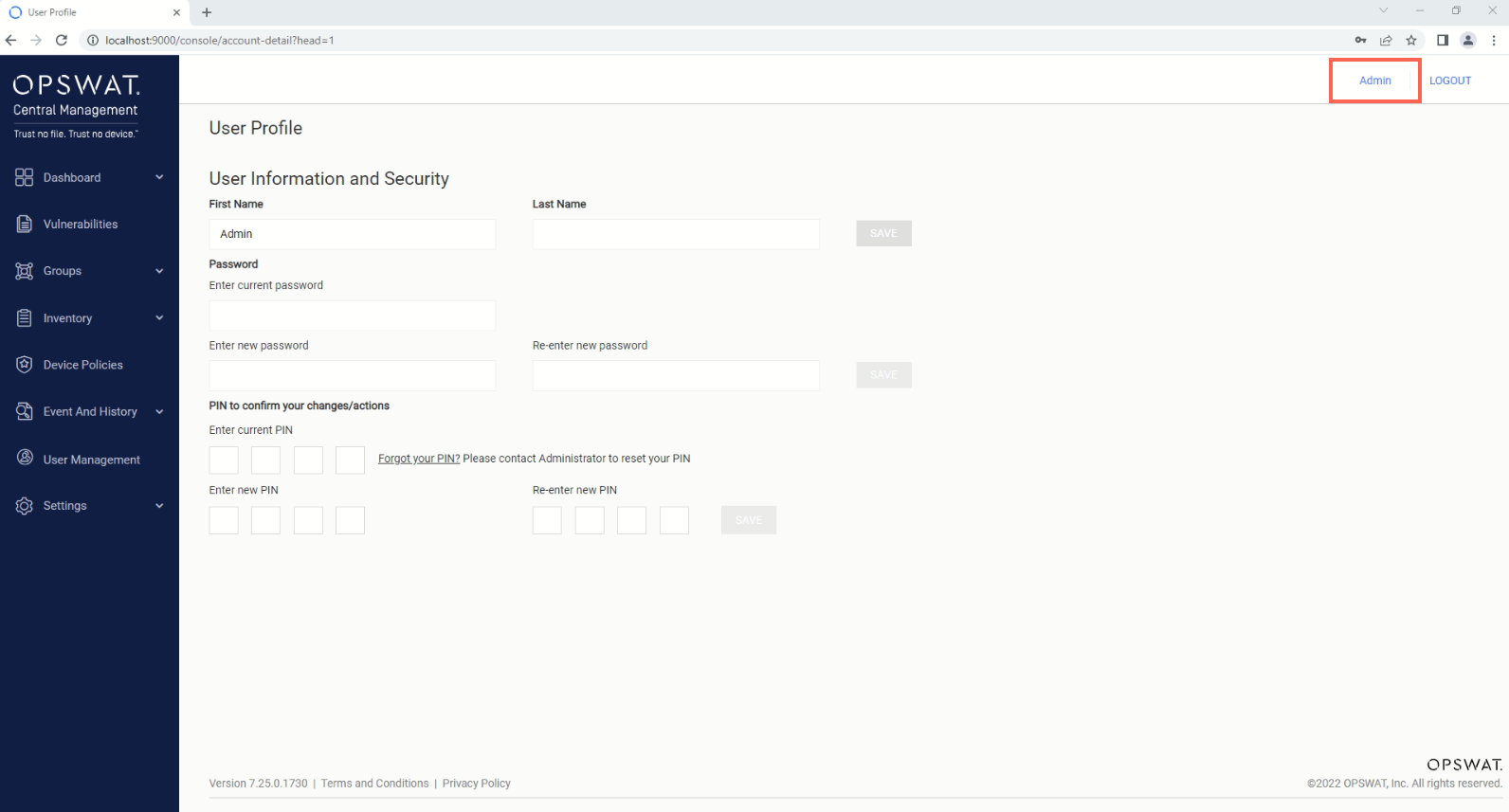
Enter your Current PIN and your New PIN, then click Save to implement your changes.
How to request a temporary PIN
Should you forget your PIN at any time, you can reset it, via the OPSWAT Central Management Console, by following the steps below.
Should you be unable to answer the required security questions because you are not the primary account administrator, you are welcome to request a temporary pin from the relevant primary administrator.
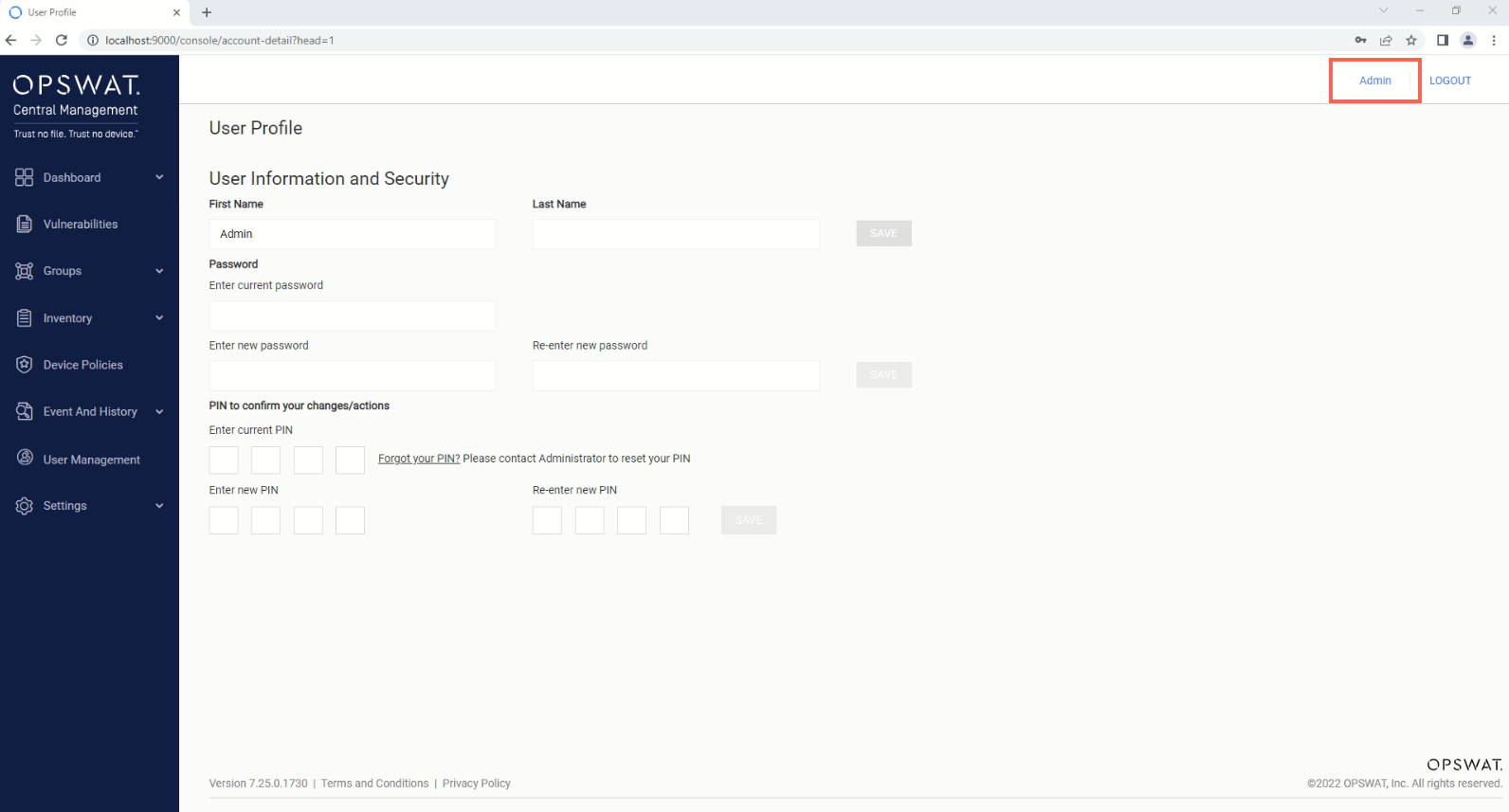
Log into your OPSWAT Central Management Console, then open the User Information page by clicking on your account name in the top, right-hand corner of the screen, as illustrated below.
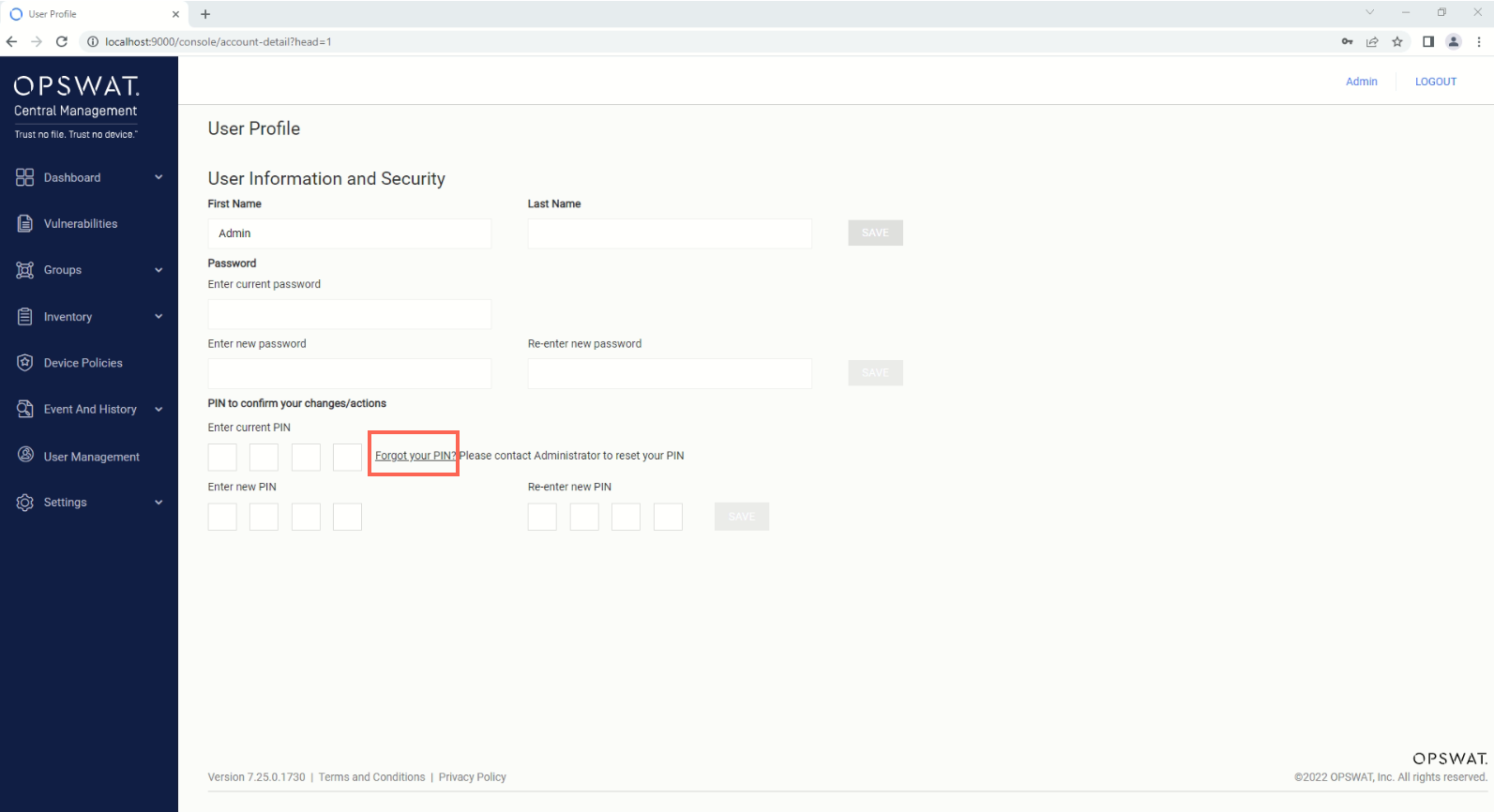
Click on the Forgot your PIN? link, as illustrated in the screenshot below.
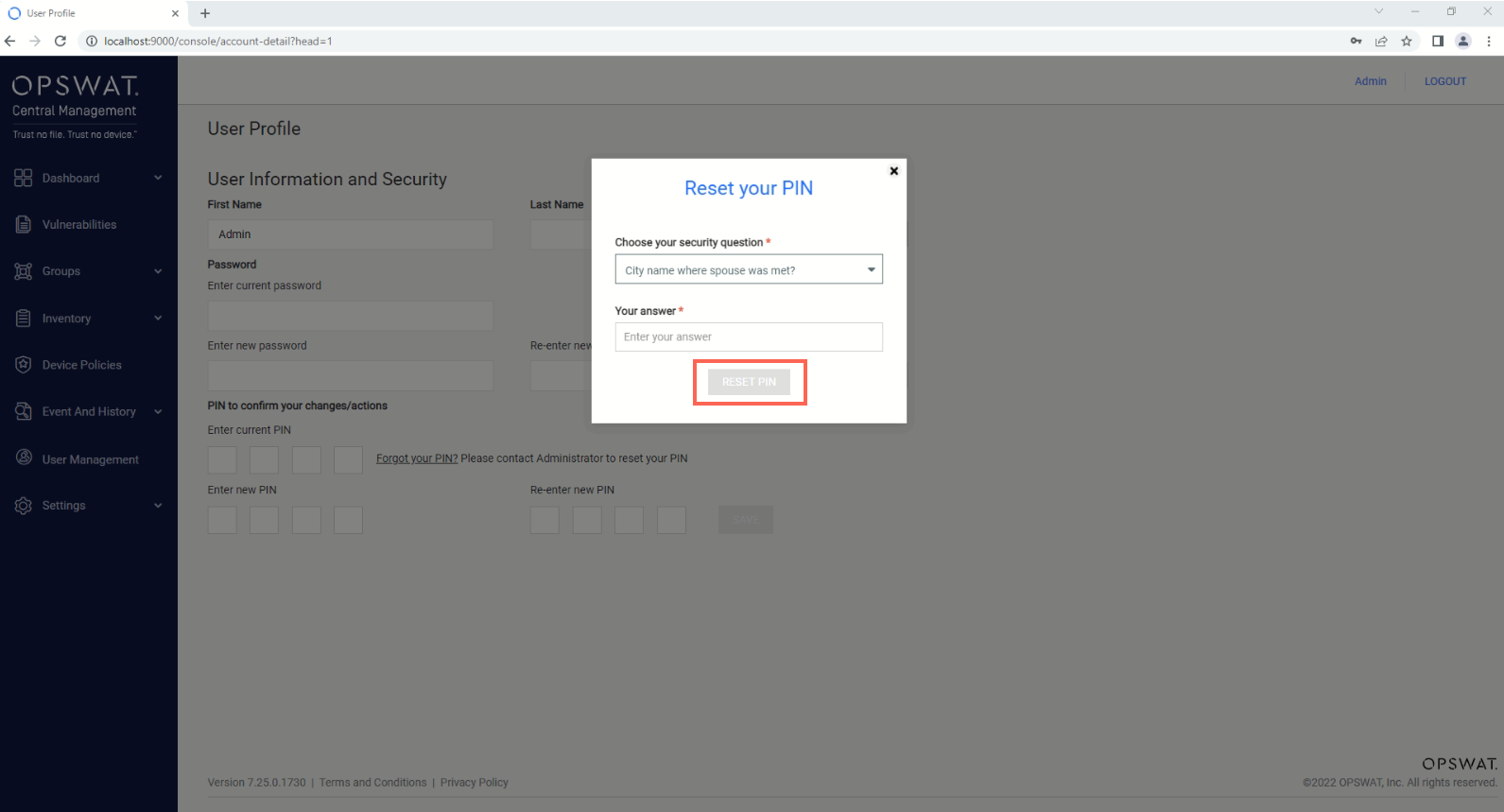
Select your pre-configured security questions, then answer them correctly, before clicking the RESET PIN button.
Enter, then re-enter your new PIN, before clicking the CREATE PIN button to implement your selection. Your new PIN will immediately take effect.
If you have followed the instructions above but have been unable to Add or change Your OPSWAT Central Management Account, please open a Support Case with the OPSWAT team via phone, online chat or form, or feel free to ask the community on our OPSWAT Expert Forum.