
This article applies to all MetaDefender Netwall releases.
This document applies to deployments using a File Transfer use case
Issue
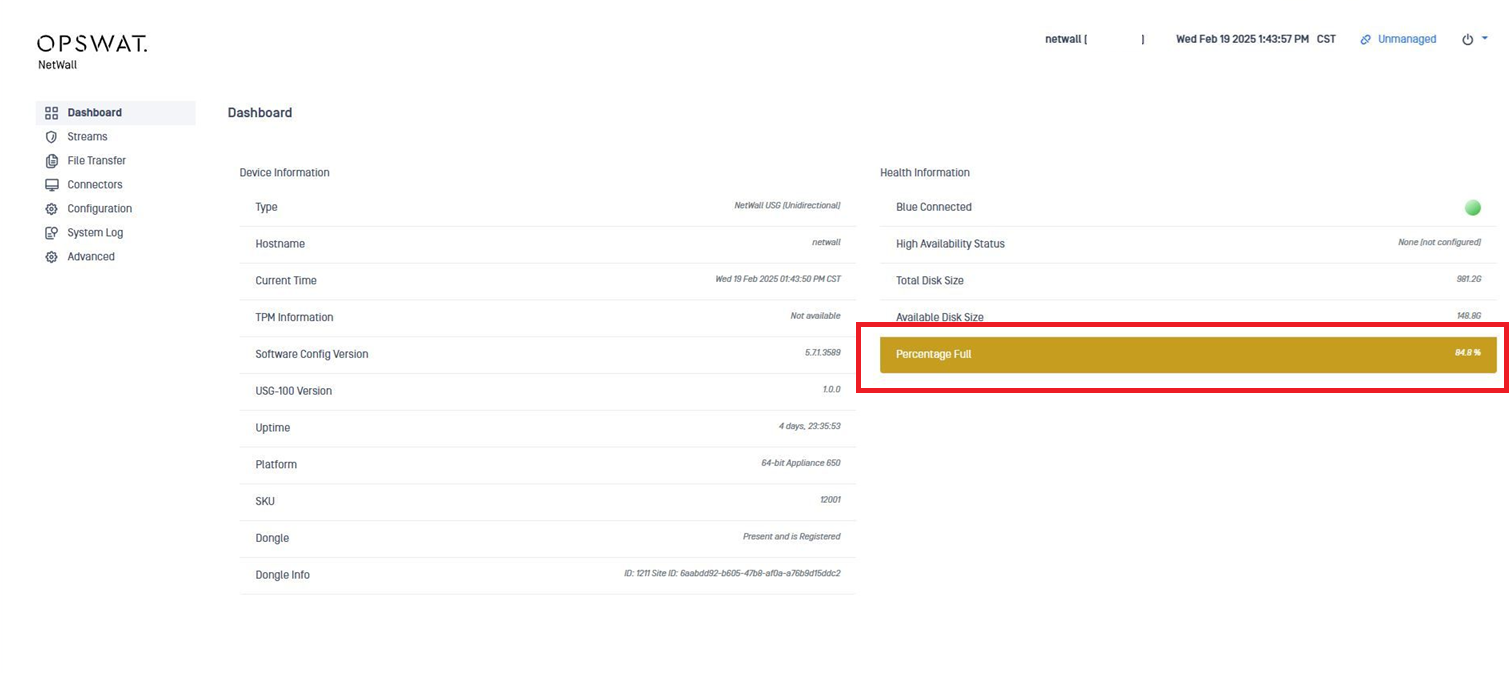
Netwall alerts about high disk utilization which could prevent the correct functioning of the product.
Causes
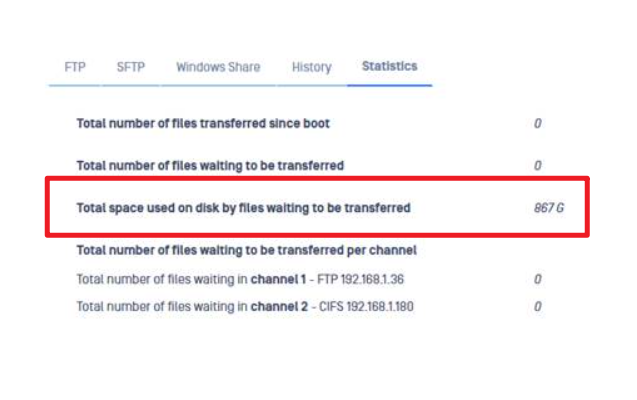
The most common cause of this issue is connectivity issues on the RED side in deployments where File Transfer is enabled and the file transfer destination is unreachable or have some problems receiving files.
Troubleshooting
In order to verify , please follow the steps below:
Ensure that the source and destination channels in the Netwall configuration are the same on the BLUE and RED side. Source file transfer from BLUE on channel 1 should match Destination file transfer channel 1 on RED.
Ensure that there are not any connectivity issues between Netwall(RED) and the file transfer destination.
Check the status of the “Test” function.
If the Test results on a connection timeout or connection refusals. If there are any, the problem may be on the destination. Check the connections.
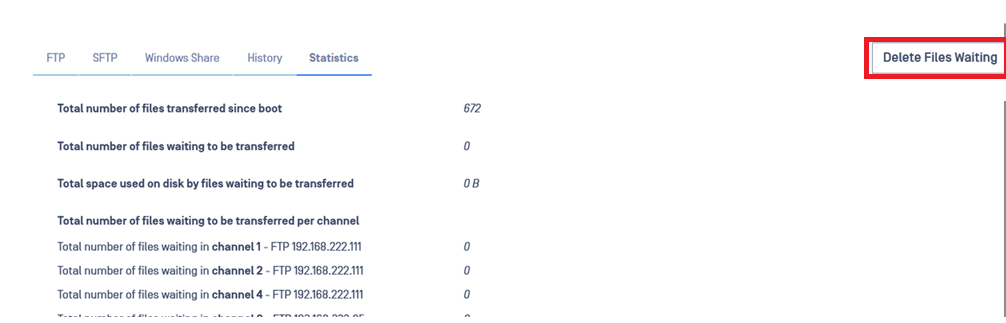
If the problem is related to connection issue where files that where expected to be transferred are running into problems at the destination, you can try to delete the files waiting to be transferred:
If you still have issues, please reach out to our support team for further assistance. If possible, collect a support package that can be shared from both of the Netwalls.
If Further Assistance is required, please proceed to log a support case or chatting with our support engineer.