
User type: Organization users
Role: View only on License Management - Hardware
If your organization has at least one hardware, your Organization Hardware tab provides a centralized list of all hardware assets associated with your organization. To access this tab
Select License Management in the left navigation.
Click the Organization Hardware tab.
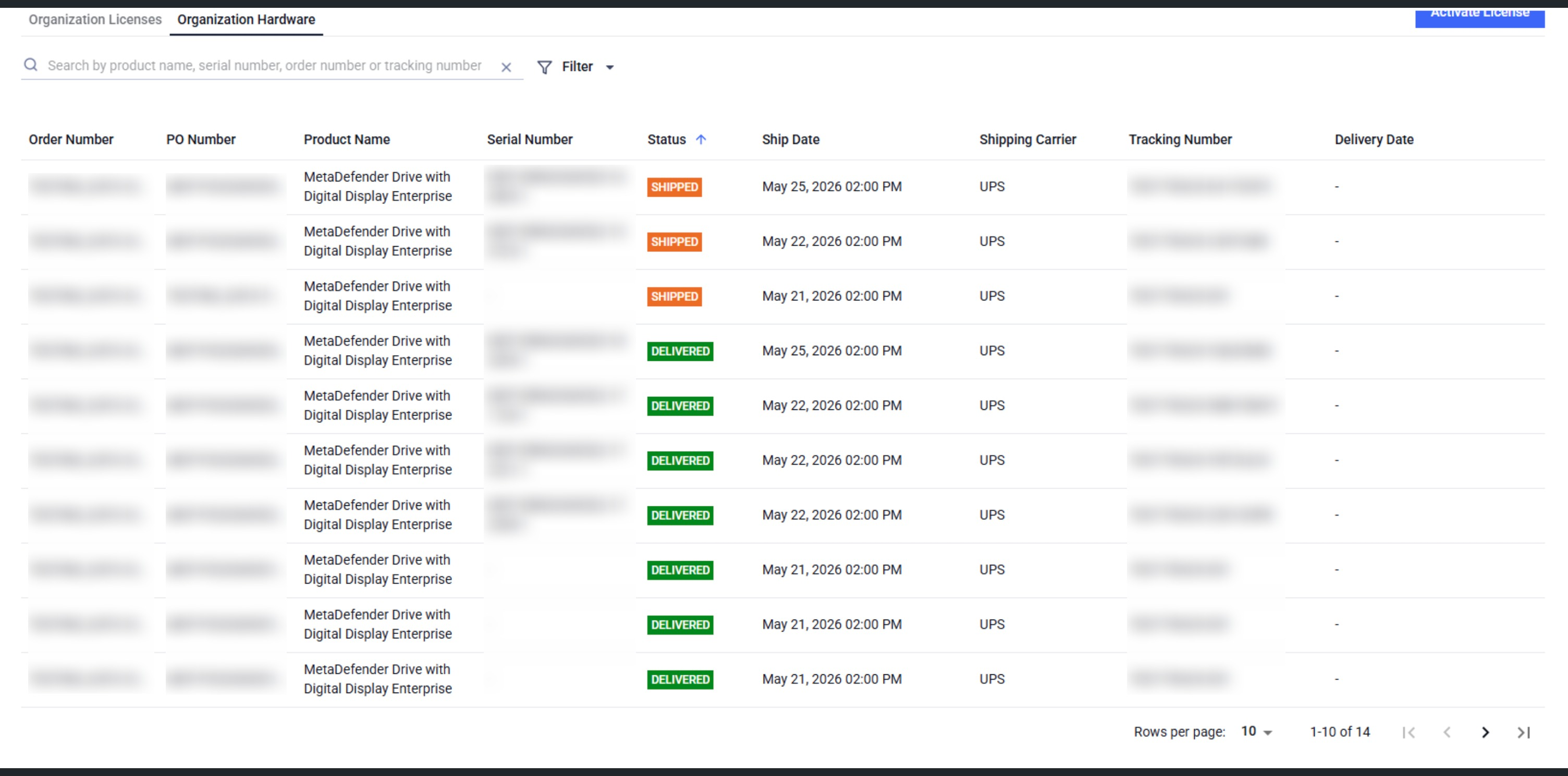
You can
Sort by Delivery Date, Ship Date, Status. Default sort by Status
Filter by Status, Ship Date, Delivery Date, or Shipping Carrier
Search by Product Name, Serial Number, Order Number, Tracking Number
Email notifications
Automated email notifications are sent to the Ship To Contact whenever the order package status changes.
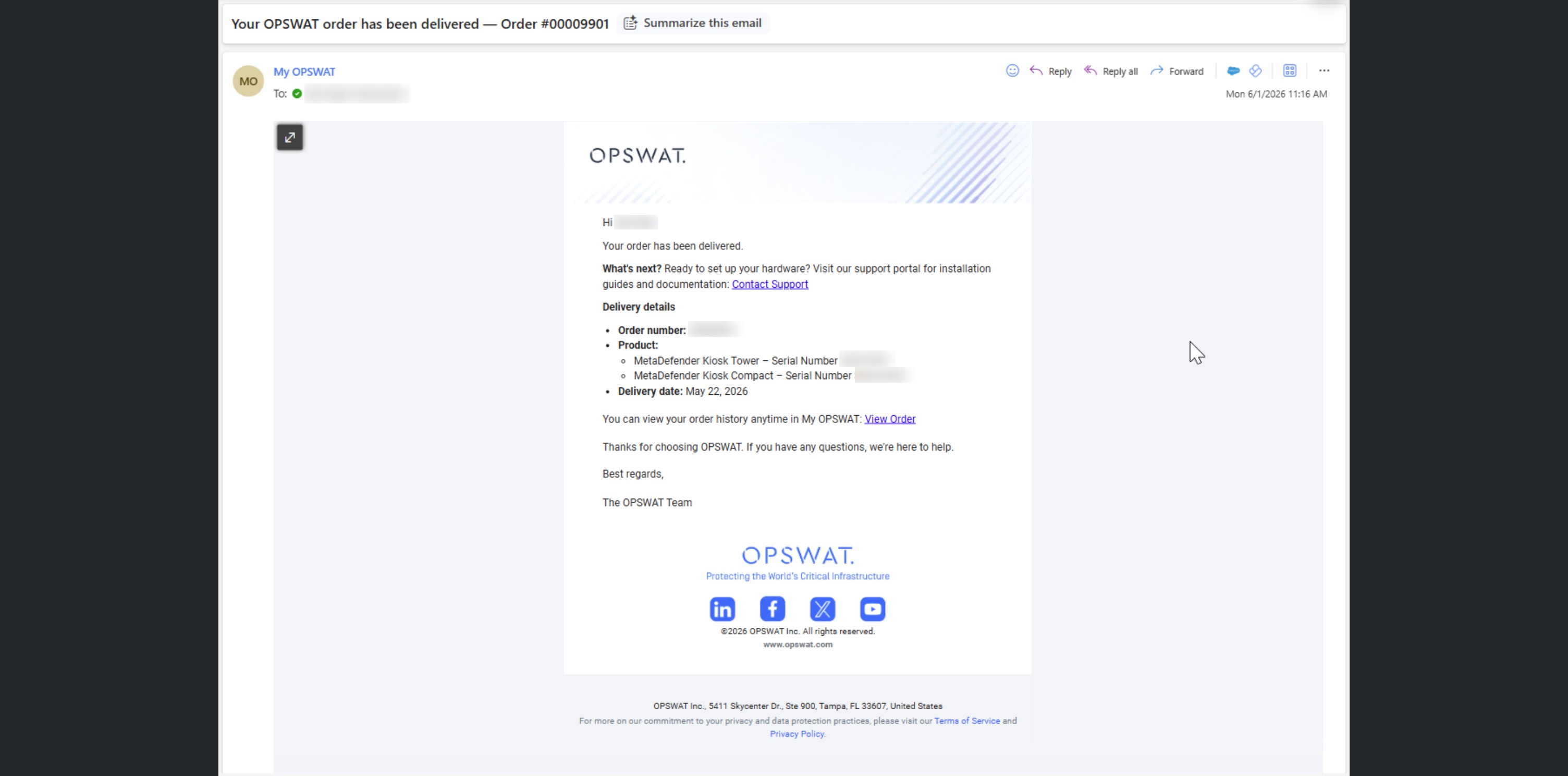
Each notification includes a direct link back to My OPSWAT Portal so you can open the order and see the full details.
Please contact OPSWAT Support if you find any missing hardware assets.