
MetaDefender Storage Security users can generate one API Key for their user account. This key can be used as an alternative method to authenticate REST API requests to MetaDefender Storage Security — with the exception of user and API key management operations.
To generate an API key, follow these steps:
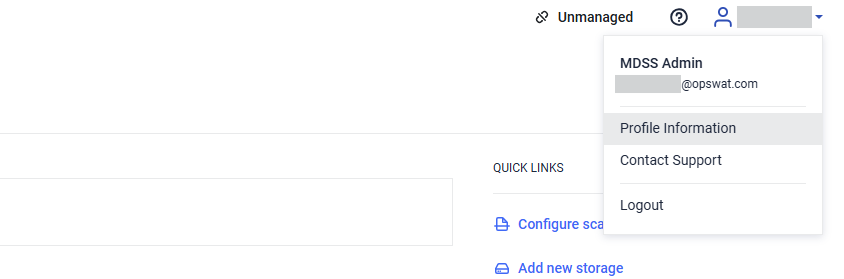
From the top bar, click on the User icon and navigate to Profile Information.
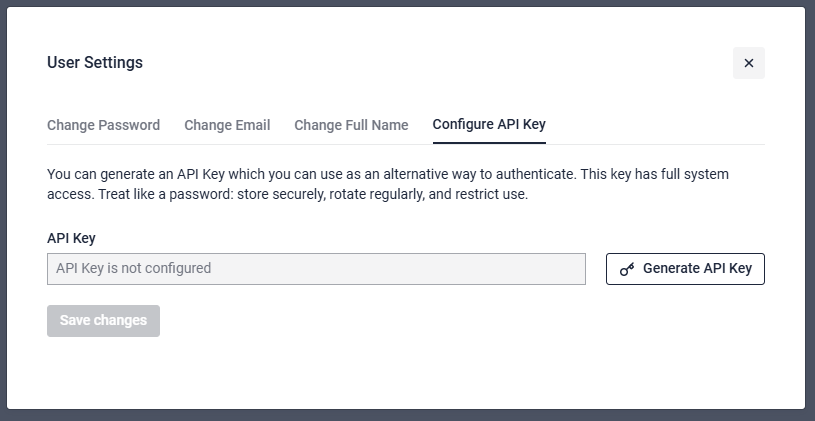
Navigate to Configure API Key and select Generate API Key
Click the copy button and store your API Key somewhere secure. Afterwards, click on Save changes.
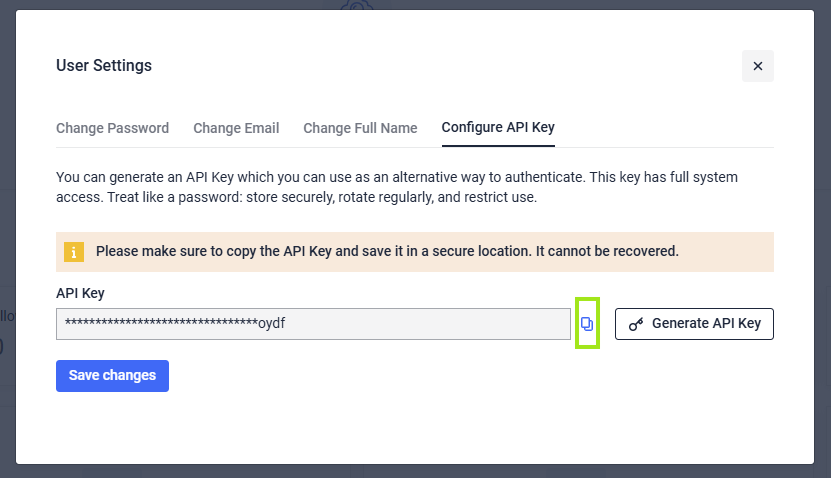
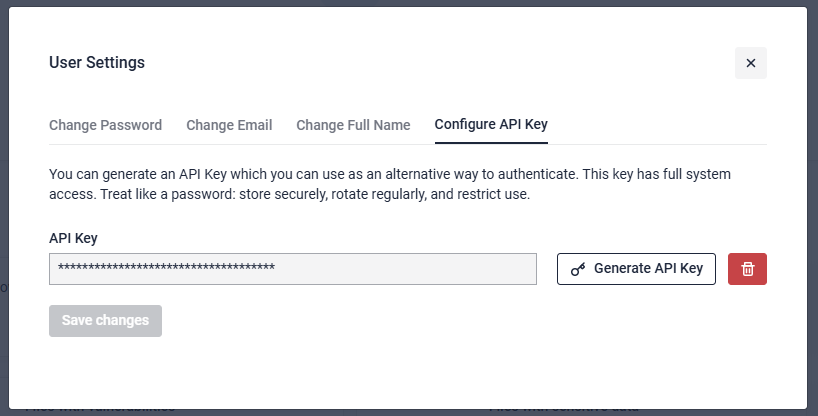
The API key can be copied only at this step and is saved only after clicking the save changes button. If an API Key already exists, it can be deleted or updated to a freshly generated one.
API keys of a user are invalidated on a password change or reset operation.
The following operations are not allowed using an API key:
Generate an API key: GET /api/apikey/generate
Retrieve an API key: GET /api/apikey
Add an API key: POST /api/apikey
Update an API key: PUT /api/apikey
Delete an API key: DELETE /api/apikey/{id}
Enumerate active users: GET /api/user/active/{startIndex}/{count}
Create an user: POST /api/user/create
Update user role: PUT /api/user/role
Enumerate user requests: GET /api/user/requests
Remove a user: DELETE /api/user/{userId}
Update user: PUT /api/user
Validate password: POST /api/user/validation