
Some of the images and logos in the MetaDefender Kiosk end user interface can be changed by replacing the images installed. The original dimensions of the images are expected to be preserved for optimal display.
Theme Customization
For Kiosk 4.7.3 or older, text color changes are not supported, and logos need to be uploaded to the local folder. Please prefer to Branding and Logo Customization for Kiosk 4.7.3
In Kiosk version 4.7.4 or later, we introduce "Customize Theme" interface allows administrators to interactively change logos and colors.
To customize the Kiosk UI, navigate to Configuration, select Kiosk UI, expand Customize Theme. Preview option allows administrators to see real-time changes when logos or text colors are changes.
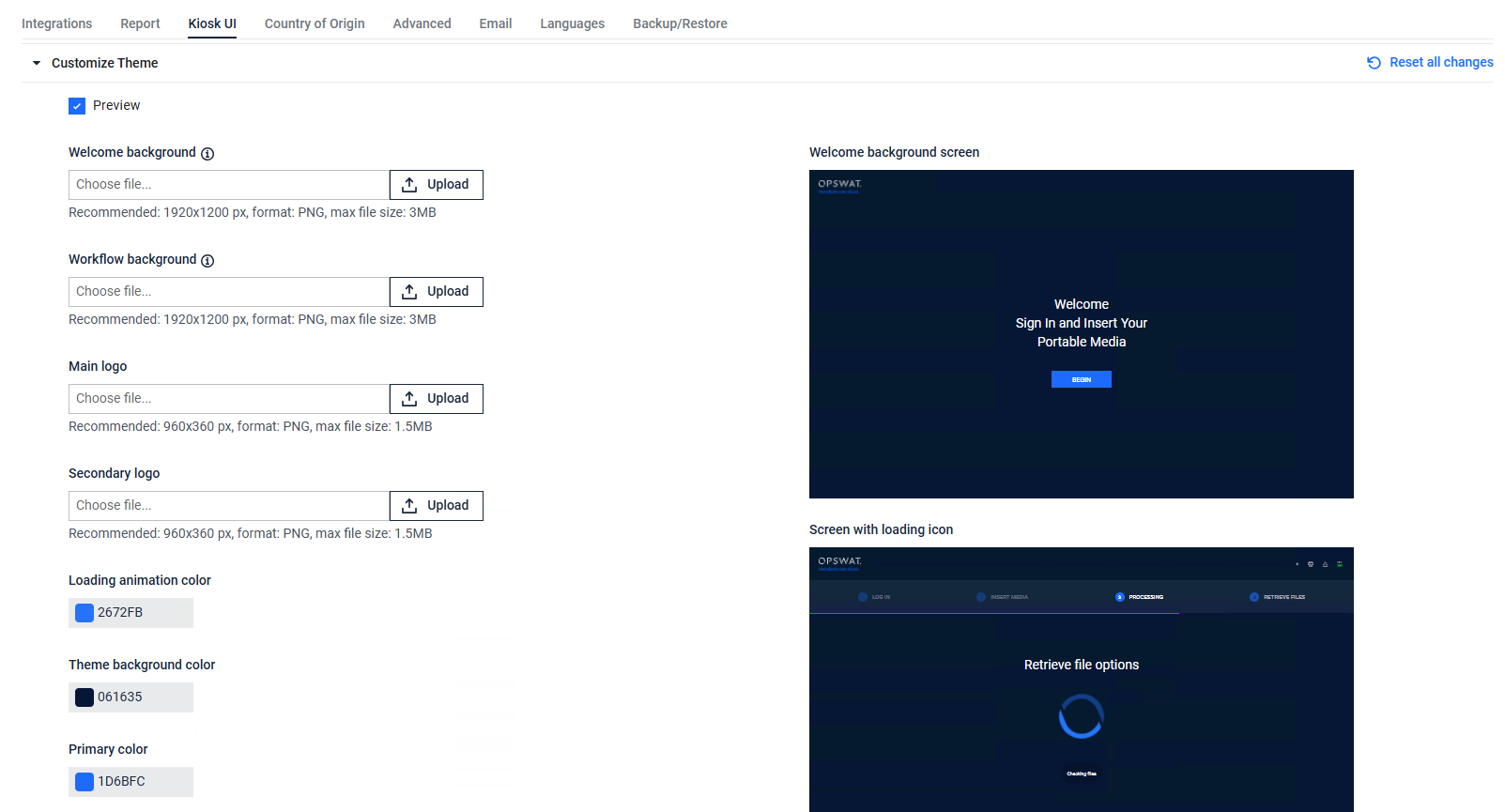
Recommended dimension
Welcome Background and Workflow Background images: should match the screen resolution of the device to ensure proper display. For Kiosk devices,
Kiosk Tower:
1280 x 1024Kiosk Desktop:
1920 x 1080Kiosk Mobile:
1920 x 1200Kiosk Mini:
1920 x 1200
Logos:
Main logo: 960
x 360Secondary logo: 960
x 360
Logo positions
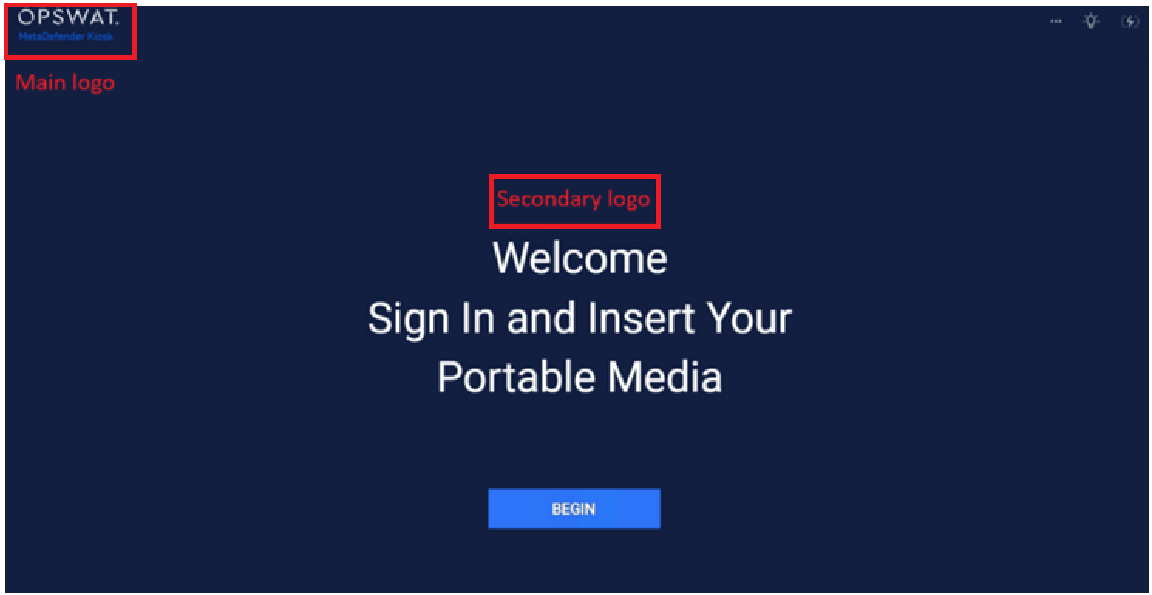
Logo change after the upgrade to Kiosk 4.7.4
If Kiosk is upgraded from a version older than 4.7.4, the logo location will be changed
Kiosk 4.7.4 or later does not use Footer logo ("secondary-logo.svg"), instead, it will use Main logo.
Before Kiosk 4.7.4 | Kiosk 4.7.4 and later |
|---|---|
Header logo (secondary-logo.png) | Main logo (configured via Kiosk Console) |
Top center logo (logo.png) | Secondary Logo (configured via Kiosk Console) |
Footer logo (secondary-logo.svg) | Not in use |
Logos may not be fully restored when importing the configuration from an older version of Kiosk:
Top center logo ("logo.png") may not be restored
Footer logo ("secondary-logo.svg") will not be used. It will instead use the provided Header logo ("header-logo.png") or OPSWAT's default logo.