
Overview
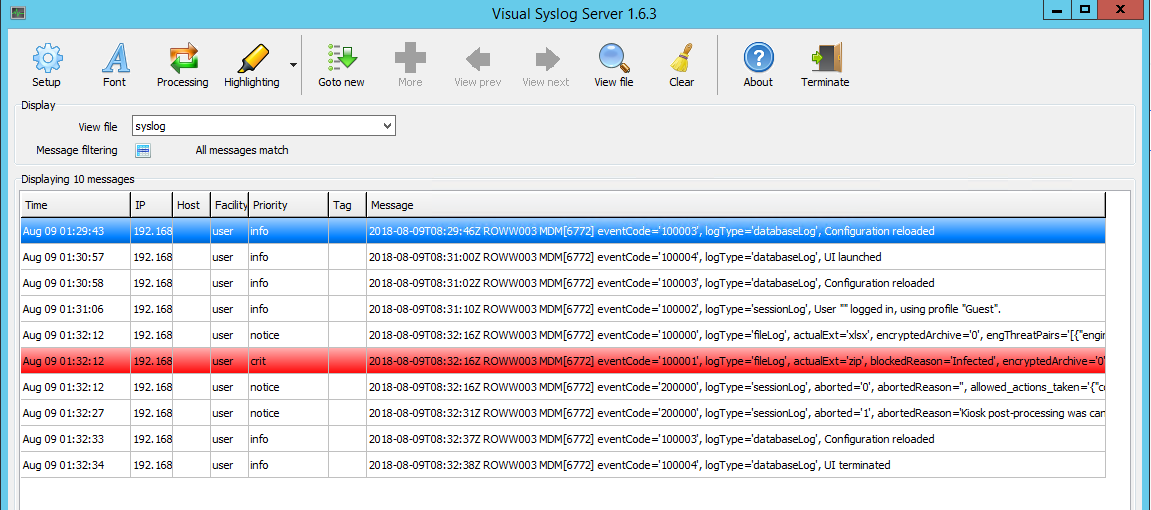
MetaDefender Kiosk does support the generation of Syslog events when infected files are detected during processing. This integration enables centralized monitoring and response by forwarding security-relevant events to a designated Syslog server.
Syslog, also known as System Logging Protocol, is designed to send system log and event messages from a network of devices to a centralized syslog server for monitoring, review and remediation.
Configuration
To enable Syslog event generation in MetaDefender Kiosk:
Open the Kiosk Management Console.
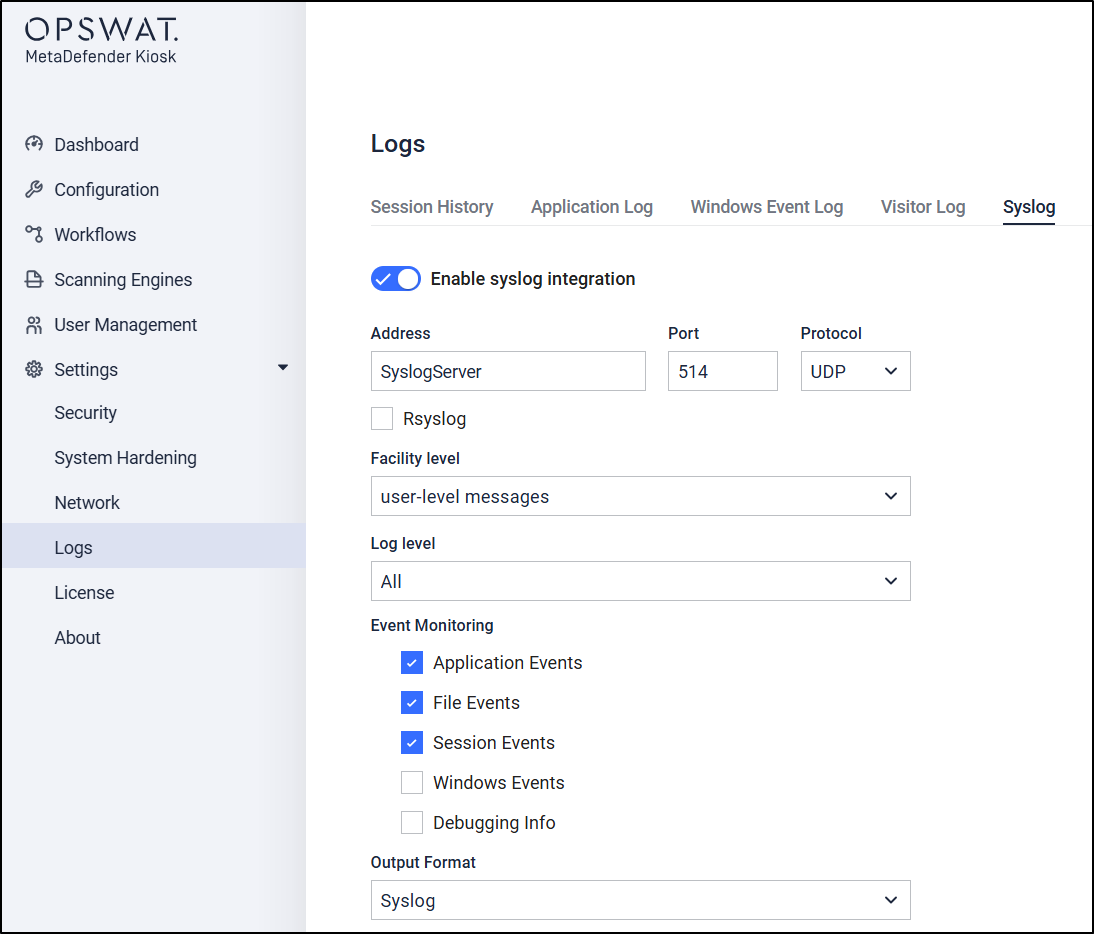
Navigate to Settings > Logs > Syslog.
Click Add New Server to add a Syslog destination.
Enter the required server details as illustrated in the configuration interface.
Once configured, MetaDefender Kiosk will automatically log events related to file infections and other relevant actions.
If you have followed all of the steps above but are still unable to Generate a Syslog Event When an Infection is Found by MetaDefender Kiosk, please follow these instructions on How To Create a Support Package, before creating a support case or chatting with our support engineer.