Management consists of configuring the global configuration, workflow settings, and viewing health / license status of multiple Kiosk instances. This guide outlines how to add a Kiosk instance to Central Management, please refer to Central Management documentation for further product details.
Adding a Kiosk instance
Access the Central Management Console at
http(s)://<ip or dns>:9000On the left hand panel navigate to
Inventory→MetaDefender KioskClick
Add New Instancein the right hand cornerClick
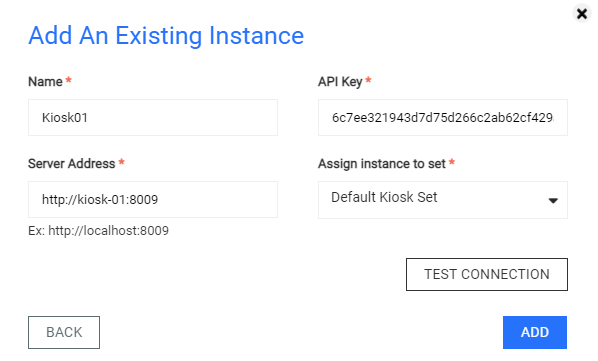
Add an existing Instancein the pop up panelFill in the required fields
Name,Server Address,API Key,Assign instance to set, and clickAdd
The value for the API Key field is the generated API key of an administrator user of MetaDefender Kiosk. Refer to management console user information on how to generate it.