
About
This document summarizes the configuration steps to add OPSWAT Mobile App to Microsoft Intune and setup automatic enrollment using URL protocol (Scheme)/Schema Link.
Prerequisites
BYOD Device has to install Microsoft’s Company Portal application in ordered to be managed by Intune.
Corperated’s own device can be enrolled automatically via Apple Business Manager. Ref: Set up automated device enrollment (ADE) for iOS/iPadOS - Microsoft Intune
Known about Mobile Application Management: Mobile Application Management (MAM) for unenrolled devices in Microsoft Intune - Microsoft Intune | Microsoft Learn
Settings catalog: Create a policy using settings catalog in Microsoft Intune - Microsoft Intune | Microsoft Learn
Set up Managed Application for iOS
Please see more details at this page https://www.opswat.com/docs/mdendpoint/operating/automatic-deployment-opswat-mobile-app-ios
Set up Manage Apps Configuration
On Microsoft Intune navigation pane, follow the steps:
Step 1: Select Apps.
Step 2: The Apps overview pane opens.
Step 3: Under Manage Apps, select Configuration.
Step 4: Select Select > Managed apps
Step 5: The Create app configuration policy pane opens.
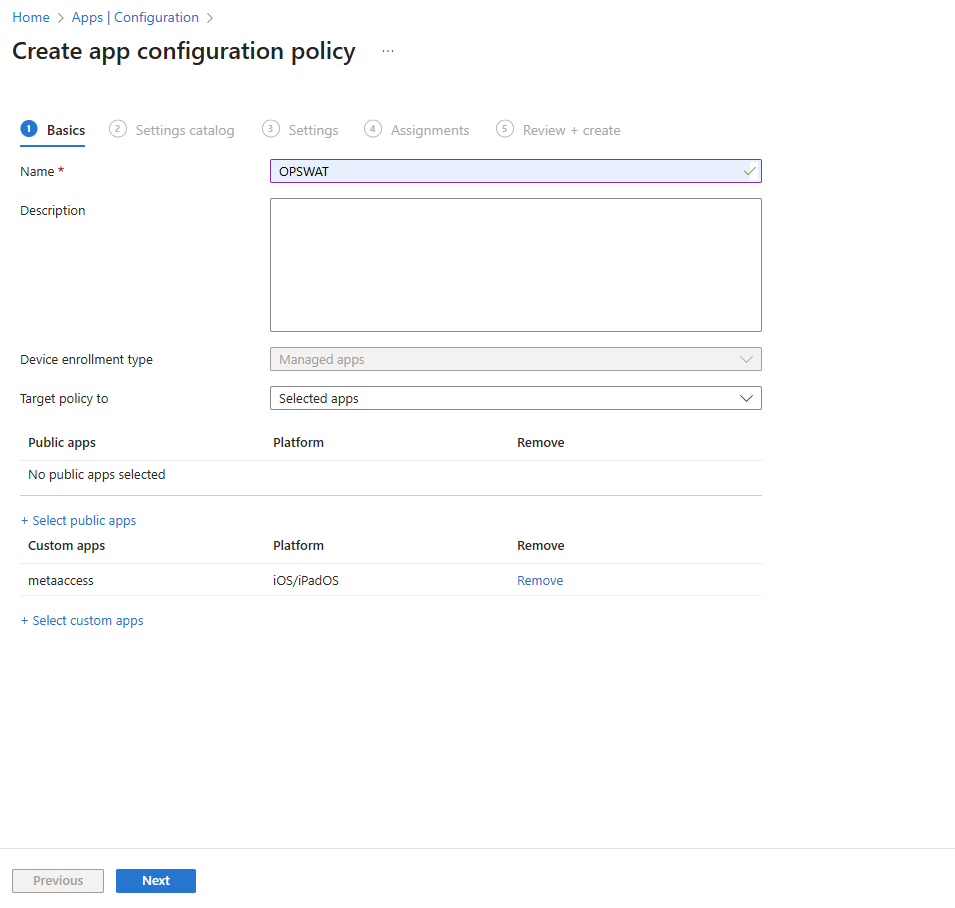
Step 6: In the Basics tab, do the following:
a. In the Name field, enter OPSWAT MAM Mobile App.
b. From the Target policy to drop-down menu, select Selected App.
c. From the Custom app, select custom app:
d. Use schema link
e. Under Bundle or Package ID from More apps > Type metaaccess
f. Select Platforms: iOS/iPadOS
g. Select Add > App will move to Selected Apps > Select Select
h. Click Next
Step 7: In Settings Catalog tabs > Add your policy > Select Next
Step 8: In Settings tabs:
Add your config Microsoft Tunnel for Mobile Application Management settings > Select Next
Select the value types and enter the General configuration for the following configuration keys*. Then, select Next.
Name key | Value |
|---|---|
| Your value pass to OPSWAT (Required) |
Step 9: The Assignments tab opens > Under Included groups, select Add all users and select Next.
Step 10: The Review + create tab opens.
Step 11: Select Create.
For using General configuration settings in Mobile Application Management (MAM), we need to add SDK Intune and define configuration data to support sending any app configuration data.
Recommendations
Use Mobile Device Management (MDM) + Mobile Application Management (MAM) together, this MAM help to add App Protection Policies to Office mobile apps—even on enrolled devices
For auto-register features should using MDM Intune, please see more details at this page https://www.opswat.com/docs/mdendpoint/operating/automatic-deployment-opswat-mobile-app-ios
Download & setup Company Portal App
Go to App Store
Download Company Portal app (Microsoft)
Login Microsoft account
Setup add work profile
Auto-enrollment will be active
OPSWAT Mobile App will automatically download to devices.