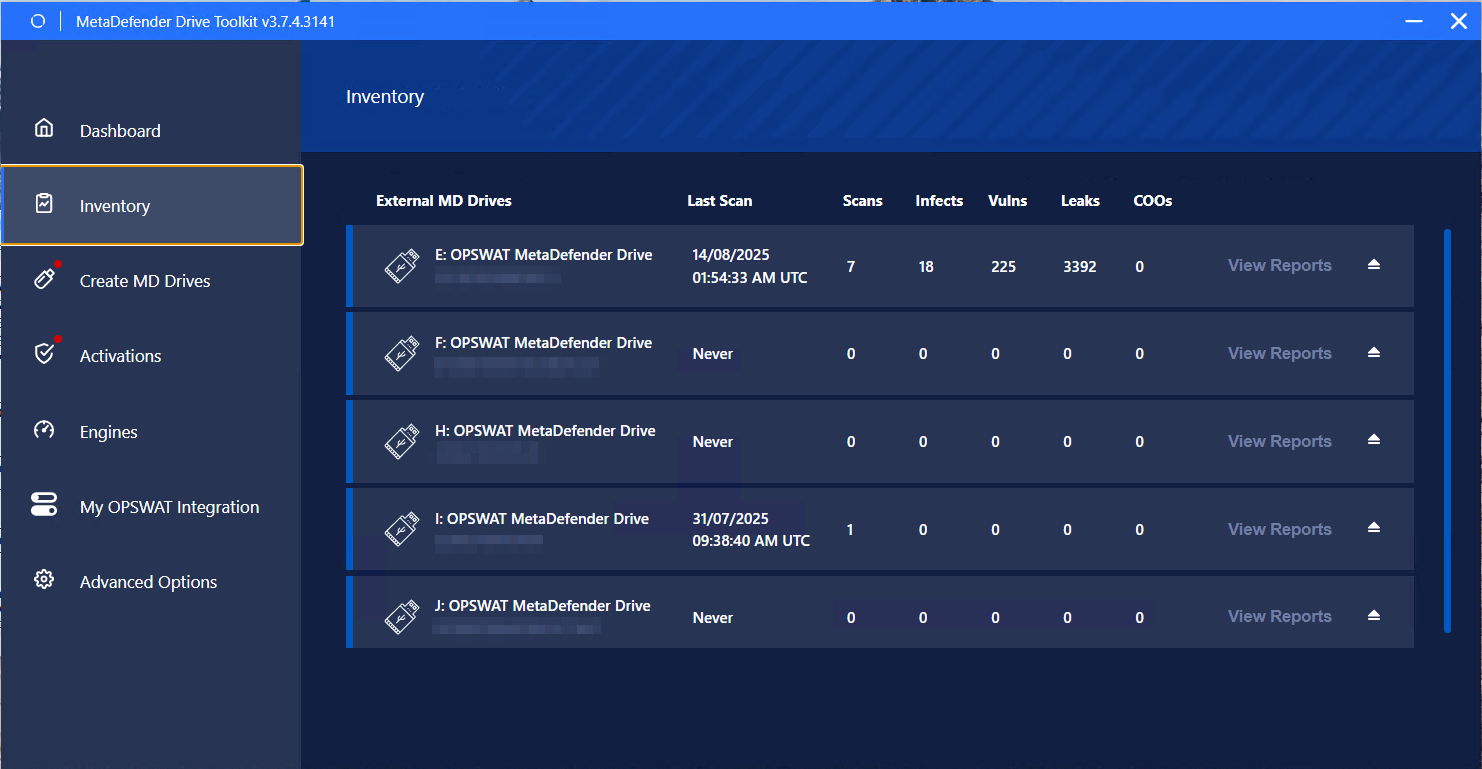
The Inventory page shows a general overview of each drive's usage by displaying stats about the number of scans, infected files found, vulnerabilities detected, potential data leaks (files with sensitive data), and Country of Origin non-compliant files. These totals count both Bare Meta and In-Session scans.
You can view more details about the scan history performed on a specific drive by clicking the View Reports button next to this drive:
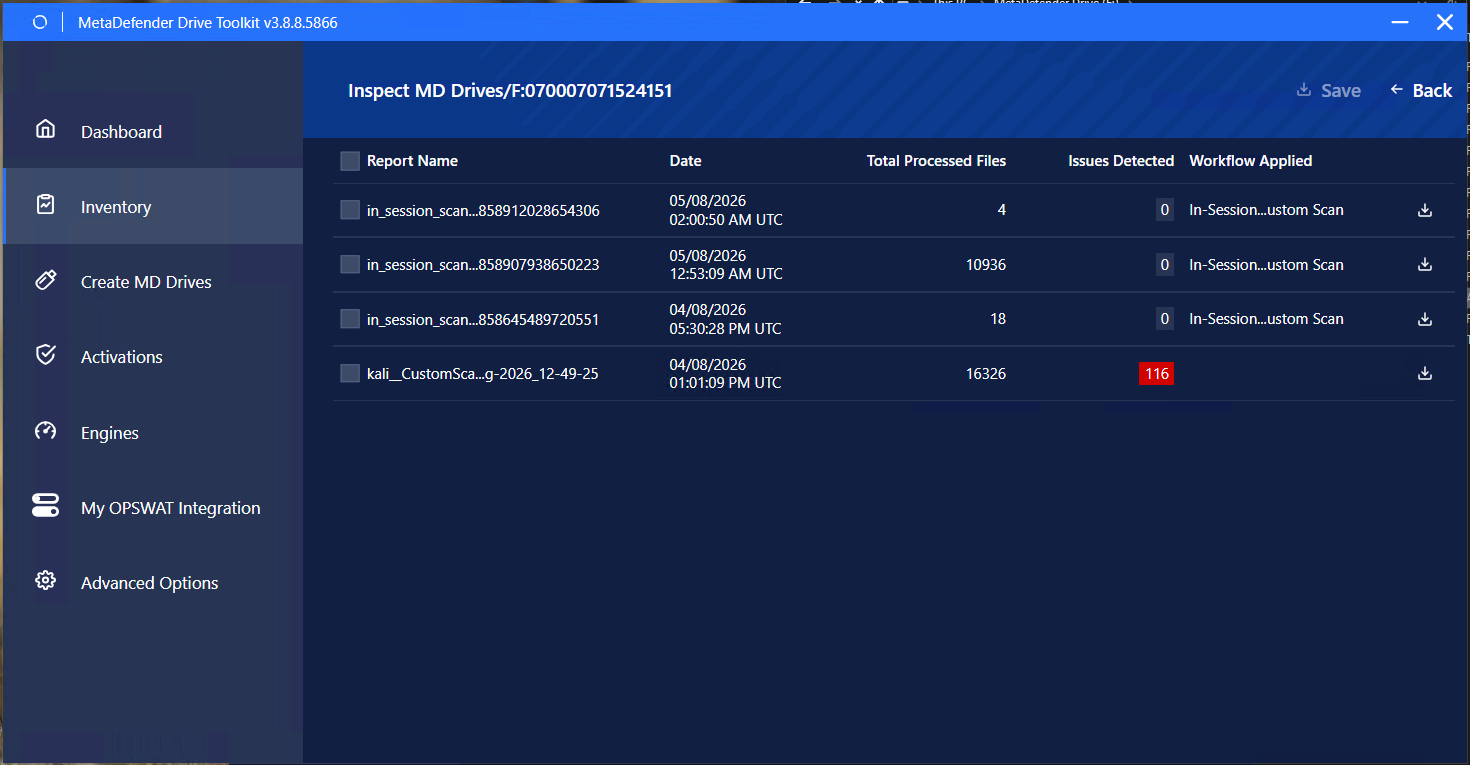
The list includes In-Session scan reports alongside pre-boot ones, newest first. An In-Session entry is labelled by its scan type, or In-Session Scan when no scan type is recorded, and shows the number of processed files and the issues detected. Opening it gives the same totals and device properties as a pre-boot report.
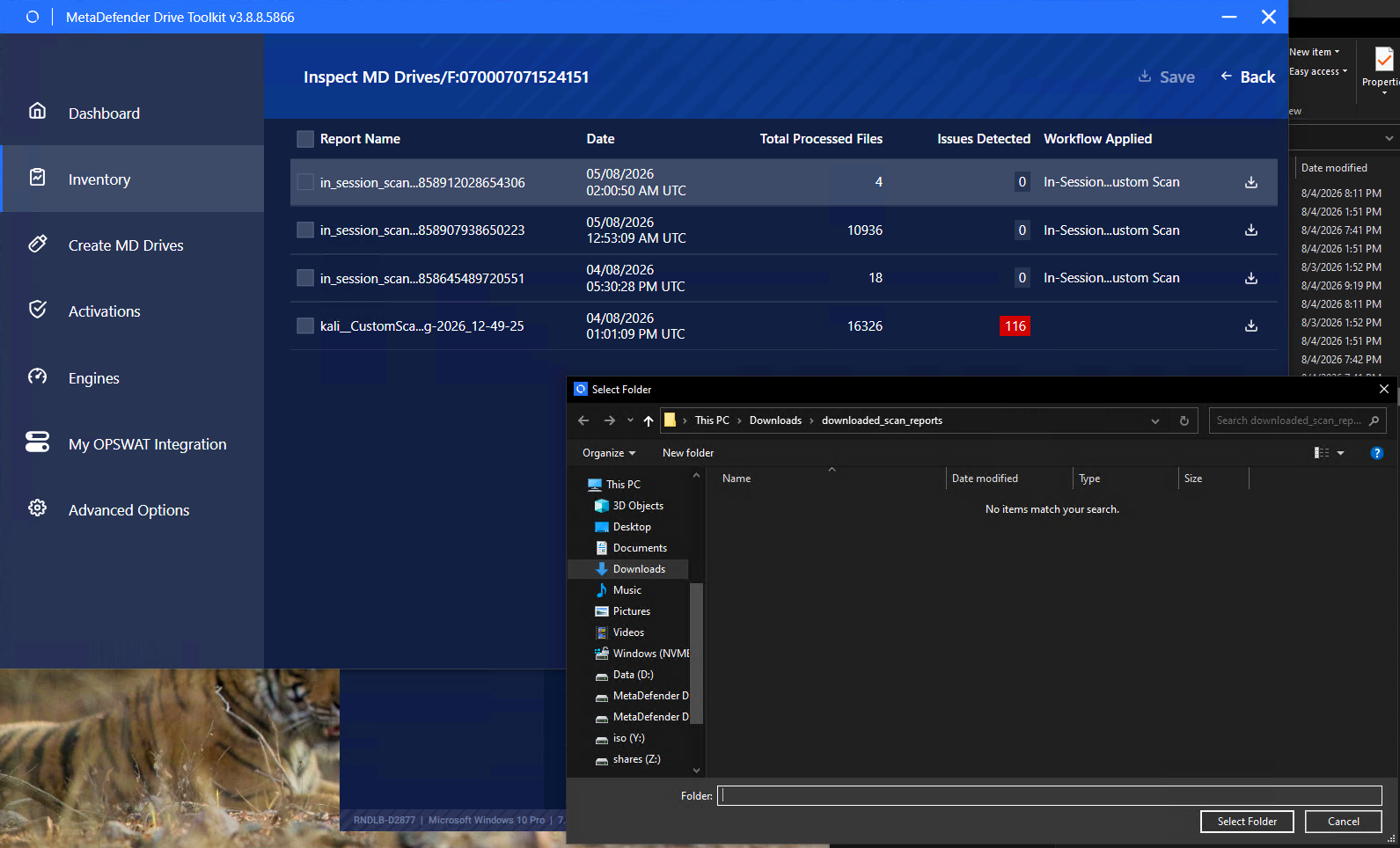
You can save the scan reports from any drive on your local device's storage by clicking the download icon: