
Overview
By default, request metadata (transmitted via metadata headers) is not displayed in the application logs. Metadata information appears in the logs as "Request metadata" entries at the DEBUG level only.
When DEBUG logging is enabled, metadata entries appear in the following format:
[DEBUG ] 2025.08.25 18:47:04.253: (core.workflow) Request metadata, root_data_id='', parent_data_id='', data_id='8613d9b8fa684b8ea47f5a697b41620e', metadata='{"client": "localhost", "IP": "192.168.1.1"}', totalProcessingTime='9' [msgid: 7525]
Configuration for Higher Log Levels
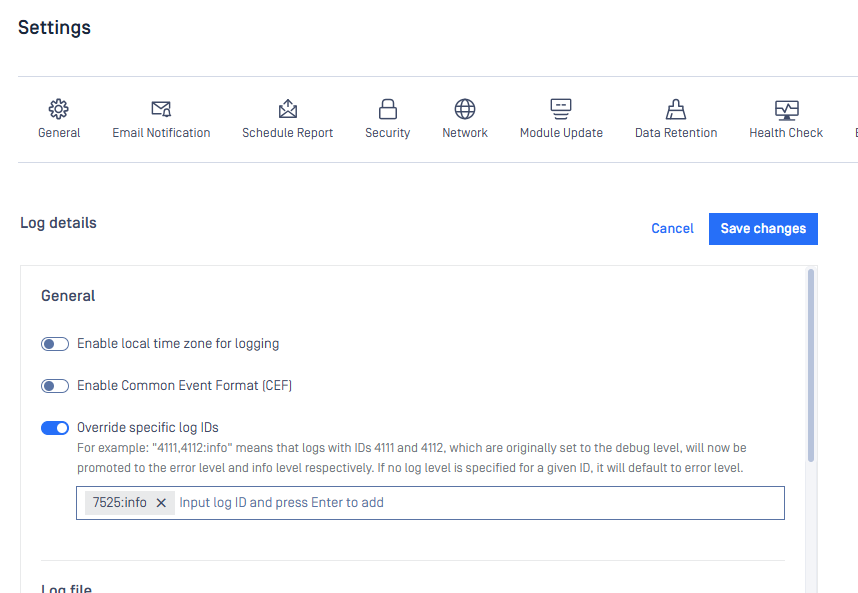
To display metadata information at higher log levels (such as INFO), you can override the default log level settings:
Navigate to Settings > Logs
Enable the "Override specific log IDs" option
Enter
7525:infoin the configuration fieldClick "Save changes"
Was this page helpful?
Troubleshooting