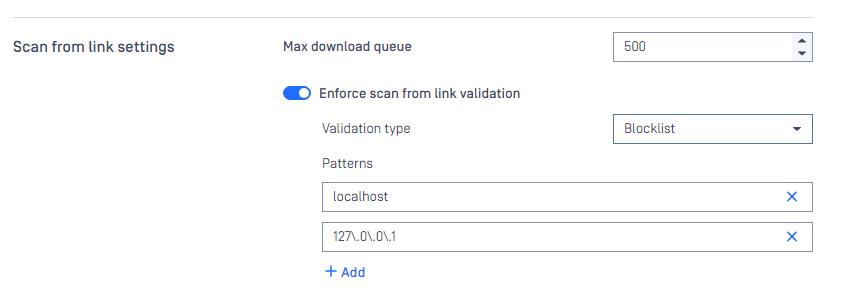
Scan from link settings are accessible under Settings > Security tab .
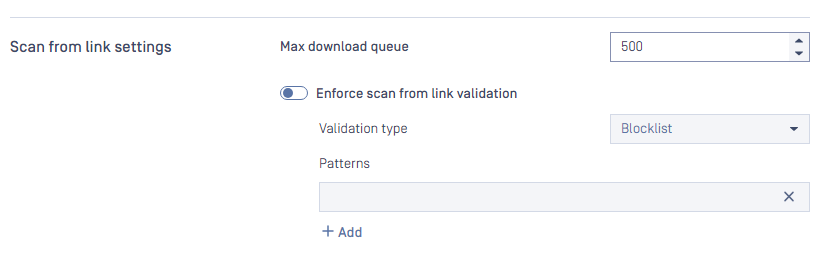
This settings is apply for the header downloadfrom when scanning file via API POST /file
Max download queue:
Determines the number of total concurrent requests that can be downloaded at a time.
Range: [1-1000]
Default: 500
Info: If your system has poor internet speed, you should decrease this number or if you have a decent internet speed, you might want to increase the setting. This setting depends on your network.
Note: this setting only applies to total concurrent download requests, and it is different from the total scan queue in Setting -> General > Queue size
Enforce scan from link validation:
Enable this setting will make Metadefender Core validate the links from "downloadfrom" header.
Default: disable
Validation type: Blocklist or Allowlist
Patterns: Regular Expression patterns
For example, if we would like to validate the links in "downloadfrom" header, restrict calling for the url that contains "localhost" and "127.0.0.1" we should use Blocklist and these patterns