
This tool and instructions are only applicable to MetaDefender Core 4.19.0 or above that leverages PostgreSQL database.
PostgreSQL database could be more bulky over time with high scanning traffic. Even manually removing scan history or leaving it to data retention to clean up old records, it will not immediately remove actual data in the PostgreSQL database which is fully controlled by PostgreSQL.
The tool which is bundled with MetaDefender Core installation is to analyze database and vacuum database effectively, and simplify IT administration.
Windows:
<MetaDefender Core installation folder>\ometascan-vacuum-db.exeLinux:
/usr/sbin/ometascan-vacuum-db
Even though it is not required to stop MetaDefender Core service while running, but still recommended to run the vacuum tool when the scanning service is at rest, or not in peak hours to avoid scanning performance impact.
How-to run instructions
Windows
Open cmd as Administrator
Navigate to MetaDefender Core installation folder (e.g.
C:\Program Files\OPSWAT\MetaDefender Core)Call: ometascan-vacuum-db.exe with no arguments.
Upon done, expected to have a new database analysis and vacuum outcome package auto generated in the same folder with format:
analyze_and``_cleanup_database``<timestamp>.zip
Linux
Run as superuser privileges:
sudo export LD_LIBRARY_PATH=/usr/lib/ometascanRun as superuser privileges:
sudo /usr/sbin/ometascan-vacuum-dbUpon done, expected to have a new database analysis and vacuum outcome package auto generated in
/usr/lib/ometascan/with format:/usr/lib/ometascan/analyze_and_cleanup_database_<timestamp>.tar.gz
Kubernetes
To run the vacuum in a containerized environment, use this command:
Example command and output:
What’s inside the generated package?
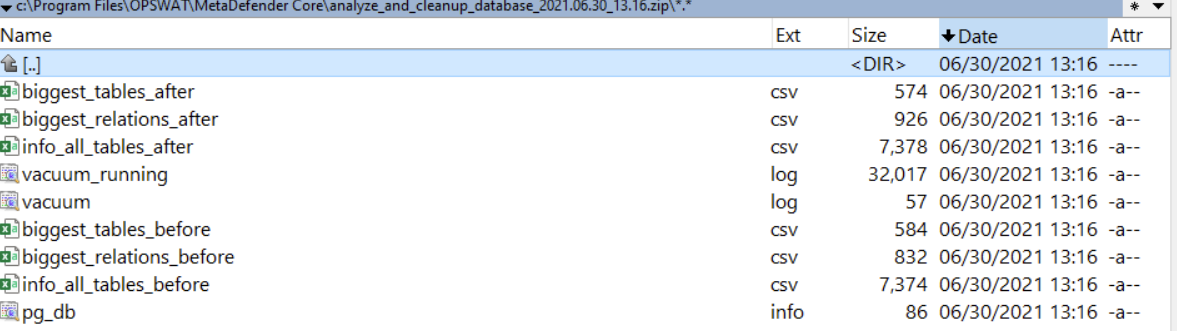
Including database object size analysis before and after running vacuum, the vacuum result and log, the new database size after vacuum. That helps us analyze and determine how effective the vacuum performs against that database, and investigate if any issue occurs.