
Configuration
To enable anti-phishing for specific users only, perform the following steps:
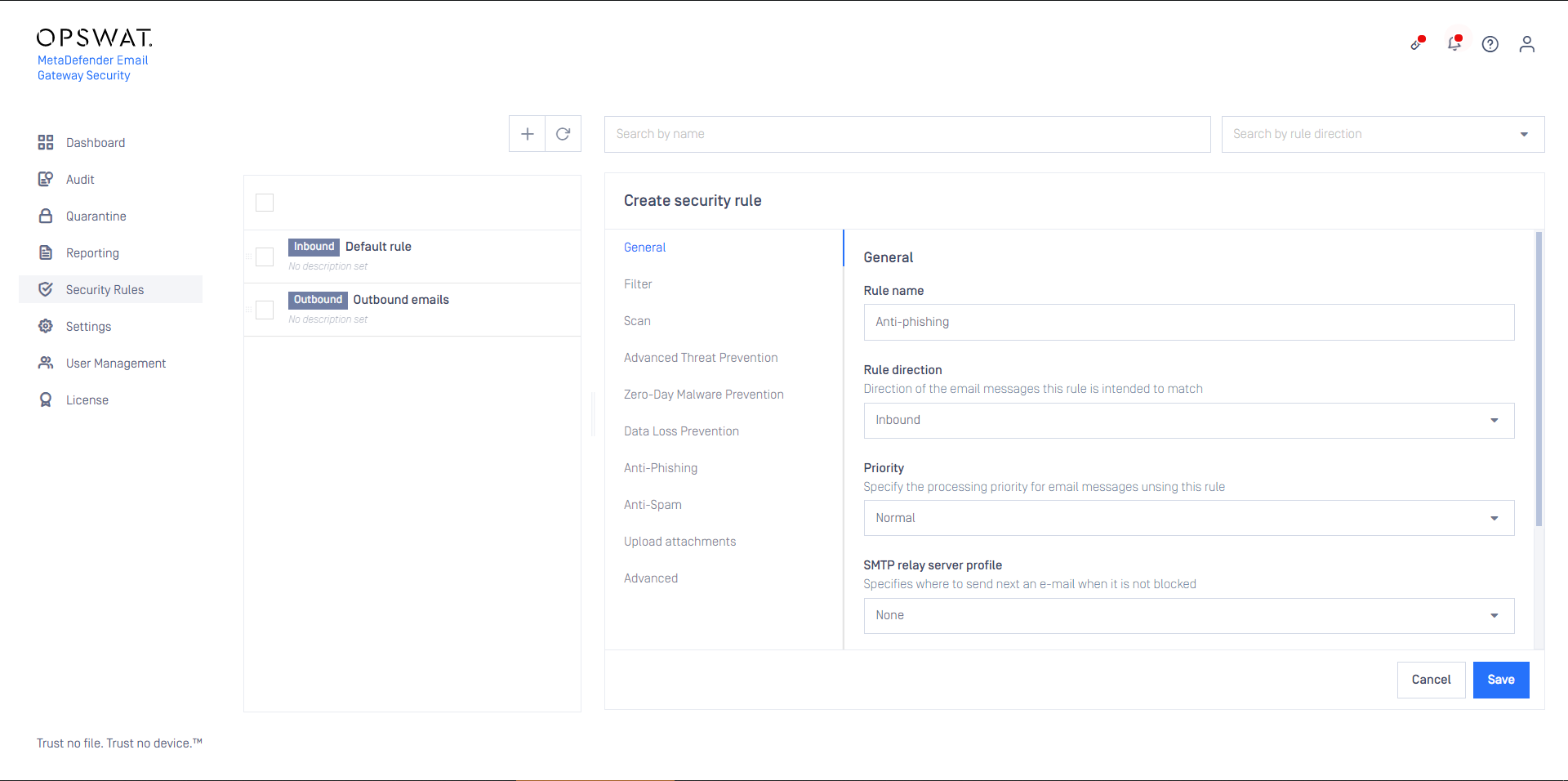
- Create an inbound rule
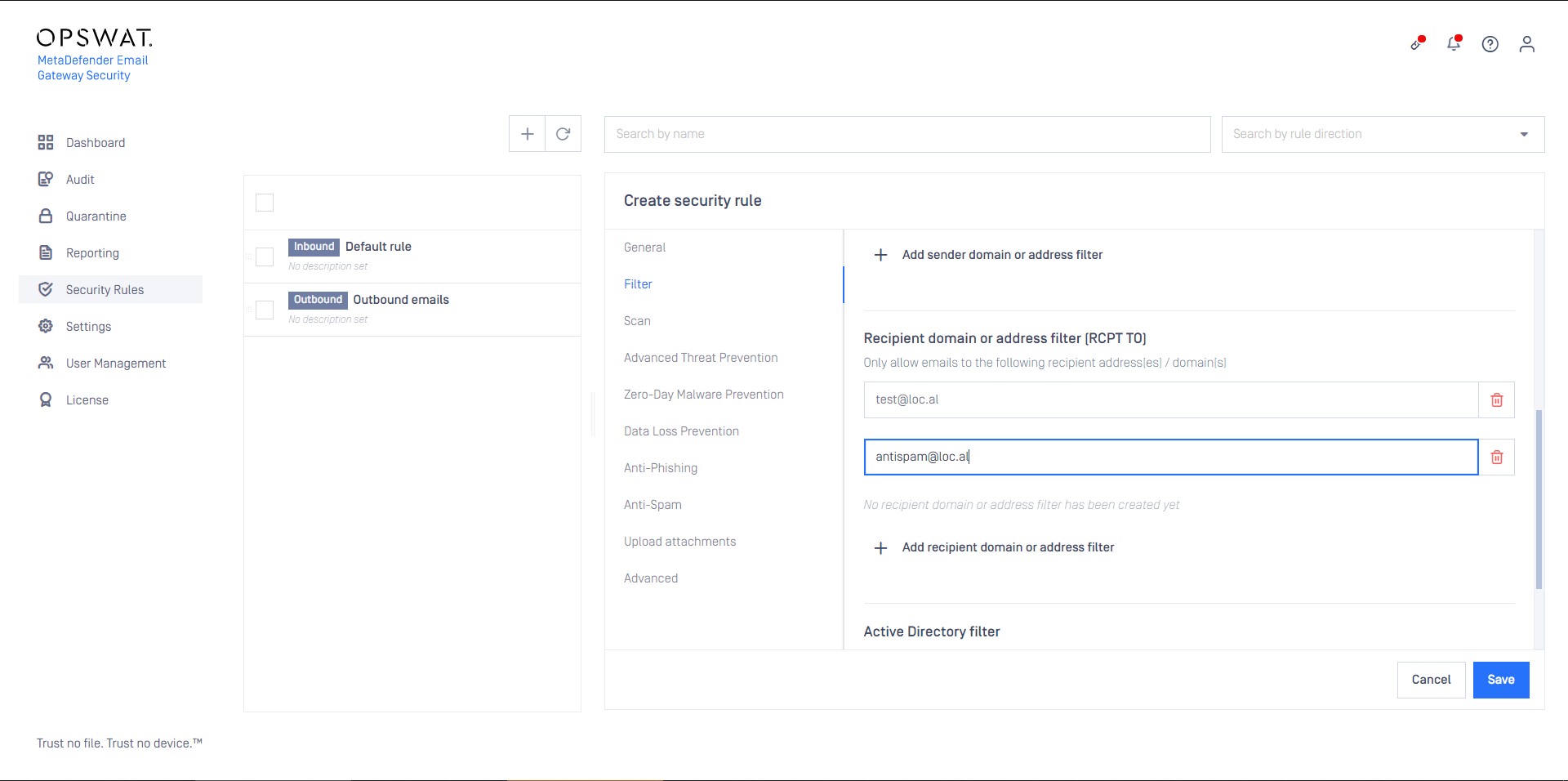
- For the rule, set the specific users as filter conditions
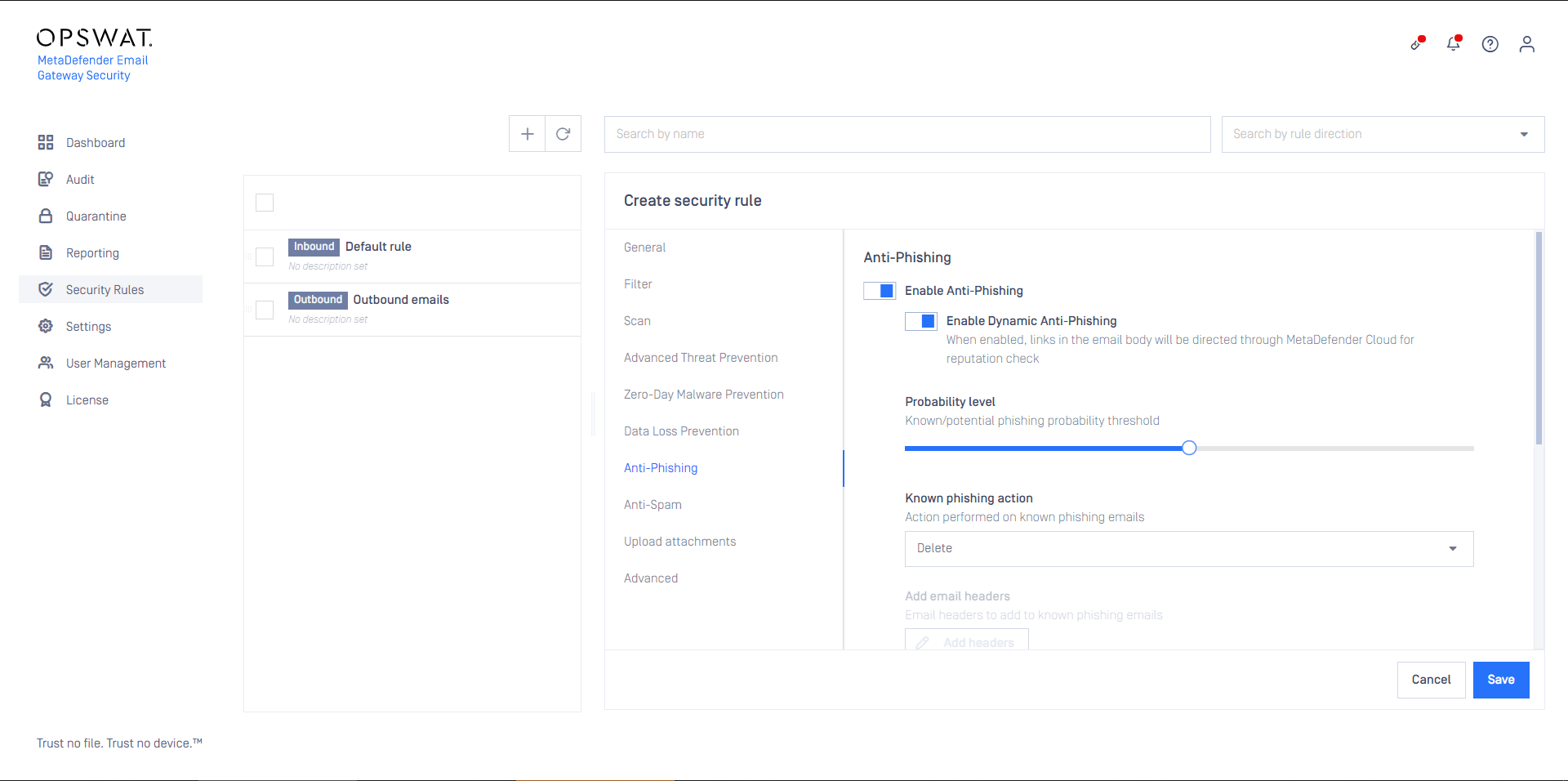
- Enable anti-phishing for the rule
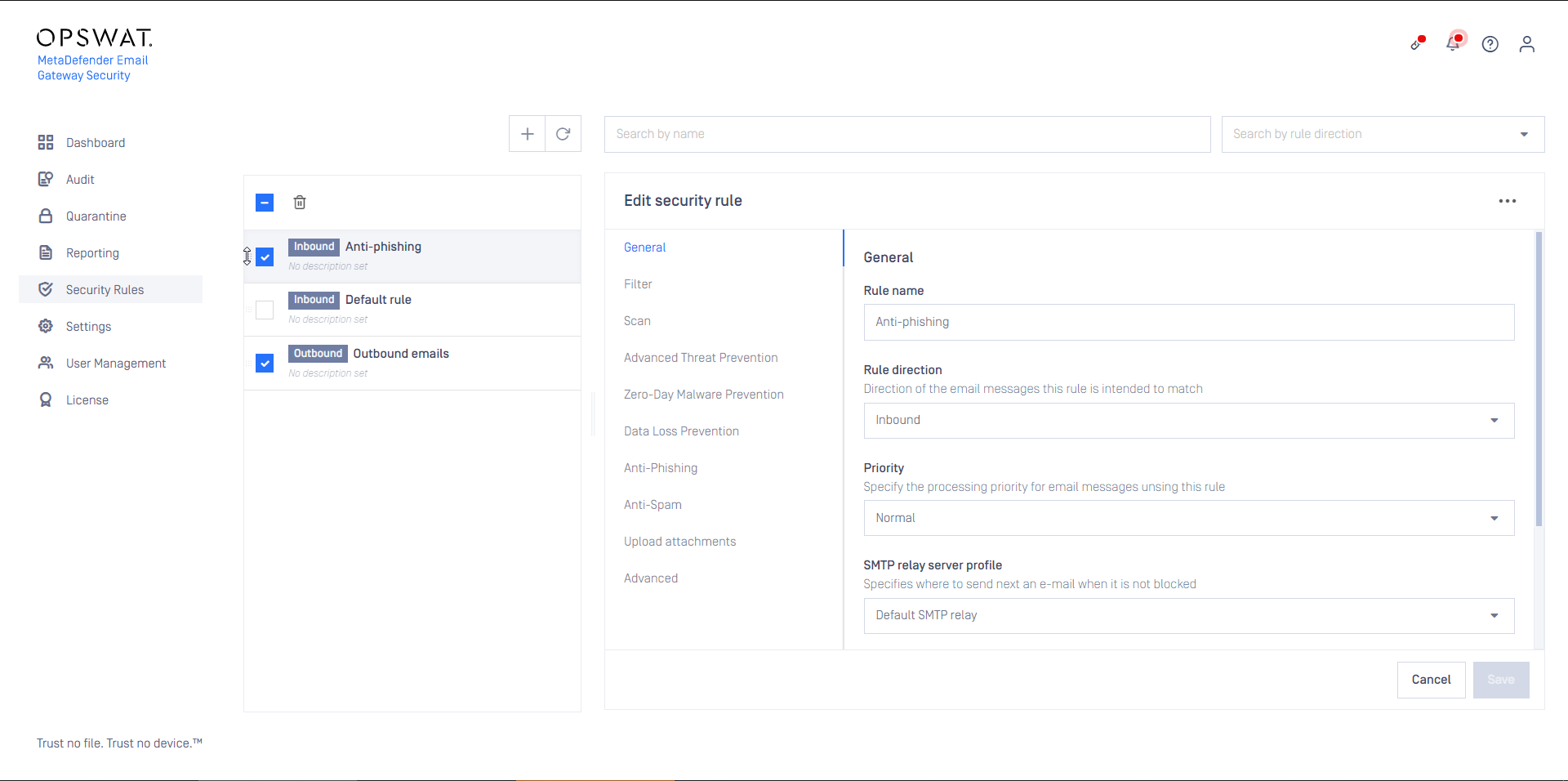
- Save the rule
- As this rule is specific to some recipients, keep in mind setting it to the appropriate order among other rules
Configuring DomainKeys Identified Mails (DKIM)
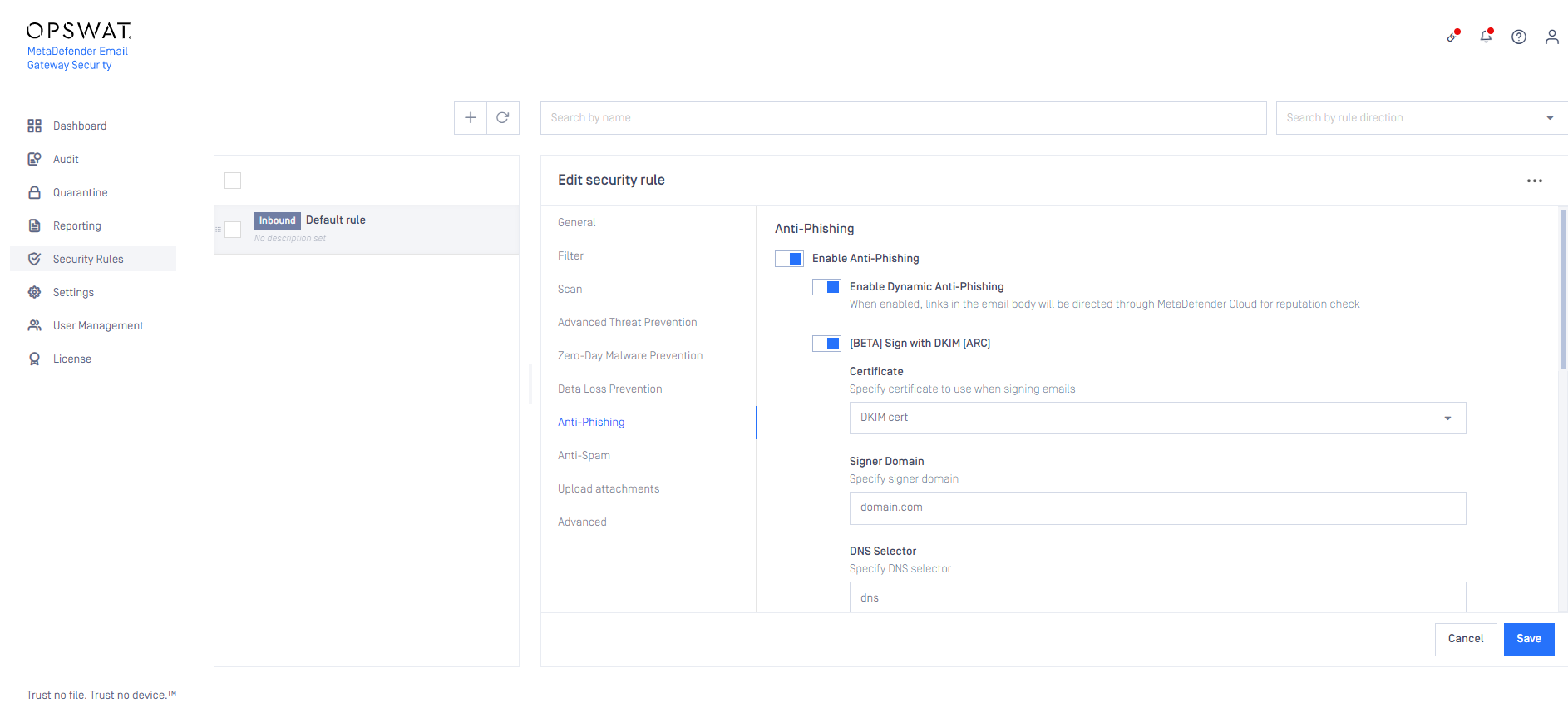
Once Anti-Phising is set for specific user in Security Rules > Anti-Phising under the Enable Dynamic Anti-phising option you have the possibility to enable the Sign with DKIM option as well. As a prerequisite first you need to upload your DKIM certificate under Settings > Security > Certificates section. Once the certificate is uploaded all you need to do is:
Select the just uploaded DKIM certificate under the Certificate drop-down list
Specify the signer domain
Specify the DNS selector
Was this page helpful?

