Version | v10.5.2603 |
|---|---|
Release date | March 31st, 2026 |
Release Summary | This release introduces a new level of security control with end-to-end Patch Management solution and deeper Industrial Firewall integration. It further accelerates security operations through remote Kiosk support package generation, precise custom tag-based filtering for effortless asset management, and upgraded scan session exports for faster, more actionable analysis. Accompanied by various enhancements and critical bug fixes across Kiosk, Core, and Endpoint to ensure maximum system reliability and protection. |
Peripheral Media Protection Solution
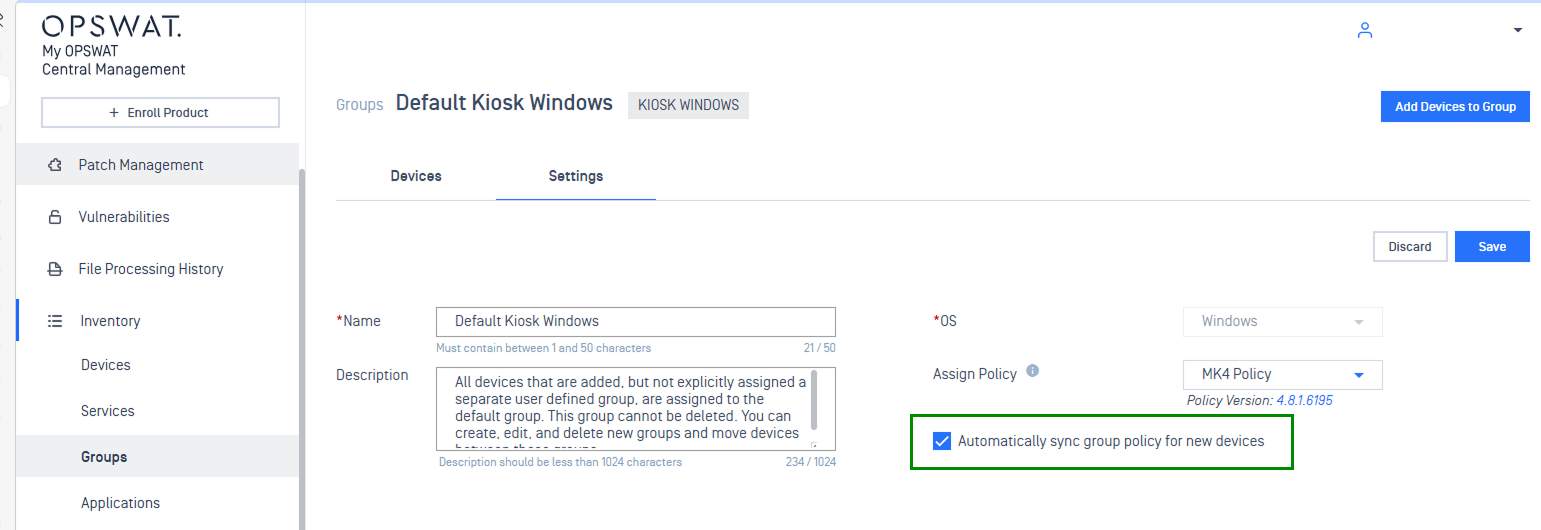
New Features Auto-Sync Policy for New Kiosk Instances via Group Settings
New kiosk instances are now automatically synced with predefined policies through group settings, reducing manual configuration effort.
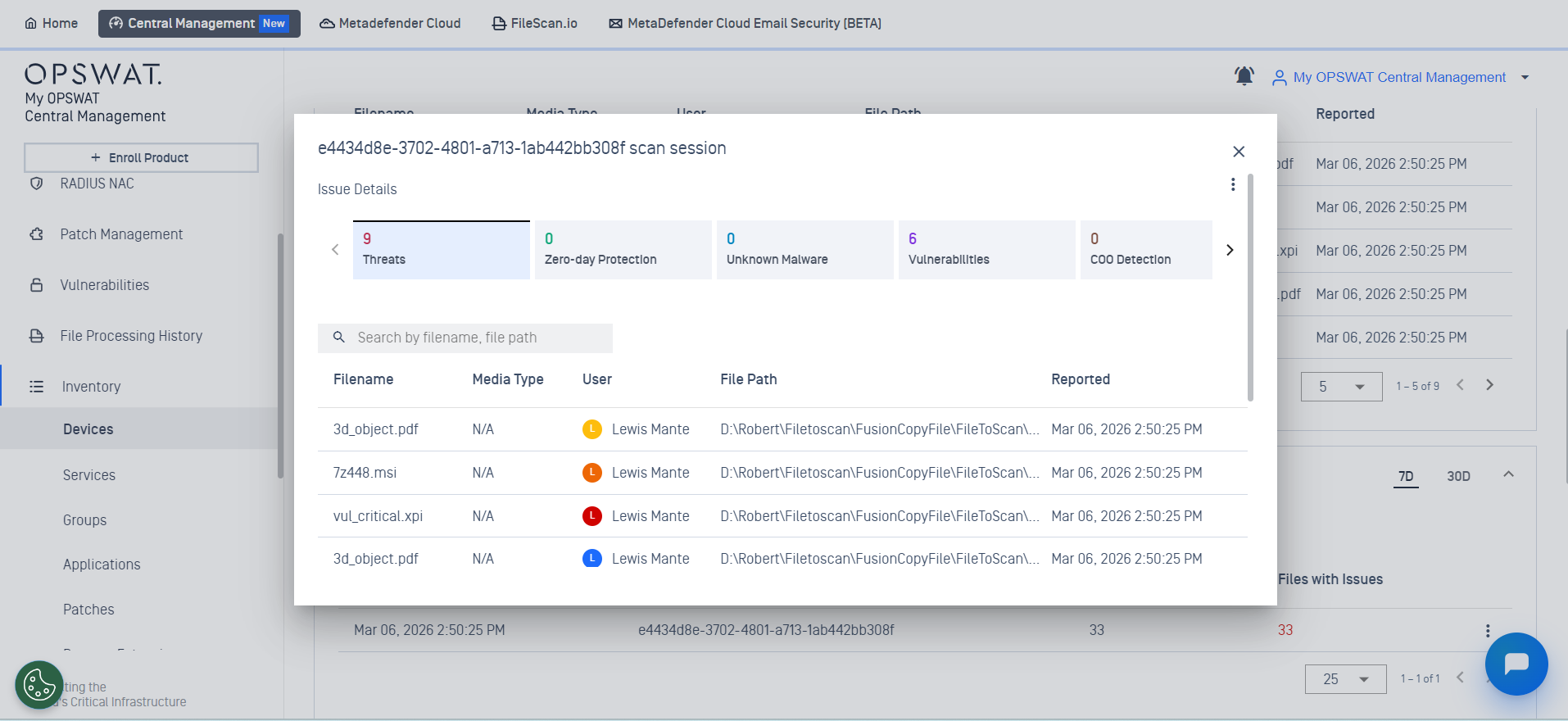
New Features Enhanced Scan Session Details for MetaDefender Endpoint
Support for viewing scan session details for MetaDefender Endpoint, providing granular insight for easier analysis and auditing.
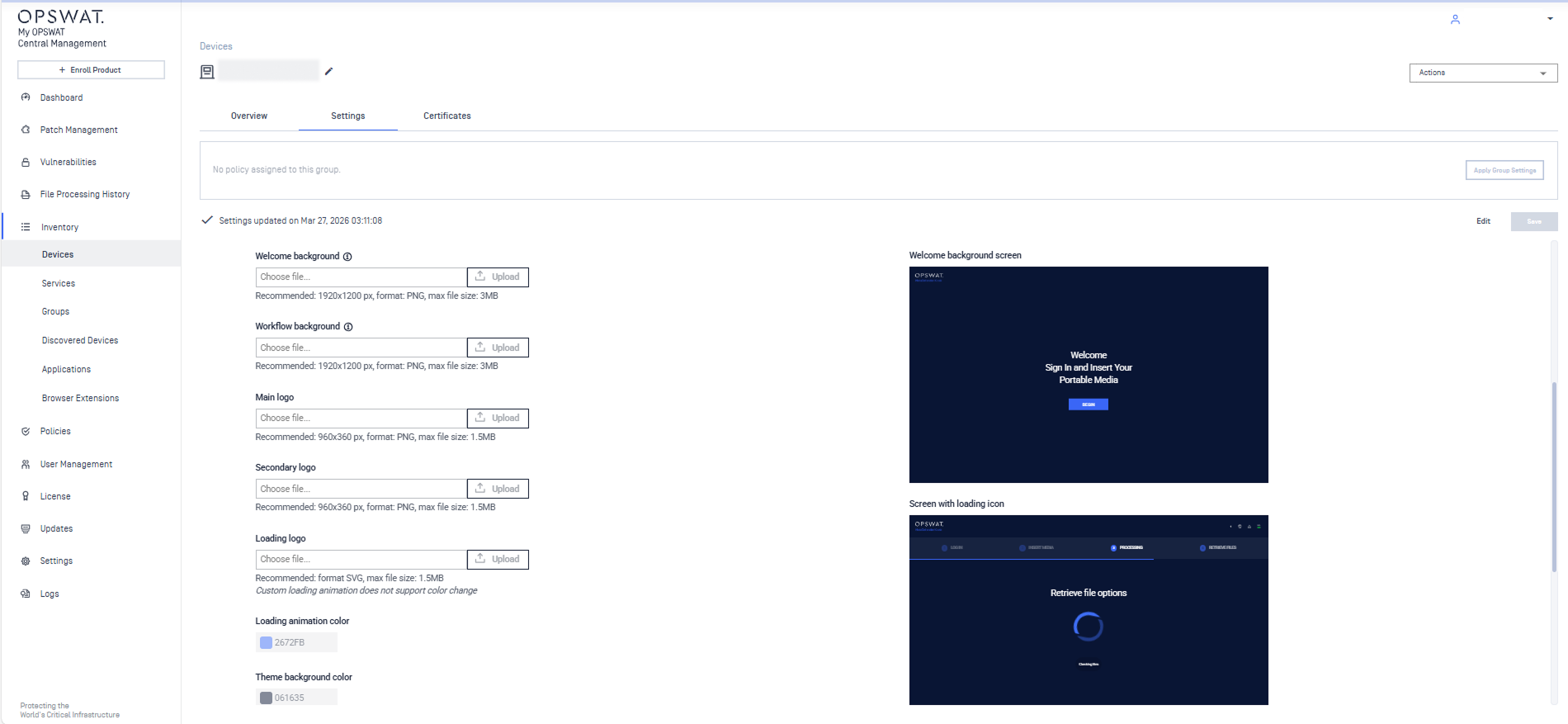
New FeaturesScreensaver Upload Support for MetaDefender Kiosk
Administrators can now upload and manage custom screensavers from My OPSWAT Central Management, simplifying rollout of branded images, videos, or URLs across large Kiosk deployments.
New Features Centralized Certificate Management for MetaDefender Kiosk
Managing MetaDefender Kiosk certificates is now integrated within My OPSWAT Central Management, strengthening trust and validation protocols during file scanning and transfer.
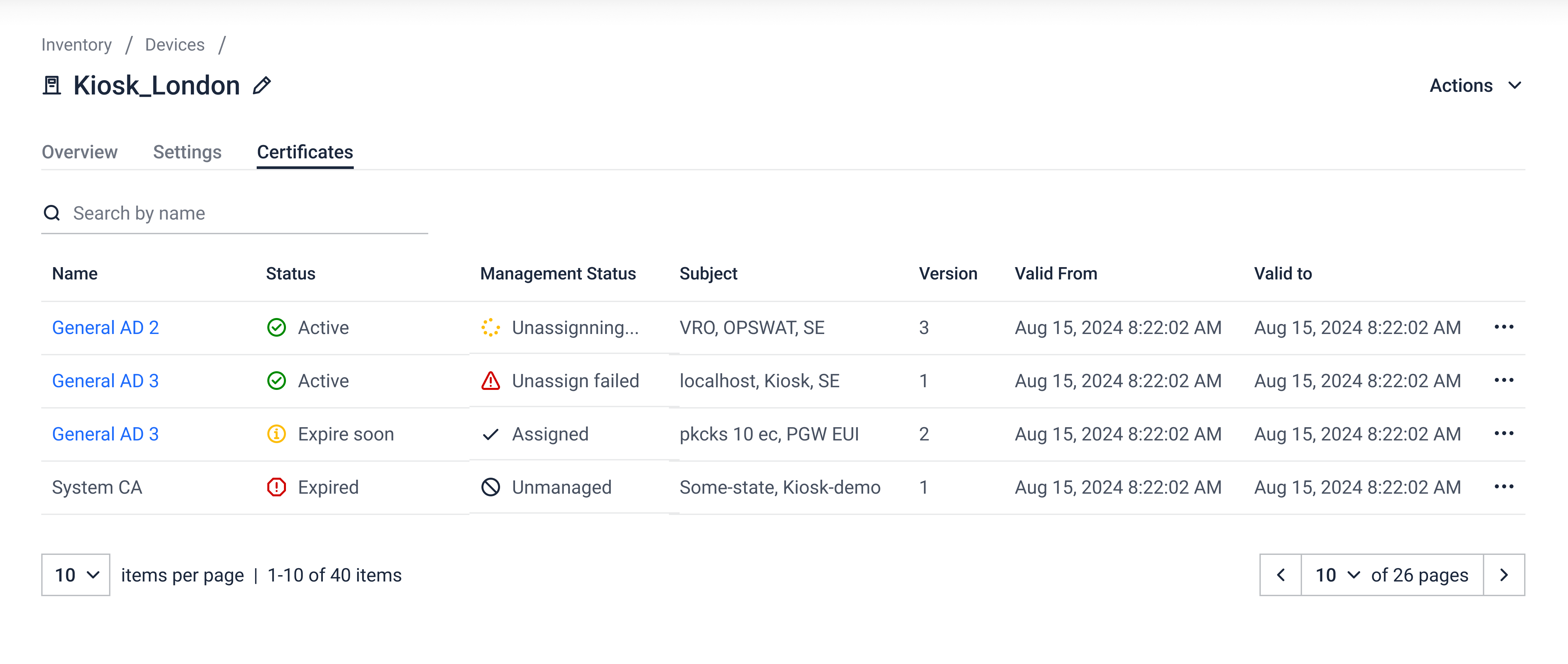
New Features Support Package Generation for MetaDefender Kiosk
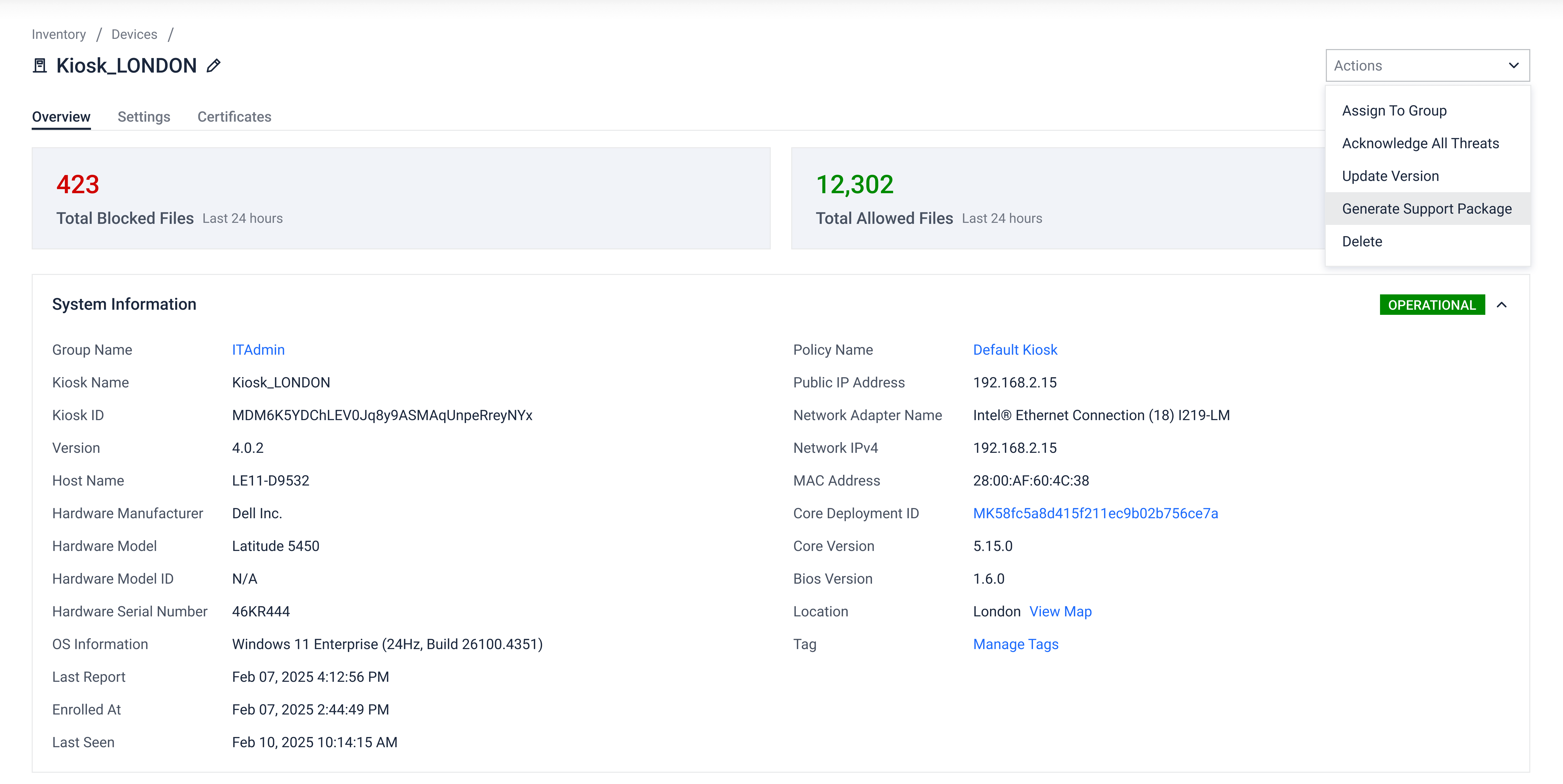
Administrators can now generate support packages of connected Kiosk instances directly from My OPSWAT Central Management, without accessing each device individually.
In the Actions menu of specific instances, choose Generate Support Package to begin.
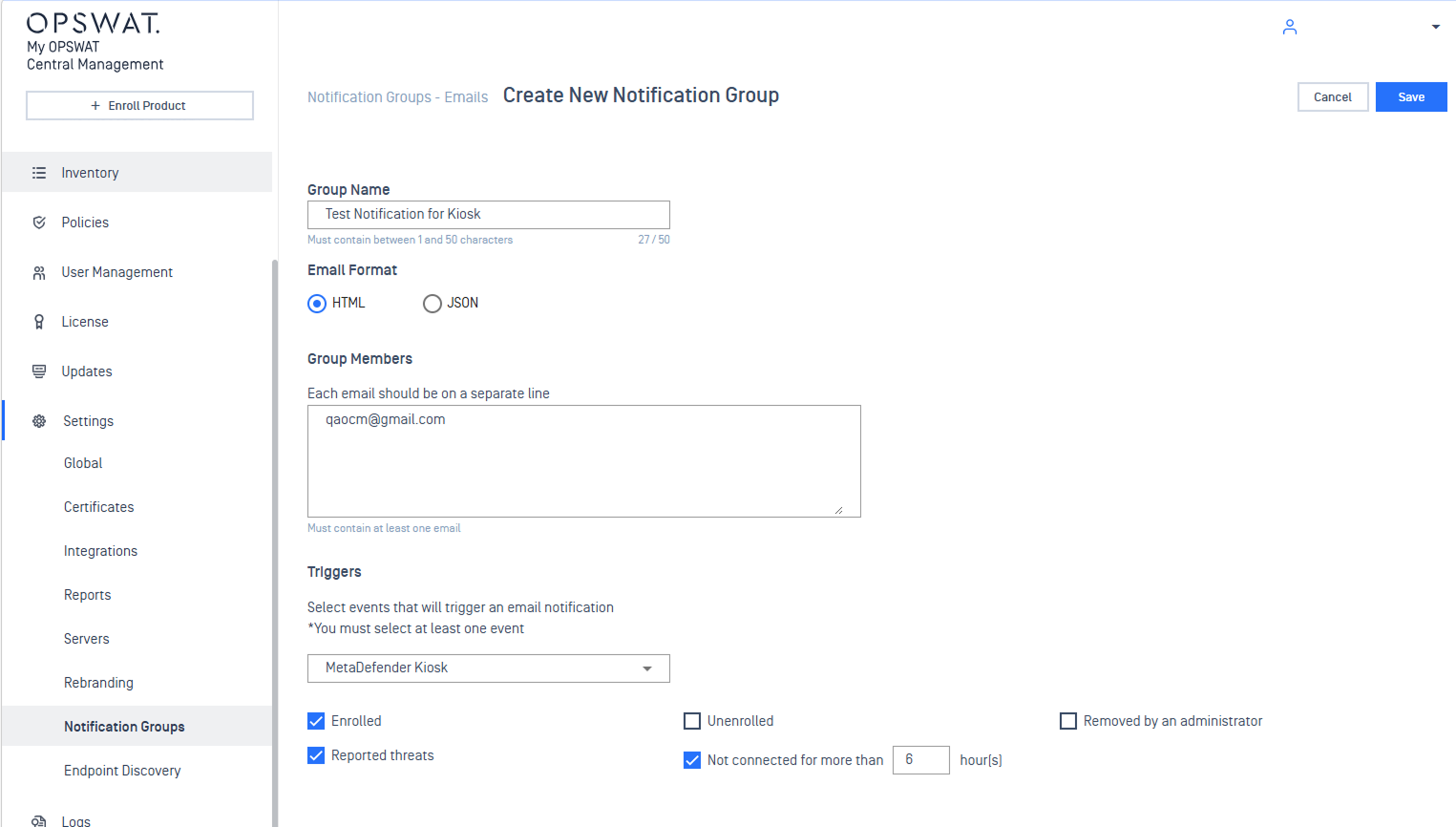
EnhancementsEmail Notifications for Kiosk Availability and Disconnection Events
Email alerts are now available when kiosks are offline or remain disconnected beyond a configurable time threshold.
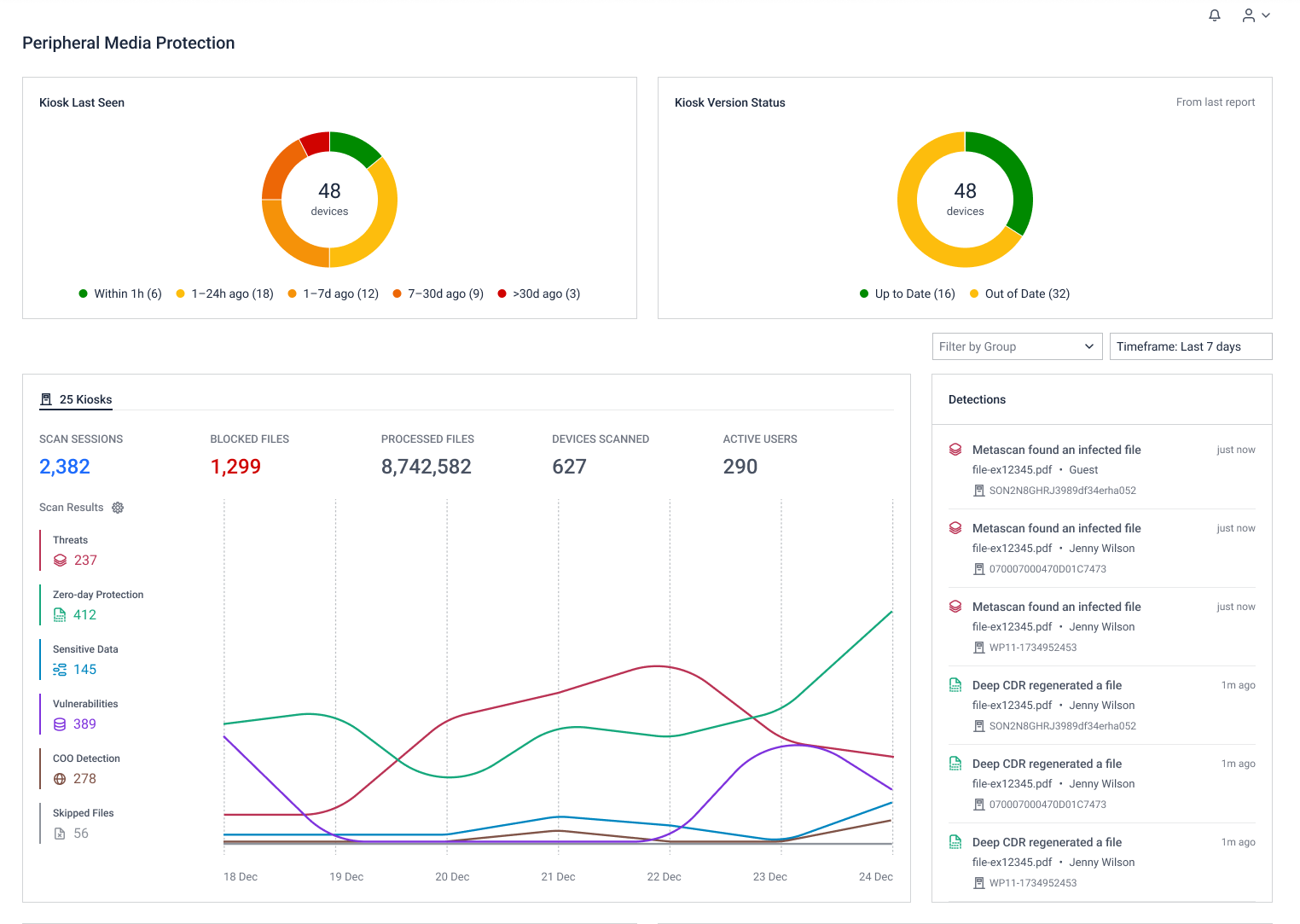
Enhancements Dedicated Dashboard for Kiosk-Only Users
Automatically adjusts dashboard layout for Kiosk-only users, so you only see the data that matters to your environment, making security monitoring faster and more efficient.
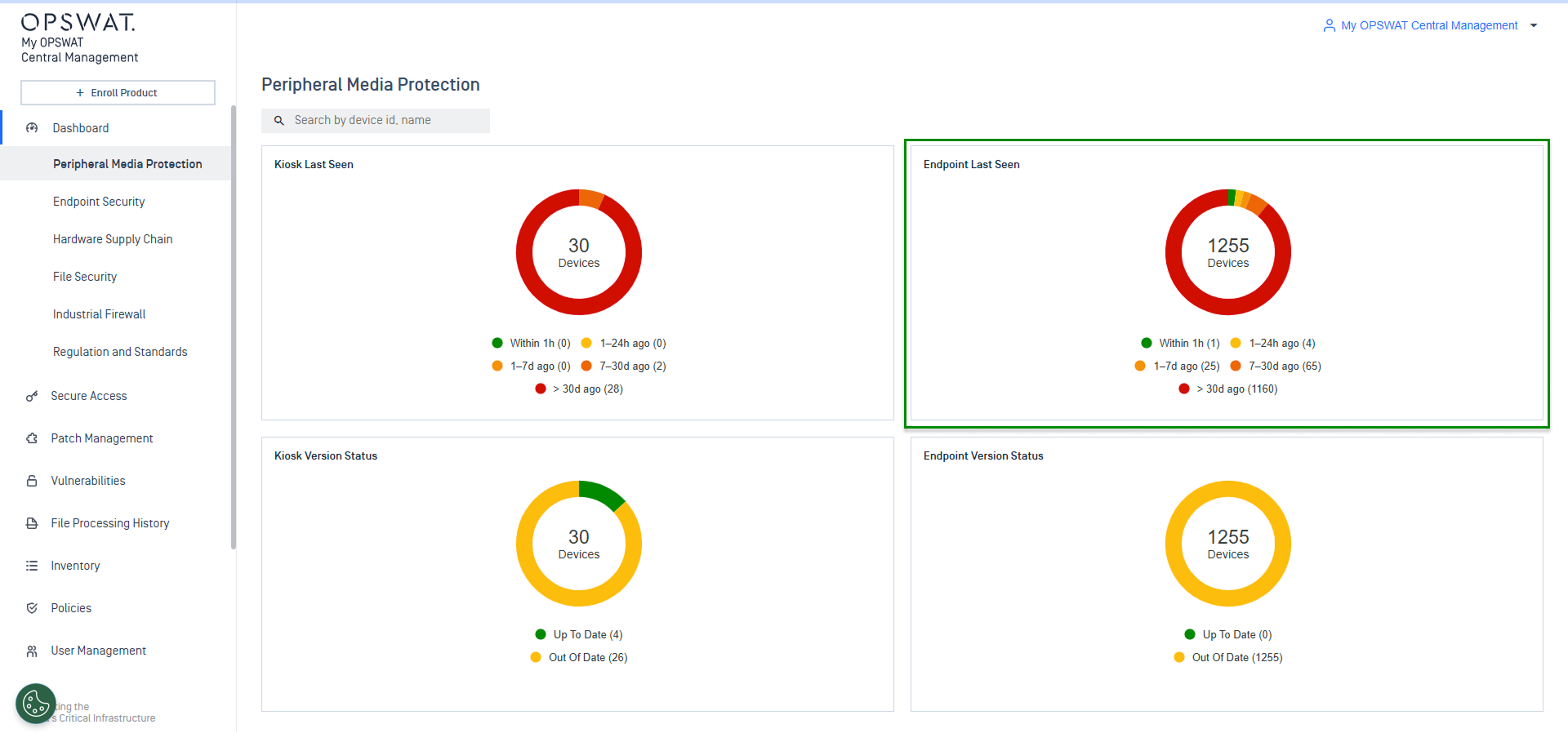
Enhancement Enhanced "Endpoint Last Seen" Widget for MetaDefender Endpoint
Introducing an enhanced "Endpoint Last Seen" widget to provide clear visibility into endpoint agent connectivity patterns. Streamline troubleshooting and maintain network-wide oversight effortlessly.
Bug fixes Kiosk Workflow Auto-Sync Issues
This fix optimized the auto-sync mechanism to ensure workflow configurations are pushed consistently to all enrolled Kiosks, preventing server overloads during large-scale policy syncs.
Bug fixes Kiosk Reporting Mismatch
Fixed issues that cause Kiosk exports to return inconsistent results for the same date range, ensuring accurate and reliable reports.
Bug fixes Resolved “Failed to Calculate Hash” Error on MetaDefender Core Scan Results
Fixed a visual issue where some file scan reports incorrectly showed “Failed to calculate hash” even though the hash was available.
Endpoint Security Solution
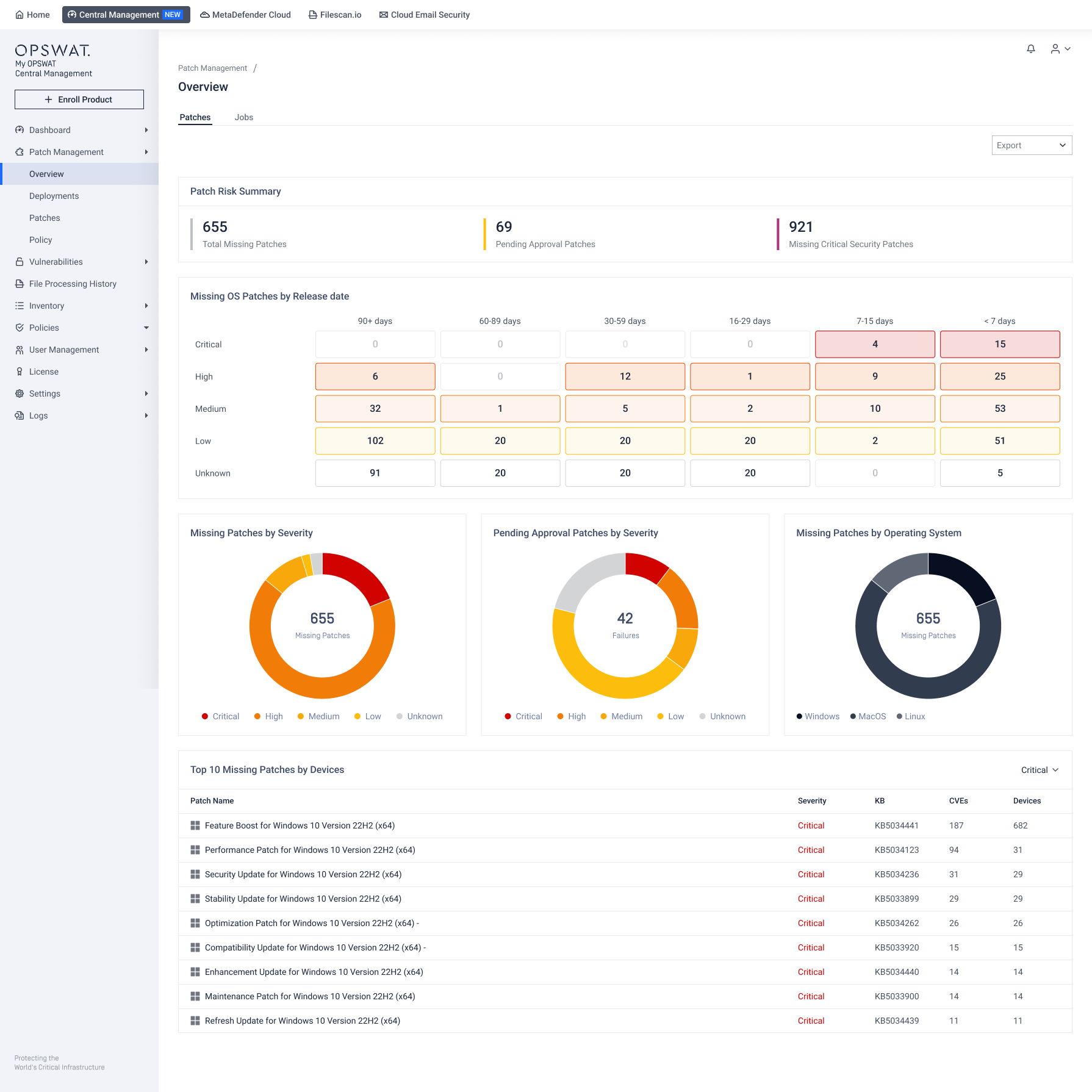
New Features Unified Patch Management Solution
New unified patch management solution automates end-to-end patching workflows to remove manual tasks and speed up the remediation of critical vulnerabilities.
Refer to Patch Management guidelines for detailed instruction.
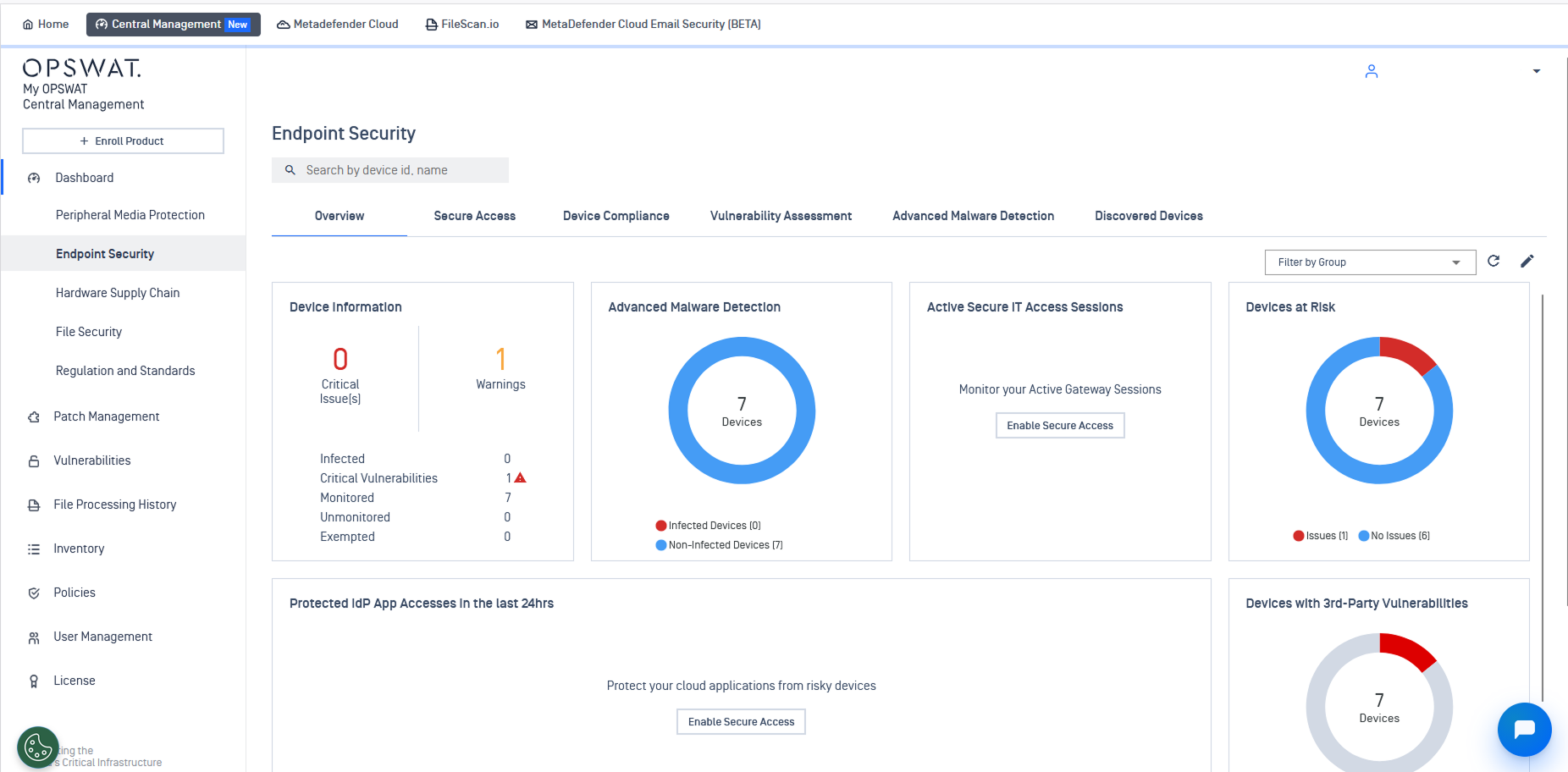
EnhancementsStreamlined Dashboard Experience for Endpoint-Only Users
Customers managing only MetaDefender Endpoint will now land on the Endpoint Security Dashboard by default upon login, ensuring critical data is front-and-center from the start.
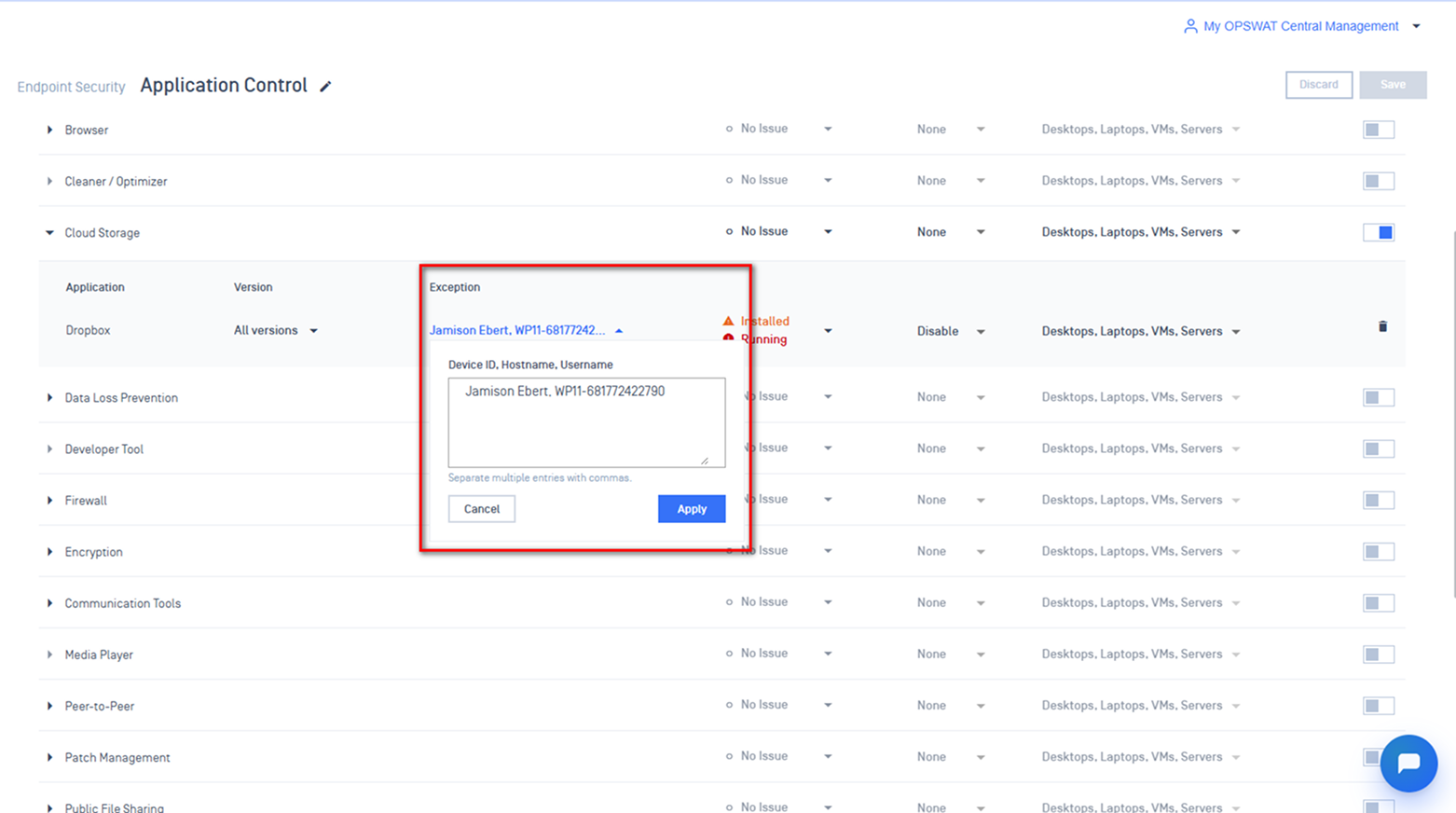
EnhancementsImproved Flexibility for Application Control Exception Policies
Admins can now create application control exceptions by Device Username and Hostname, making it easier to manage exceptions at scale.
OT and Cyber-Physical Systems Solution
Enhancements Enhanced Configuration and License Management for MetaDefender Industrial Firewall
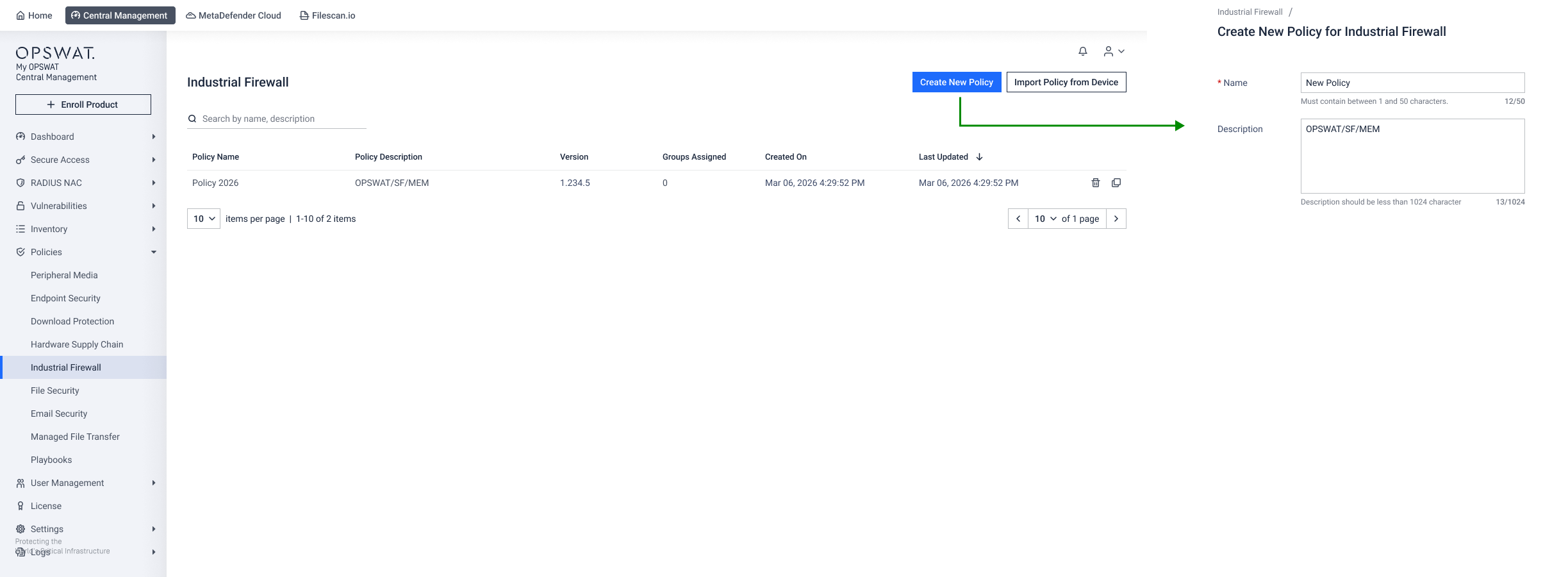
This update brings enhanced integration over MetaDefender Industrial Firewall deployments via new Industrial Firewall dashboard, streamlined policy configuration and simplified license management, eliminating operational silos.
Navigate to Policies> Industrial Firewall to create new policy.
File Security Solution
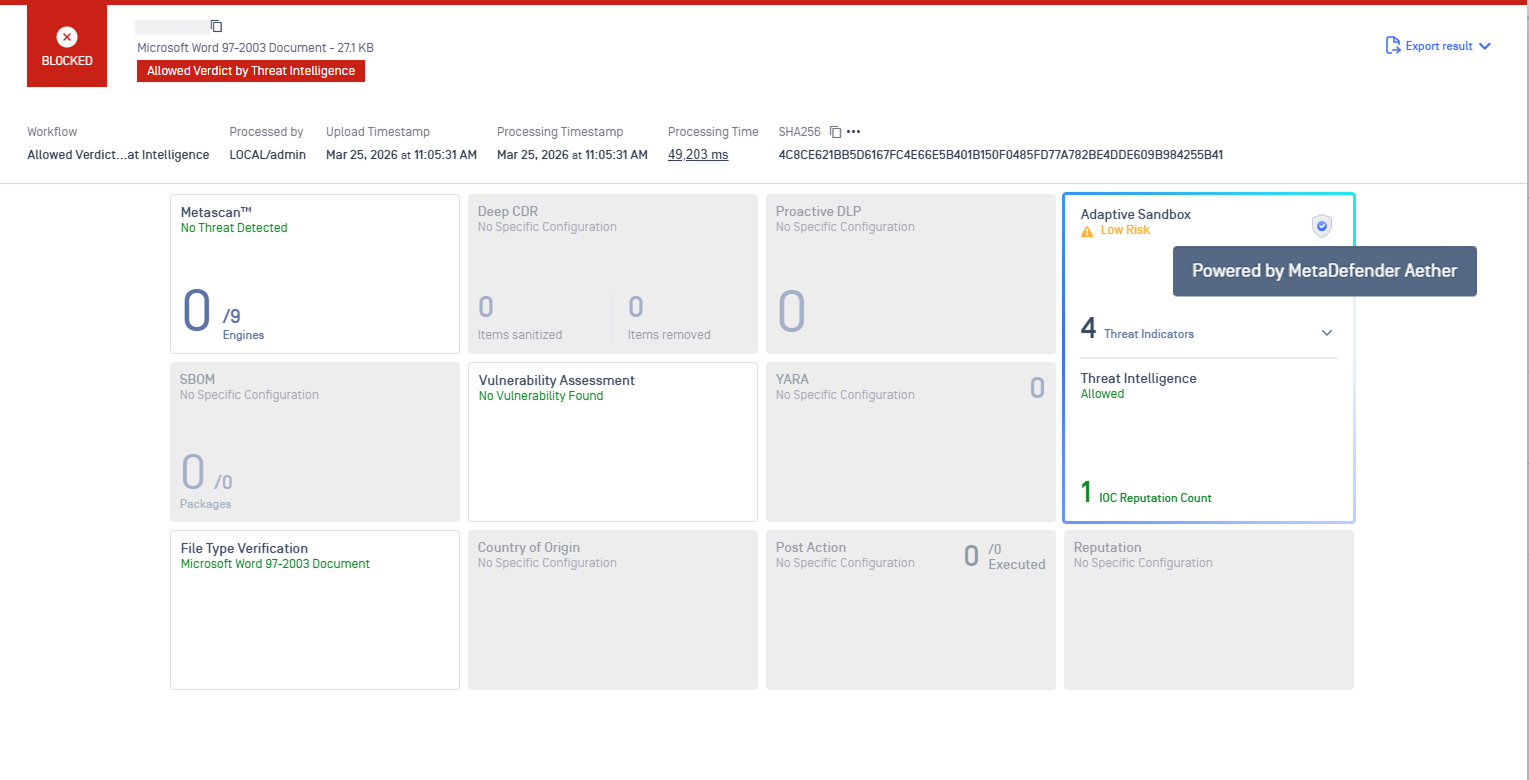
Enhancements Improved MetaDefender Core Processing History with Aether Engine
Processing history now supports the Aether engine, ensuring My OPSWAT Central Management delivers a consistent and accurate representation of threat analysis data.
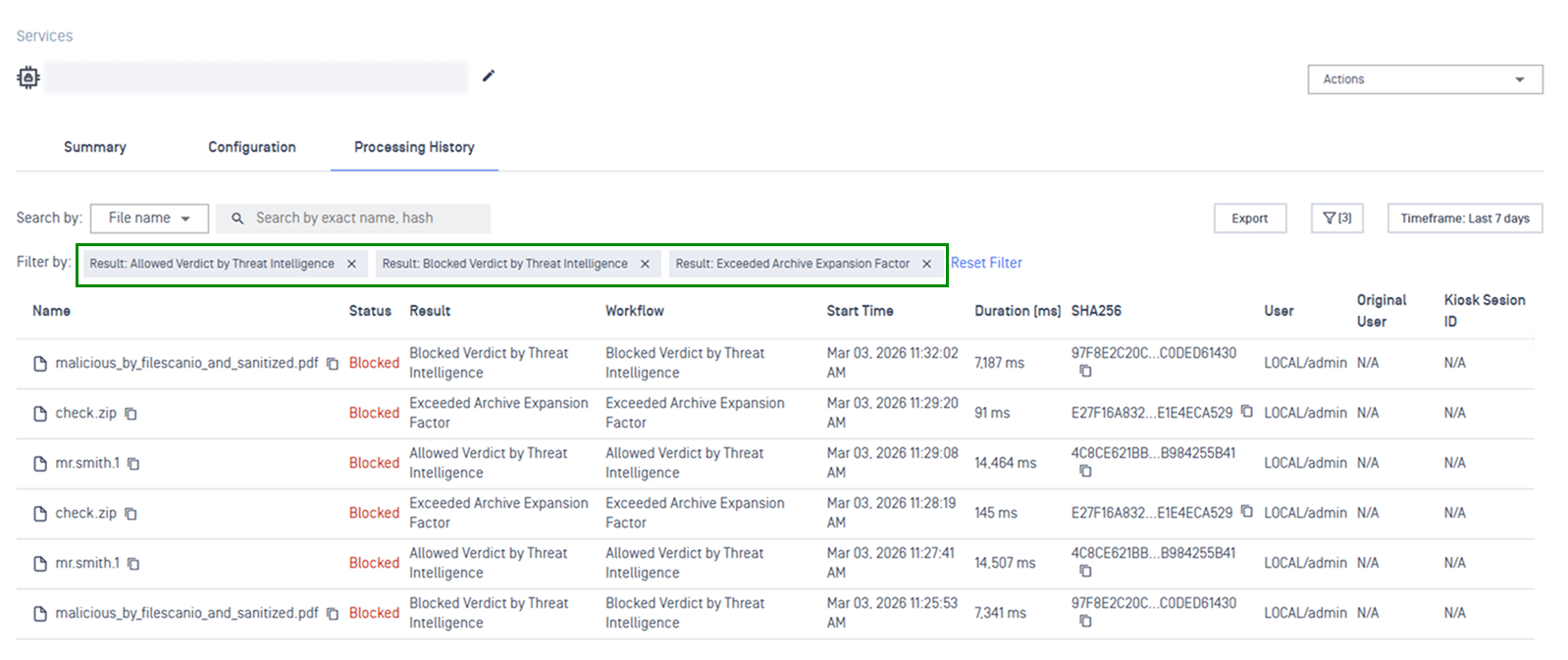
Enhancements Update New Verdicts for Filtering
Introducing new verdict filters in Processing History, including Exceeded Archive Expansion Factor; Allowed Verdict by Threat Intelligence, and Blocked Verdict by Threat Intelligence for clearer security analysis.
Network Access Control Solution
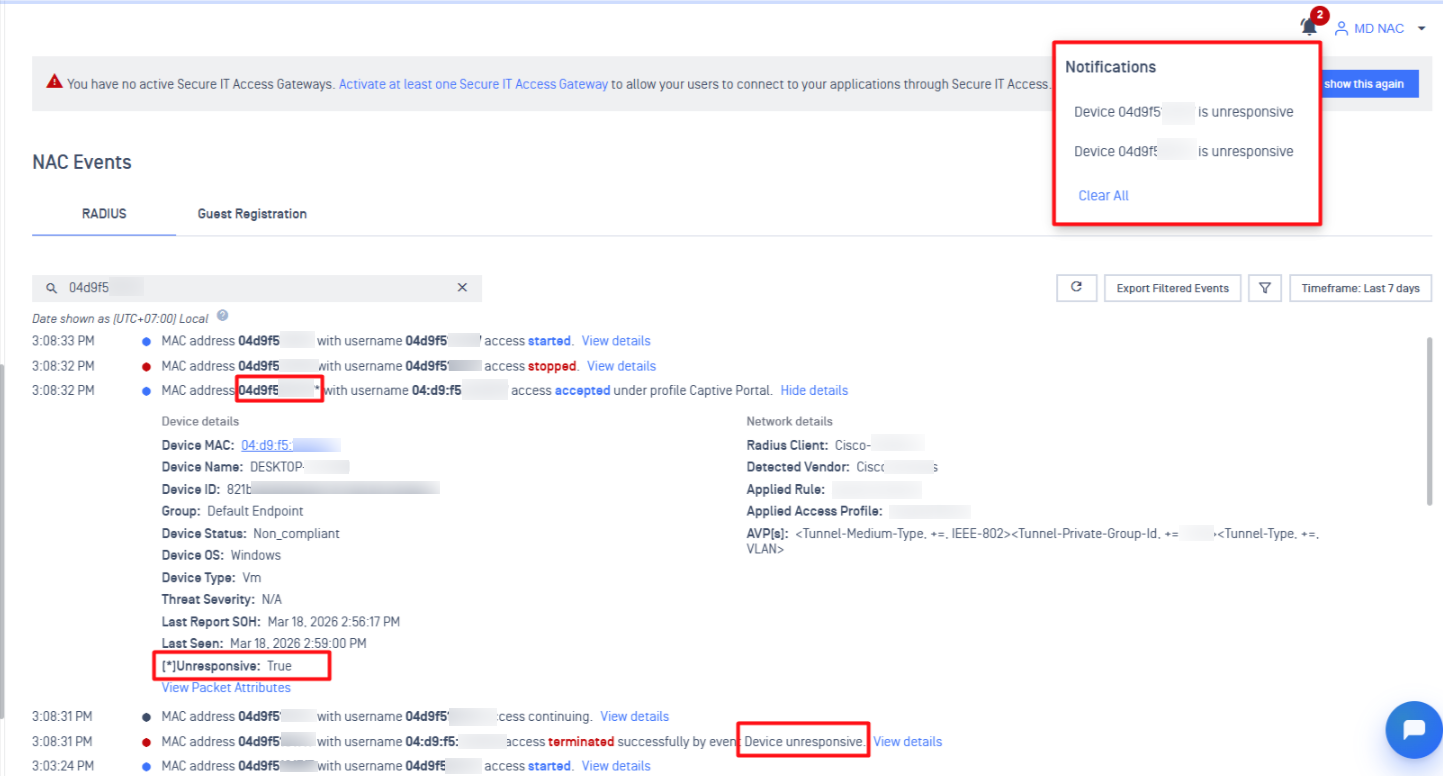
New Features Device Block Notifications
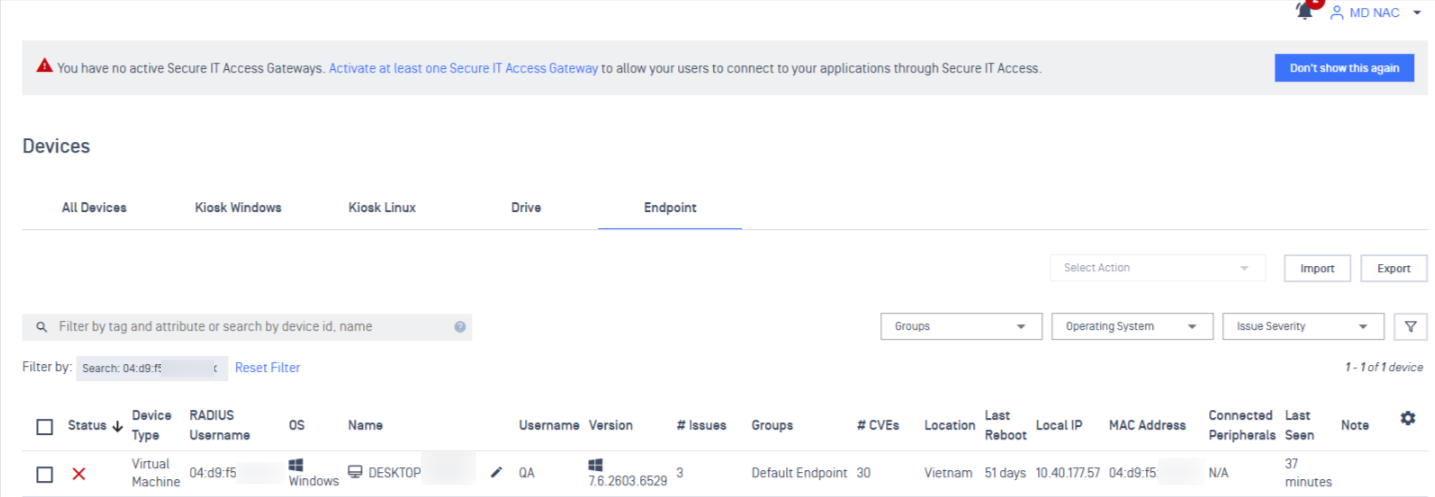
NAC now sends in-app notifications when a device is blocked as a result of a "Device Unresponsive" event. A notification will appear in the bell icon, clicking the notification redirects you directly to the Device Inventory page for immediate visibility and action.
New Features VOIP Device Type Support
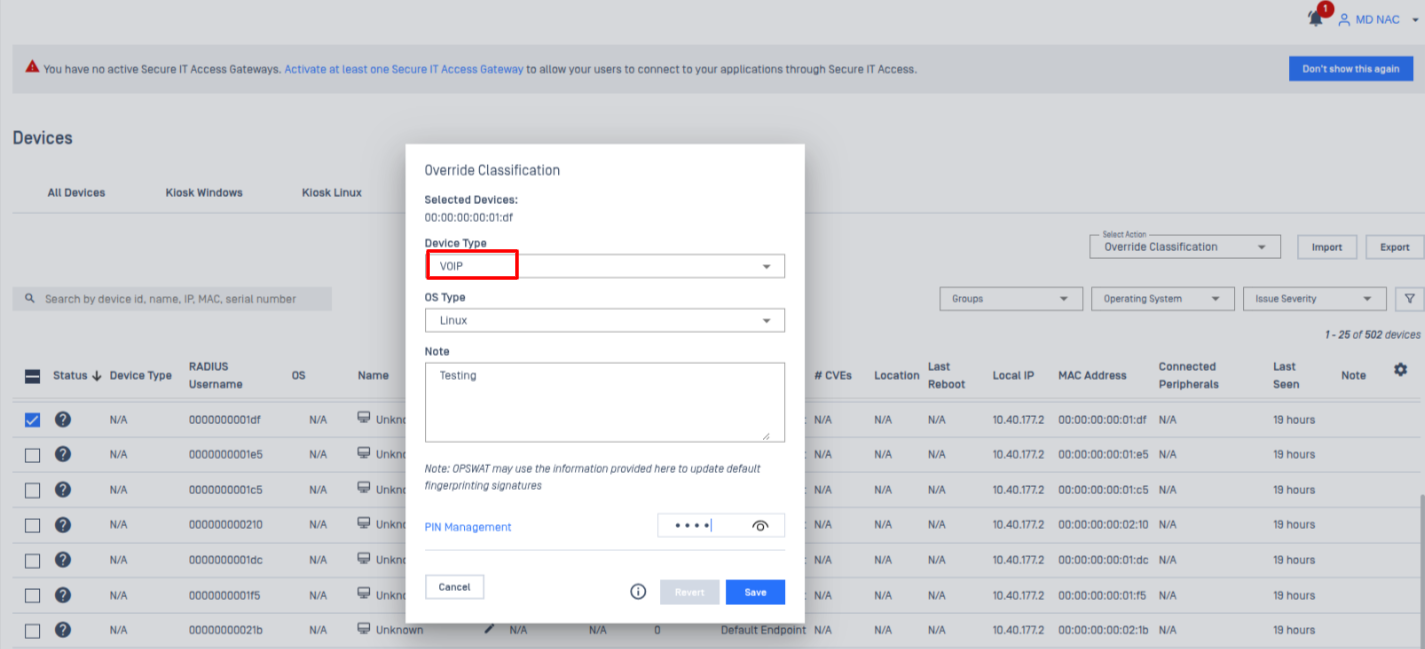
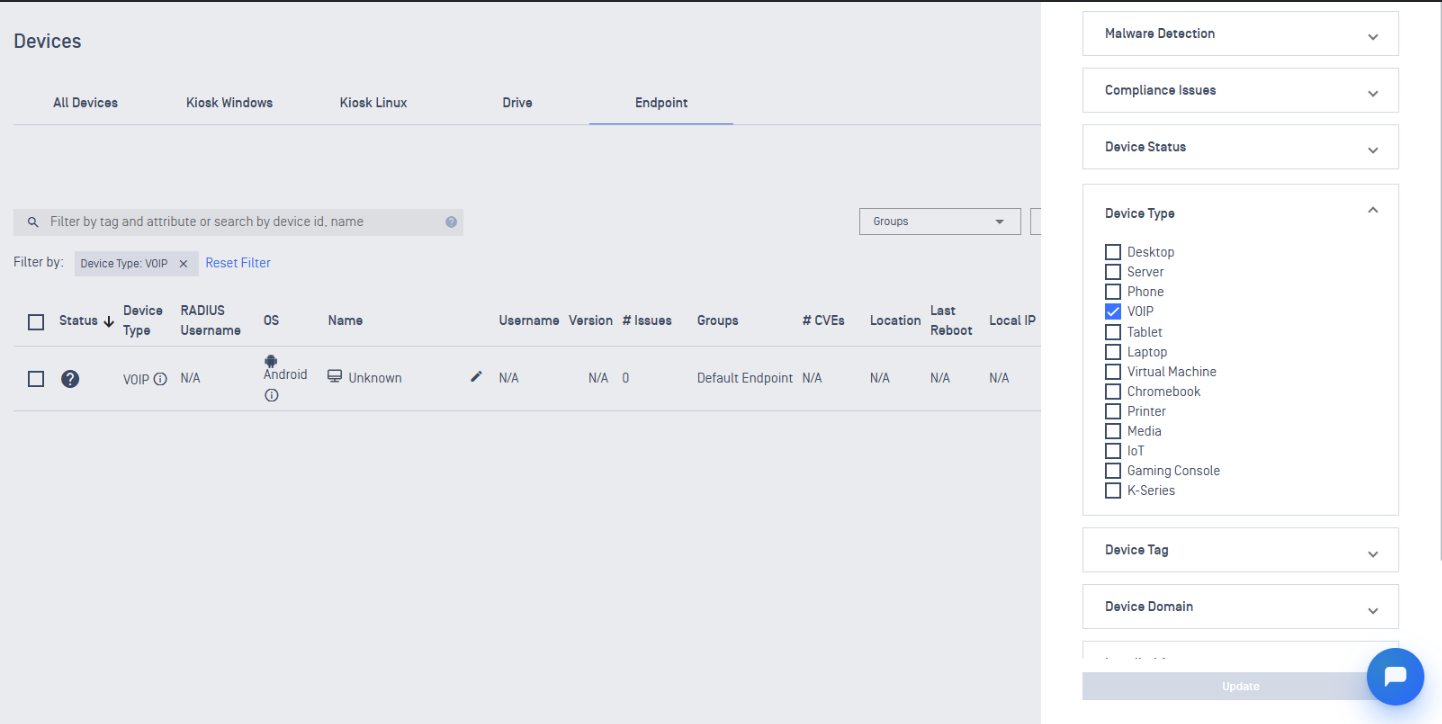
NAC introduces support for a new device type: VOIP. This addition extends the device enrollment use case to cover VOIP devices, allowing administrators to onboard and manage them alongside existing supported device types.
Additional Features
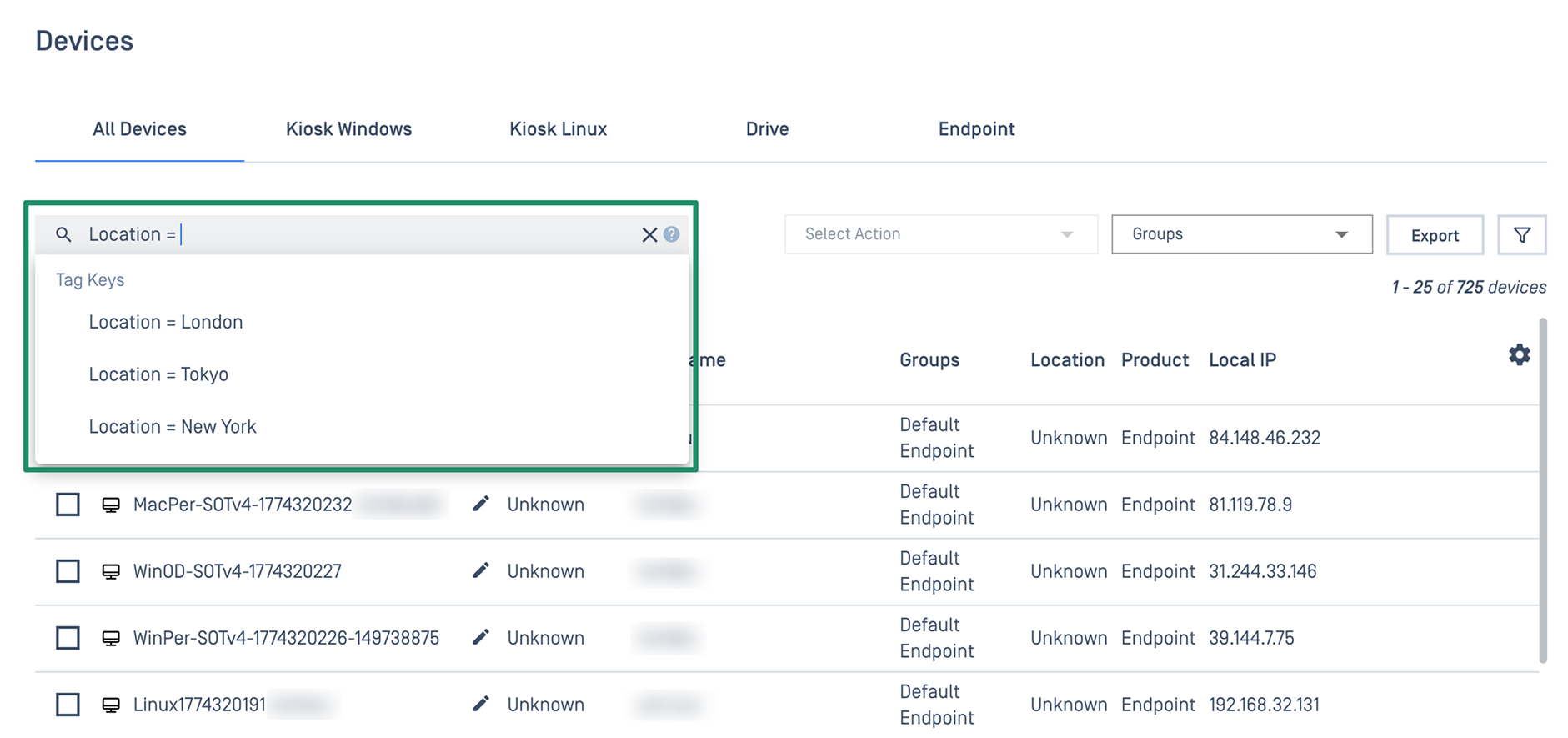
New Features Inventory Search with Custom Tag Filtering
Administrators can search for any instances using custom-defined tag keys, making it more intuitive to find and manage inventory across large-scale, multi-location deployments.
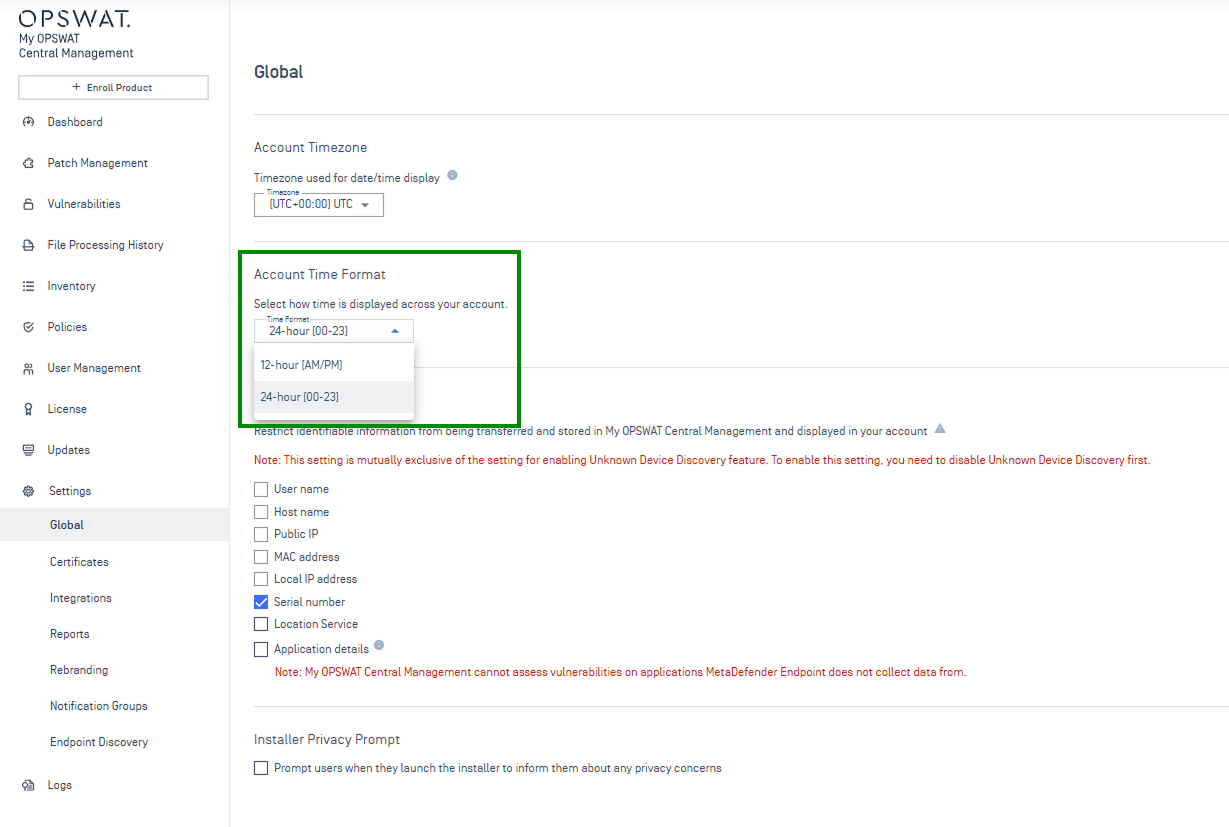
Enhancements Flexible 24-Hour Time Format Support
Admins can now switch between 12-hour and 24-hour formats globally, eliminating timestamp confusion in logs and reports.