Version | v10.7.26092 |
|---|---|
Release date | September 29, 2026 |
Release Summary | This release strengthens file security with the new File Audit Trail, which traces a file's full journey in a single view. Endpoint & Patch Management expands patch control with Dell and Lenovo driver & firmware updates, pre- and post-deployment automation scripts, and real-time performance monitoring & alerting. Remote product management and visibility extend with quarantined file retrieval for MetaDefender Core, reboot and shutdown for MetaDefender Industrial Firewall devices, and installed applications visibility for MetaDefender Drive scanned-host records. |
Peripheral Media Protection Solution
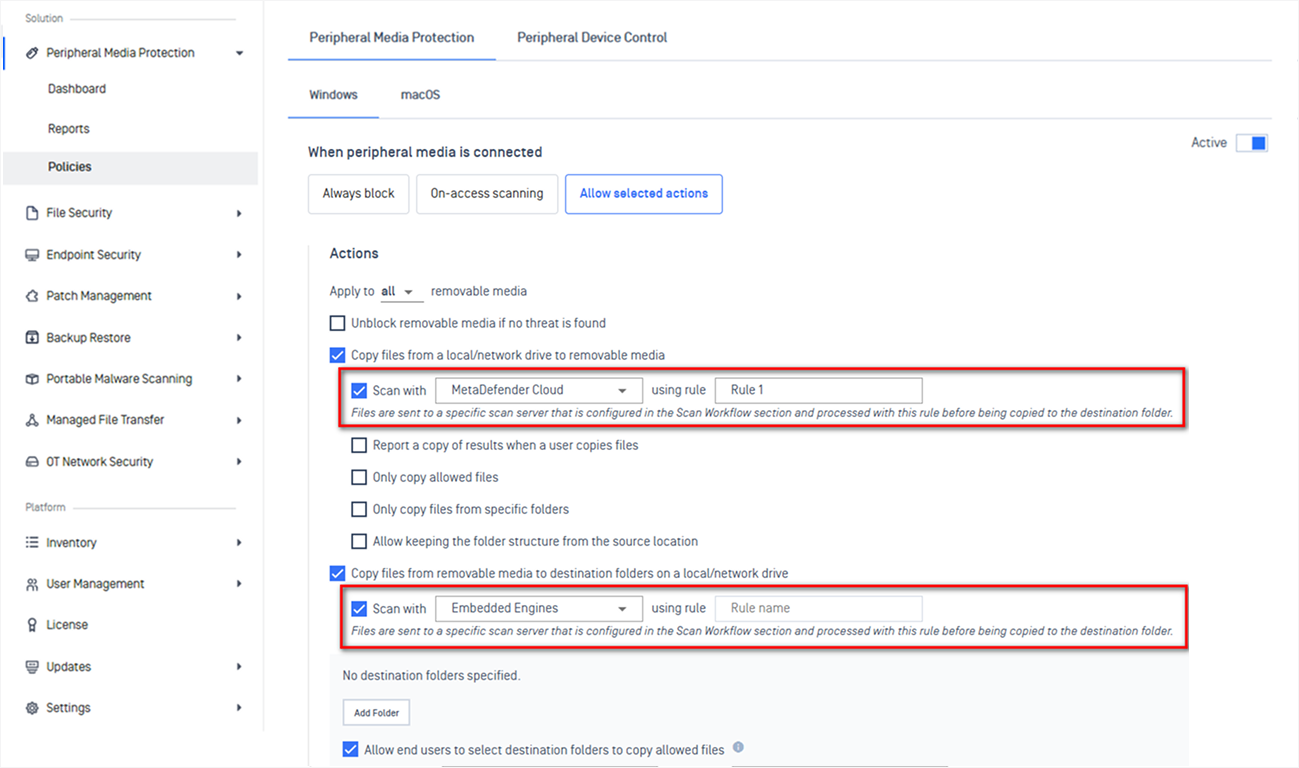
New Features Support Automatic Direction-Based Workflow for Peripheral Media Protection
Peripheral Media Protection now automatically applies the right scan workflow based on file transfer direction.
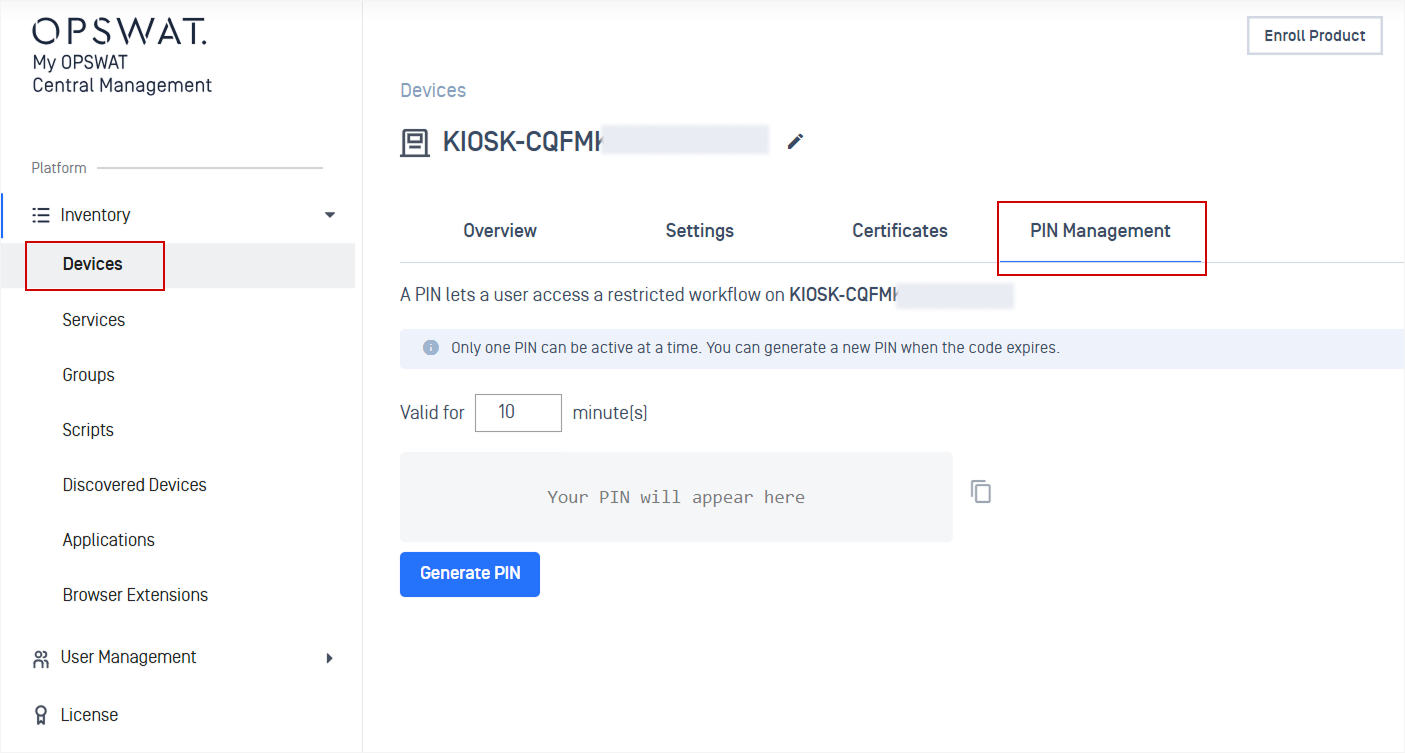
New Features One-Time PIN Verification for Restricted MetaDefender Kiosk Workflows
Administrators can generate one-time PINs that grant end users temporary access to restricted MetaDefender Kiosk workflows.
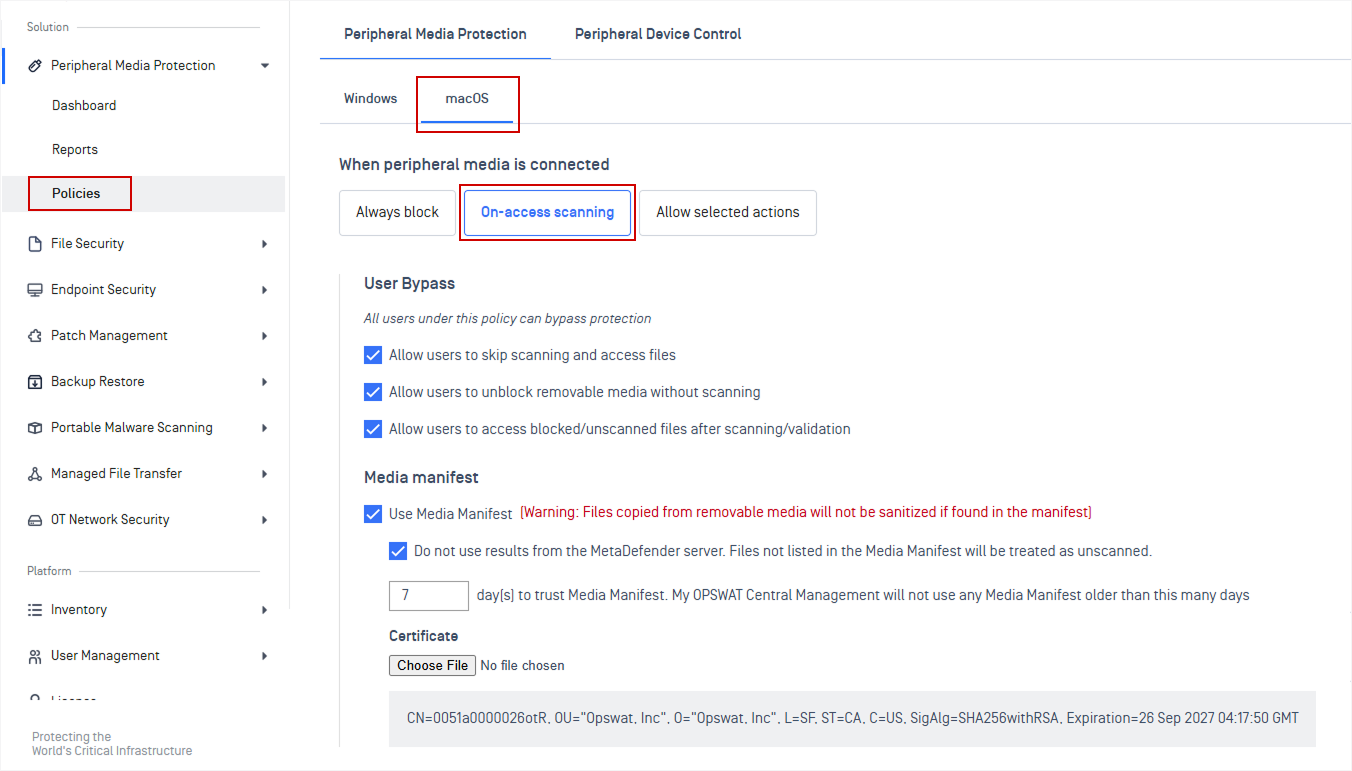
New Features On-Access File Scanning Protection Mode Configuration for macOS
Administrators can now configure On-Access File Scanning for macOS endpoints within Peripheral Media Protection policies.
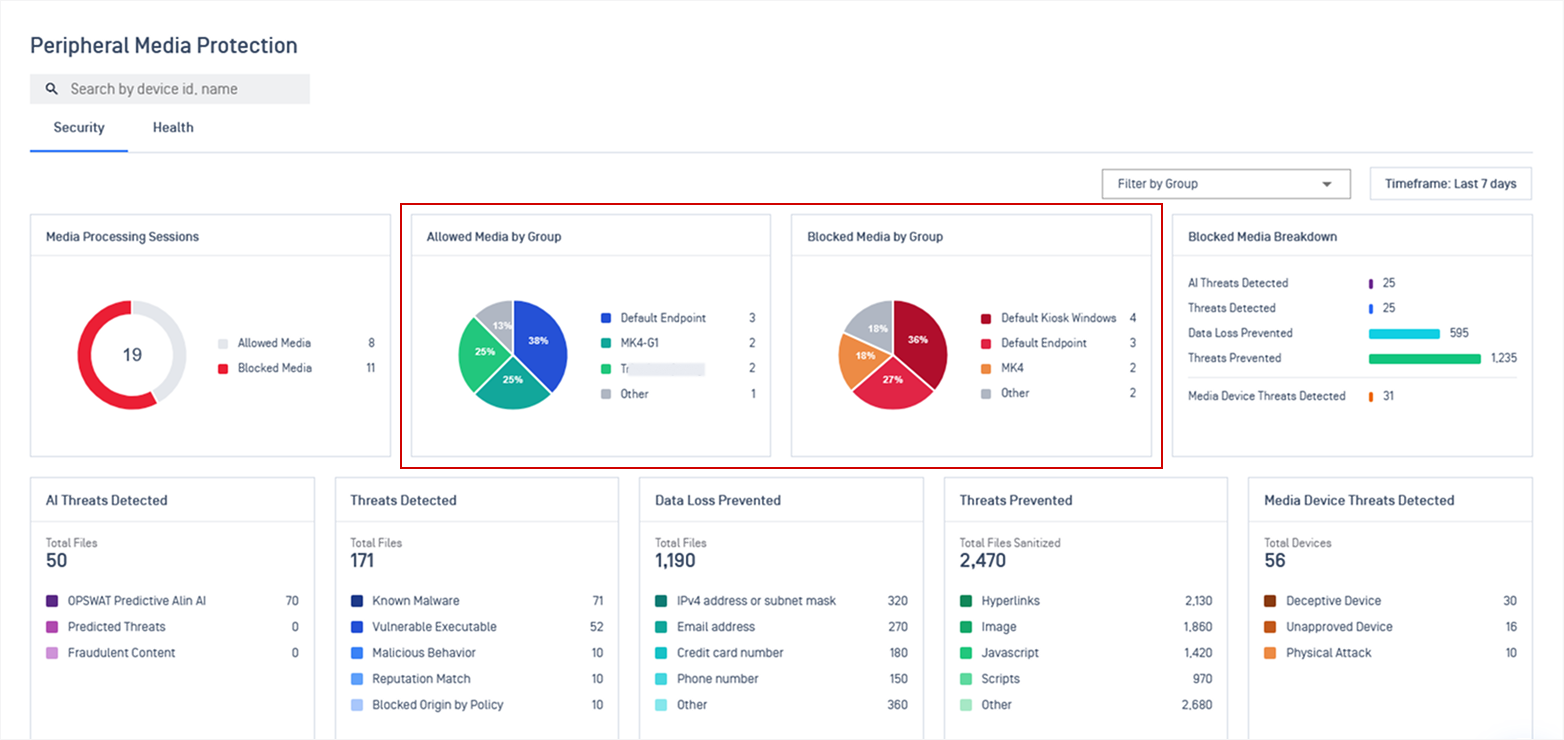
Enhancements Added "Allowed and Blocked Media by Group" Widgets to Peripheral Media Protection Dashboard
The Peripheral Media Protection dashboard now includes dedicated widgets showing allowed and blocked removable media activity grouped by device groups.
Refer to Peripheral Media Protection for more details.
Endpoint Security Solution
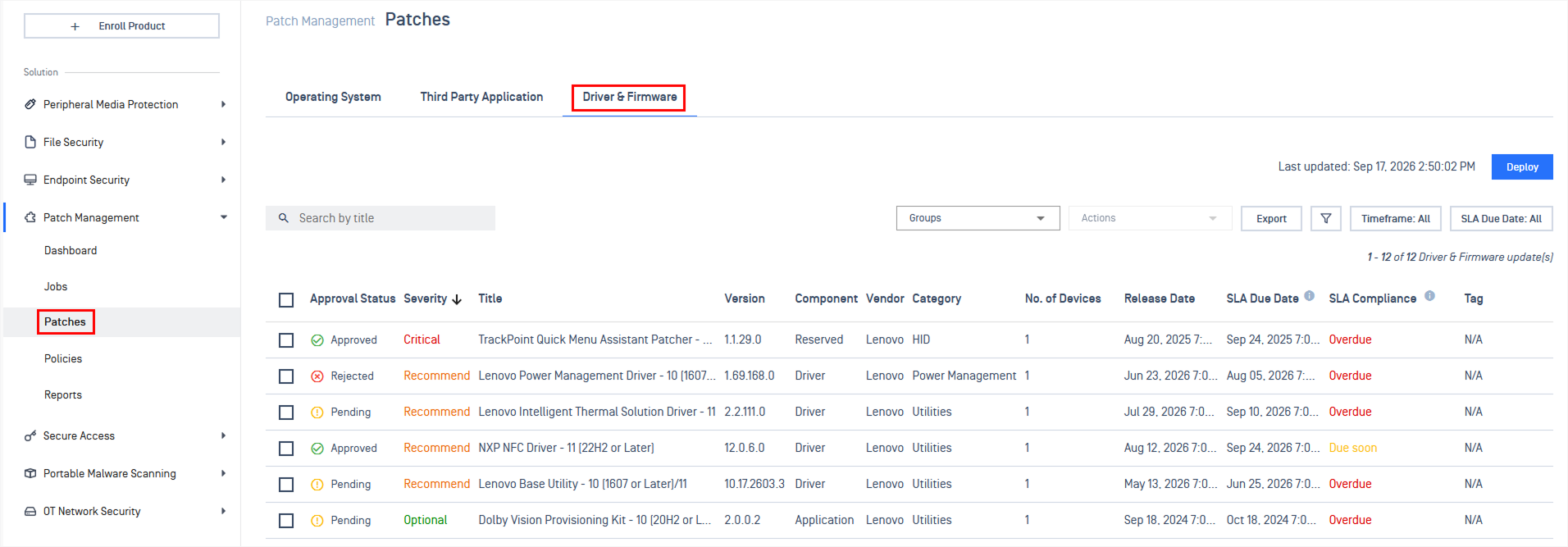
New Features Patch Management Now Supports Driver and Firmware Updates
Administrators can now detect outdated drivers, firmware, and BIOS on Dell and Lenovo Windows devices and deploy OEM vendor updates directly through on-demand, policy, and ring deployments.
Refer to Driver & Firmware Updates for more details.
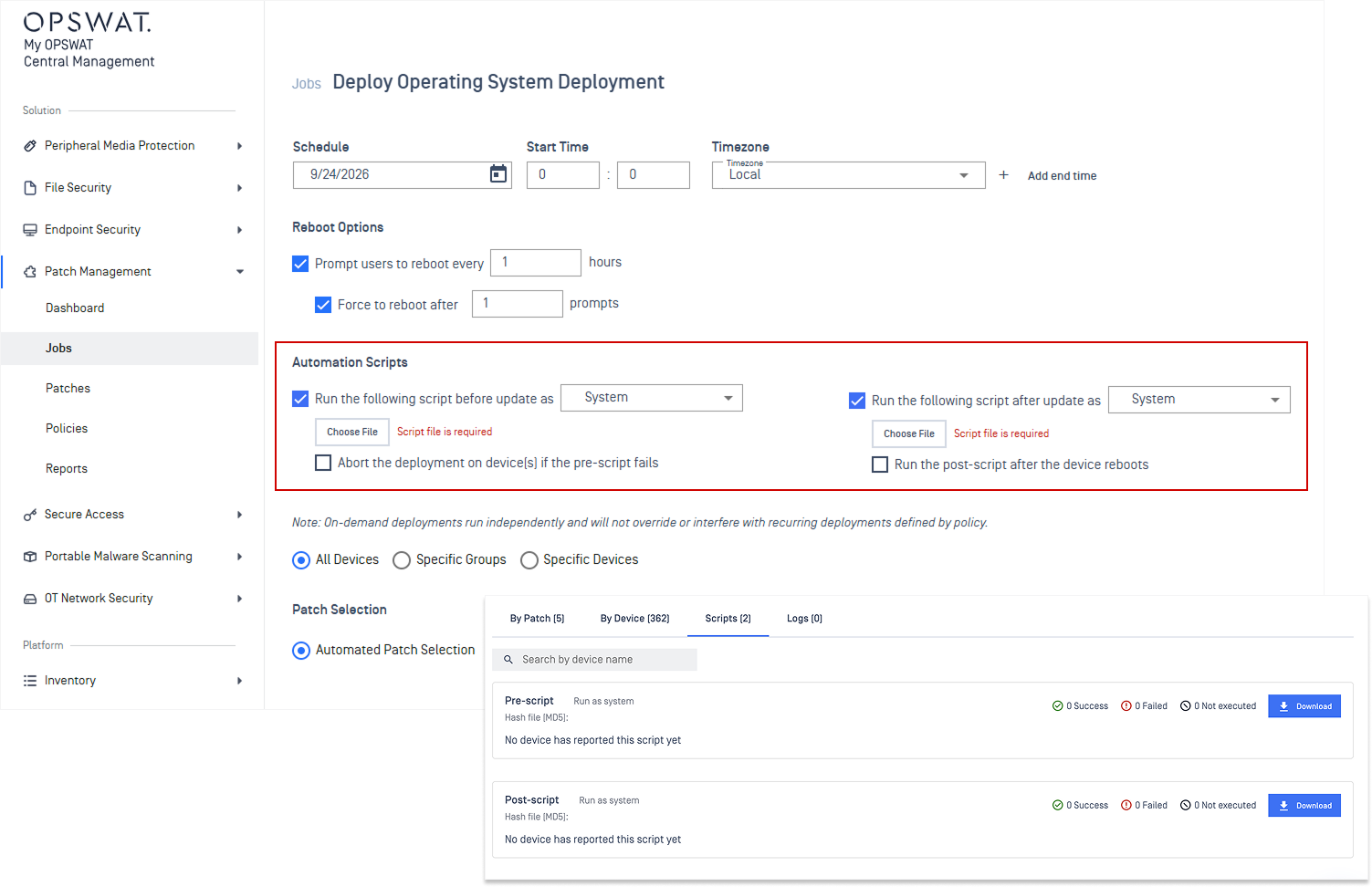
New Features Automation Scripts Now Available for On-Demand Patch Deployments
Administrators can execute custom pre- and post-deployment scripts during on-demand updates (e.g., stopping services, taking backups, or verifying application health post-install).
Refer to Deployment Scripts guidelines.
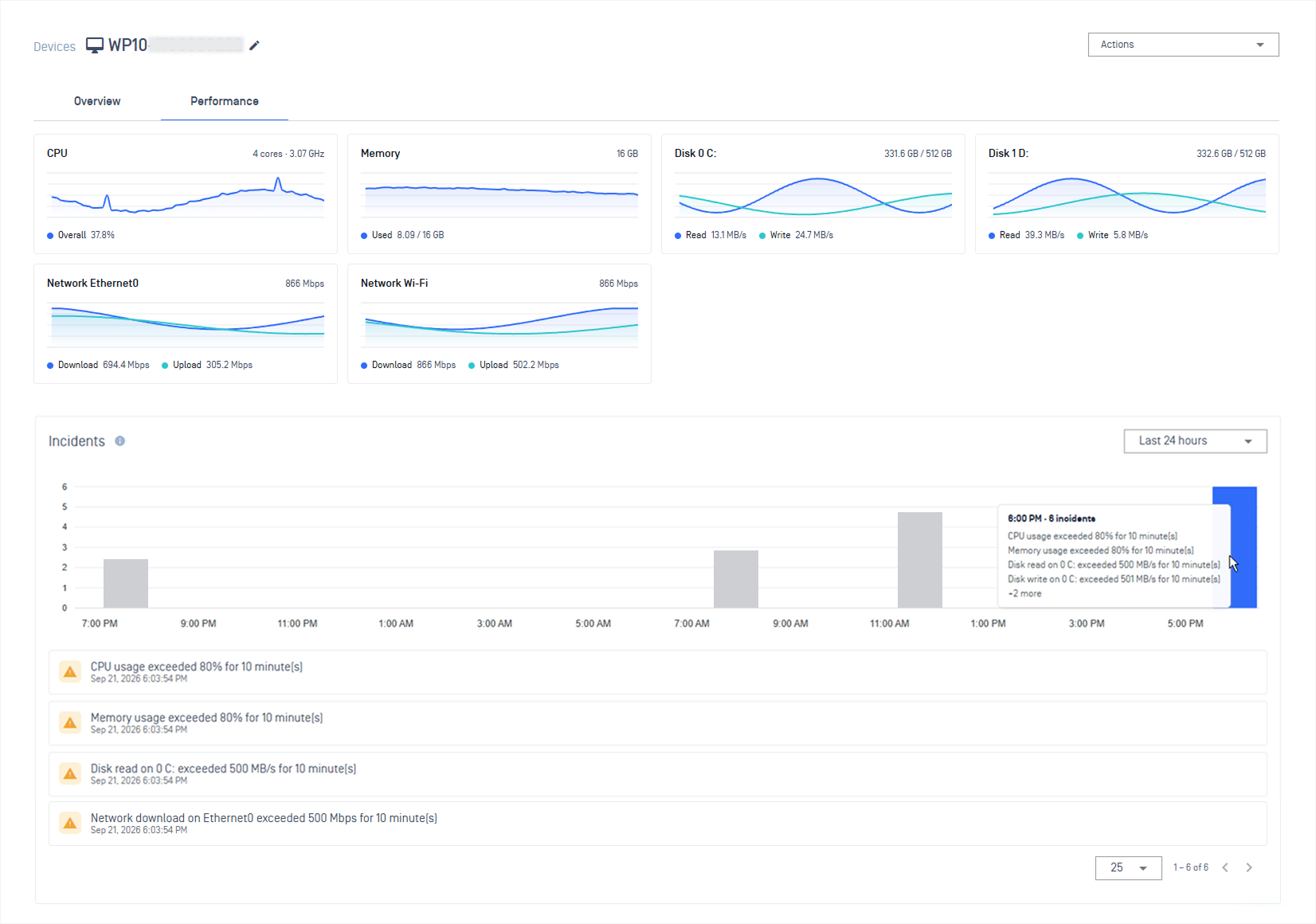
New Features Real-Time Endpoint Performance Monitoring and Incident Alerts
Administrators can monitor critical endpoint metrics from a single view, including CPU, memory, disk, and network usage, with configurable thresholds and automated alerts for high resource usage.
Refer to Endpoint Performance Monitoring guidelines for more details.
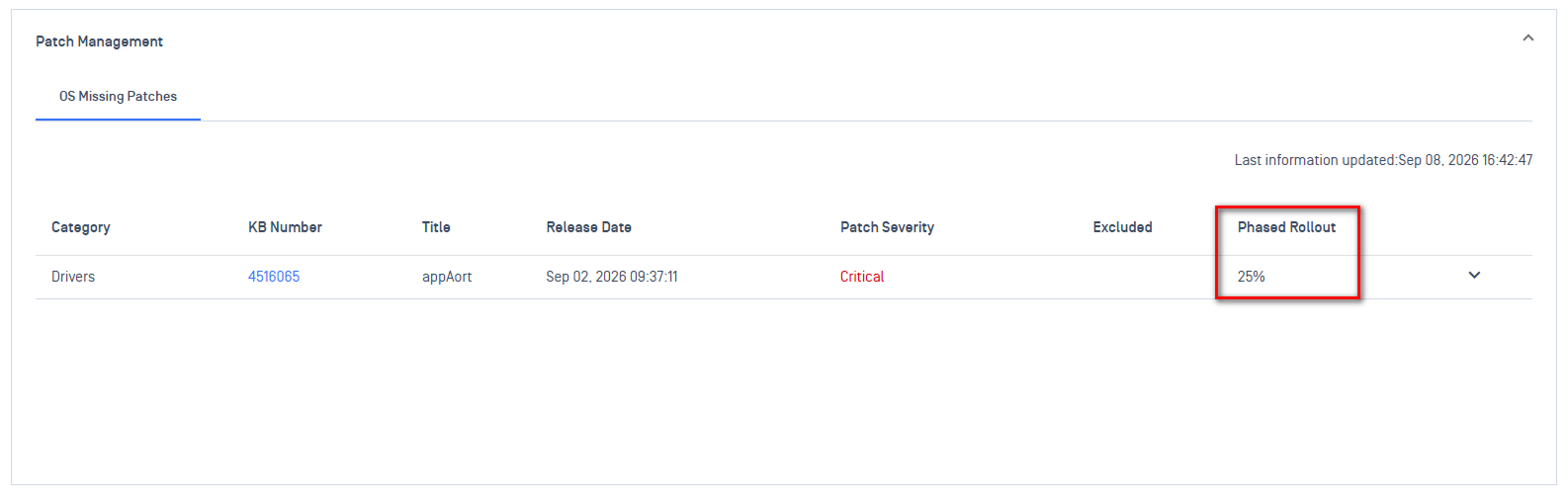
Enhancements Handle Ubuntu Phased Updates in Patch Compliance
Patch compliance reporting now accounts for Ubuntu phased updates, eliminating false-positive non-compliance alerts for devices not yet eligible for phased rollouts.
Portable Malware Scanning
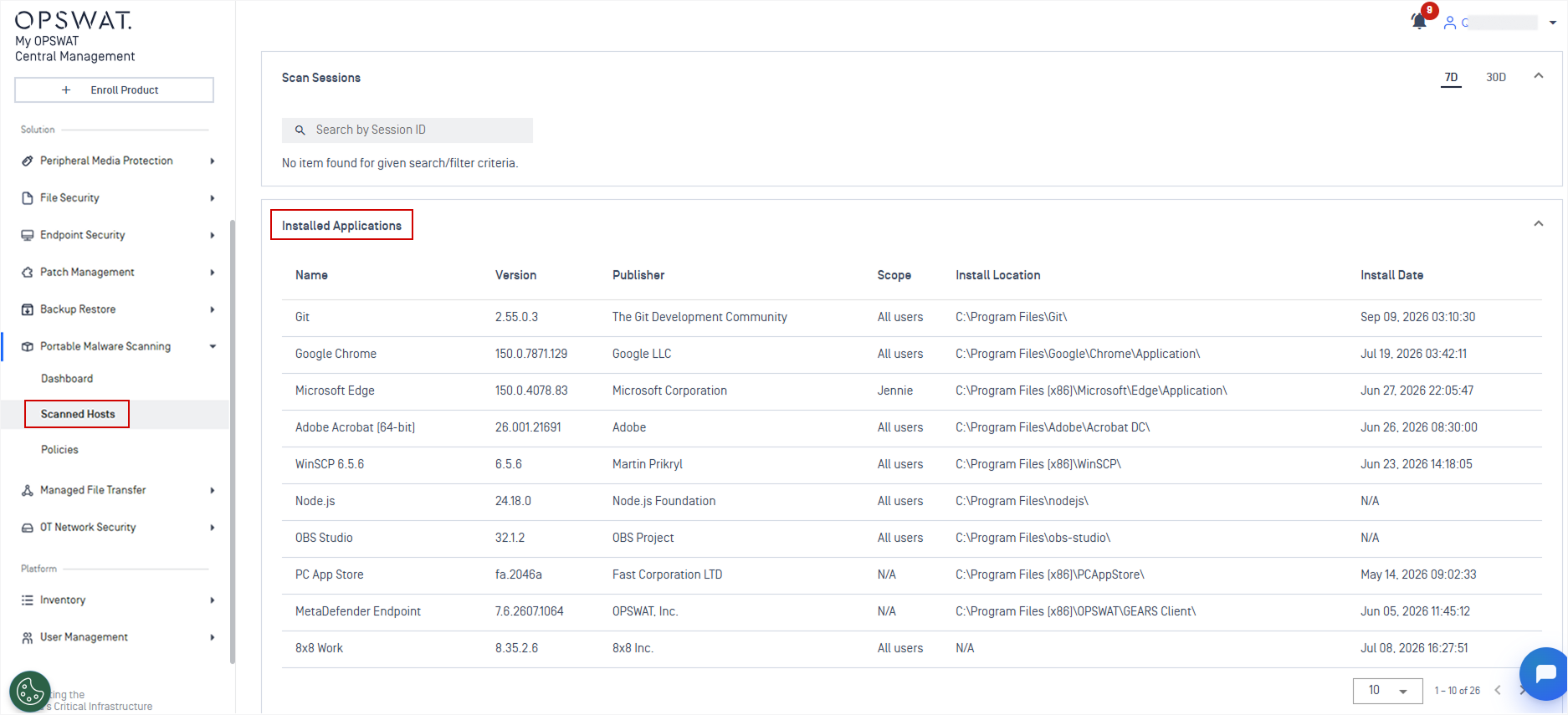
New Features Installed Applications Visibility on MetaDefender Drive Scanned Hosts
Scanned host records now list the installed applications detected by MetaDefender Drive, including application name, version, publisher, install date, and install location.
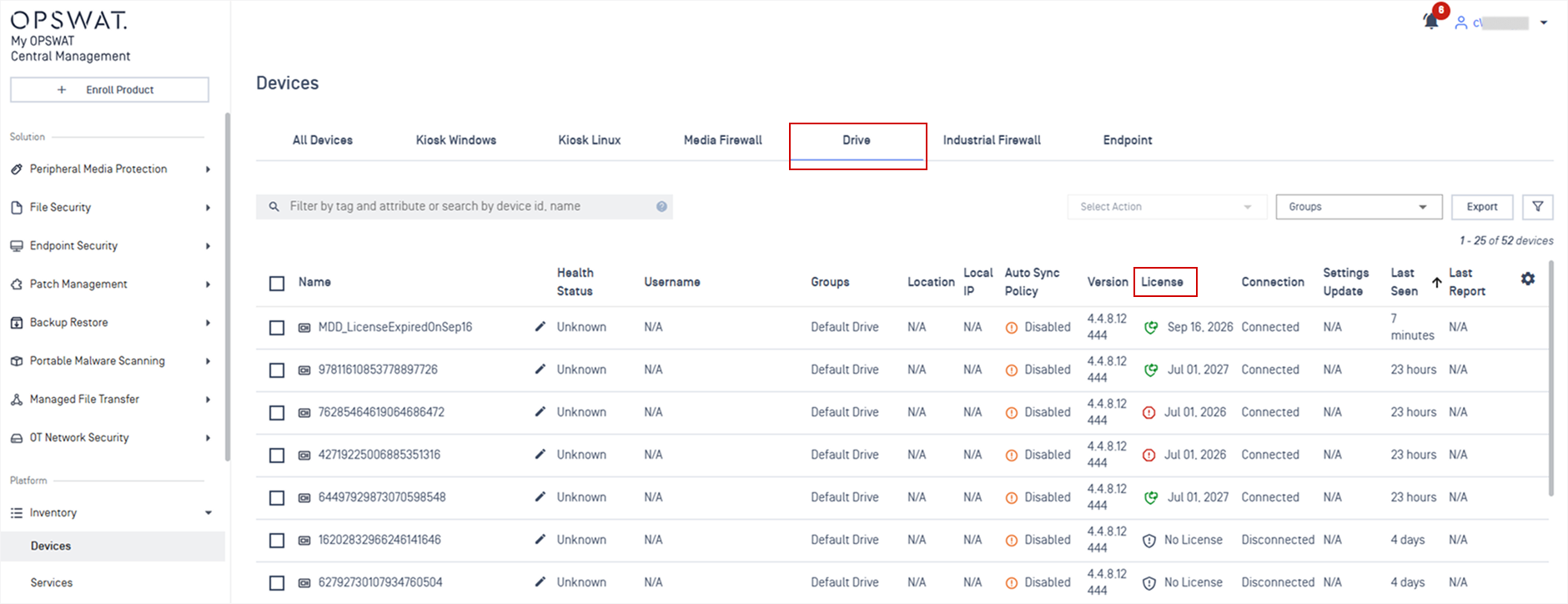
New Features Show License Details for MetaDefender Drive
Administrators can now view license details for managed MetaDefender Drive devices, including license status and expiration dates.
OT and Cyber-Physical Systems Solution
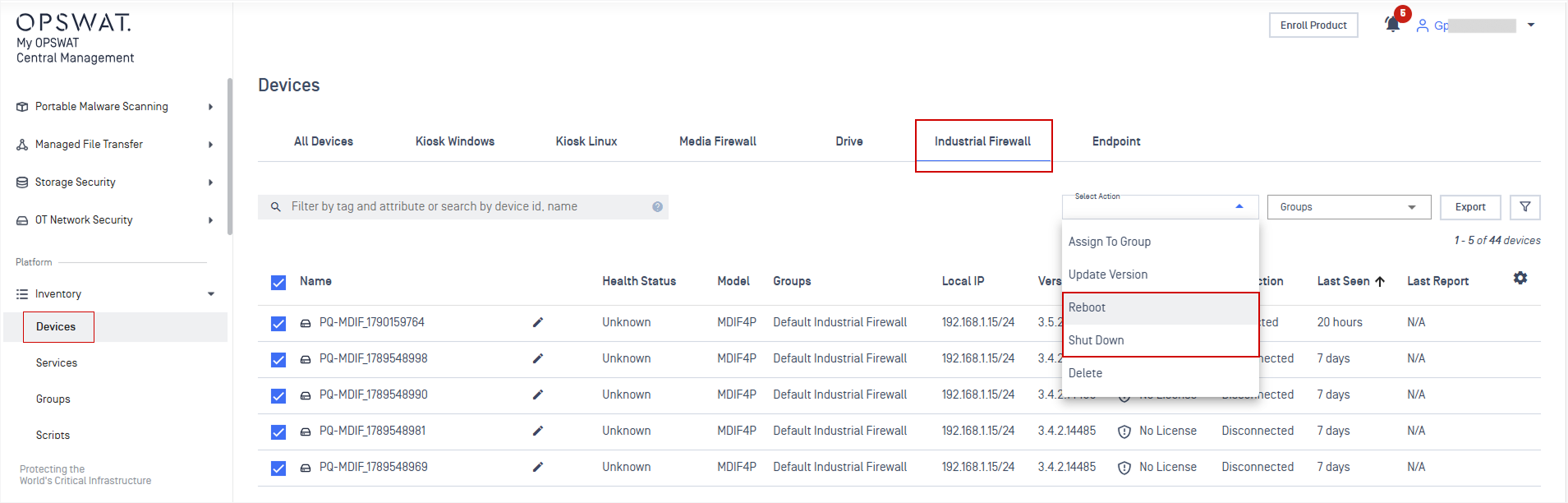
New Features Remote Reboot and Shut Down for MetaDefender Industrial Firewall
Administrators can remotely reboot or shut down MetaDefender Industrial Firewall devices from the console, eliminating the need for manual, on-site intervention.
Please Note: This feature is supported for MetaDefender Industrial Firewall version 3.5.1 or later.
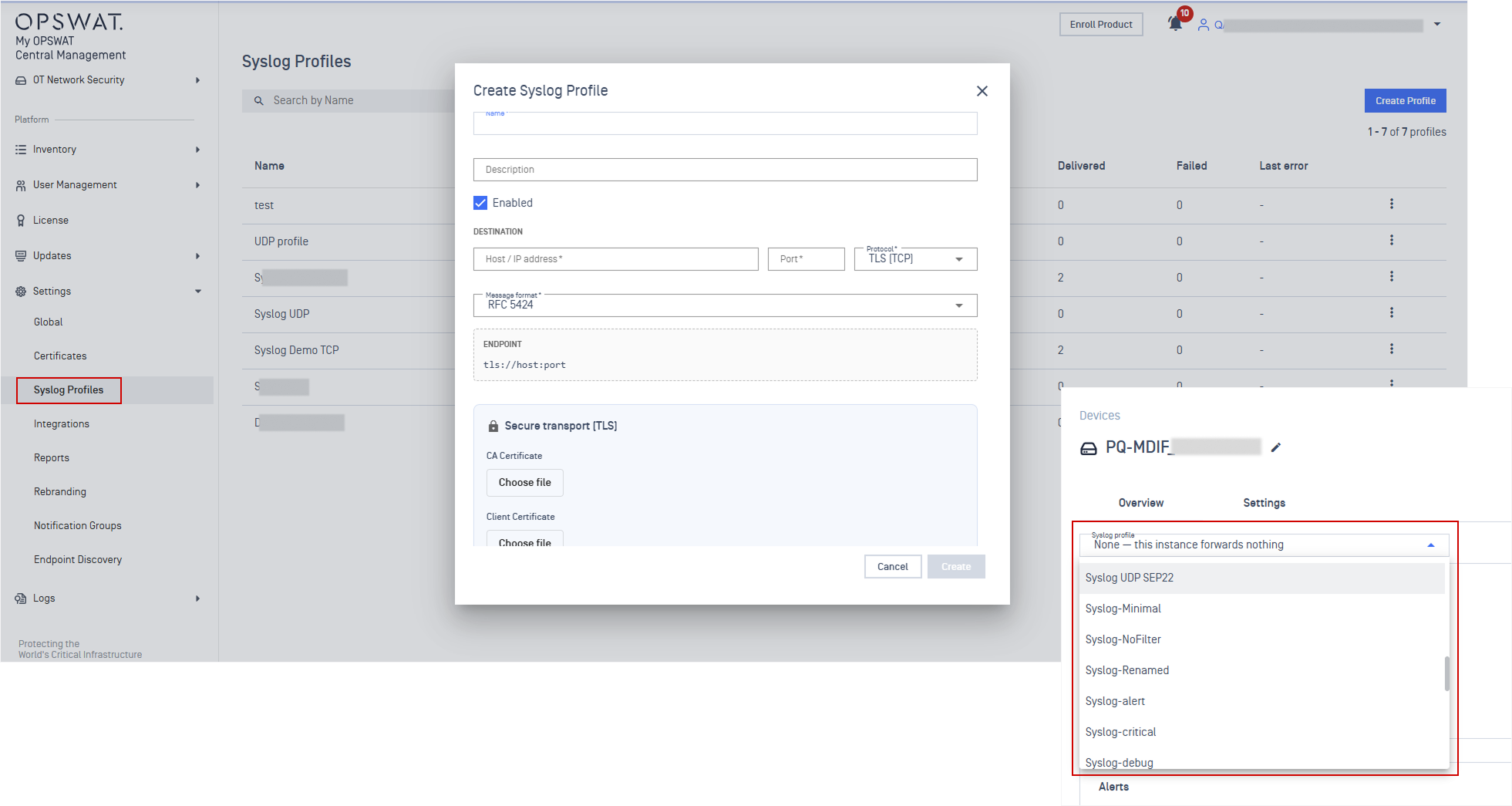
New Features Support Syslog Forwarder for MetaDefender Industrial Firewall
Added Syslog Profile support for MetaDefender Industrial Firewall, enabling administrators to centrally configure and apply syslog forwarding settings across multiple firewall devices.
Refer to Syslog Profile guidelines for detailed instruction.
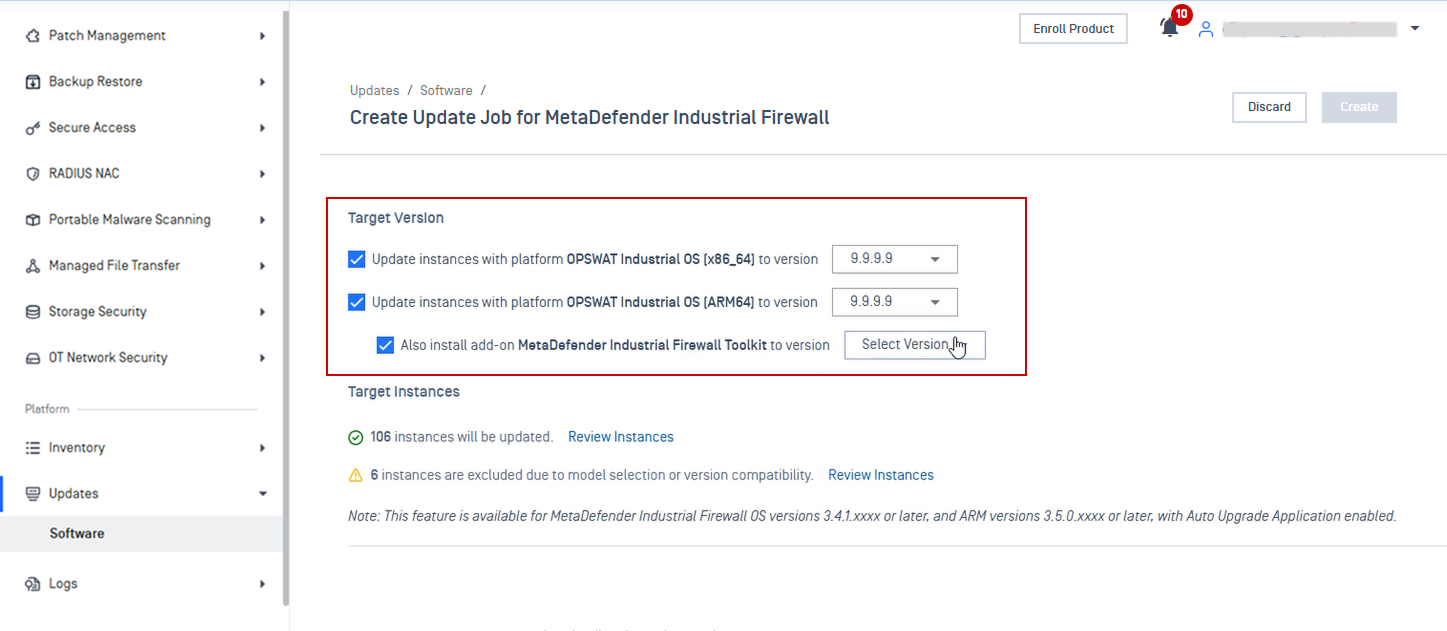
Enhancements Support Toolkit Upgrade for MetaDefender Industrial Firewall
Support OPSWAT Industrial OS platform and Toolkit upgrade for MetaDefender Industrial Firewall. Refer to Update Application guideline for more details.
File Security Solution
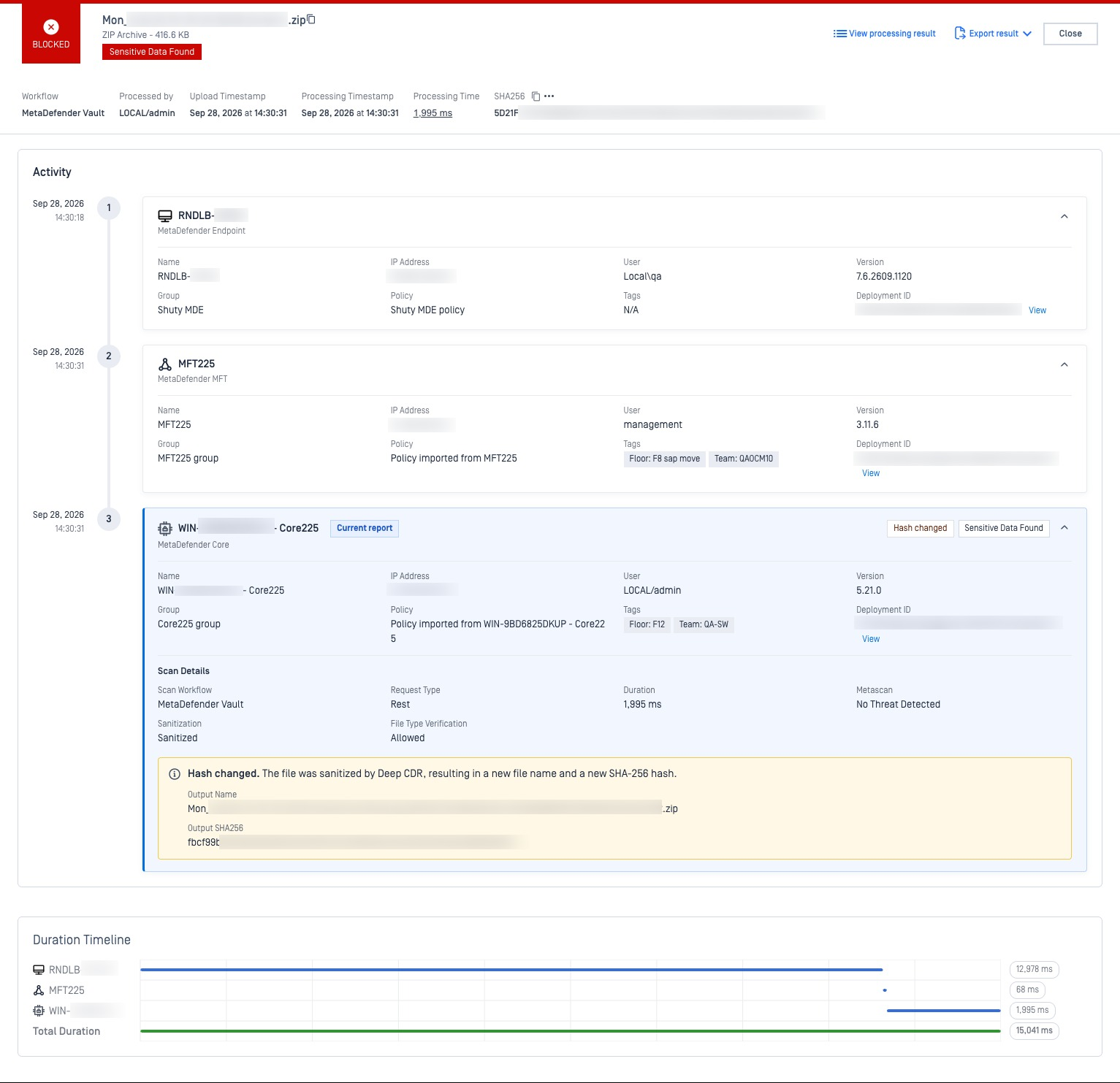
New Features End-to-End File Audit Trail
File Audit Trail gives administrators one centralized view of a file's full journey, displaying each product that handled it, detailing scan outcome, processing timestamps, and file alterations.
Refer to File Audit Trail guidelines for more details.
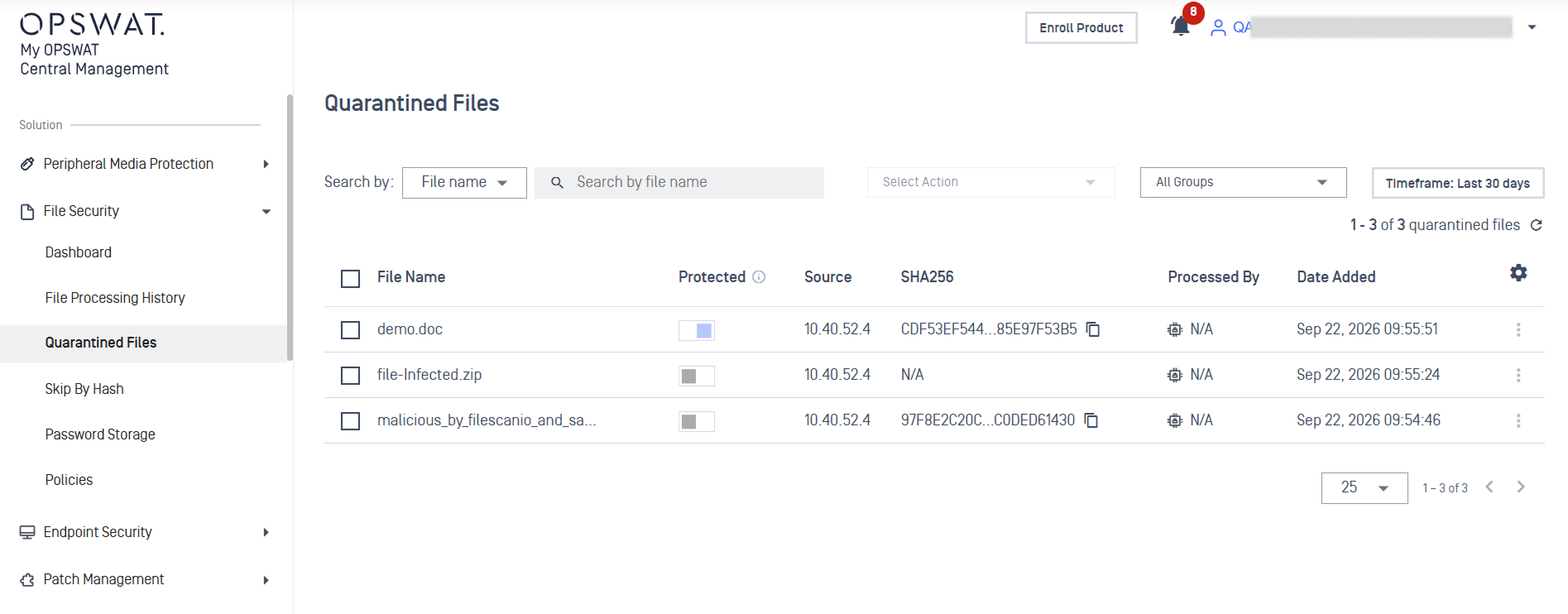
New Features Retrieve Quarantine Files from MetaDefender Core
Administrators can now view and remotely retrieve quarantined files from MetaDefender Core from centralized console. Administrators can also mark files as protected to prevent automatic cleanup.
See Quarantined Files guidelines for detailed instructions.
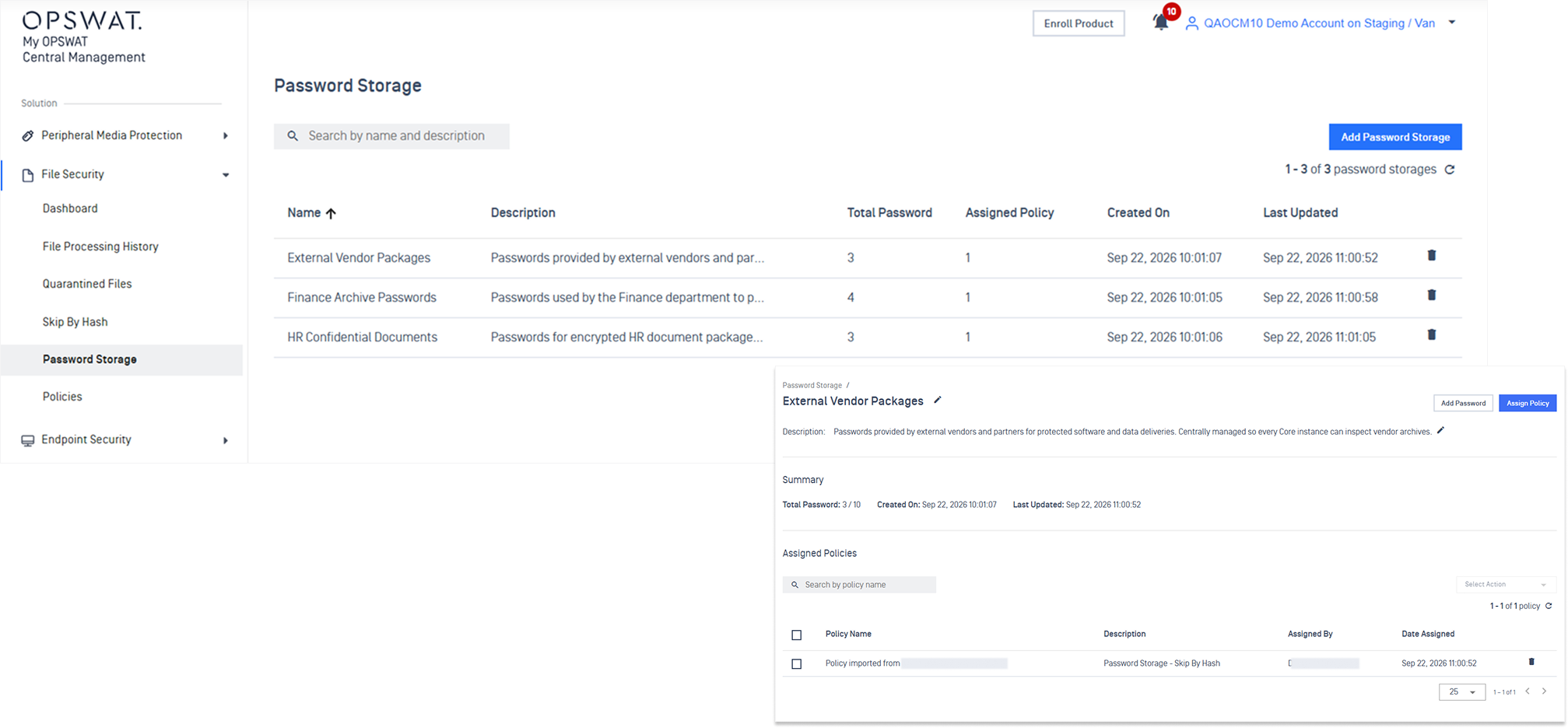
New Features Centralized Password Storage Management for MetaDefender Core
Password Storage entries can now be created, edited, and deleted in one central place and synced out to every managed MetaDefender Core instance.
Refer to Password Storage for detailed instruction.
Network Access Control solution
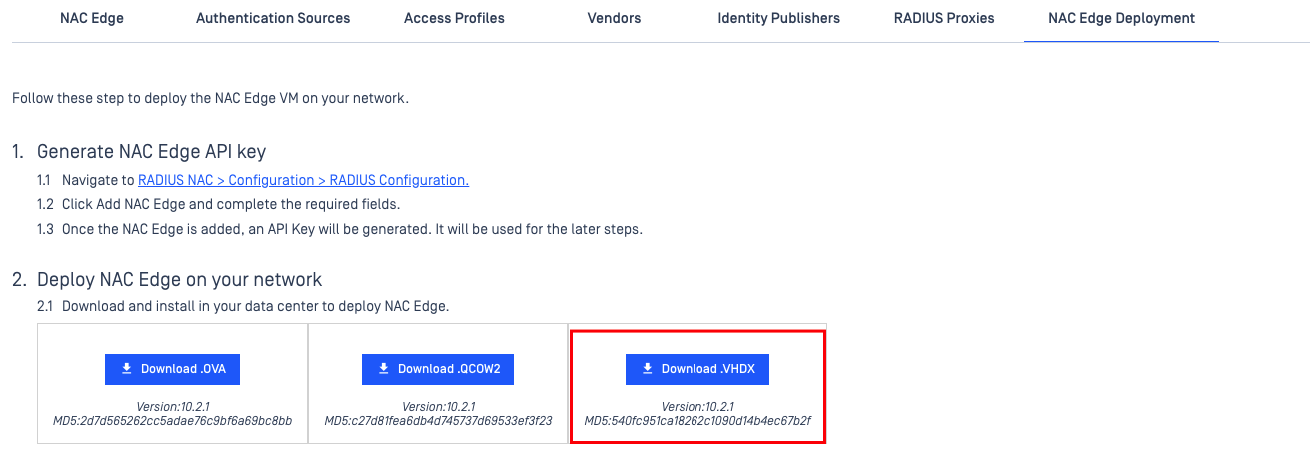
New Features Hyper-V Appliance Image
NAC Edge is now available as a Hyper-V image. The NAC Edge Deployment page offers a Download. VHDX button alongside the existing OVA and QCOW2 images, with the version number and MD5 checksum shown beneath it so you can verify the download.
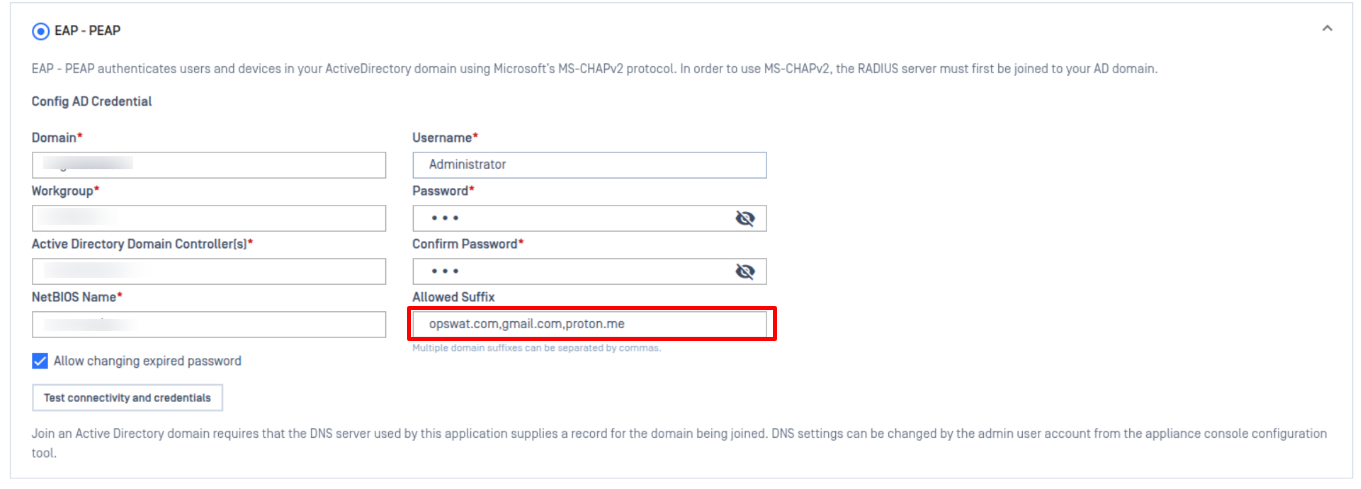
New Features Suffix Validation for EAP-PEAP
EAP-PEAP configuration now offers optional suffix validation. Previously a domain user name such as user@example.com had its suffix removed and only the user name was authenticated. With suffix validation enabled, sign-in attempts presenting an unexpected domain suffix are rejected.
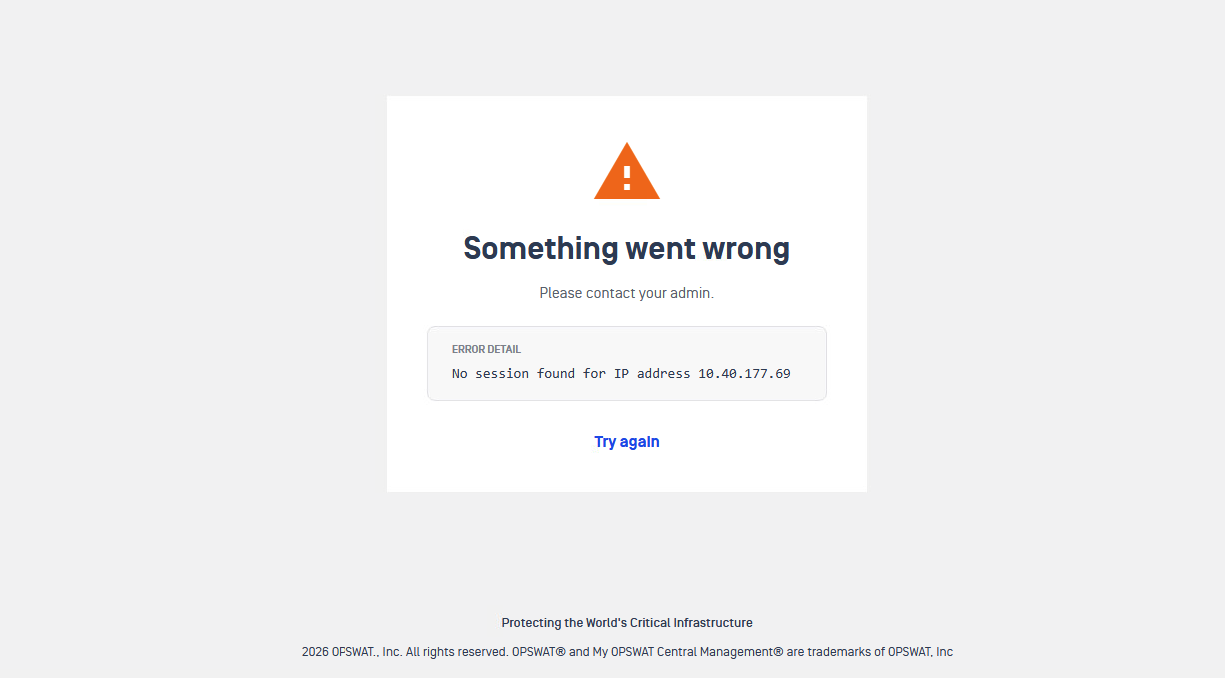
New Features Clearer Captive Portal Message on Correlation Failure
When NAC cannot correlate a device's MAC and IP address, the captive portal now explains what happened instead of failing without explanation.
Enhancements Cloud Native and OTS Integrations Removed
The Cloud Native and OTS (OT Threat) integrations have been removed, along with their proxy components and supporting cloud infrastructure. The RadSec client and PKI server have also been removed
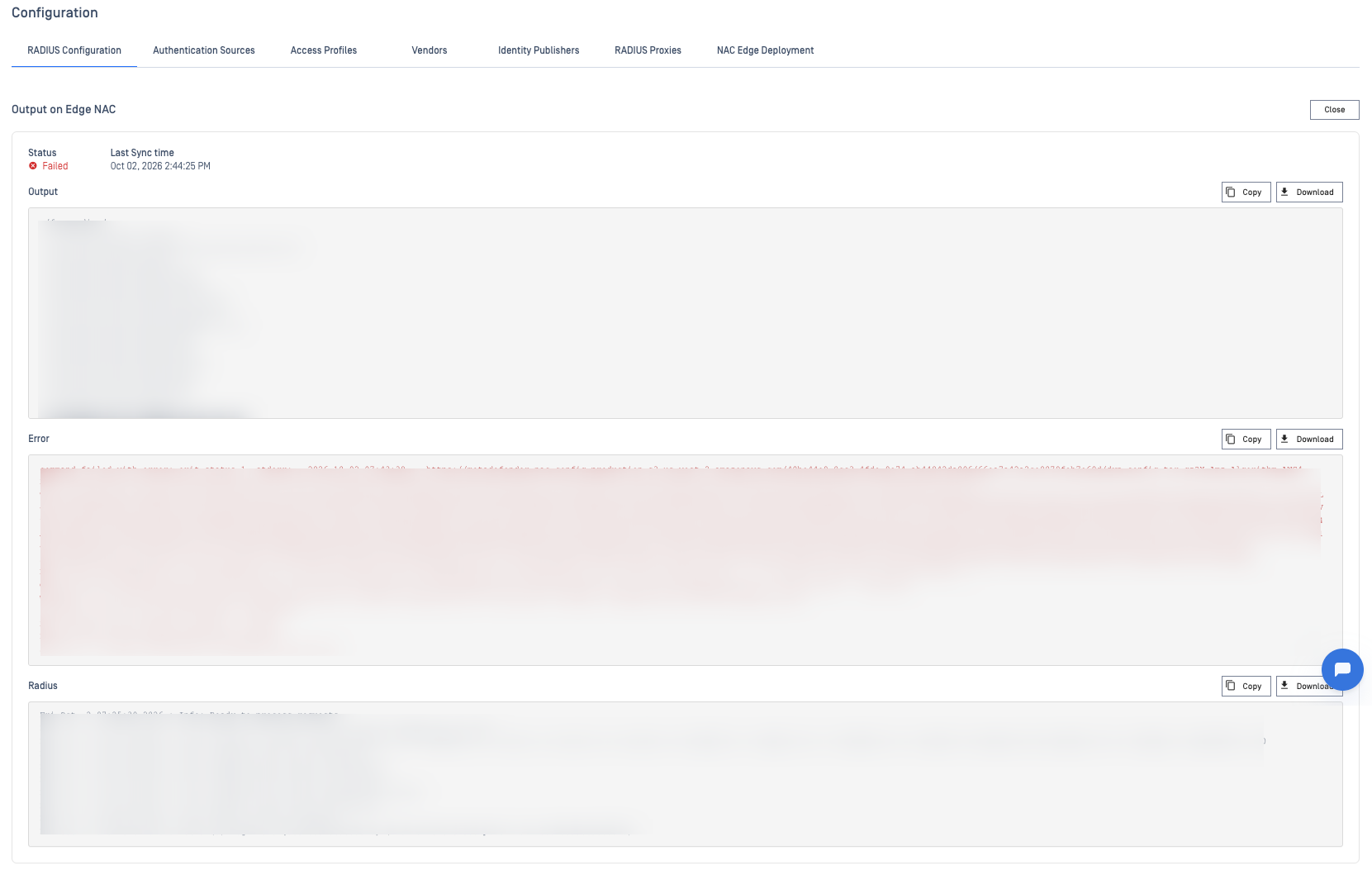
Enhancements FreeRADIUS Logs Included When Applying Configuration Fails
When a FreeRADIUS configuration fails to apply, View Output now includes the FreeRADIUS log in addition to standard output and error. Failures such as an invalid LDAP server configuration are frequently explained only in that log, so the cause is now visible without retrieving logs separately.
Additional Features
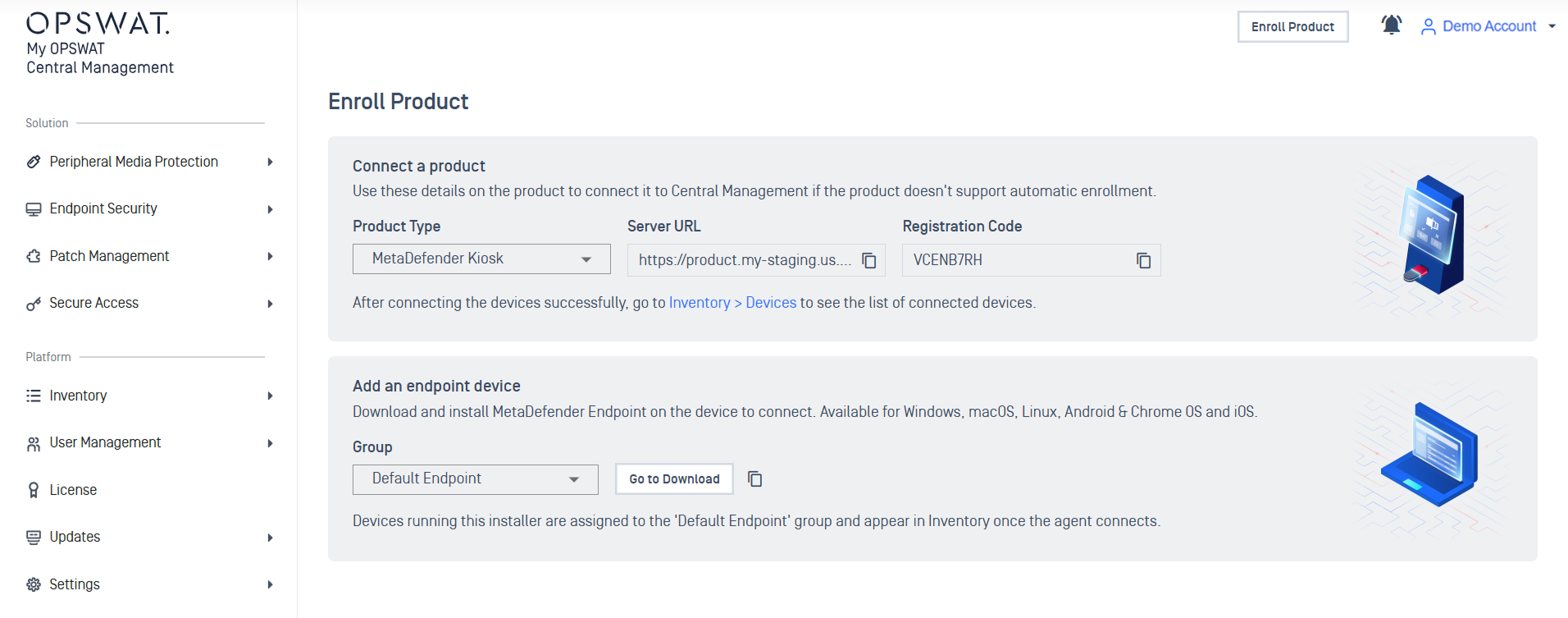
New Features Redesigned Enroll Product Page
Enroll Product page has been redesigned to provide a single-glance view of the onboarding path, clearly separating standalone product setup from endpoint device deployment.
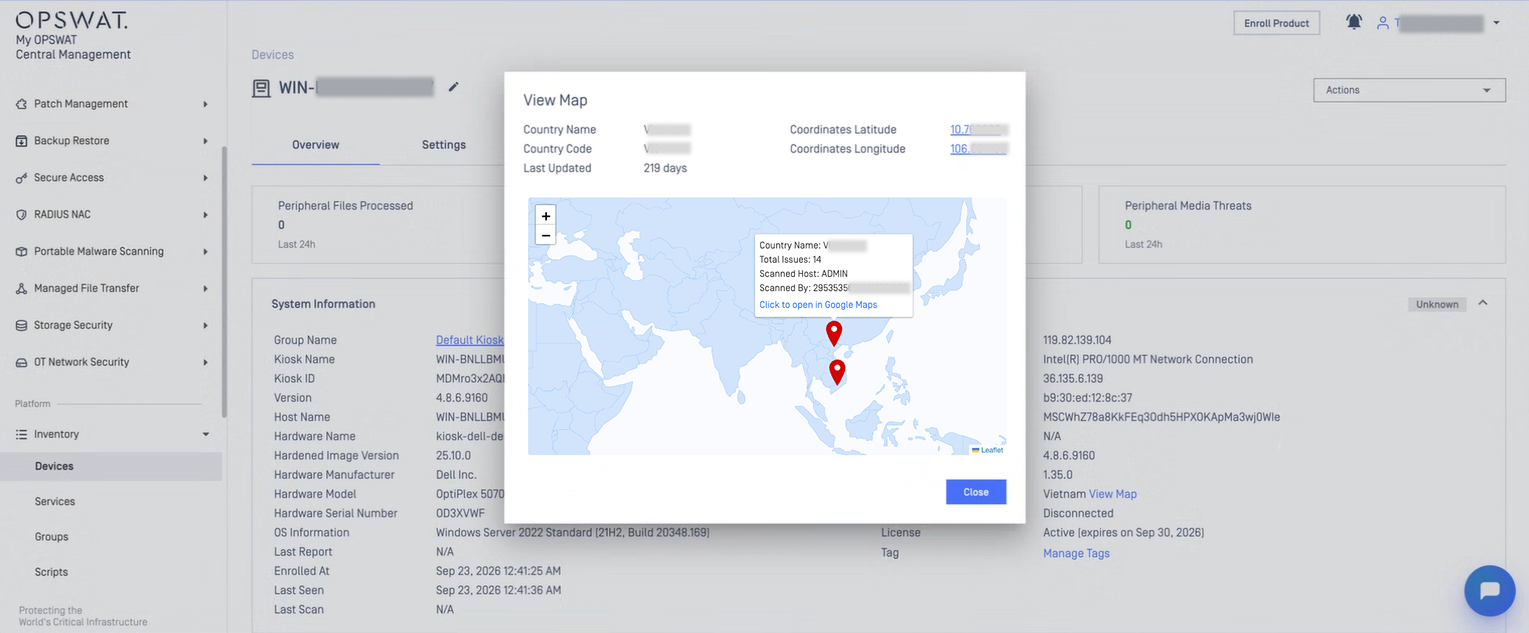
New Features Display Map and Location Details
Administrators can view device location details on an interactive map and access the location directly in Google Maps from the device marker.