
My OPSWAT Central Management v10.7.26080.2756
Version | v10.7.26080.2756 |
|---|---|
Release date | September 25, 2026 |
Bug Fixes Resolved Recurring Automatic Service Restarts
Fixed an issue where My OPSWAT Central Management services restarted every five minutes due to failing background tasks retrying indefinitely on RabbitMQ 4.3.
My OPSWAT Central Management v10.7.26080.2750
Version | v10.7.26080.2750 |
|---|---|
Release date | September 9, 2026 |
New Features Supports Automatic Direction-Based Workflow for Peripheral Media Protection
Peripheral Media Protection now automatically applies the right scan workflow based on file transfer direction.
Bug Fixes Fixed Console Sign-In Loop After Upgrading to 10.7.26080.2744
Fixed an issue where users were redirected to the sign-in screen when logging into the console via custom domain names after upgrading to version 10.7.26080.2744.
My OPSWAT Central Management v10.7.26080.2744
Version | v10.7.26080.2744 |
|---|---|
Release date | August 25, 2026 |
Bug Fixes Configuration Packages (vPack) Failed to Load Without a Matching Kiosk Version Enrolled
Fixed an issue where the default vPack for MetaDefender Kiosk v4.8.4.8500 could not load until a Kiosk running same version was enrolled.
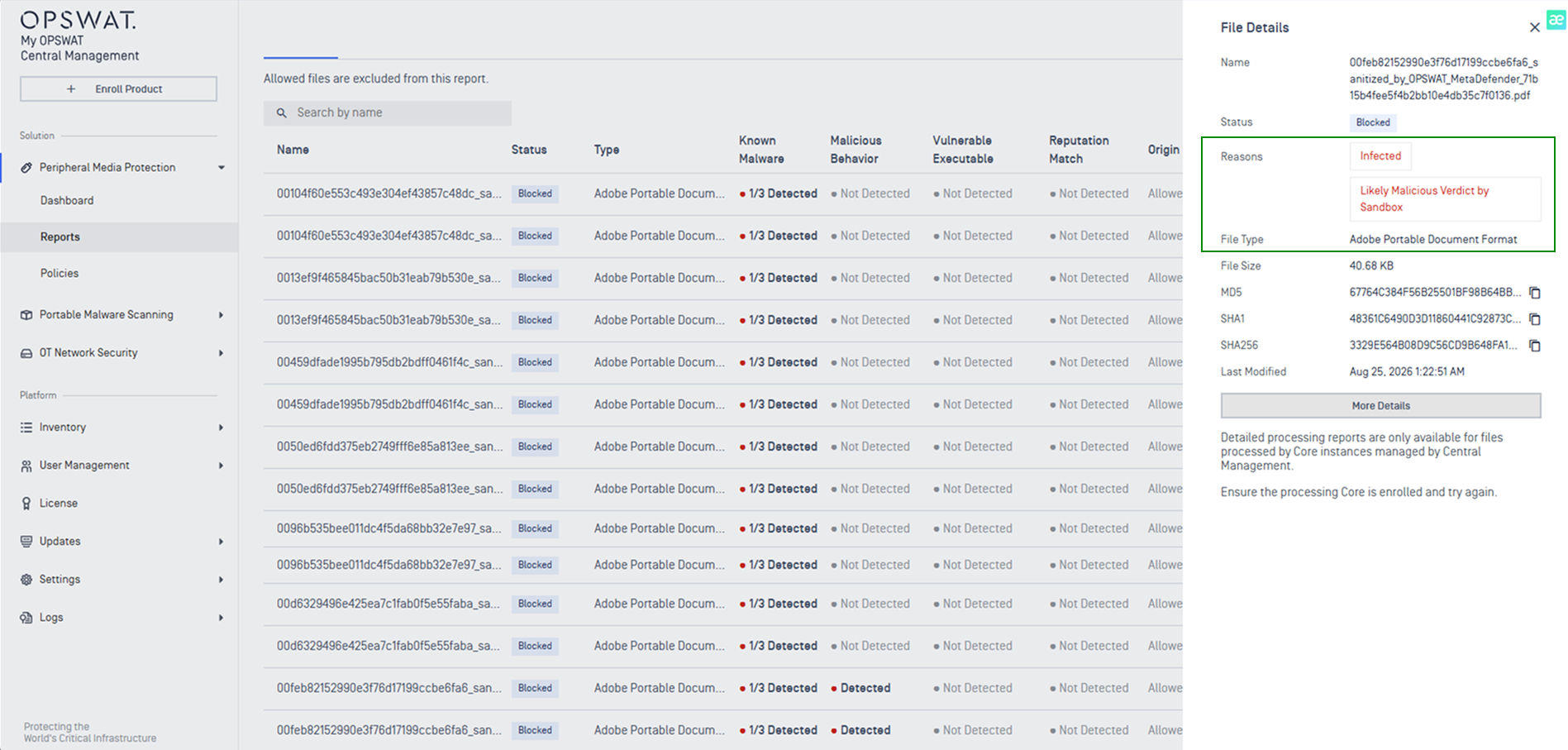
Bug Fixes Display Correct File Threat Reason and File Type
The Peripheral Media Protection scan reports now display correct file threat reason and the associated file type.
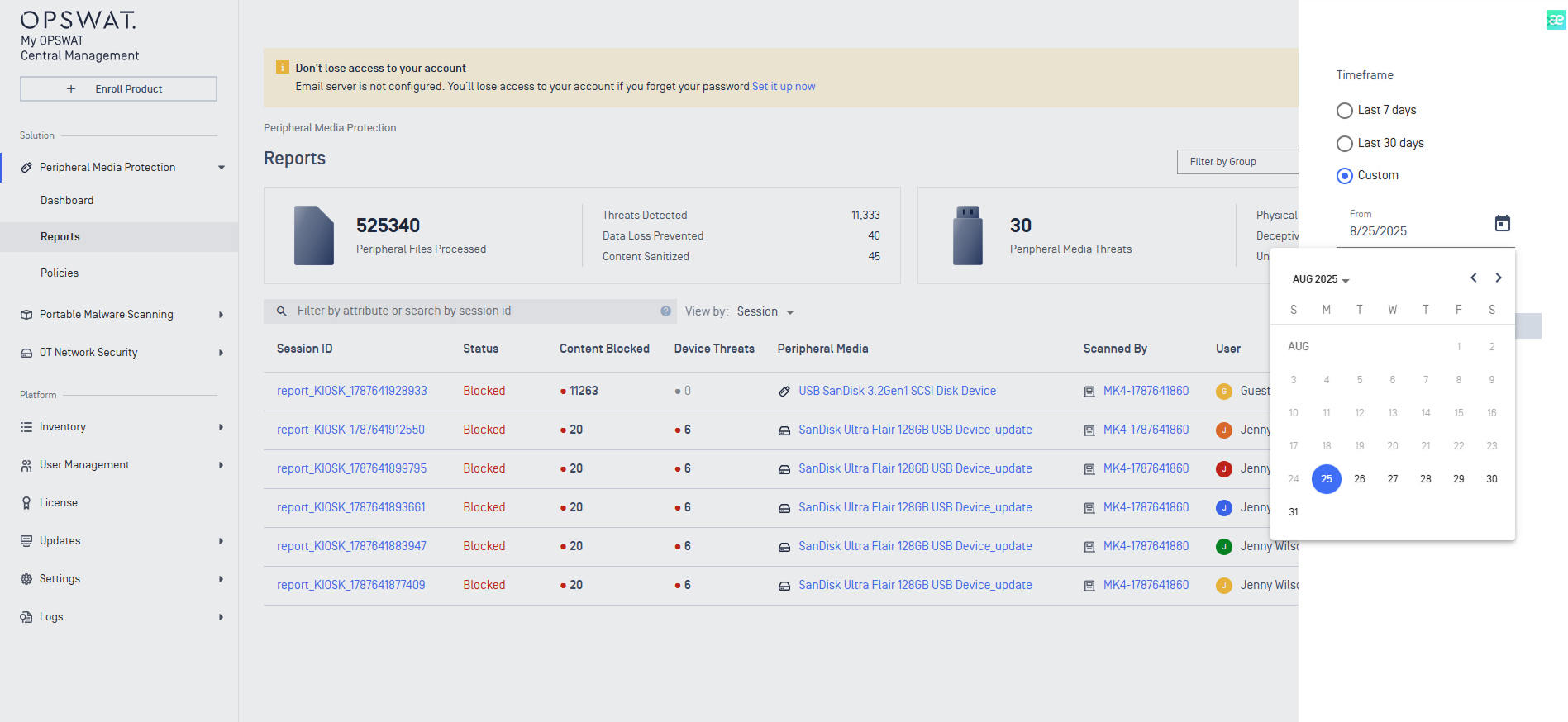
Bug Fixes Apply Configured Data Retention For Custom Timeframe Filtering
The custom timeframe filtering on the Peripheral Media Protection Reports page now applies the configured data retention period.
My OPSWAT Central Management v10.7.26080
Version | v10.7.26080 |
|---|---|
Release date | August 18, 2026 |
Release Summary | This release introduces new Peripheral Media Protection dashboard with expanded USB-threat detection visibility, and strengthens file security with centralized Skip by Hash management for MetaDefender Core. It also expands patch management with configurable notifications and SLA compliance tracking, and delivers a broader set of platform improvements spanning authentication, on-premises installation, upgrade reliability, and admin notifications. |
Peripheral Media Protection Solution
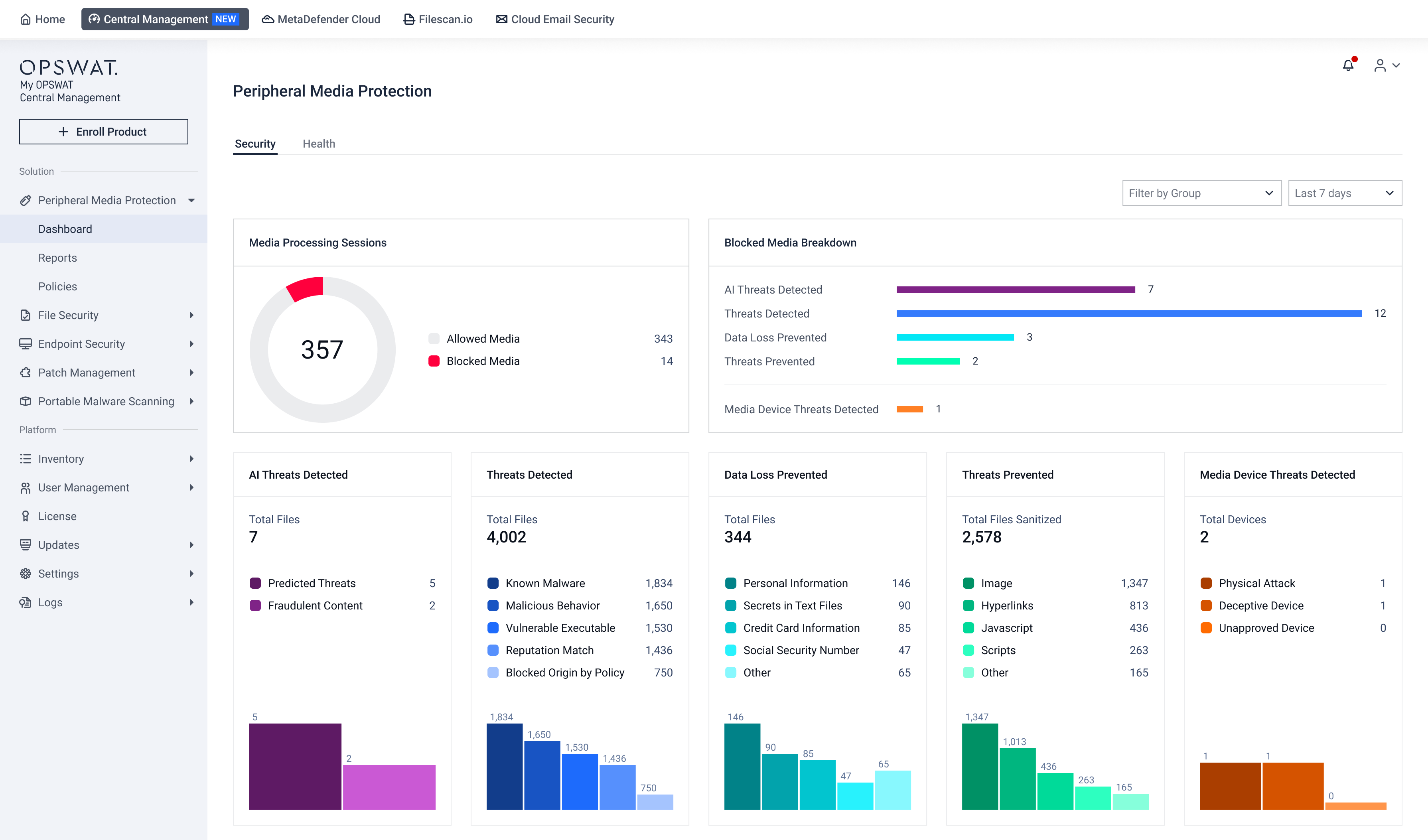
New Features New Centralized Dashboards and Reports for USB-Threat Detection Events
New Peripheral Media Protection dashboards and reports provide centralized visibility for USB-threat detection events from MetaDefender™ Kiosk and MetaDefender Endpoint.
Refer to Peripheral Media Protection and BadUSB Protection guideline for more details.
Endpoint Security Solution
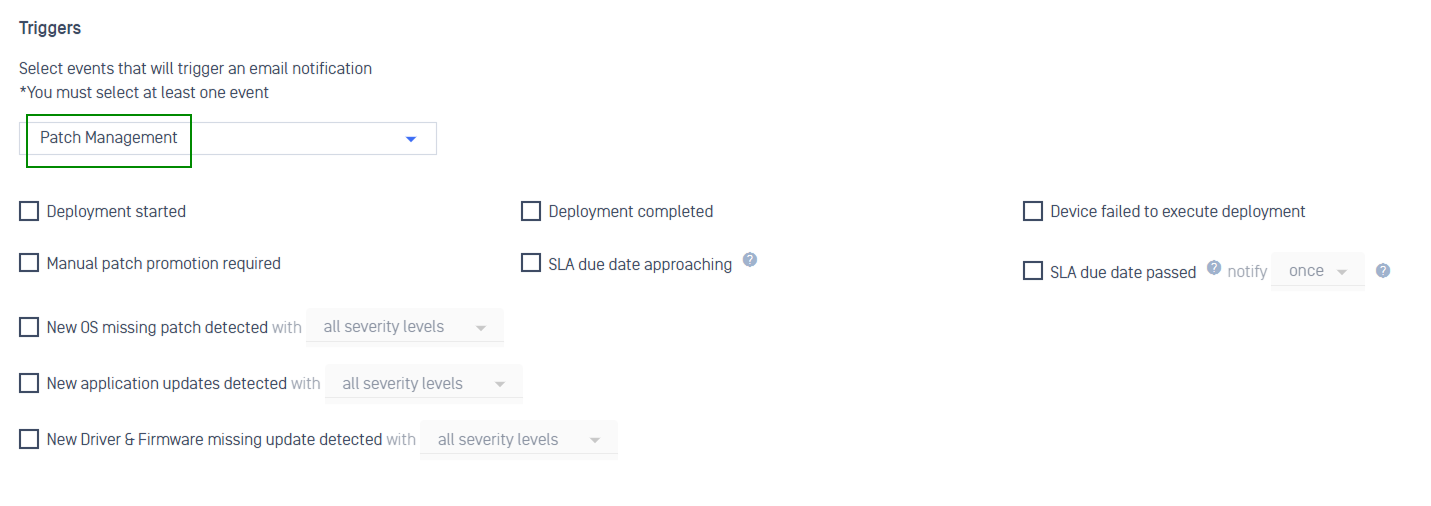
New Features New Patch Notifications for Key Patching Events
New Patch notifications alert administrators in real time to key events, including newly detected missing patches, completed deployments, per-device failures, SLA compliance, and more.
Refer to Patch Notification guidelines for more detailed instruction.
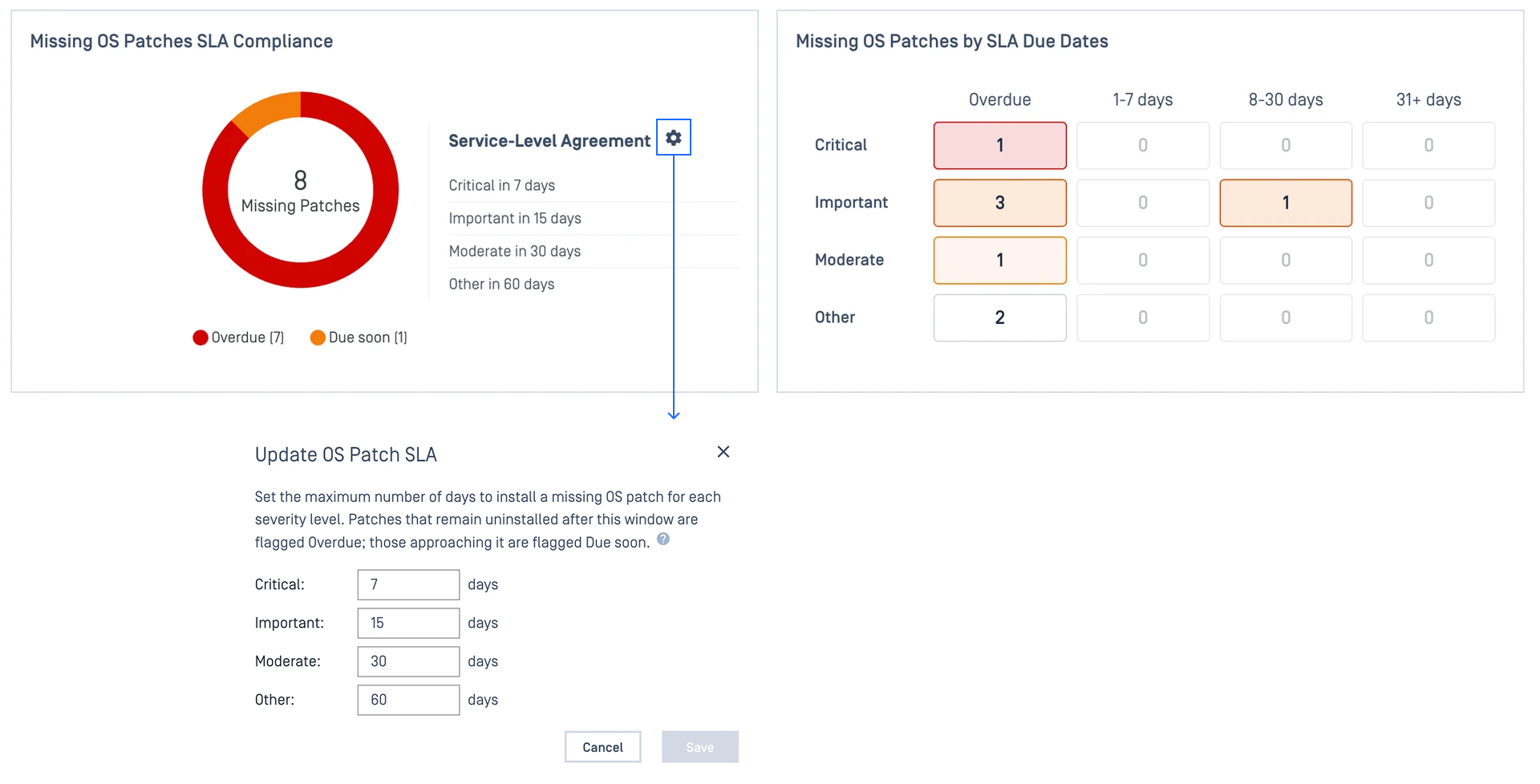
New Features New Patch SLA Compliance Tracking
New Patch SLA lets you set timeframe for how quickly patches must be applied by severity level. Track compliance in real time, see which updates are overdue, and get notified automatically when a patch misses its due date.
Refer to Patch SLA guidelines for more detailed instruction.
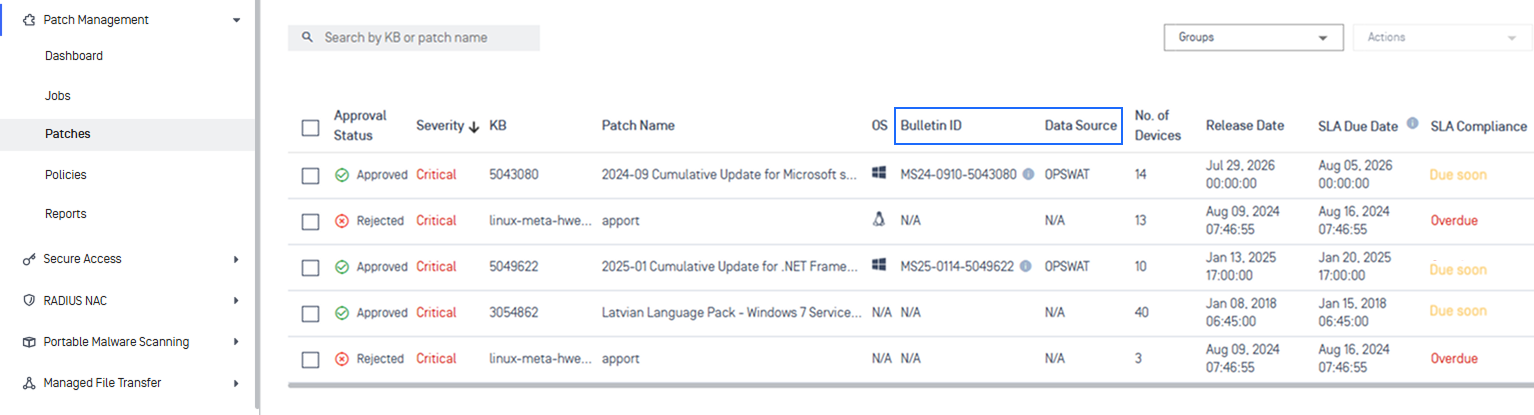
New Features Enhanced Patches Display with Bulletin ID and Data Source Metadata
Patches display now show Bulletin ID for associated security bulletin and Data Source field indicating the origin of the patch record.
Learn more in the Bulletin and Data Source document.
File Security Solution
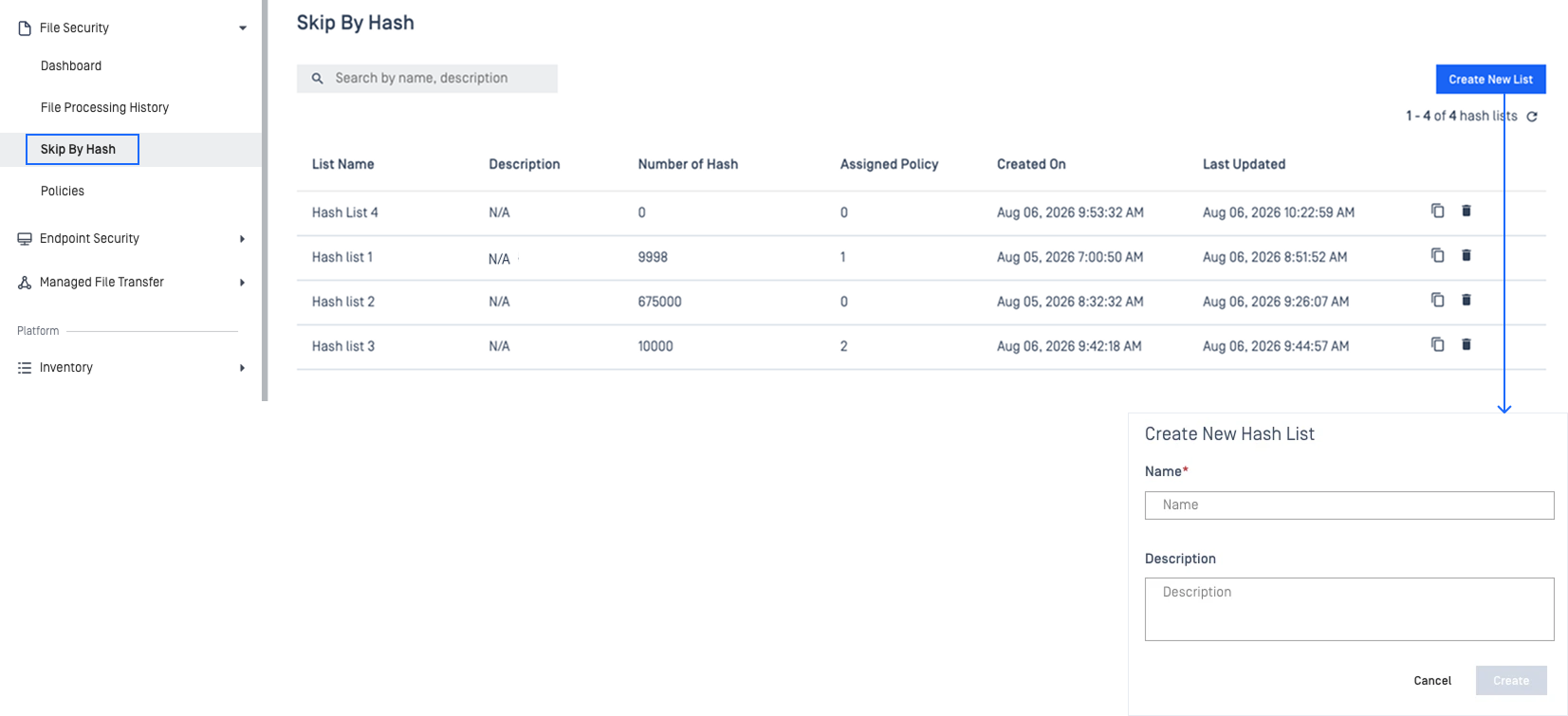
New Features Centralized Skip by Hash Management for MetaDefender Core
Define and manage hash-based scan-skip rules across all your managed MetaDefender Core instances from one console.
Refer to Skip by Hash guide for more detailed instruction.
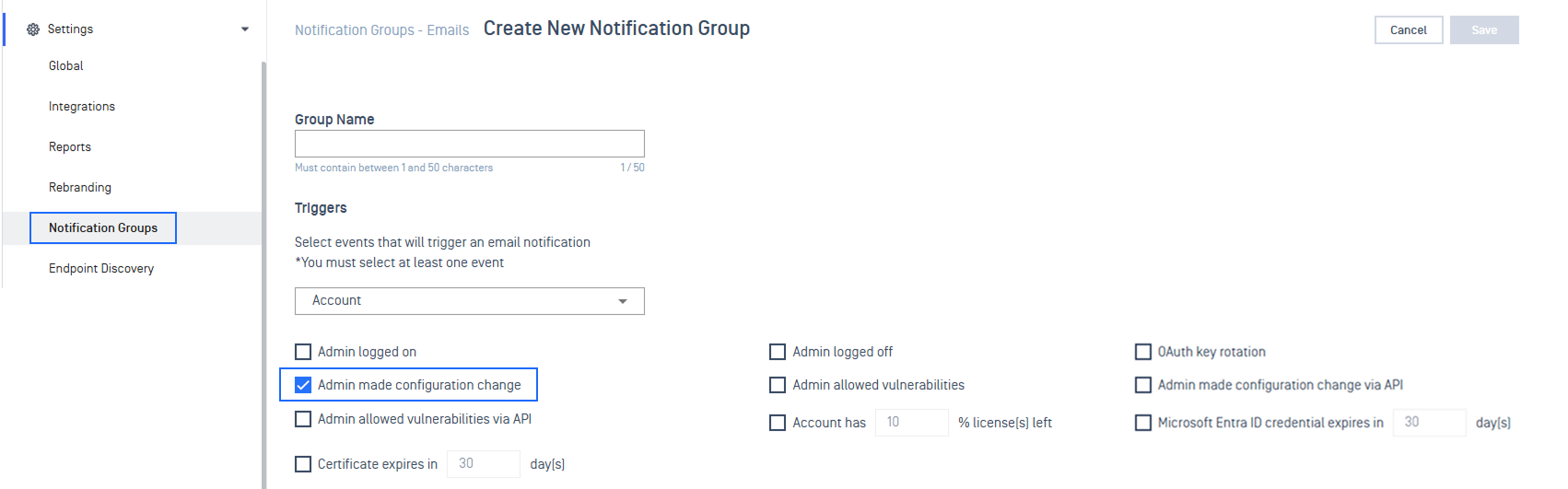
Enhancement Automated Email Notifications for Configuration Changes in Product Groups
Administrators can trigger email notifications when product groups are created, updated, or deleted. Email notifications include the action type, group name, product name, actor, and timestamp.
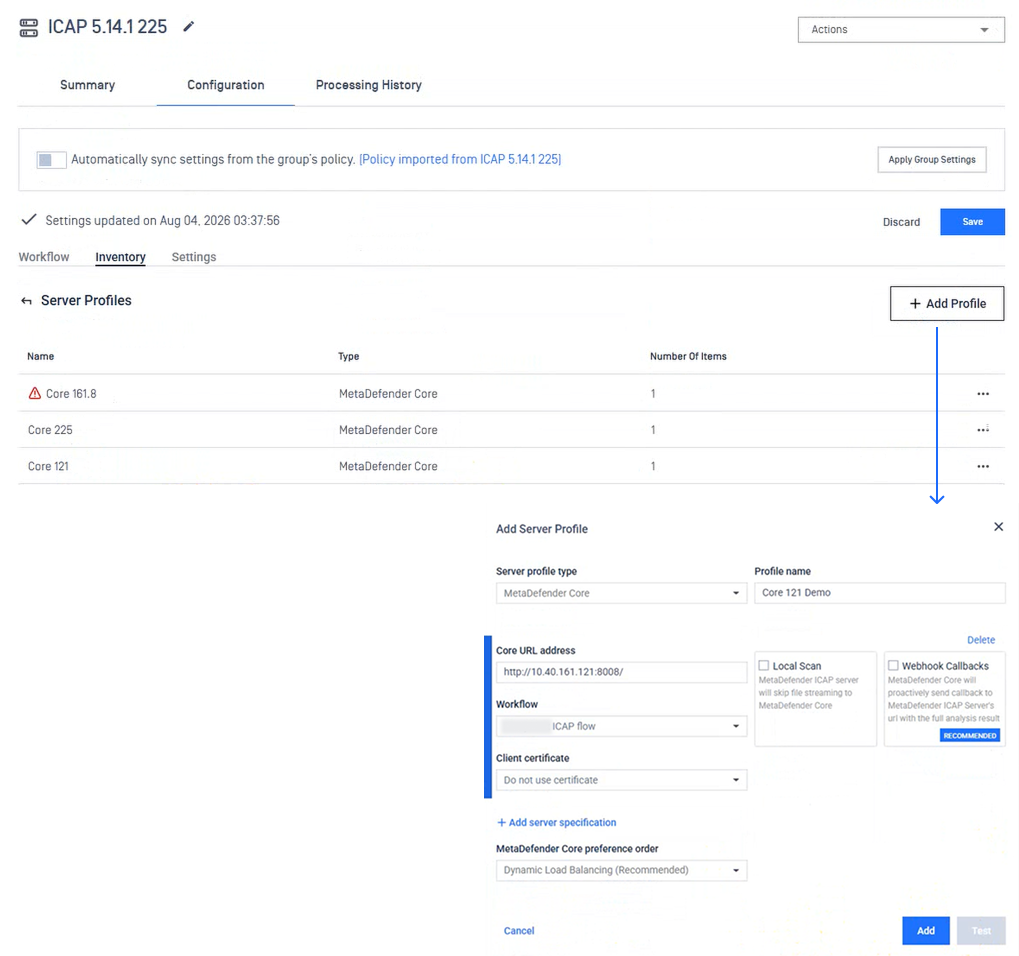
Enhancements Supports Workflow Selection for Managed MetaDefender ICAP
Administrators can now assign a specific workflow to managed ICAP instance via Server Profiles configuration, directly from My OPSWAT Central Management.
Bug Fixes Fixed Excessive MetaDefender Managed File Transfer Error Logs
Fixed an issue where MetaDefender Managed File Transfer generated continuous error-level log entries.
Network Access Control Solution
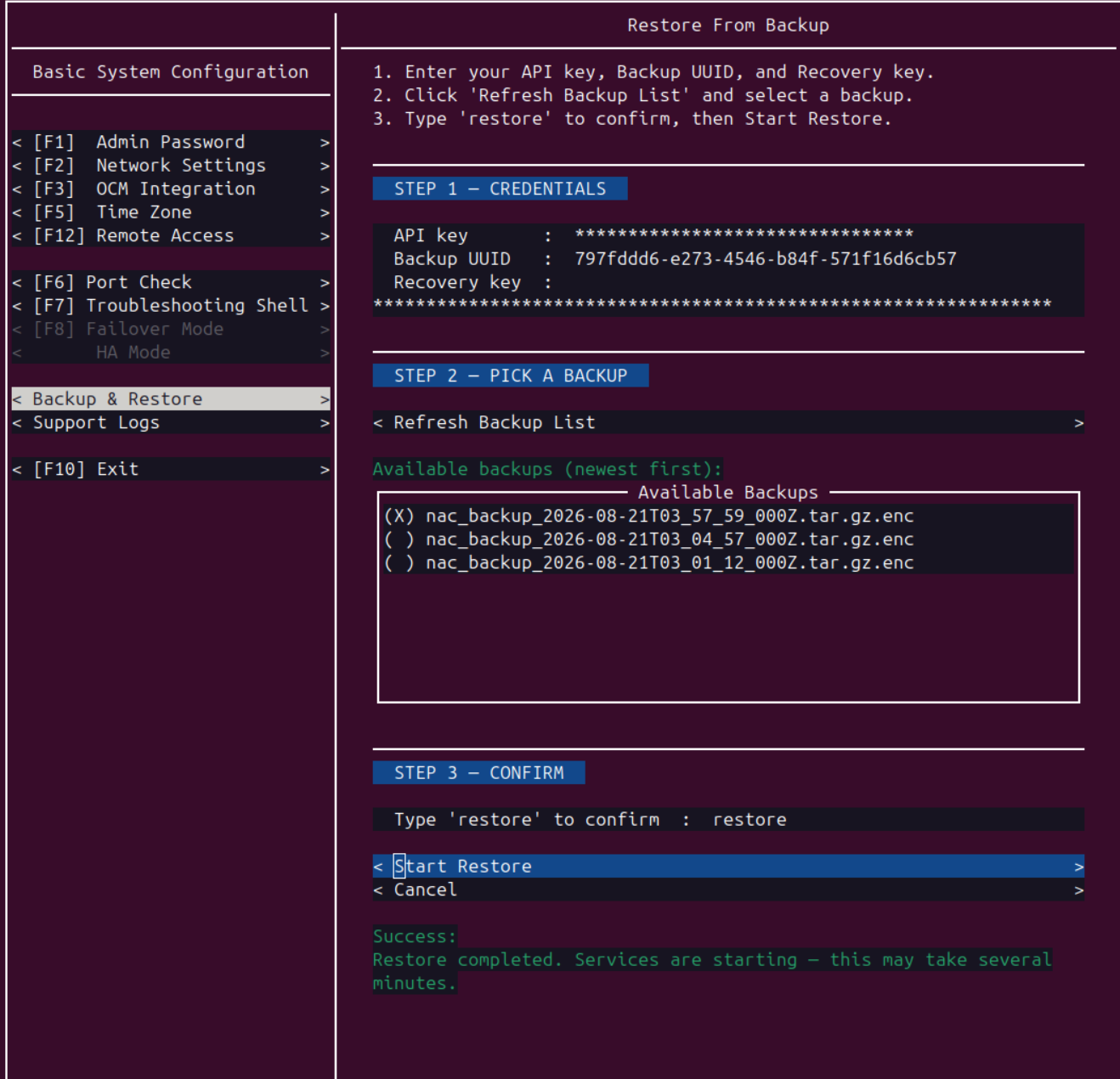
New Features Backup and Restore for On-Premises Appliance
MetaDefender NAC on-premises appliances can now take an encrypted snapshot of the appliance and roll back to a previous snapshot. This supports disaster recovery and rollback of a failed change or upgrade. Backup and restore are available from the appliance console, under Basic System Configuration → Backup & Restore.
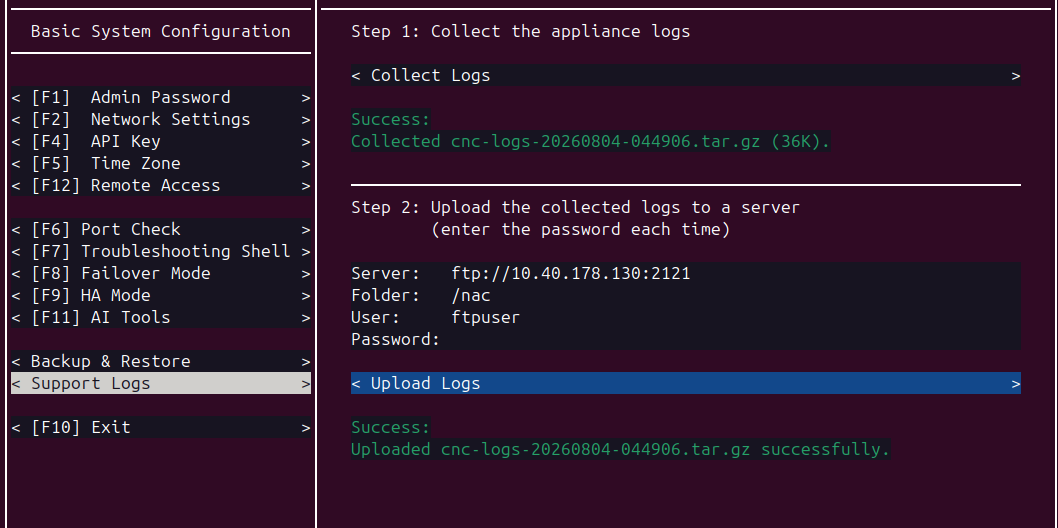
New Features Export logs from the CNC console
With this release, an export action is available in the console UI. Logs are packaged and transferred to a destination you configure (via ftp), so you can gather diagnostics yourself and attach them to a support ticket without sharing privileged system credentials.
Additional Features
New Features New Integration with OPSWAT Telemetry Framework
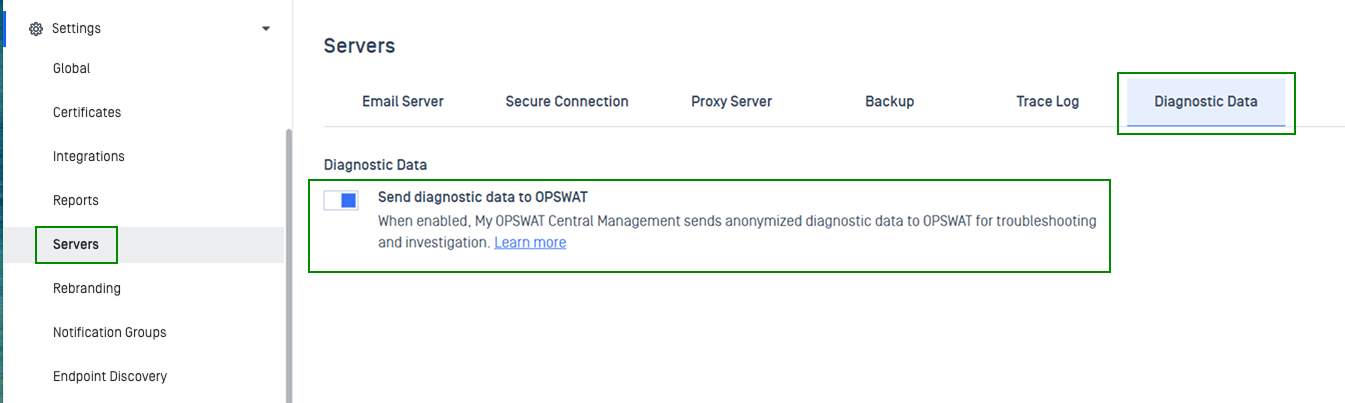
My OPSWAT Central Management now integrates the OPSWAT Telemetry Framework (OPTEL), providing standardized metrics, structured logs, and distributed traces across all services for faster troubleshooting in on-premise deployments.
Refer to Diagnostic Data guidelines for details.
New Features Supports Active Directory Username Login
Administrators can now log in to My OPSWAT Central Management using their Active Directory username. See Active Directory for configuration details.
Enhancements Upgrades RabbitMQ Server to Address Critical CVEs
The bundled RabbitMQ is upgraded to address critical security vulnerabilities (CVEs published July 2026). On-premise installations receive this fix automatically upon update.
Enhancements Supports HTTPS Mode for File Storage Server
On-premises deployments installed via Windows (MSI) using a shared database can now run the File Storage Server over HTTPS.
Enhancements Adds Specific Failure Reasons for Application and Engine Downloads
Application and engine download failures now show specific reasons (e.g., proxy error, timeout, storage full) with recommended next steps, allowing quick issue diagnosis and troubleshooting.
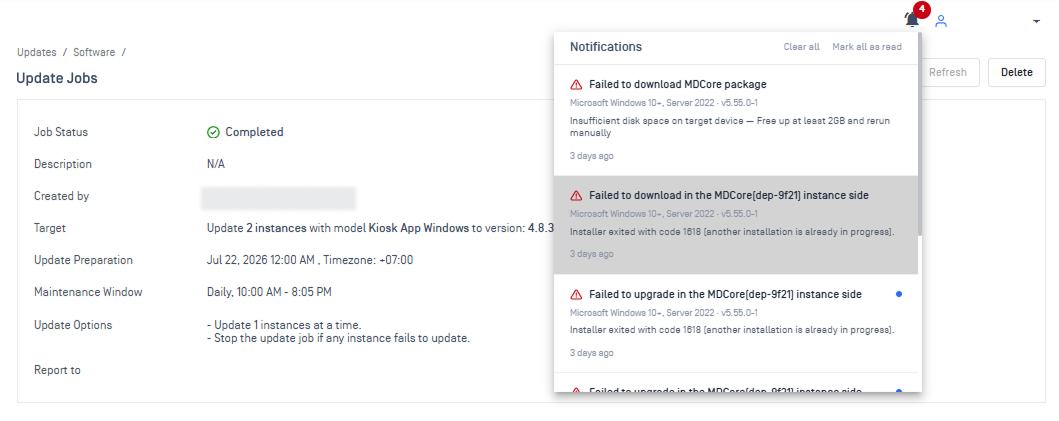
Enhancements License Page Display Now Shows Separate Rows per Platform
License keys covering multiple platform (e.g., Linux + Windows) now display as separate rows, each with its own expiration date, so administrators can view and manage each platform's license independently.
Enhancements Bundled Dependencies for On-premises RPM Installation Package
The On-premises RPM package now bundles all required dependencies, ensuring reliable installation without requiring external package repositories. See RPM Installation for details.
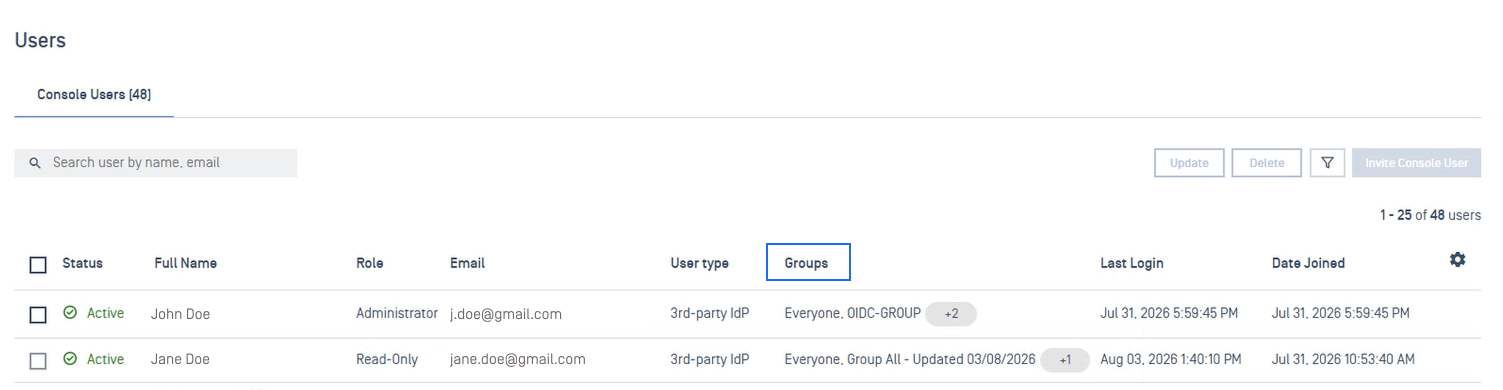
Enhancements Show Assigned Groups on the Users and Groups Page
The Users and Groups page now displays the assigned groups for every account, providing a clear audit trail of permissions.
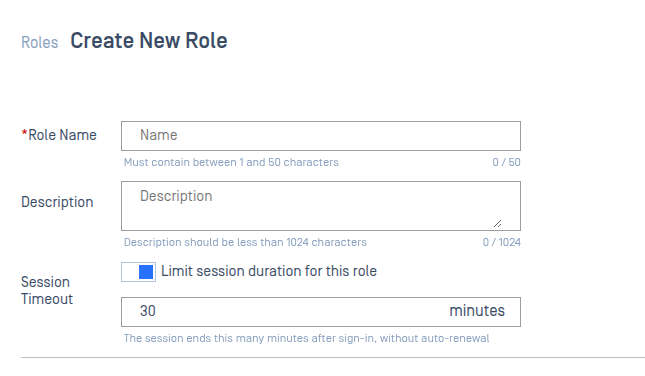
Enhancements Supports Role-Based Session Duration Configuration
Admins can now configure session time out per user role, allowing designated roles to remain signed in without automatic logout.
Refer to Configure Role-Based Session Timeout for configuration guidelines.
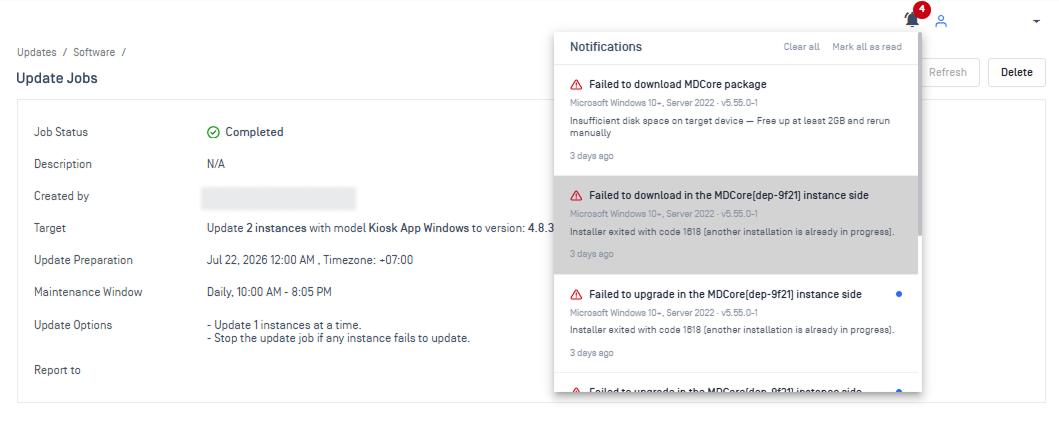
Enhancements Added Real-Time Alerts and Recovery Actions for Update Jobs
New real-time alerts trigger when a software upgrade job fails, stalls, or run past its maintenance window, with a failure reason and recommended next steps.
Enhancements Automatic Recovery of Stalled Upgrade Jobs
Upgrade jobs stuck in a perpetual "Updating" state are now automatically resolved every four hours, or on demand with a manual cleanup trigger.