Configuration
v1.8.1
Search this version
Configuration
Configuration
Title
Message
Create new category
What is the title of your new category?
Edit page index title
What is the title of the page index?
Edit category
What is the new title of your category?
Edit link
What is the new title and URL of your link?
User Accounts
Copy Markdown
Open in ChatGPT
Open in Claude
Default OPSWAT users would be preconfigured to access MetaDefender Optical Diode management GUI in both sides RED and BLUE (remember that you should configure both independently).
You can create and manage new users in each of the servers in the User Account menu
Add User Account
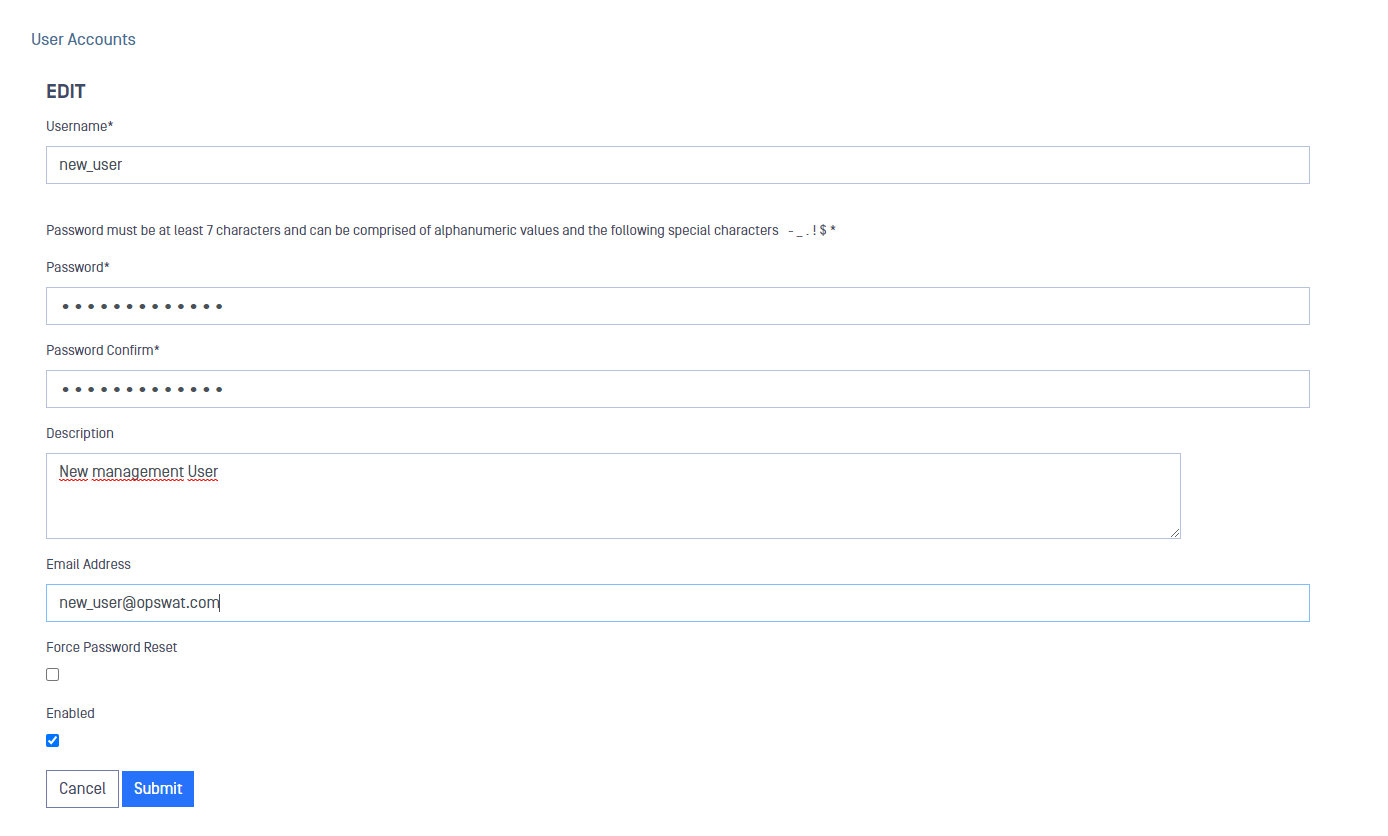
To add a new user:
- Go to Configuration-> User Accounts
- Deploy Action button and select Add User Account
- Fill in the fields and click on Submit button to save the changes
Remove a User
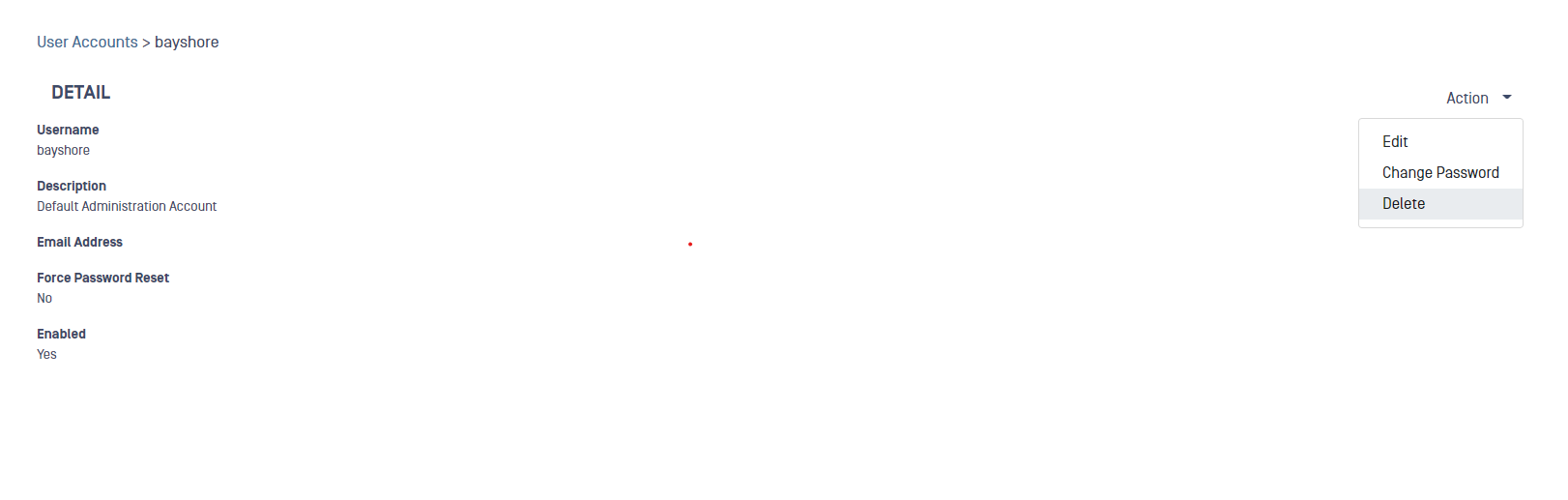
To remove a user:
- Go to Configuration-> User Accounts
- Select the user you want to remove from the table
- Deploy the Action button and select Delete
- A pop up will be displayed to confirm the deletion, click Submit to confirm
Type to search, ESC to discard
Last updated on
Was this page helpful?
Next to read:
Managed File Transfer StreamsMetaDefender
Discard Changes
Do you want to discard your current changes and overwrite with the template?
Archive Synced Block
Message
Create new Template
What is this template's title?
Delete Template
Message
