The SMTP Connector allows you to transfer SMTP email data unidirectionally across the MetaDefender Optical Diode (hereinafter Optical Diode). There is a built in SMTP server on Optical Diode BLUE that receives email from SMTP clients on the BLUE network. SMTP traffic is transferred from Optical Diode BLUE to Optical Diode RED, where a built in SMTP client sends the email traffic to a SMTP server on RED network.
Optical Diode BLUE
A security dongle must be inserted in the BLUE and RED servers to change configuration.
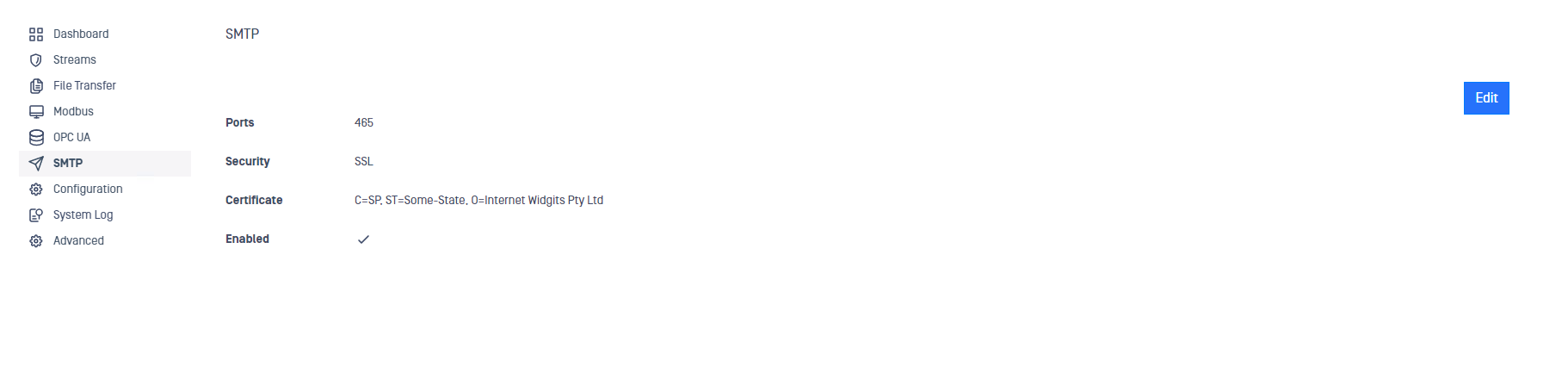
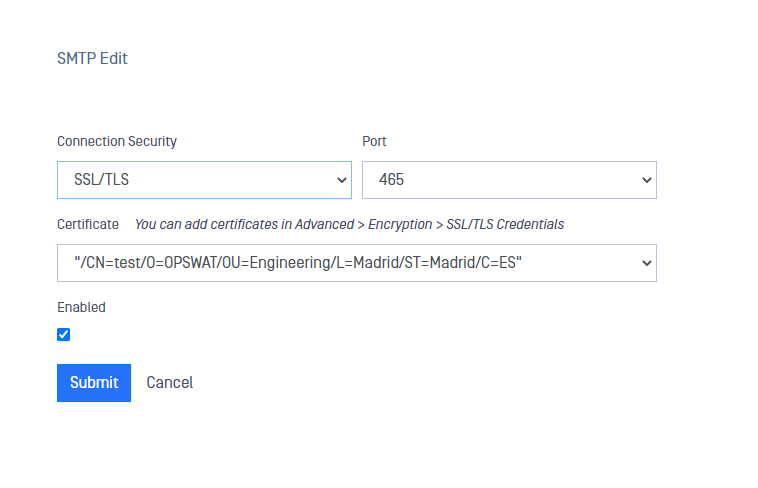
To configure SMTP server on the Optical Diode BLUE, click on SMTP option in the menu, click on Edit button and fill in the fields:
Connection Security, you can choose the security level for the communications between clients and server in BLUE:
None: No security added.
STARTTLS: STARTTLS security, a new field will appear so you can add the certificate.
SSL/TLS: SSL/TLS security, a new field will appear so you can add the certificate.
Port: Port is automatically populated depending on the Security you have selected. You can change the selection if you want to operate in a non-default port.
Certificate: If you select STARTTLS or SSL/TLS in Connection Security, you need to include a certificate. Available certificates will be listed in the dropdown list. You can add new certificate or import them into MetaDefender Optical Diode in Advanced > Encryption > SSL/TLS credentials. Check auto$ for more details.
Enabled: Tick this checkbox to enable SMTP Transfer
Optical Diode RED
A security dongle must be inserted in the BLUE and RED servers to change configuration.

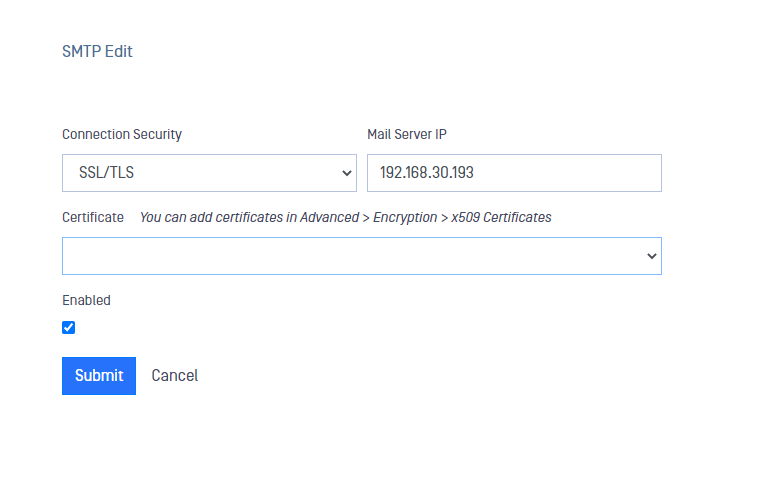
To configure SMTP server in MetaDefender Optical Diode RED, click on SMTP option in the menu, click on Edit button and fill in the fields:
Connection Security, you can choose the security level for the communications between the Optical Diode RED SMTP client and the server:
None: No security added.
STARTTLS: STARTTLS security.
SSL/TLS: SSL/TLS security, a new field will appear so you can add the certificate.
Mail Server IP: IP for the mail server configured in RED side where the Optical Diode will transfer the SMTP traffic coming from BLUE.
Certificate: If you select SSL/TLS in Connection Security, you need to include a certificate. Available certificates will be listed in the dropdown list. You can add new certificate or import them into the Optical Diode in Advanced > Encryption > x509 Certificates. Check auto$ for more details.
Enabled: Tick this checkbox to enable SMTP Transfer