
File Tagging post action is available only for storage units of type Amazon S3 and S3-Compatible.
How to configure remediation actions?
From the left-side navigation menu, go to Storage units
Select the storage for which you wish to configure File Tagging post action
Click on Remediation actions in the actions dropdown
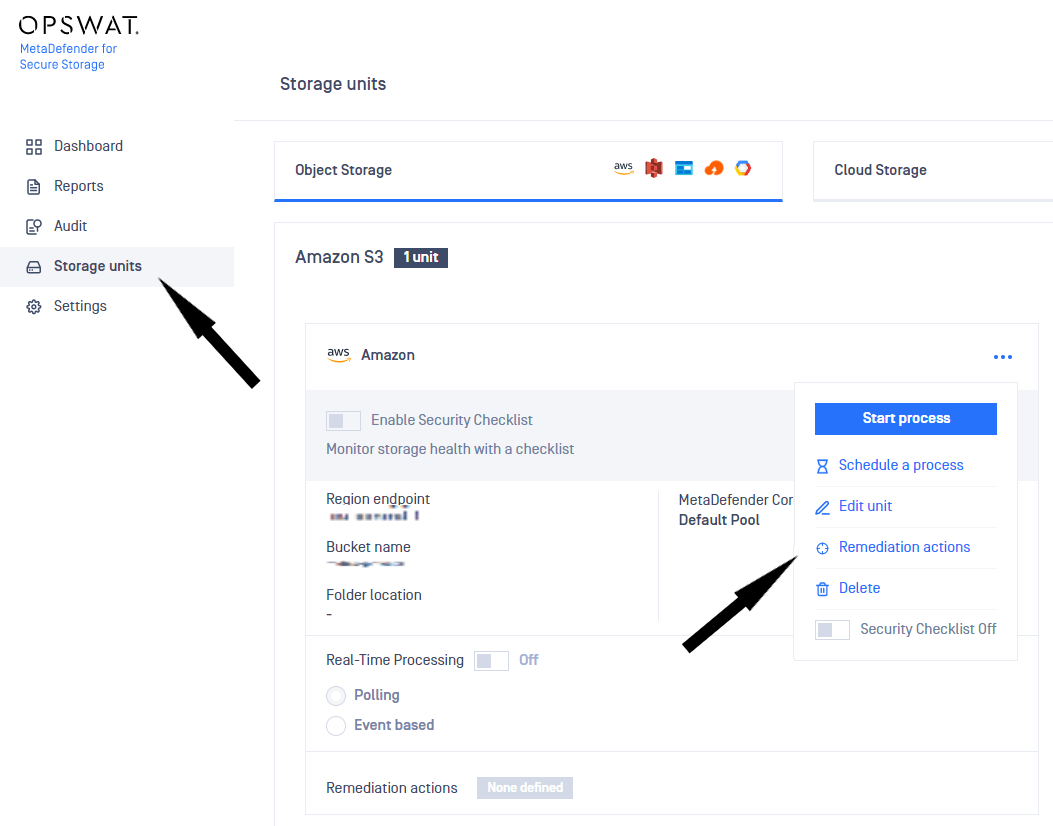
Enable file tagging for S3 storage
Toggle File tagging from the Remediation Actions window
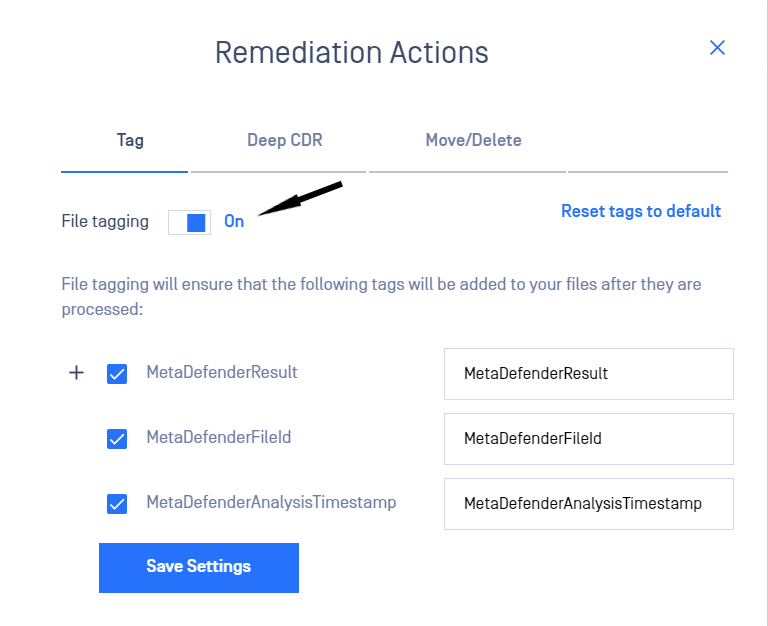
Select which tags to be added by checking/unchecking the boxes. (Note: at least one tag should be enabled if File Tagging is on)
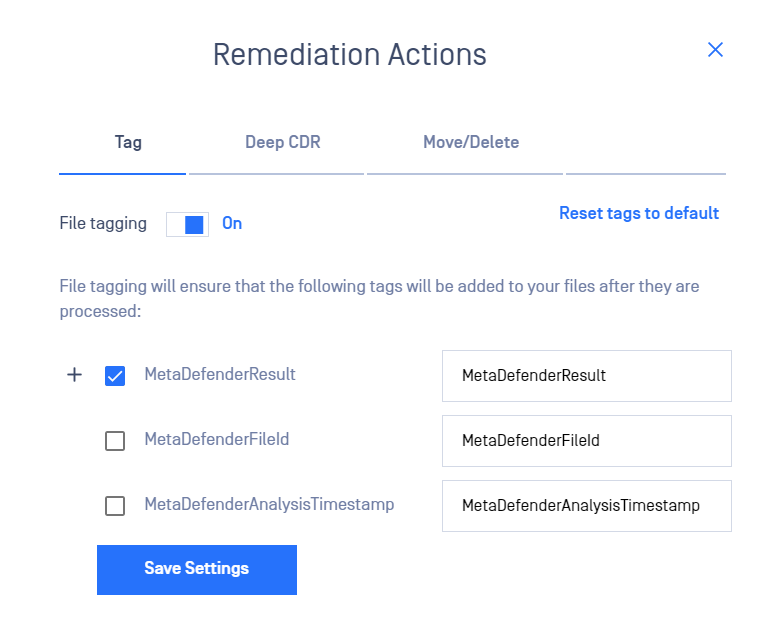
Customize file tags
There are three tags which can be customized and added to the file:
1. MetaDefenderResult
2. MetaDefenderFileId
3. MetaDefenderAnalysisTimestamp
To customize the key of a tag, please modify the values next to the default key.
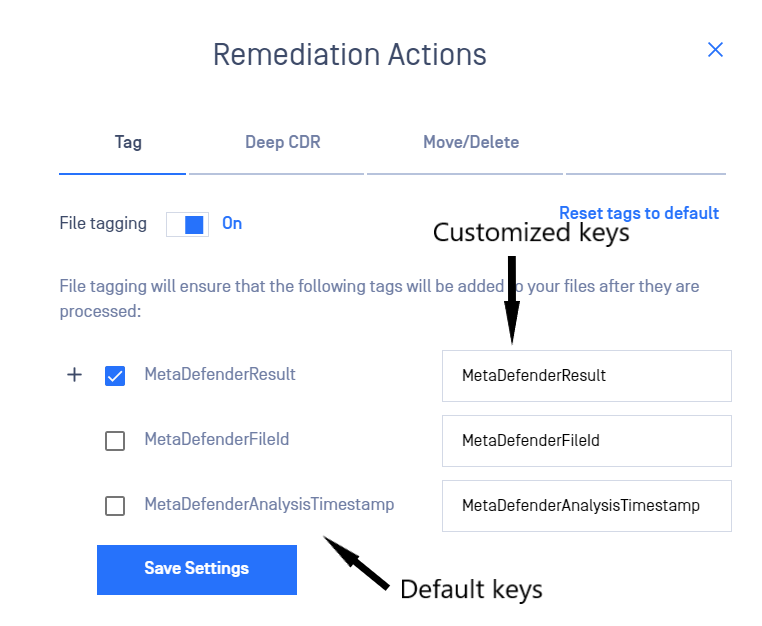
By clicking on the + icon, the values of tags which can be customized will be expanded:
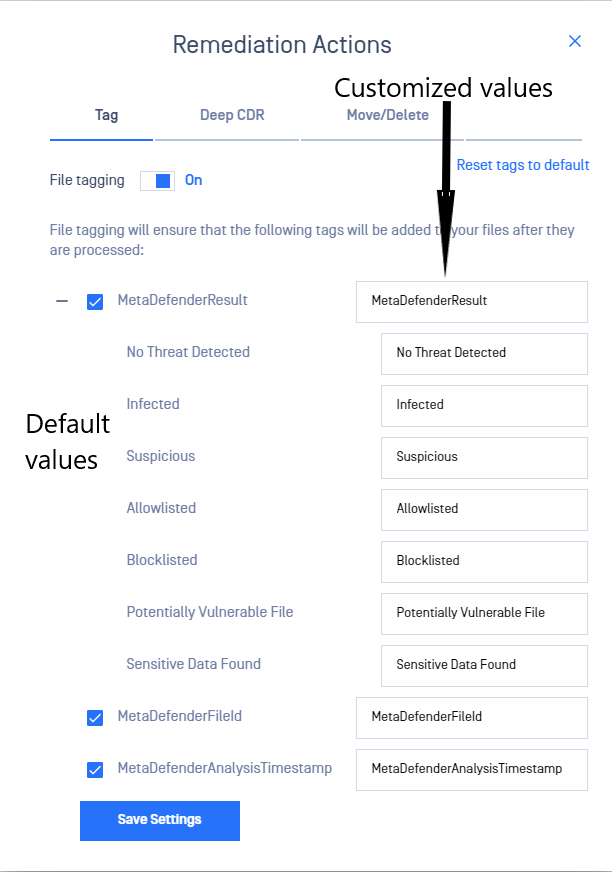
This remediation action adds all or some of the following tag names and respective values:
Name | Value | Description |
|---|---|---|
MetaDefenderResult (or the customized key associated with this name) | No Threat Detected / Infected etc (or the customized value associated with each result) | The final result of the processing |
MetaDefenderFileId (or the customized key associated with this name) | 5e7e15f132efdd0006b0e132 | A unique file identifier that can be used for further REST API queries |
MetaDefenderAnalysisTimestamp (or the customized key associated with this name) | 2020-03-28T21:43:40.1500000Z | Date and time in UTC format when file processing has started |