
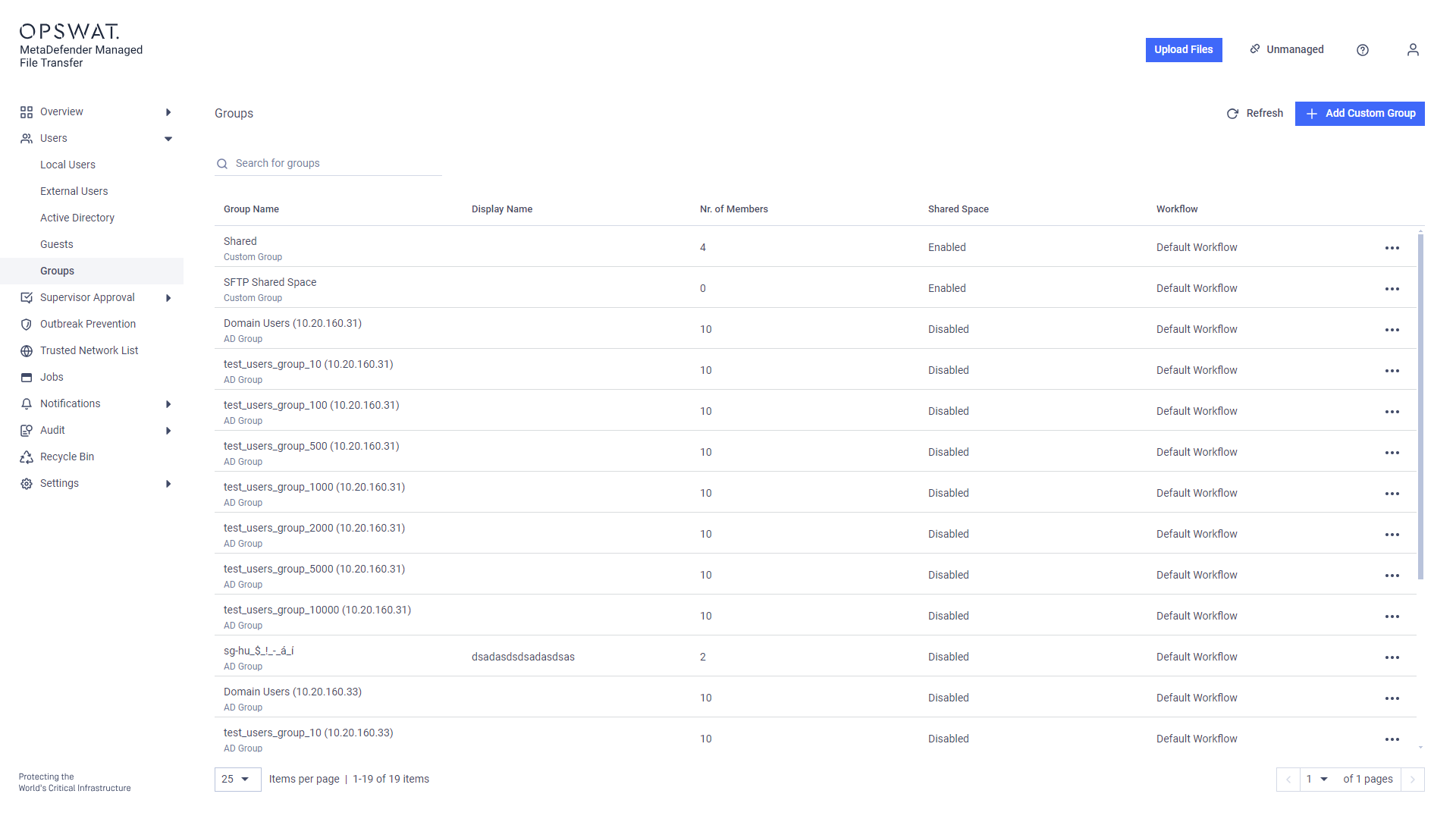
To apply distinct MetaDefender Core Workflow rules to specific groups, navigate to the "Groups" menu.
Info
The dropdown list only displays workflows available on every MetaDefender Core™.
Assigning Core Workflow Rules to Groups
Navigate to the "Users/Groups" menu
Click the three dots next to the desired group and select "Edit Group"
3. In the modal, disable the "Use Default Workflow Settings" option and select the desired workflow rule
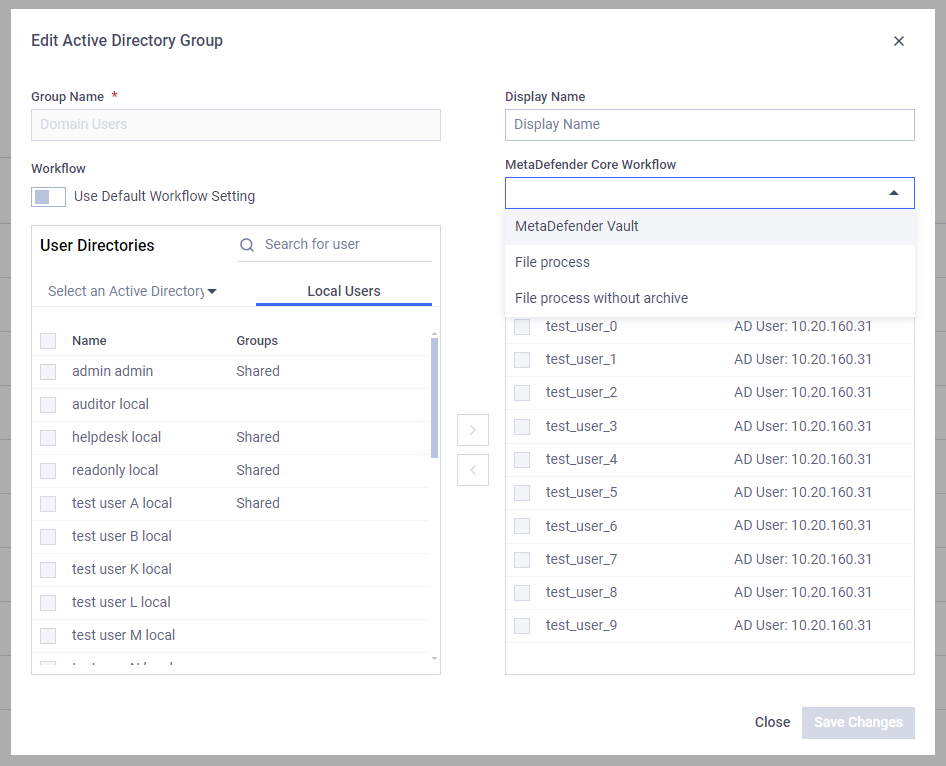
You can also set a display name for the selected group.
Info
If set, the display name will be shown to users instead of the group's original name when they select the group for file approval.
Was this page helpful?
Operating