
This feature allows to map different users across multiple MFT systems to share and synchronize files between them.
Create user mappings
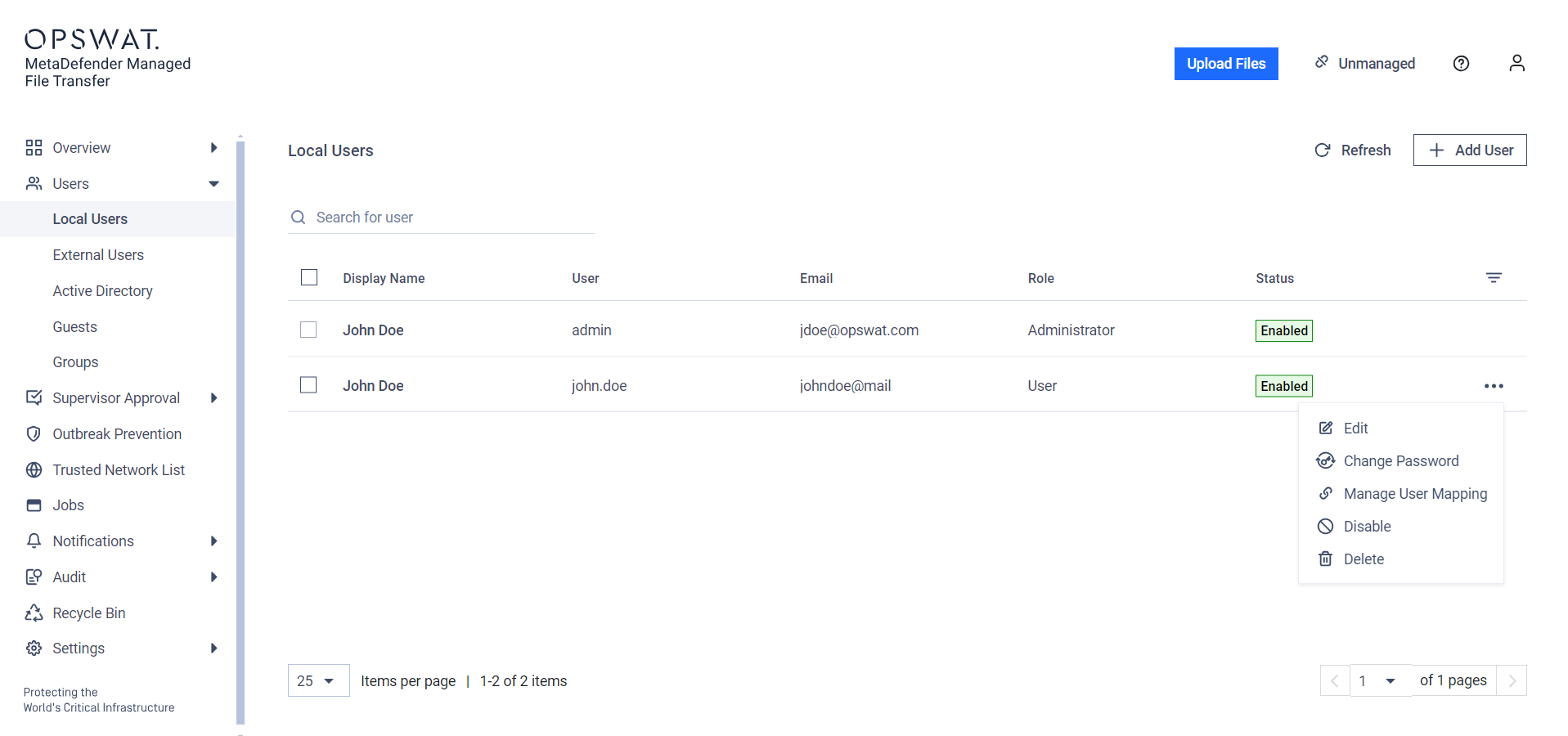
To use the User Mapping feature on the User Management page, click the three dots at the right end of the user's row and choose User Mapping from the dropdown menu.
In the modal, you can map multiple users to the current user. First, select the type of user you want to map, then fill in the specific fields to identify the user.
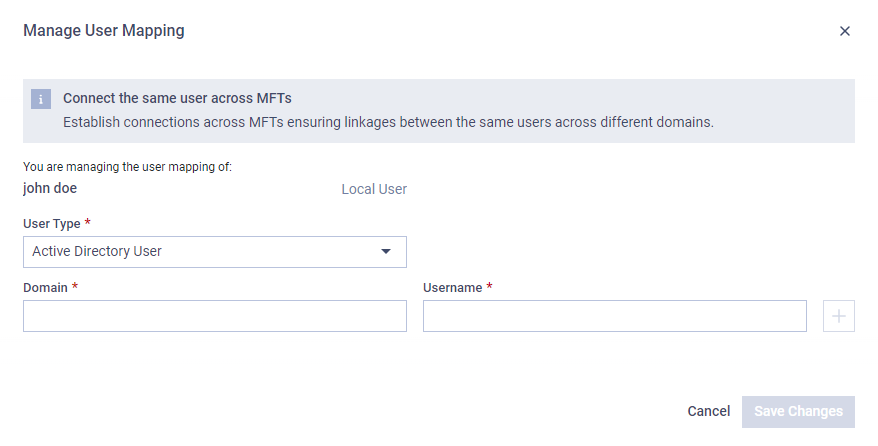
User mapping can be added to any user type and it can be mapped from any user type as well.
User mappings can be imported, eliminating the need to do them one by one. More info: Import User Mapping Configuration
Was this page helpful?
Operating