
Remote MetaDefender Managed File Transfer instances can be registered as integrations in order to utilize them in various use cases. For example: Introduction to File Transfer Automation
To manage integration instances go to Settings → Integrations → MFT.
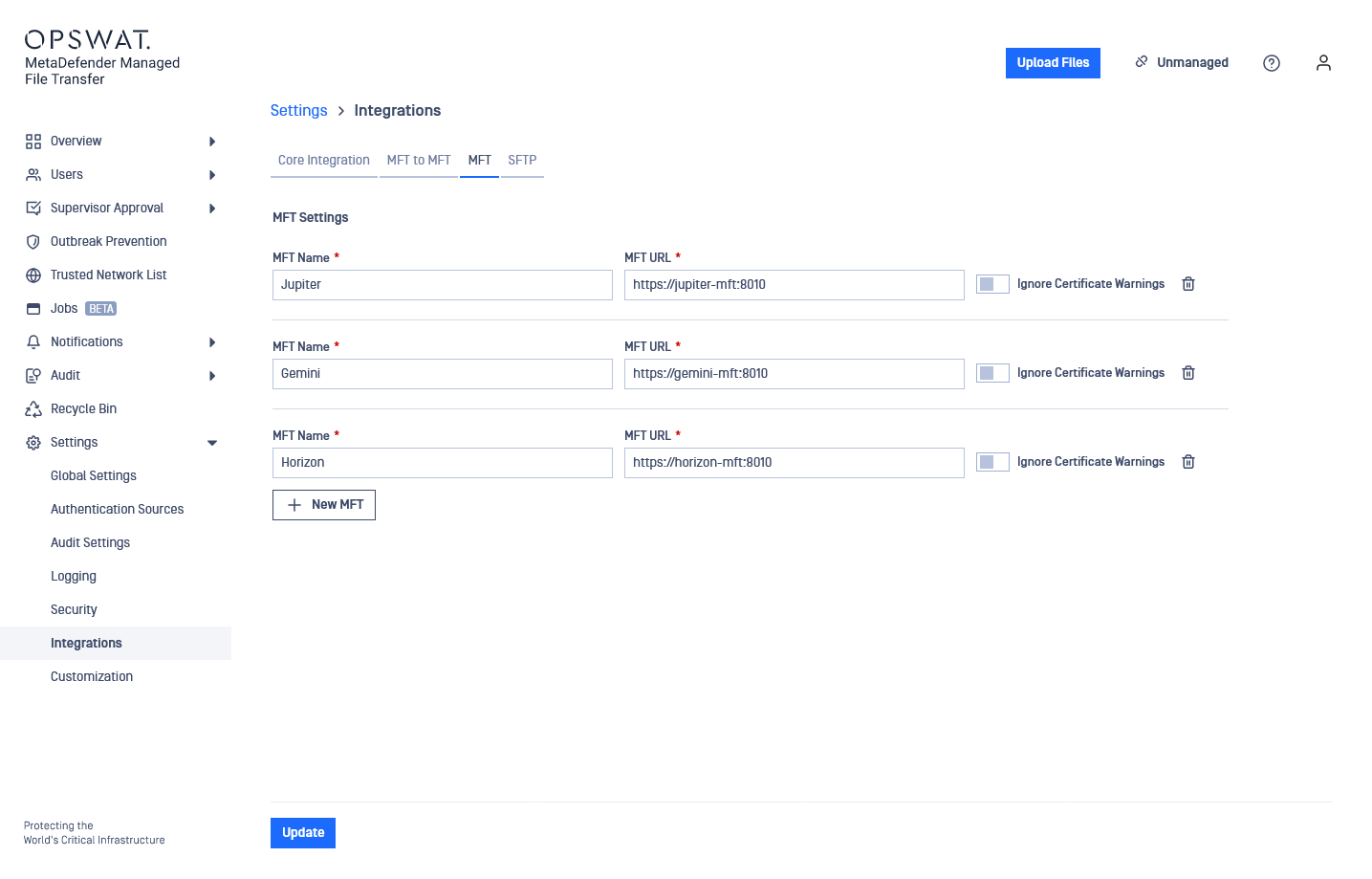
MetaDefender Managed File Transfer integrations are globally shared which means every user who has permissions to see them are seeing the same set of integrations.
Configuration
The information to provide for an MFT intergation are the following:
MFT Name: Display name that can be anything. Will be used when selecting the integration instance.
MFT URL: The HTTP or HTTPS URL to the remote instance.
Ignore Certificate Warnings: Whether or not to ignore HTTPS issues during connecting to this instance.
Was this page helpful?
Integrations