
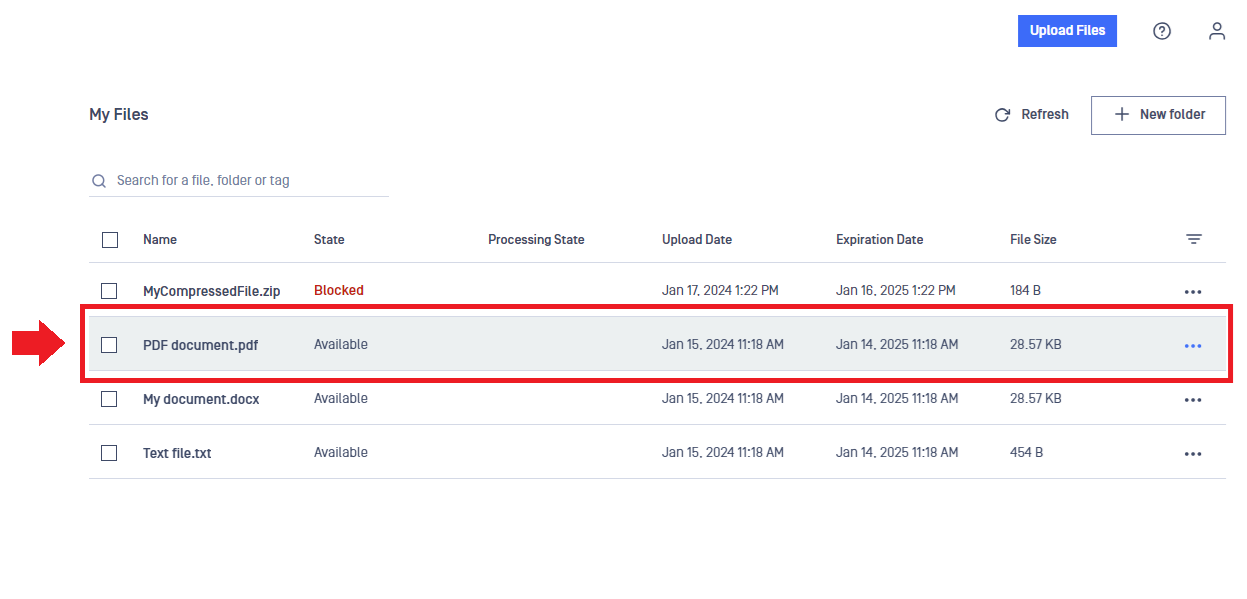
To see detailed information about a file, simply click on the row of the file in the table.
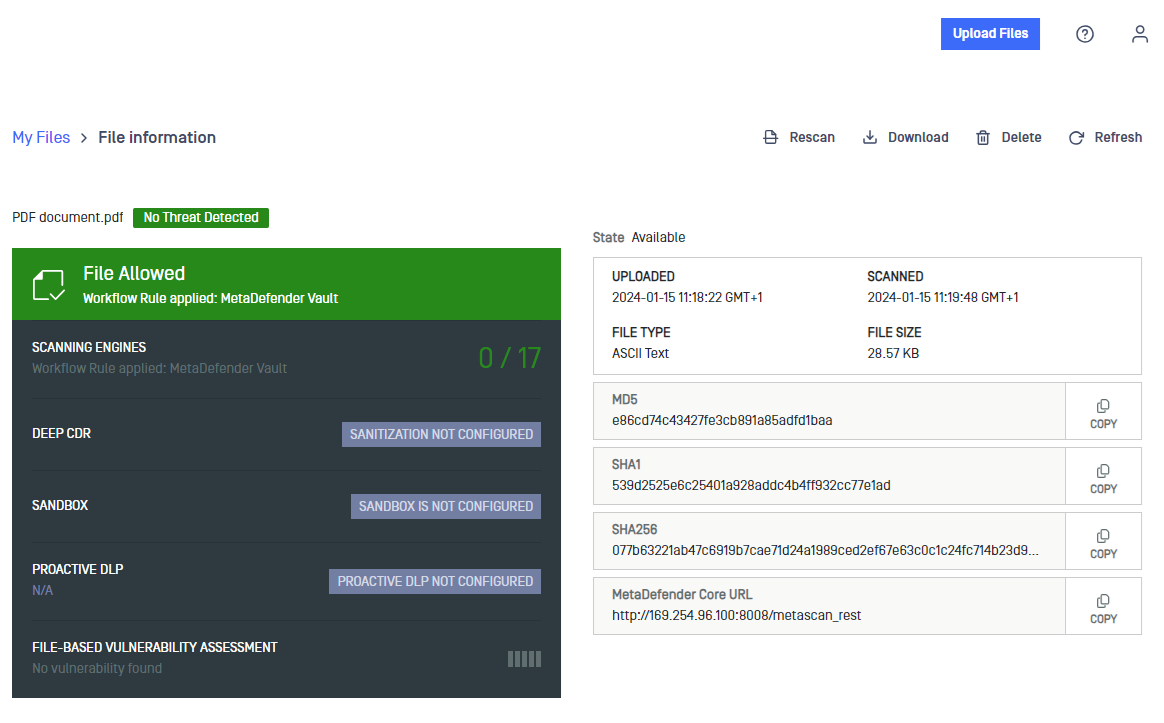
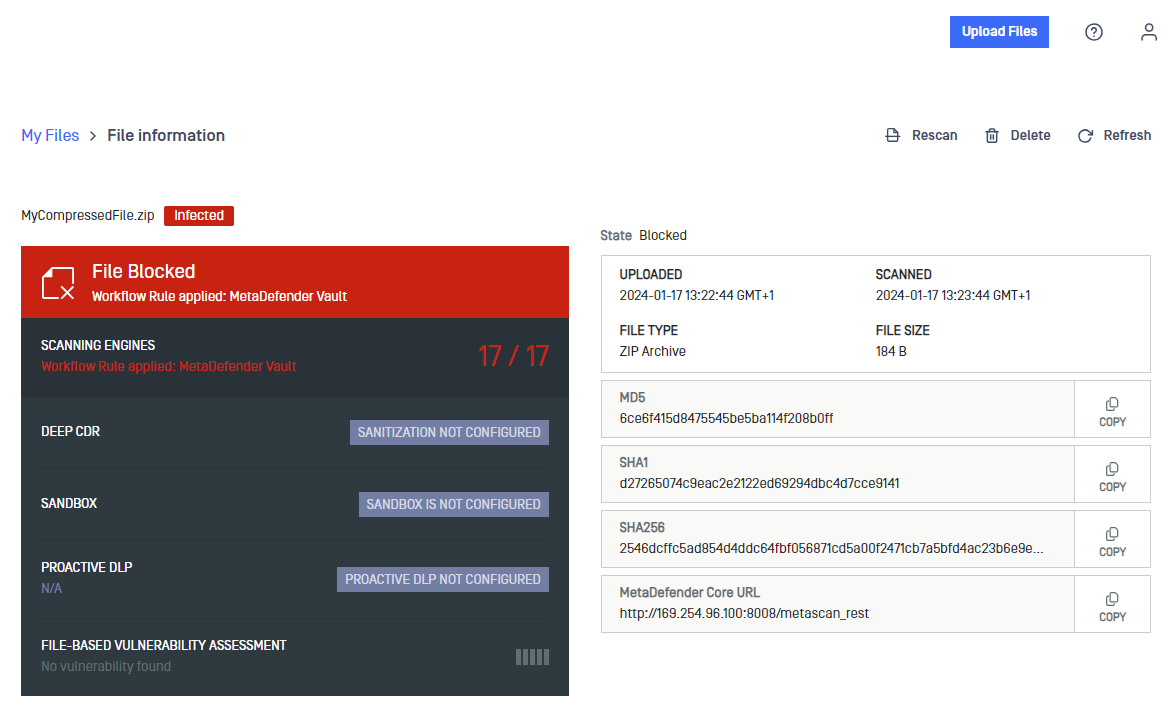
The File Information page that appears shows the file scan results and some technical information. The most common file operations are available as well. For example, you can Rescan, Download or Delete the file using the menu on the top right part of the page.
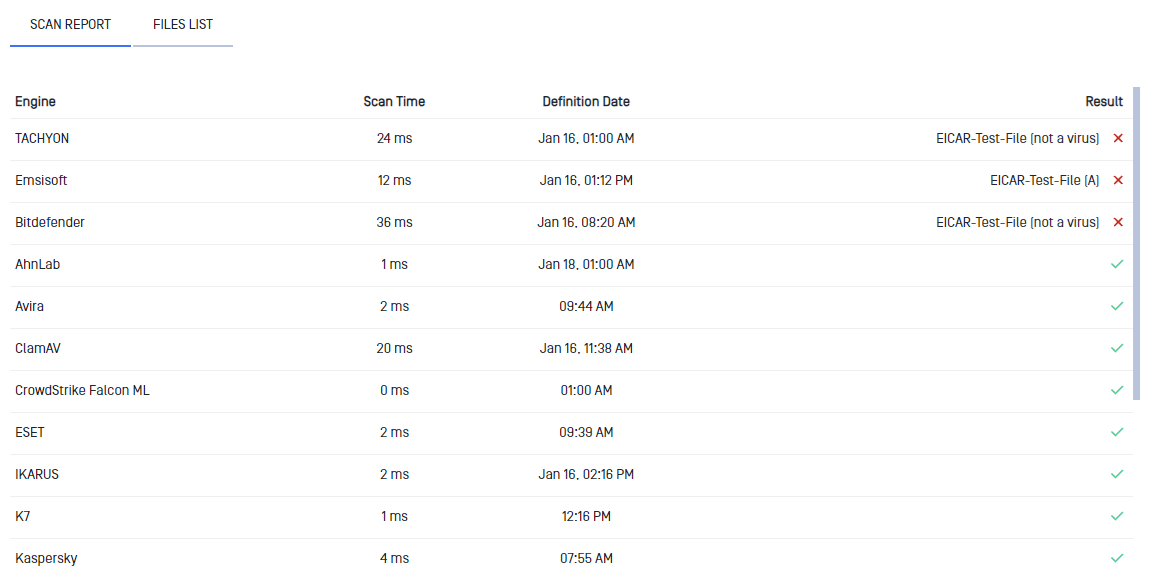
In the SCAN REPORT tab, you can observe the detailed report of the different scanning engines.
In the FILES LIST tab, you can find out what malicious files are included in the file.

Was this page helpful?
End-User Guide