
Audit Log
Each event that is triggered by an action (user based or automatically) is recorded by the system and is visible in the Audit log. This feature allows Administrators to track events and data transfers on the system. Only users with the administrator role are able to view the Audit log.
The time, event details, user, source and status of the action are listed. You can filter the events by entering text in the search box and also sort based on column headers.
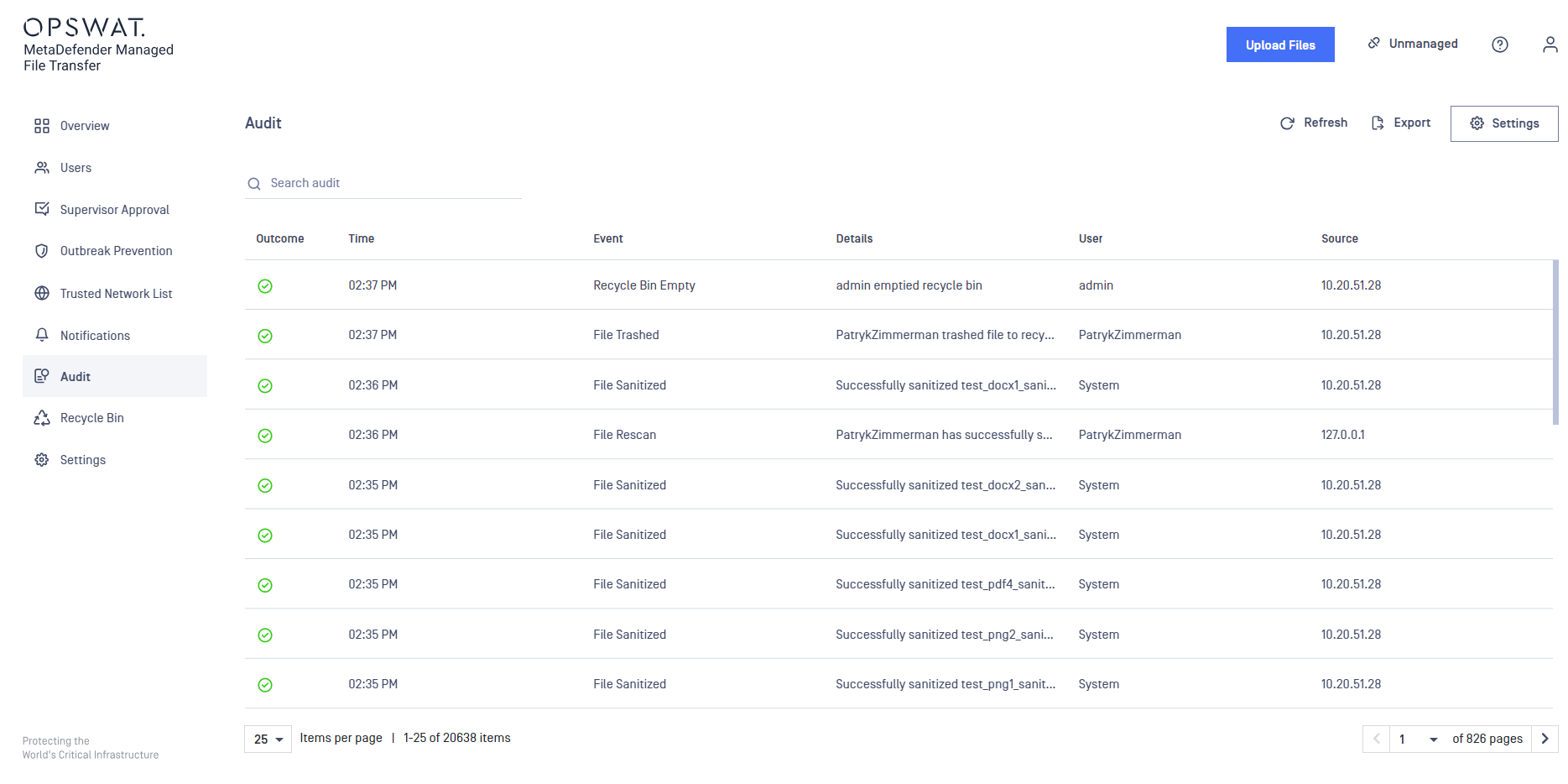
Export Audit Log
You can export the audit data in a CSV (comma separated values) file. This can be loaded in any 3rd party application, or saved in another internal database.
Retention and Syslog integration
In order to change audit settings please go to Audit page and click the Settings button in the top right.
This field allows you to configure a retention period for audit events(10-1100 days). Any events older than the specified period of time will be automatically removed.
Syslog integration settings
Enabling this integration will instruct Managed File Transfer to send any audit event to the configured Syslog server.
Please note that only UDP protocol is supported for now. Because of this, Managed File Transfer will not be able to validate the connection to the Syslog server. A test message will be sent if the configuration was successful.
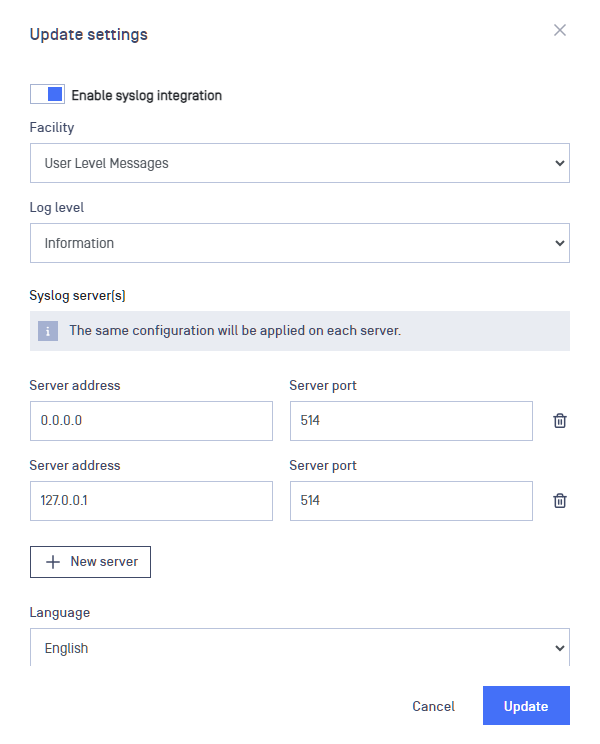
Enabling syslog integration offers the capability to establish multiple syslog servers. Consequently, the audit logs will be replicated and transmitted to each designated server. Please note that the port or address of each server must be unique.
The following settings are available for configuration:
Setting | Description | Default value |
|---|---|---|
Facility | The type associated with Managed File Transfer events | User Level Messages |
Log level | Determines which messages get sent to the Syslog server, it filters out any message less important than the one selected | Information |
Server address | The address of the server where the Syslog is located | 0.0.0.0 |
Server port | The open port on the Syslog server for accepting messages | 514 |
Language | The language to use for logging messages | English |
Timezone | Timezone recorded at the sending log time | (UTC) Coordinated Universal Time |
Output format | It is possible to choose between Standard or CEF format | Standard |
CEF Message Format
Base Format: Date Host CEF:Version|Device Vendor|Device Product|Device Version|Device Event Class ID|Name|Severity|[Extension] Example: 2020-01-16T08:45:47Z LE10-L3174 CEF:0|OPSWAT|MetaDefender MFT|1.0.0.0|1|Logon|6|requestClientApplication=127.0.0.1 deviceAction=Logon outcome=Success msg=Username logged on.