
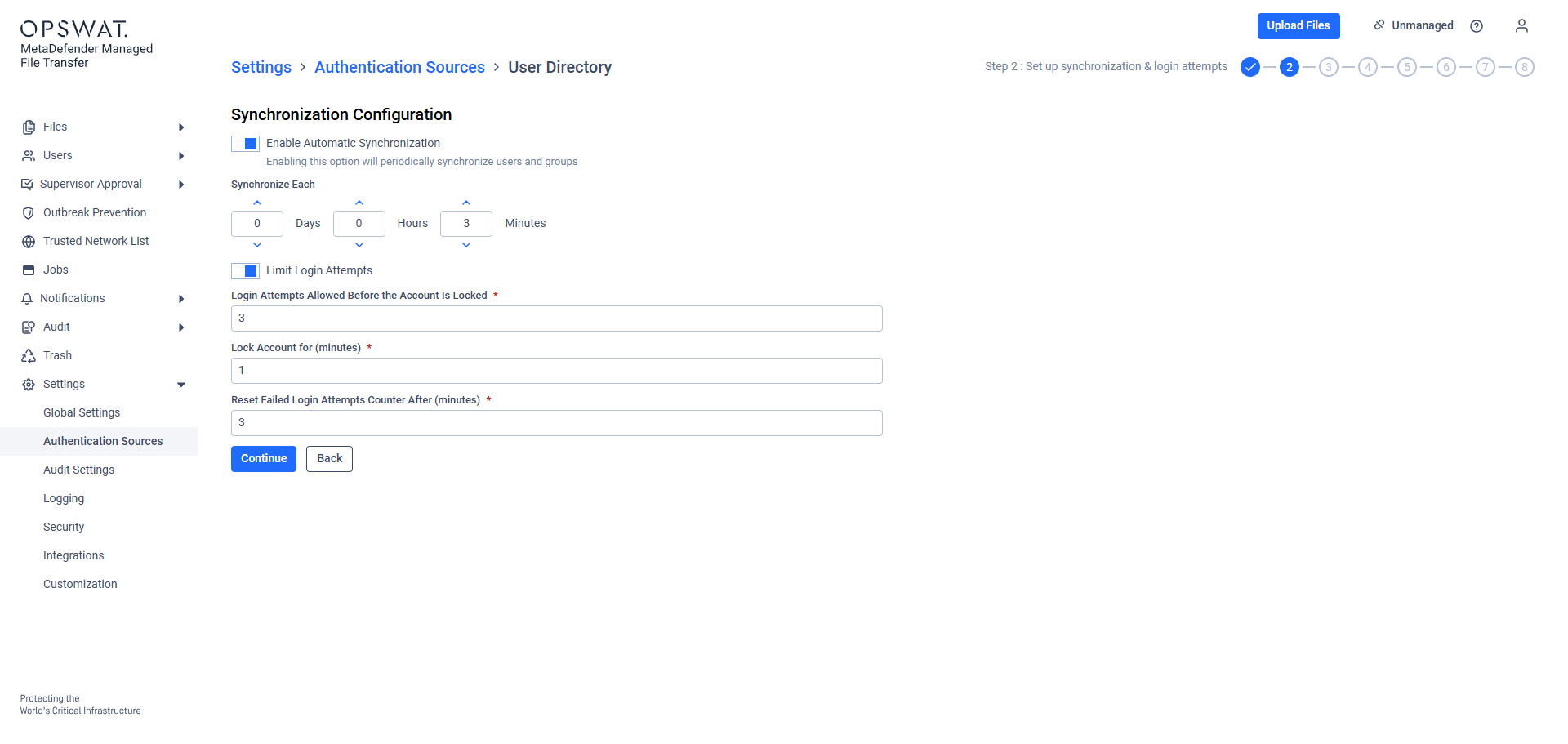
Settings | Description |
|---|---|
Synchronization Configuration | Defines how often synchronization occurs between product_name and the identity source |
Login attempts allowed before the account is locked | Specifies the number of failed login attempts permitted before an account is locked |
Lock Account For | Determines how long an account remains locked after exceeding the allowed number of failed login attempts. |
Reset failed login attempts counter after (minutes) | Sets the time after which the failed login attempts counter is reset.
|
Automatic synchronization can be disabled if necessary.If disabled, it becomes the responsibility of the MetaDefender Managed File Transfer™ administrator to manually trigger synchronization to ensure Security Groups and Users remain up to date within MetaDefender Managed File Transfer™.
Customize the information according to your requirements, then click "Continue" to Role Mapping for Groups.