
Hosts reachable via FTPS can be integrated with MetaDefender Managed File Transfer for various use cases, such as file transfer automation. For example: Introduction to File Transfer Automation.
To manage integration instances, go to "Settings" → "Integrations" → "FTPS."
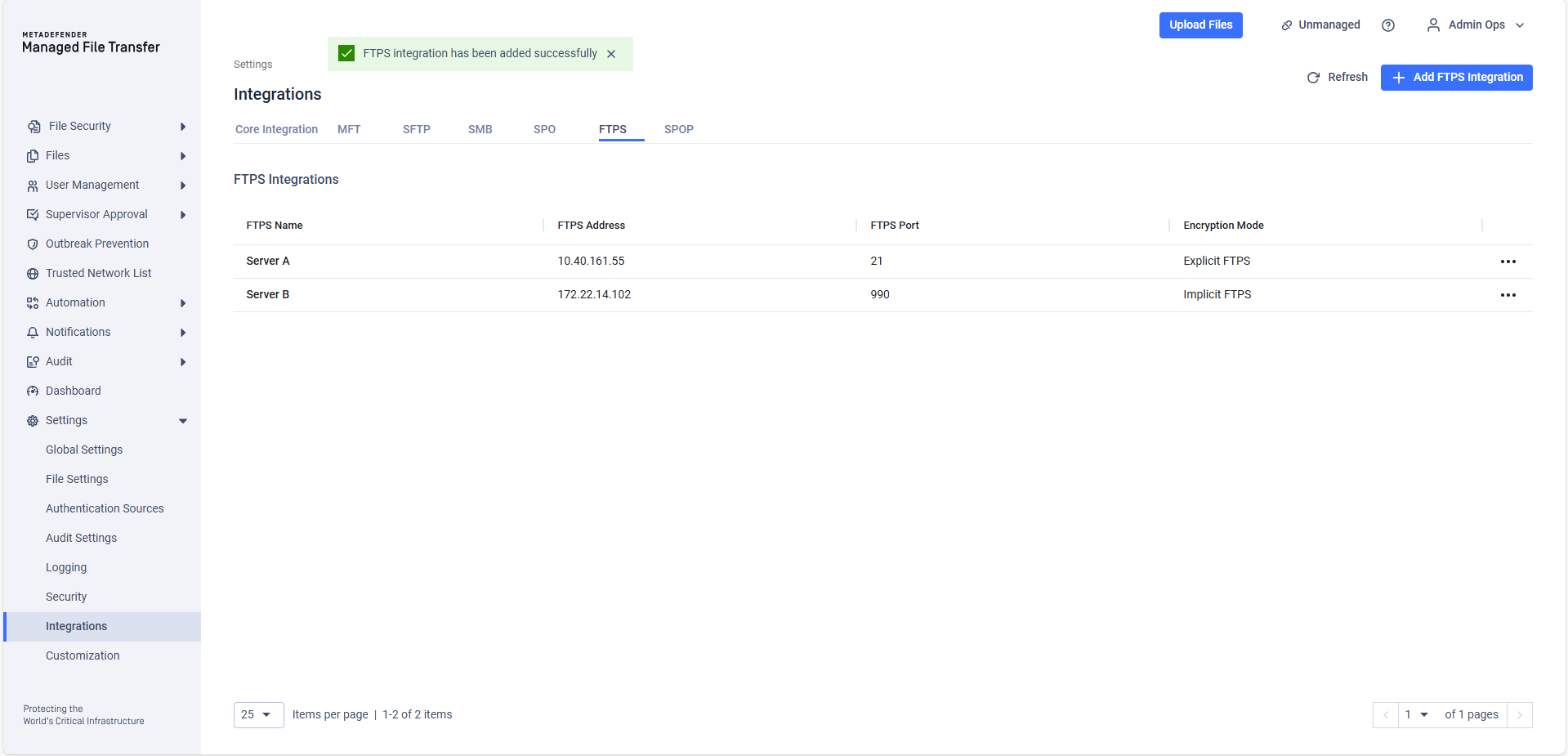
FTPS integrations are globally shared, meaning every user with permissions to view them will see the same set of integrations.
Configuration
To add a new FTPS Integration, click the "Add FTPS Integration" button.
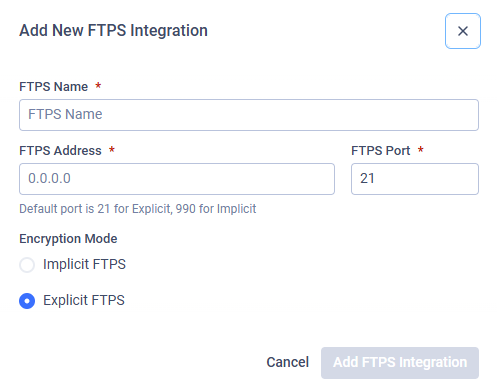
In the pop-up modal, provide the following information:
FTPS Name: The display name, which can be anything. It will be used when selecting the integration instance.
FTPS Address: The IP address or FQDN of the host.
FTPS Port: The port on the host to connect using FTPS protocol.
FTPS Encryption Method: The FTPS encryption mode (the default mode is Explicit).
Testing the Connection
Users can test the connection to a configured integration. This test checks whether the configured port is accessible on the configured address.
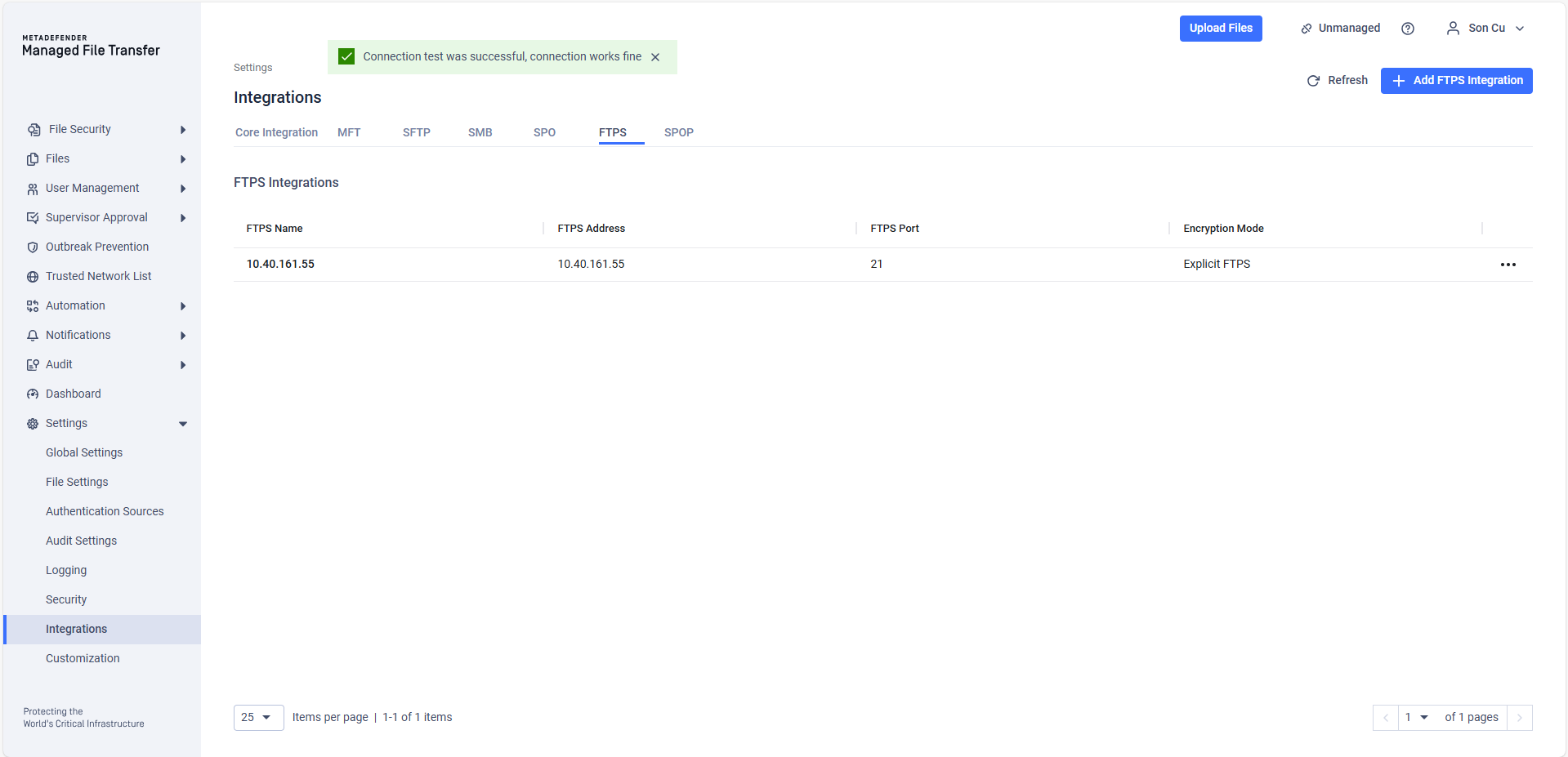
For security reasons, the "Test Connection" function only checks the address and port reachability.
Your FTPS integration with MetaDefender® MFT is now complete. Learn how to configure Automated Jobs using the same integration here.