
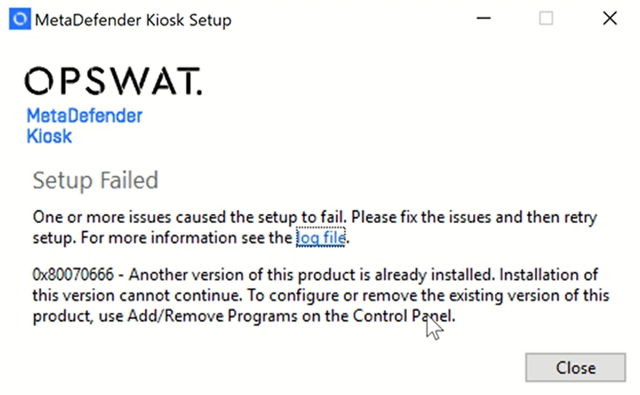
Why does the MetaDefender Kiosk upgrade fails with code 0x80070666 when using the Windows Installer (Wizard) method?
Check Your Version:
This article applies when upgrading MetaDefender Kiosk from 4.7.x version to the latest version deployed on Windows systems.
Overview
When trying to upgrade a MetaDefender Kiosk instance from 4.7.x version to the latest version (in this case 4.7.10) the upgrade sometimes fails with error code 0x80070666. This happens because the installation of Microsoft Visual C++ redistributable v14 sometimes fails when upgrading MetaDefender Kiosk.
How to fix
Manually close the running instance of MetaDefender Kiosk.
Go to: Latest Supported Visual C++ Redistributable Downloads
Download the x86 version of the installer: https://aka.ms/vc14/vc_redist.x86.exe
Install the Visual C++ Redistributable you just downloaded.
Restart the computer when finished.
Try upgrading MetaDefender Kiosk again.
If Further Assistance is required, please proceed to log a support case or chat with one of our support engineers.