
Knowledge Base
v4.8.1
Search this version
How to verify the current Kiosk Hardened Image's version?
Copy Markdown
Open in ChatGPT
Open in Claude
Check Your Version:
This article applies to the OPSWAT Kiosk Image 25.01.0 or later
Starting with Kiosk Hardened Image version 25.01.0, you can check the current Hardened Image version by the following methods:
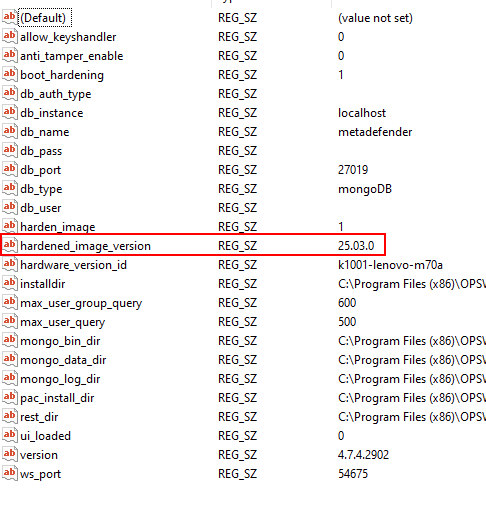
1. Windows Registry:
Registry location: HKLM\SOFTWARE\WOW6432Node\OPSWAT\MD4M
Registry key: hardened_image_ version
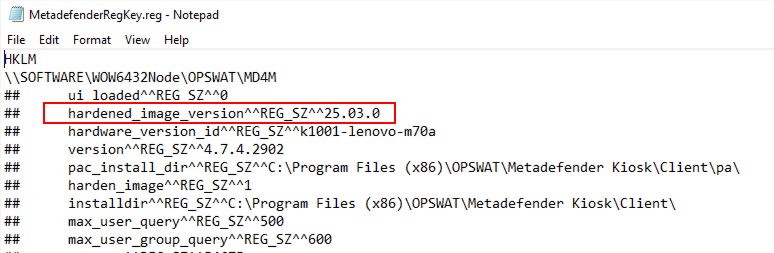
2. Support Package:
File name: MetadefenderRegKey.reg
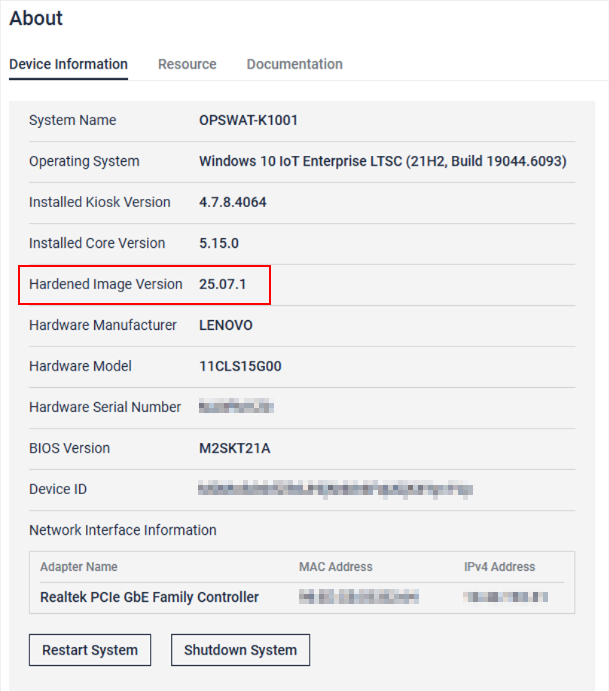
3. Kiosk console (from Hardened Image 25.06.0 or above)
From Console > Settings > About > Device information
Support:
If Further Assistance is required, please proceed to log a support case or chatting with our support engineer.
Last updated on
Was this page helpful?
Next to read:
How do I activate license in Kiosk?Knowledge Base
Knowledge Base
Configuration & Setup
Error & Troubleshooting