
MetaDefender Kiosk 4.8.1 | |
|---|---|
9 April 2026 (Kiosk 4.8.1.6440) | |
Fixed issue where copied files did not appear when media included an EFI system partition. | Fixed an issue where Kiosk could intermittently copy files to an EFI system partition instead of the intended user-data partition on multi‑partition media, making the copied files not appear in normal user views. Kiosk now ensures the files are copied to user-data-partitions. |
Security enhancements | Various security issues have been addressed to enhance the overall security of the system |
25 March 2026 (Kiosk 4.8.1.6216) | |
Resolved Kiosk application upgrade via My OPSWAT | Resolved issues when upgrading Kiosk application via My OPSWAT:
|
19 March 2026 (Kiosk 4.8.1.6195) | |
New Features | |
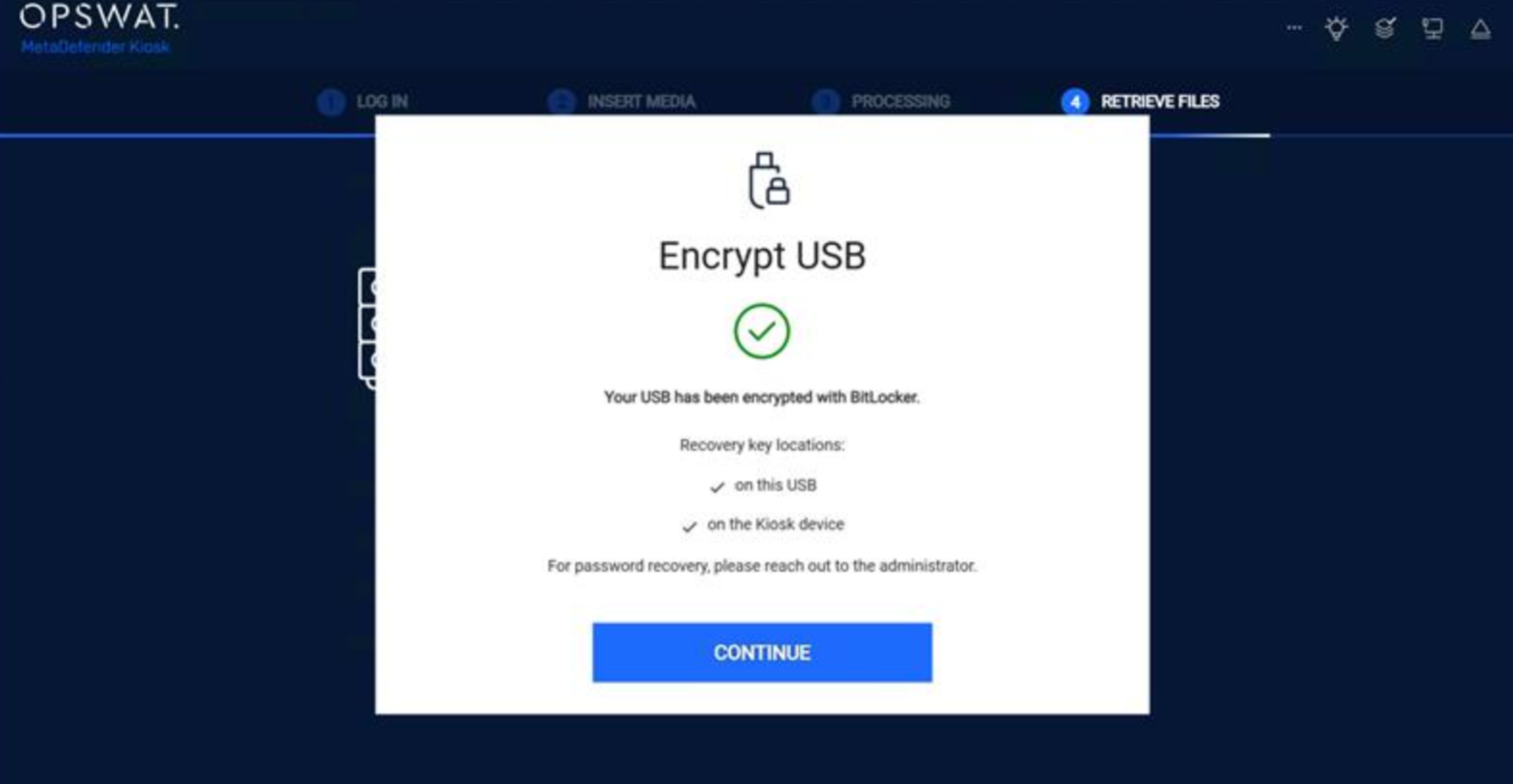
Encrypt USB with BitLocker when retrieving files | When files are retrieved to external USB media, Administrator can configure Kiosk to automatically encrypt the target USB device with BitLocker. This helps ensure that exported data remains protected when removed from the Kiosk environment.
|
Support local Kiosk user accounts for media scanning | Kiosk now supports local Kiosk user accounts. Administrators can create or import users directly in the Kiosk management console, and those accounts can then be used to sign in on the Kiosk UI for media scanning. This allows environments without Active Directory integration to control which individual users are allowed to operate the Kiosk while still keeping a clear audit trail of who performed each scan. |
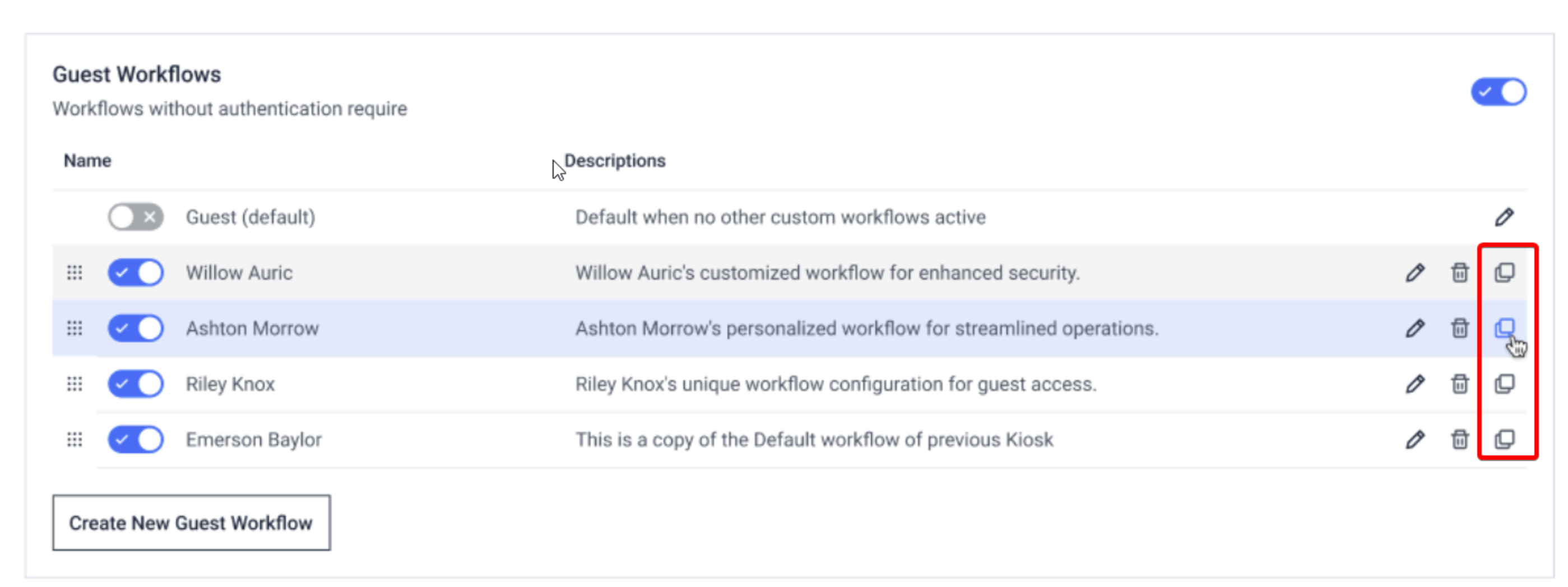
Kiosk supports cloning existing workflows | Administrators can now quickly clone an existing workflow instead of creating a new one from scratch. This makes it easier to roll out variations of a proven configuration (for different sites or user groups) while keeping settings consistent and reducing configuration errors.
|
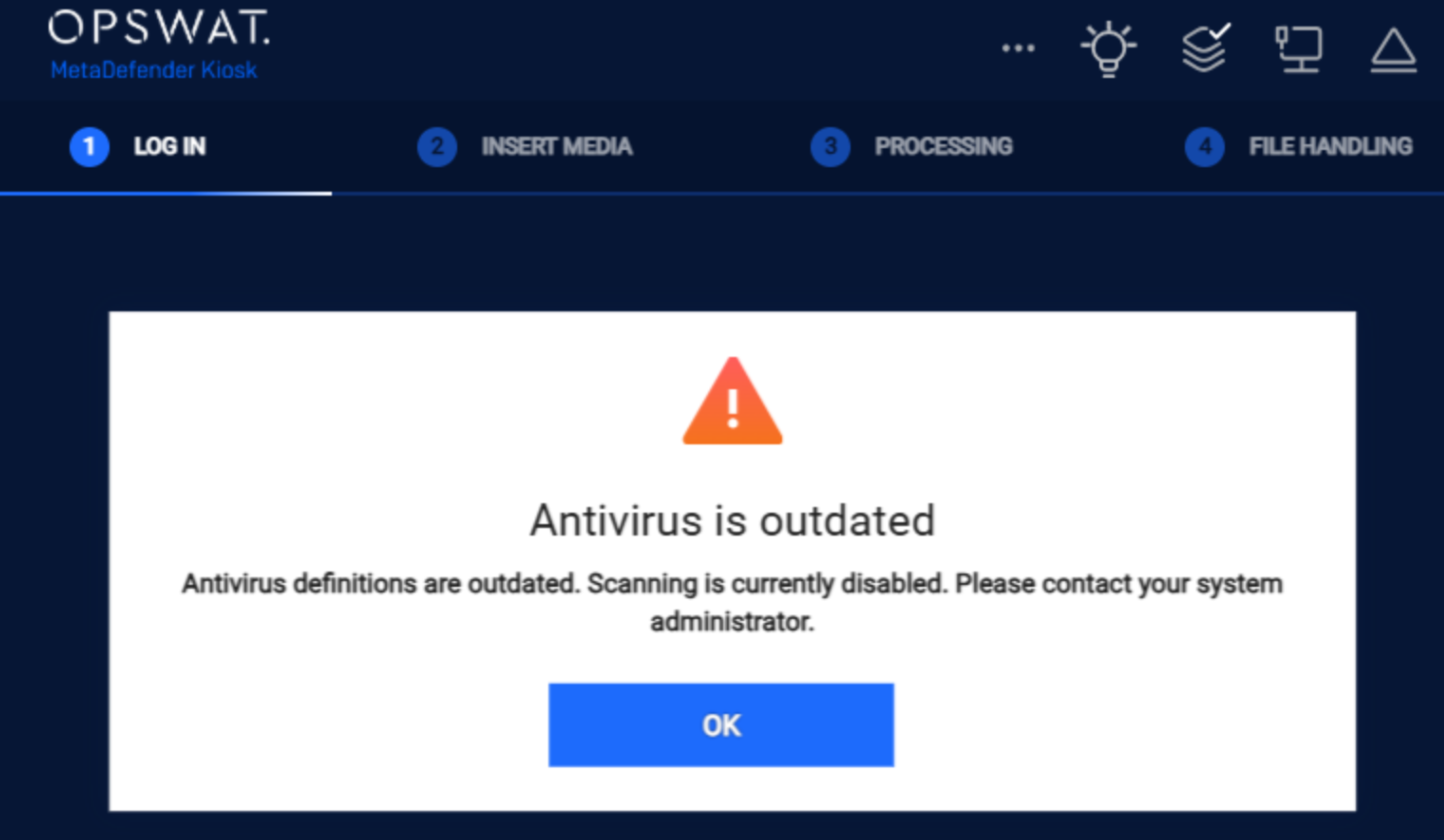
Disable Kiosk scanning when AV definition is outdated | When configured, Kiosk can now prevent new scans from starting when the underlying AV definitions are too old, helping ensure that scans are performed only with up-to-date protection. Administrators can use this behavior to enforce security best practices.
|
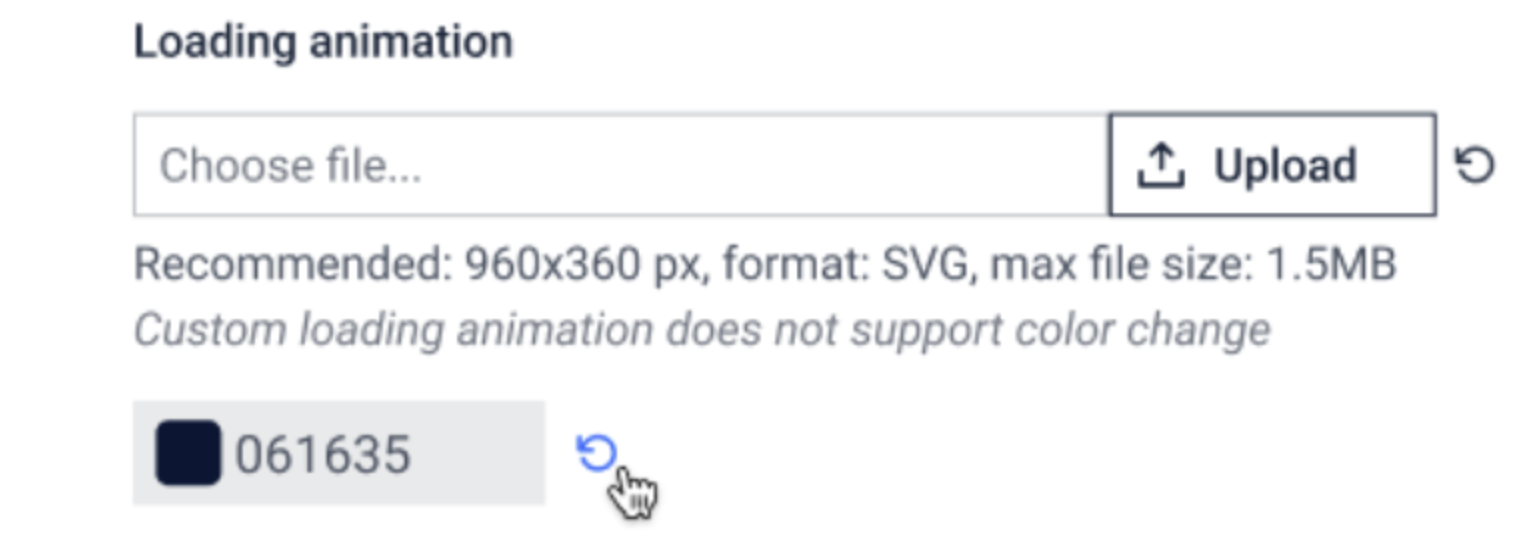
Support change Loading Logo via Customize Theme | Kiosk now allows customization of the loading logo through the theme configuration. This enhancement enables organizations to better align Kiosk visuals with corporate branding.
|
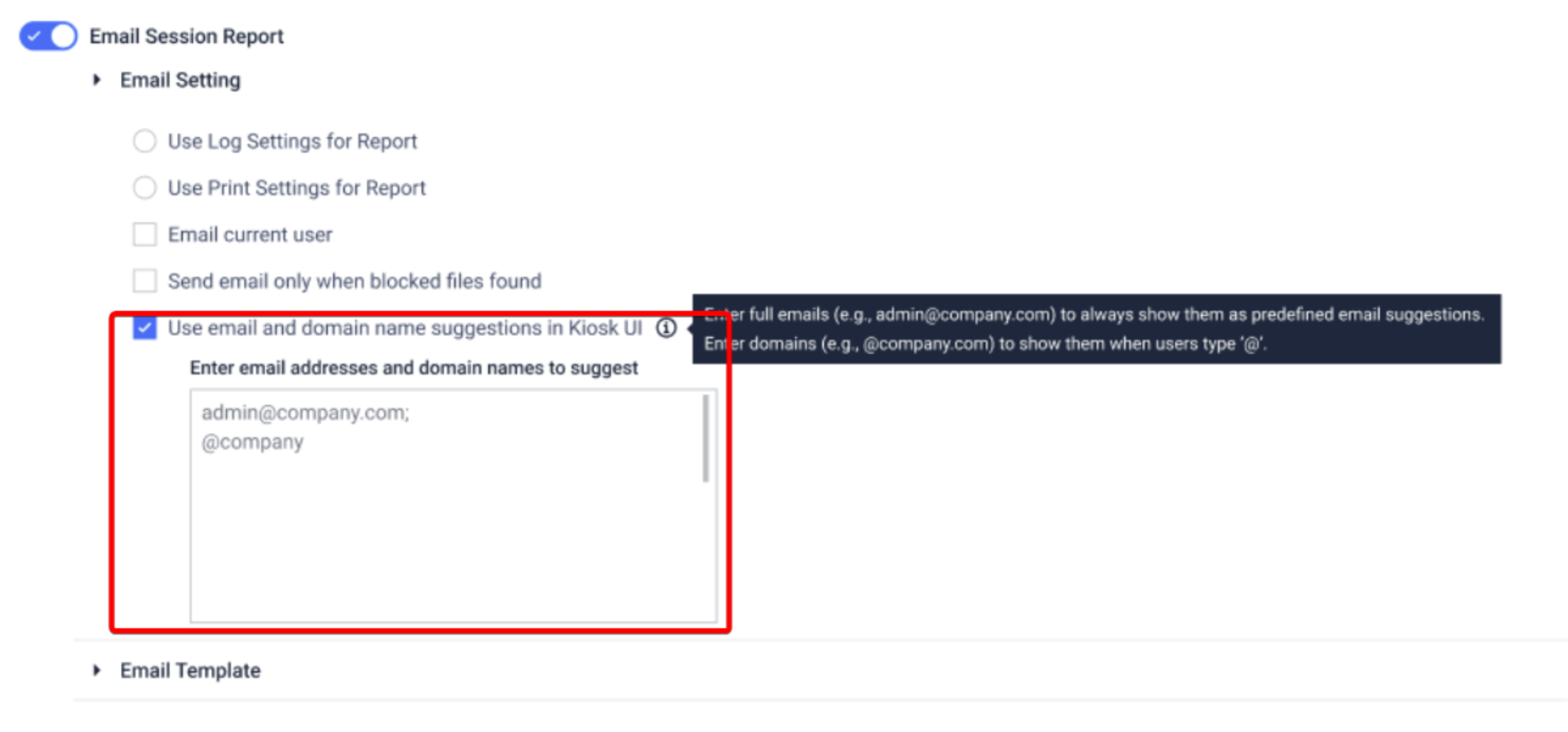
Pre-defined suggestion for email input when sending to specific recipients | The email dialog has been improved to make sending reports faster and less error‑prone. Kiosk now supports predefined email addresses and domains, so users receive automatic suggestions and can simply click to complete the address. In addition, reports can now be sent to multiple recipients in a single action, improving usability for teams and shared distribution lists.
|
Retrieve Kiosk support package via My OPSWAT (CM10) | Administrators can now remotely collect and download Kiosk support packages directly from OPSWAT Central Management 10. This simplifies troubleshooting and reduces the need for on-site manual log collection.
|
Enhancement | |
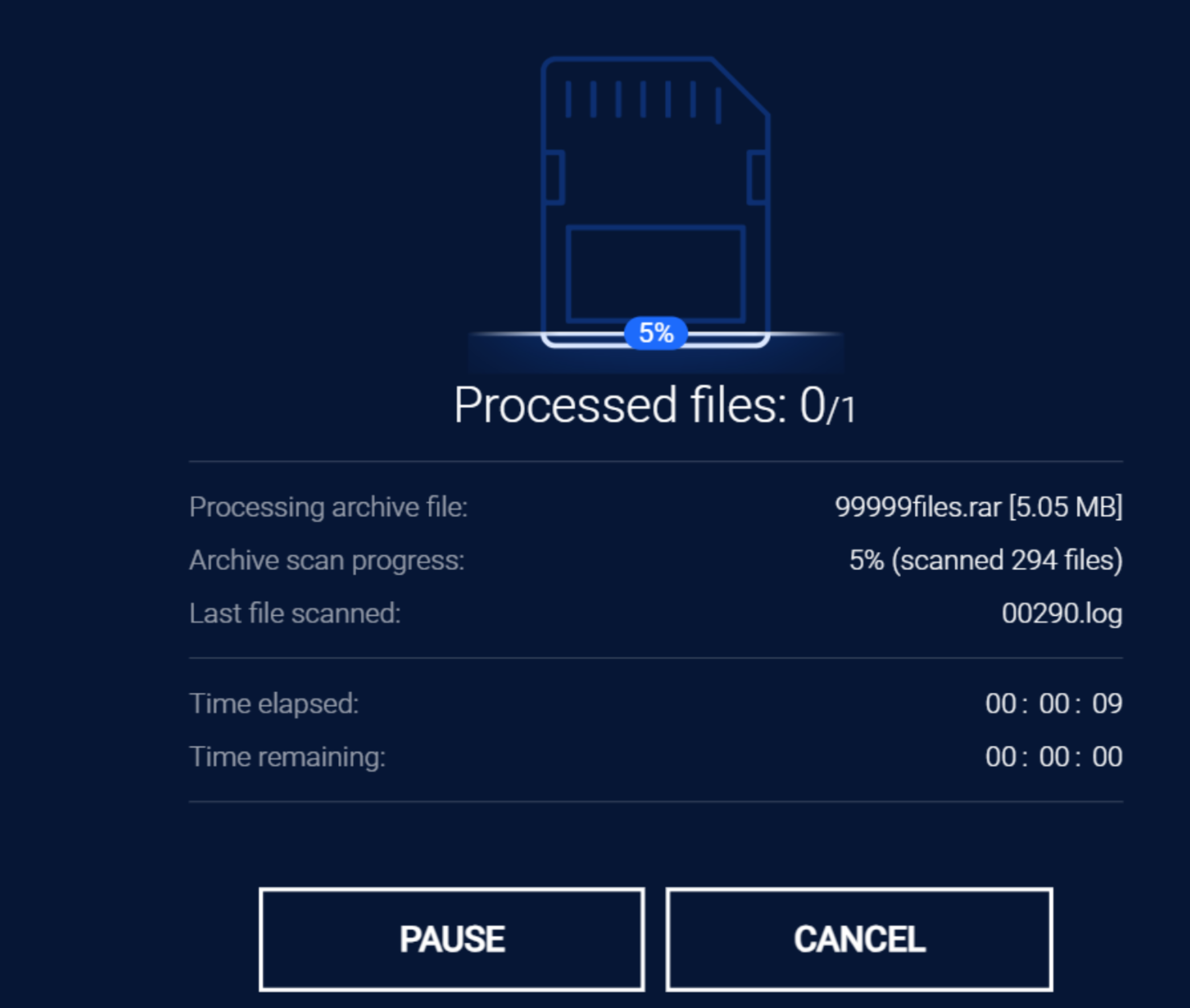
Show extracted archive details while scanning | When Kiosk scans archive files, the result view now provides clearer details about extracted content, including the number of files and their status. This gives administrators and users better visibility into what was actually scanned inside each archive.
|
Display toolbar icons when Welcome screen is disabled | When the Welcome screen is disabled, toolbar icons are now still displayed as expected. This ensures consistent access to key functions regardless of the chosen startup configuration. |
Configure custom screensaver remotely via MyOPSWAT | Administrators can now configure and deploy a custom Kiosk screen saver remotely from My OPSWAT. This enables consistent branding across distributed Kiosks without requiring manual on-site updates. |
Back button to re-select the workflow | Kiosk now provides a Back option that allows users to reselect the desired workflow without restarting the entire process. This improves usability for environments with multiple workflows and reduces user error when an incorrect workflow is chosen. |
Support DataLocker H350 encrypted USB drive | Kiosk now supports the DataLocker H350 encrypted USB drive, including device recognition and secure access during scanning and file transfer workflows. This expands coverage for customers standardizing on DataLocker hardware. |
Enhance Auto Upgrade of Kiosk application | The automatic upgrade capability for the Kiosk application has been enhanced. Including bug fixes and adds support for upgrading from a folder source, providing more flexibility for controlled or offline environments. |
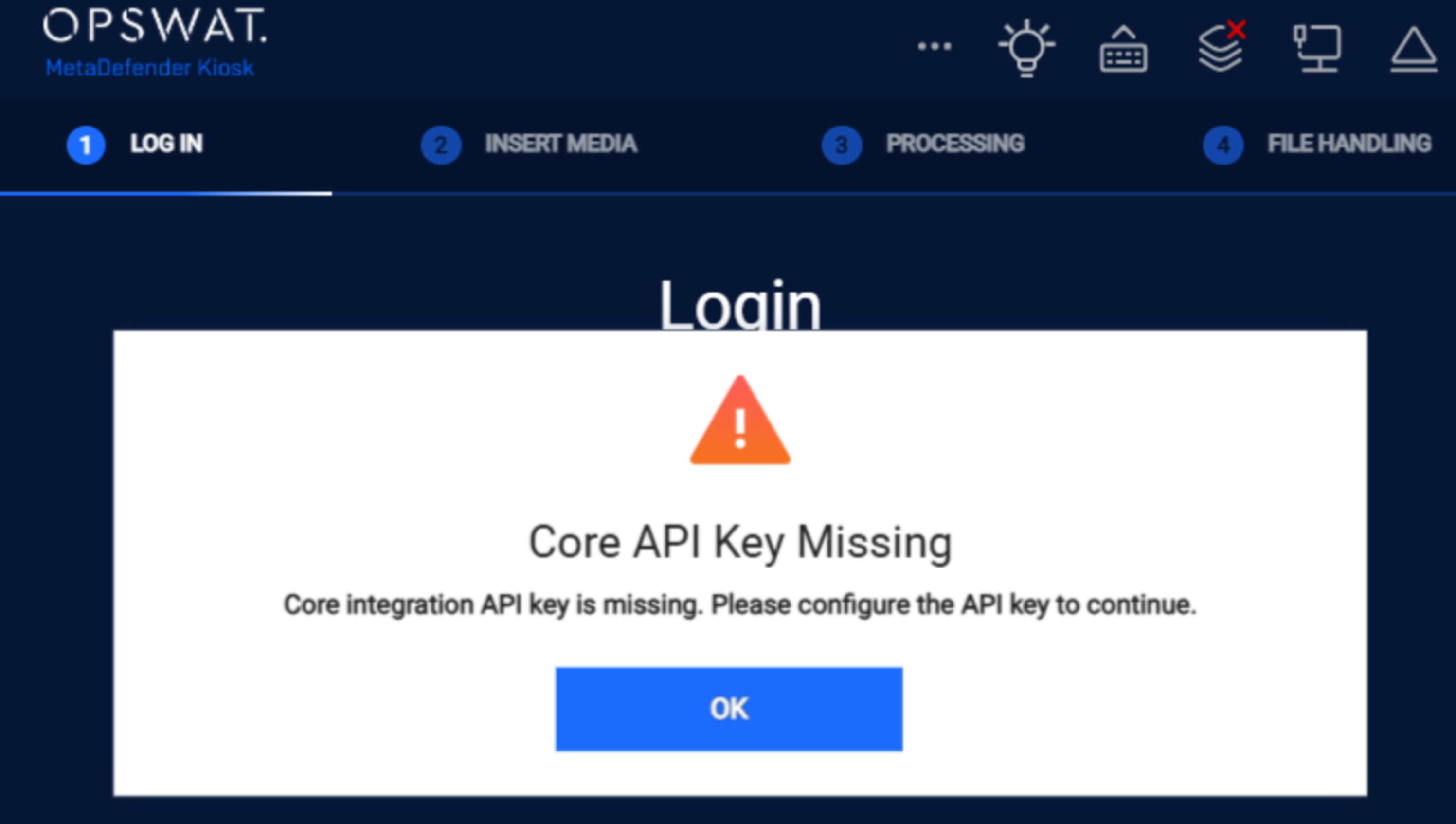
Improved "Invalid Core Setup" messages for troubleshooting | When Kiosk detects an invalid MetaDefender Core configuration, it now displays more detailed troubleshooting information to help administrators quickly identify and correct misconfiguration issues.
|
Exclude default language setting in My OPSWAT group policy settings | The default language configuration is now excluded from My OPSWAT group policy settings, reducing the risk of unintentionally overriding language preferences when applying or updating the group policy |
Improved media detection stability | Kiosk now includes multiple enhancements to ensure reliable media detection:
|
Fixed Bugs | |
Resolved MD Drive integration issue when Welcome screen is disabled | Fixed an issue where MetaDefender Drive integration could stop working if the Kiosk Welcome screen was disabled. With this fix, MD Drive workflows operate correctly regardless of whether the Welcome screen is enabled or disabled. |
Fixed failback to primary MetaDefender Core when it becomes available | Addressed a problem where Kiosk continued sending scans to the secondary MetaDefender Core even after the primary Core became available again. The Kiosk now automatically fails back to the primary Core once it is online, without requiring a manual settings update. |
Corrected “Full Media Scanned/Processed” indicators for USB full scans | Fixed an issue where scan reports incorrectly showed Full Media Scanned: NO and Full Media Processed: NO even when users performed a full scan of USB media. The full‑media status flags now accurately reflect when USB devices have been fully scanned and processed. |
Known issues | |
Incorrect scan status for Virtual Disk contents | When a USB with a virtual disk is processed using “Process All,” the report still shows that files inside the virtual disk were not fully scanned. |
Kiosk fails to copy files from DataLocker DL4 to DataLocker H350 | Kiosk will fail to copy files from DataLocker DL4 device to DataLocker H350 device. |
MD Drive unexpectedly ejected after initial enablement | MD Drive is ejected unexpectedly without user interaction shortly after the feature is enabled for the first time. |
MD Drive is detected as a normal USB after the Kiosk install or upgrade. | Following a fresh installation or upgrade from a previous version, the Kiosk may detect the MD Drive as a normal USB device instead of the expected integrated MD Drive. Workaround: Reboot the Kiosk to get the integration working normally again. |

MetaDefender KIOSK Documentation
The users can consult this web page or, alternatively, they can download the manual in pdf format from the link below:
MetaDefender KIOSK manual (SHA256: 404339BCE0F3E4C5EFA52F55903C8C617C0F9630D01E2020EC09EA6CDC1304C7).
OPSWAT MetaDefender AGD Documentation_v1.6 (SHA256: 78A69F89D3C0D0FCA8A4B8D30B2C92E55D80CC559583F23AC61158F67CE04988).