
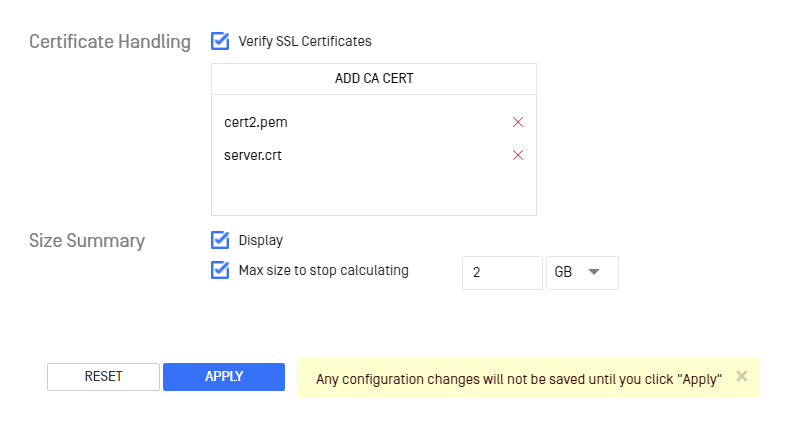
In order to allow a MetaDefender Kiosk to work properly with another OPSWAT product configured to use HTTPS (refer to the respective product's user guide to configure HTTPS), the certificate must be trusted on the system the MetaDefender Kiosk resides on. The Verify SSL Certificates option in the global Configuration page needs to be enabled.

Trusting self signed certificates
To trust self signed certificates, the public certificates configured for the other product needs to be added to the Kiosk configuration.
The ADD CA CERT button allows an administrator to browse and add the certificates when Verify SSL Certificates is enabled. The administrator can remove a certificate at any time. Click the Apply button to apply changes for certificates.
Was this page helpful?
Configuration