
In order to save files to a mapped drive from MetaDefender Kiosk, the mapped drive must be created under the SYSTEM account.
To do this, please follow the directions below:
Place the psexec.exe tool on the machine where you want the mapped drive to be created (e.g., C:\Sysinternals\psexec.exe).
Note:* You can download the psexec.exe file from the "Sysinternals Security Utilities" suite at https://docs.microsoft.com/en-us/sysinternals/downloads/security-utilities
Go to the command prompt icon, right-click and select “Run as Administrator”.
In the command prompt, go to the directory where psexec.exe was copied (e.g., "cd C:\Sysinternals").
Enter the following command to open a command prompt as the SYSTEM user: “psexec.exe –i –s cmd.exe”
In the new command prompt window that just opened, enter the following command: “whoami"
Confirm that the current command prompt is running as “nt authority\system”.
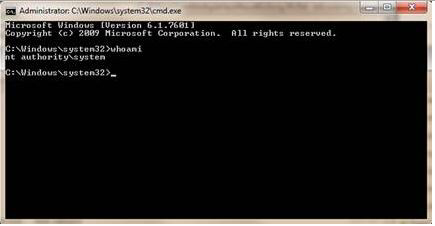
Execute the following command to mount the mapped drive: net use <desired drive letter> <UNC path to map to> (e.g., “net use Z: \file-server-1\share”).
Once the mapped drive is in place, go to the MetaDefender Kiosk Management Workflows page: http://localhost:8009/management/#/workflows.
Choose the profile you want to change.
In the File Handling section select the "Copy to" radio button and enter the mapped location.
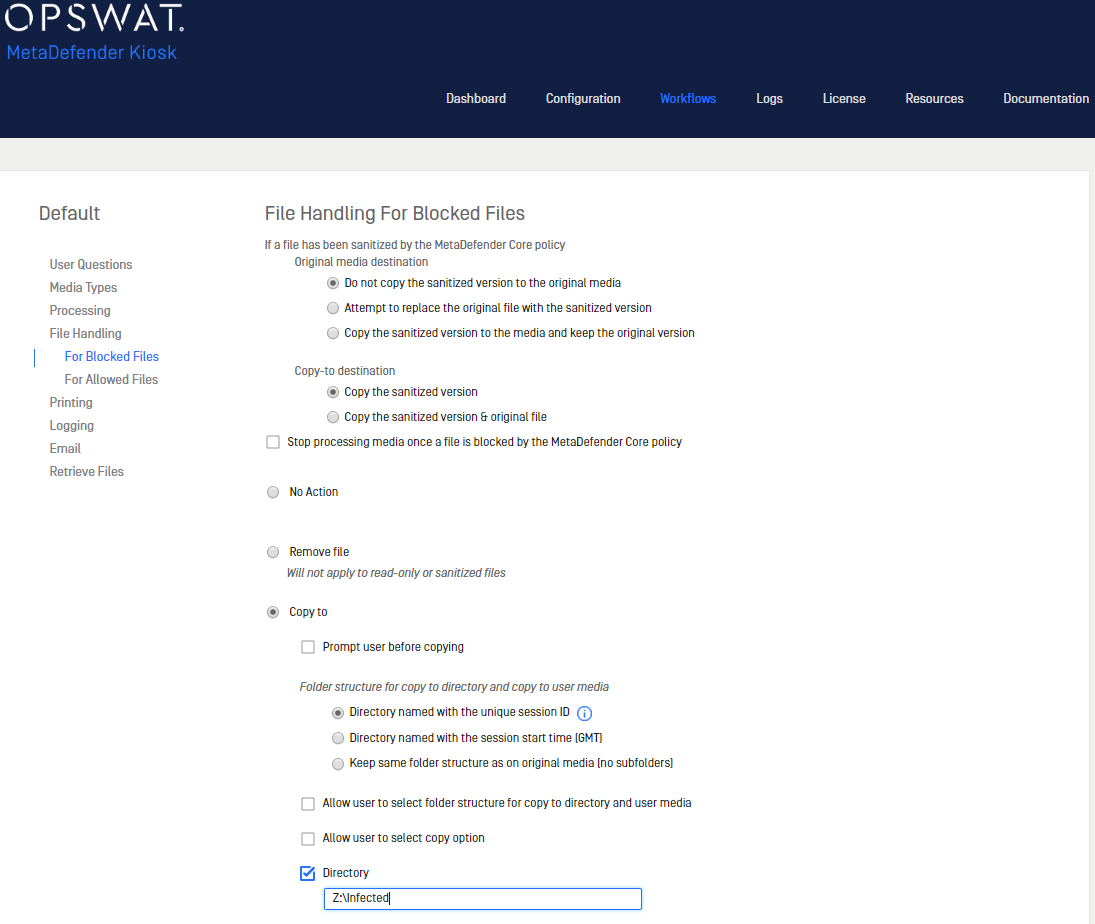
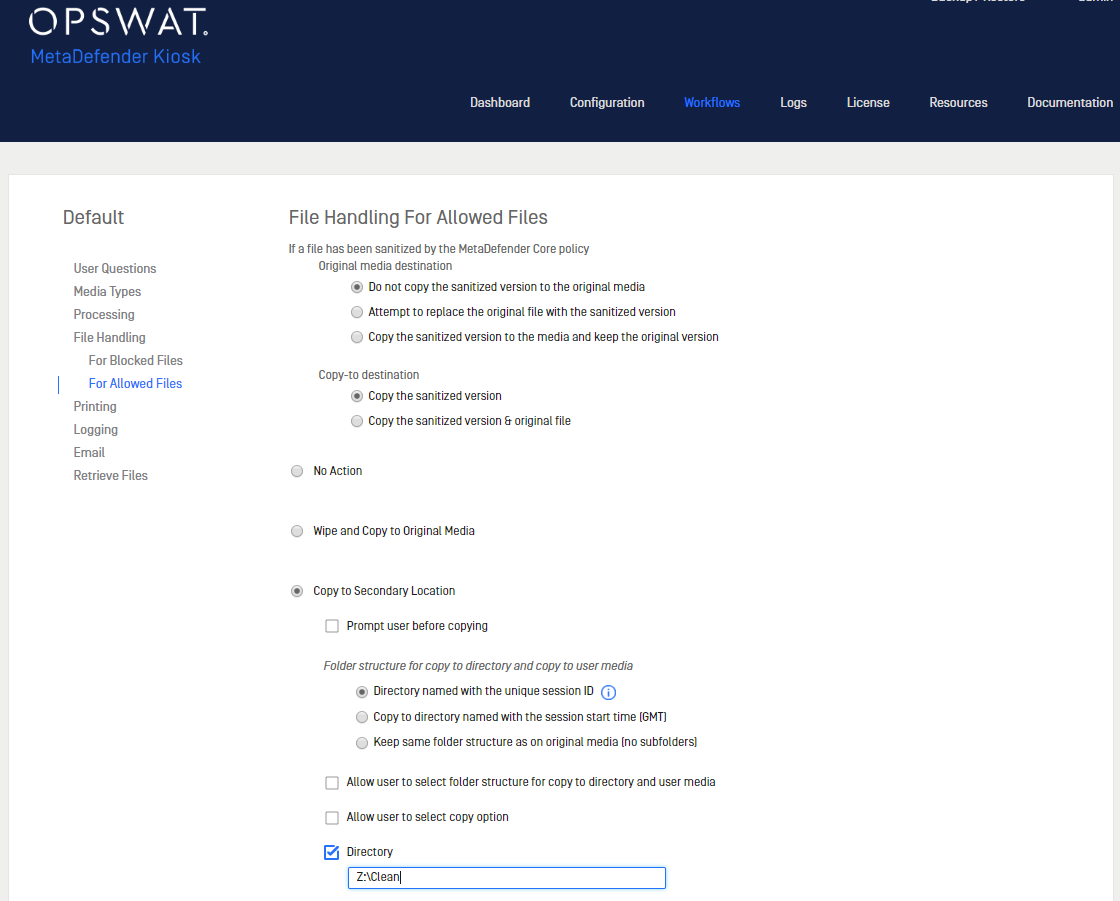
Click Finish. MetaDefender Kiosk can now copy both Blocked and Allowed files to the network drive.
_This article pertains to MetaDefender Kiosk __This article was last updated on 2019-10-07 _AG