
By design, whenever a request is blocked for some reason, then a block page will be returned back from MetaDefender ICAP Server to client side as follows (the actual blocking reason message may differ):
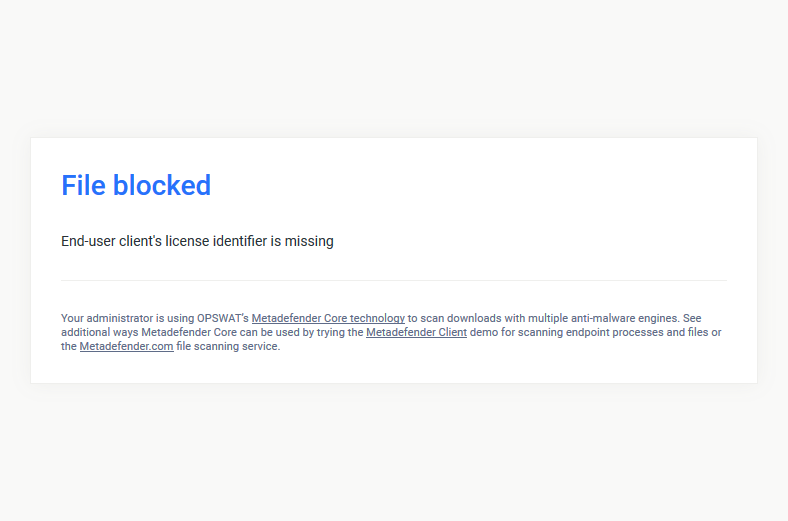
MetaDefender ICAP Server supports users to create their own custom block page, and overwrite the default one.
Replacing the default block page
There are two options: either using UI configurations (recommended) or using legacy file overwritten on disk.
Replacing via UI configurations (recommended)
From MD ICAP Server v5.4.0, custom block page can be managed via the UI and able to assign individual custom block page to specific workflow
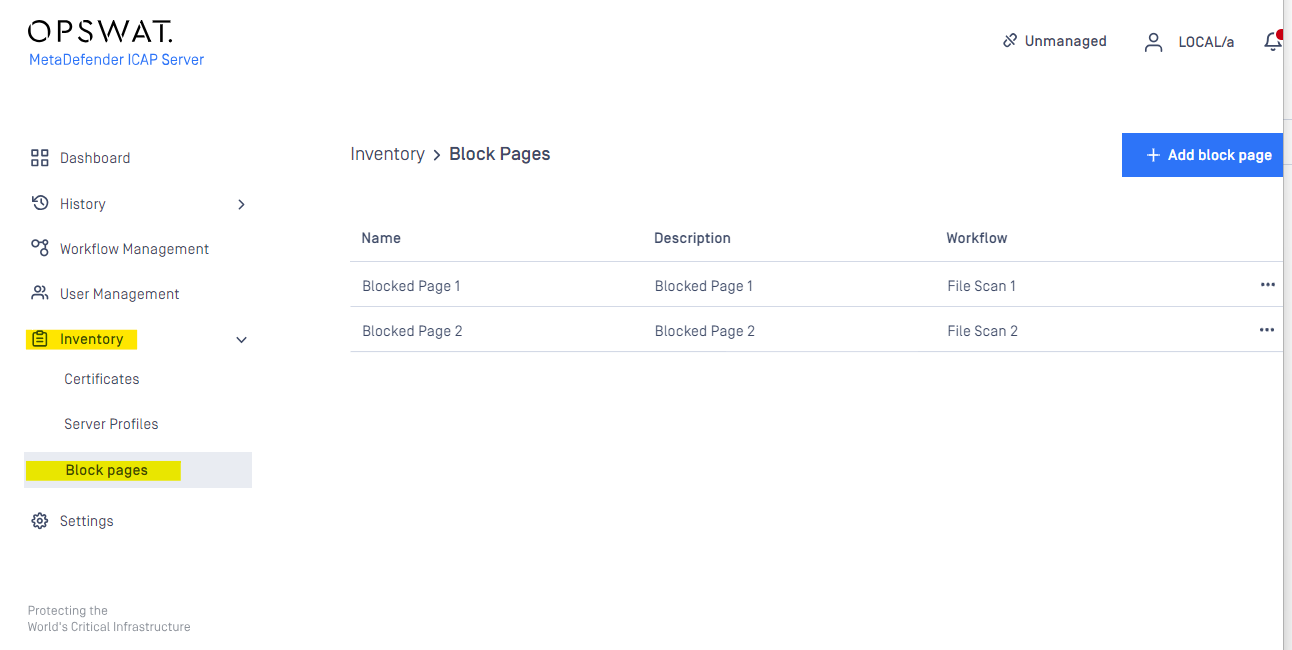
Block page management (Under Inventory)
Go to Inventory → Block Pages
Manage your custom block page(s), and also track which workflow that that custom block page is assigned to.
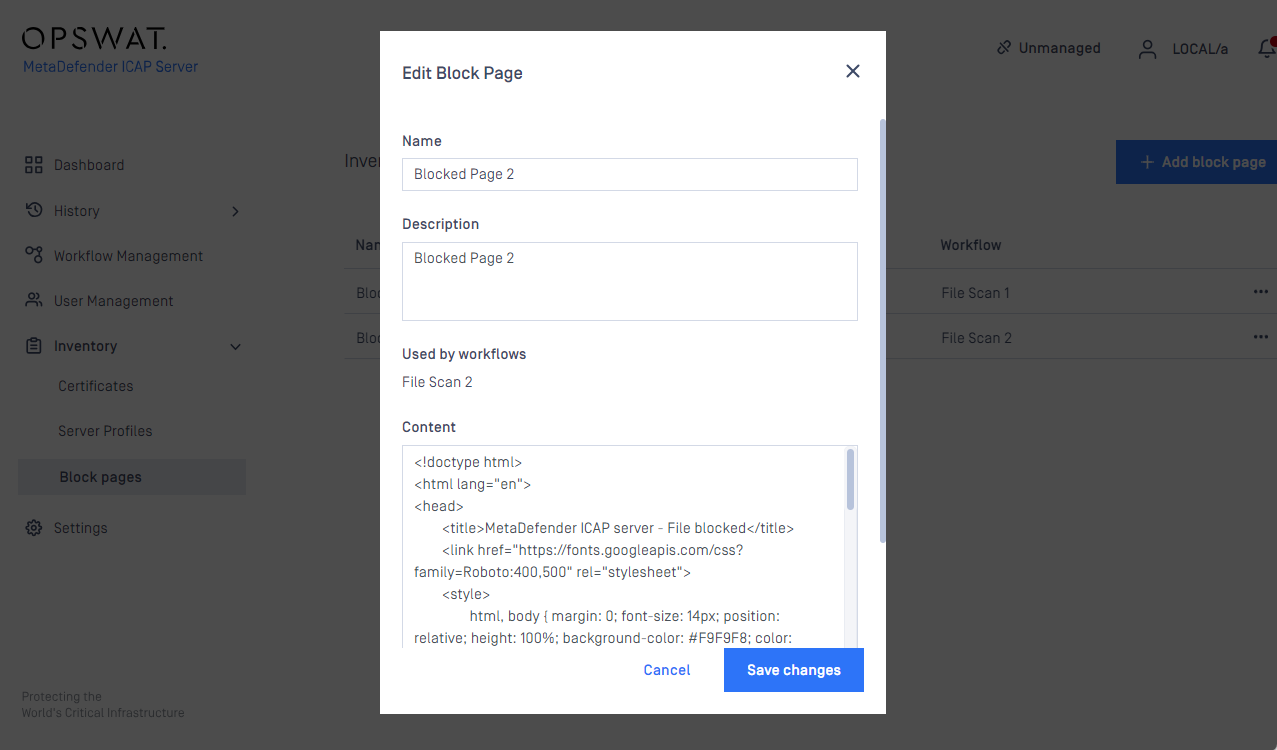
Custom block page content will be encoded with base64, the maximum length (after encoded) is 10000 bytes.
Assign block page to work flow
Go to Workflow Management → Select the workflow -> go to Block Page tab
Block Page Options:
Default: the MetaDefender ICAP Server default block page will be applied to the workflow
Note: Just in case the default block page has already overwritten via Replacing via Legacy method then the HTML file stored in path <Installation folder>\data\block_page.html will be used as default block page
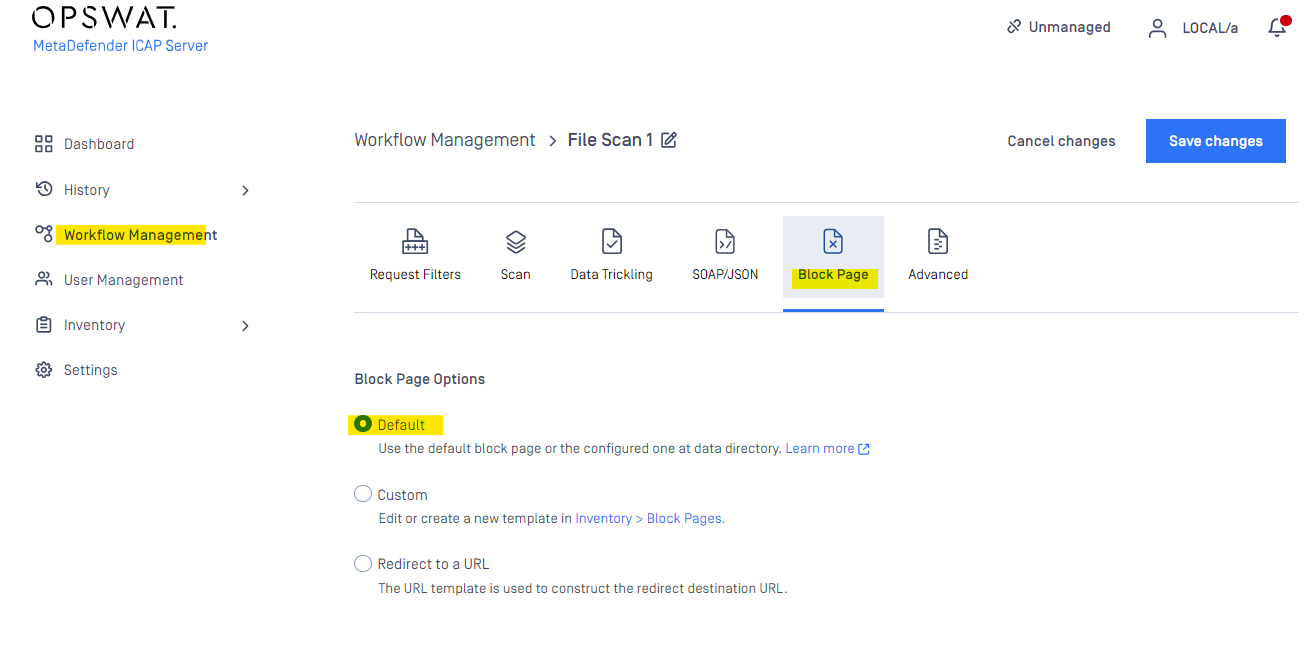
Custom: Select the custom block page (can be managed / modified under Inventory - Block Pages) to assign that workflow.
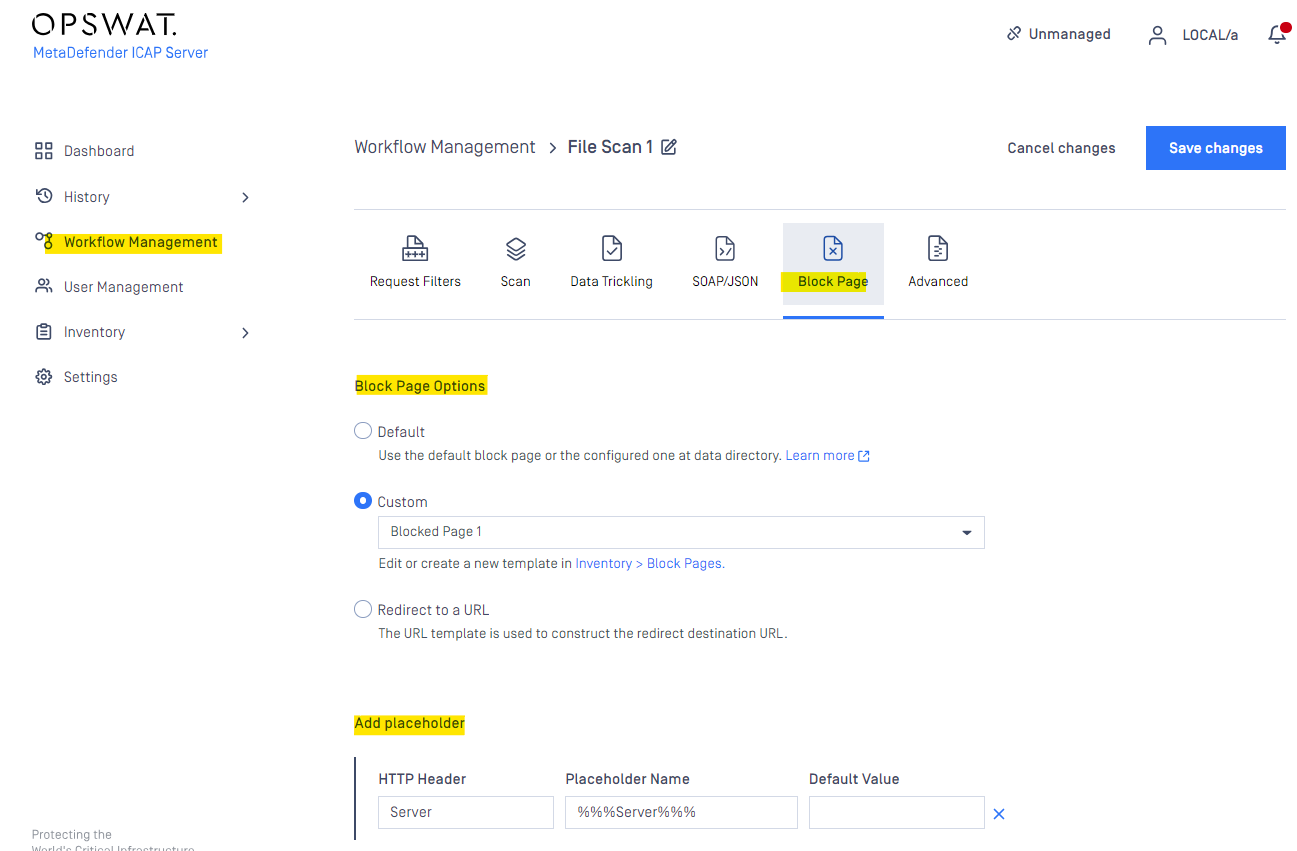
Redirect to a URL: the pre-defined data (using with placeholders via query parameters or path parameter) will be sent to a designated URL location for processing.
For instance, following setting will send block file name info to some host via query parameters for processing.
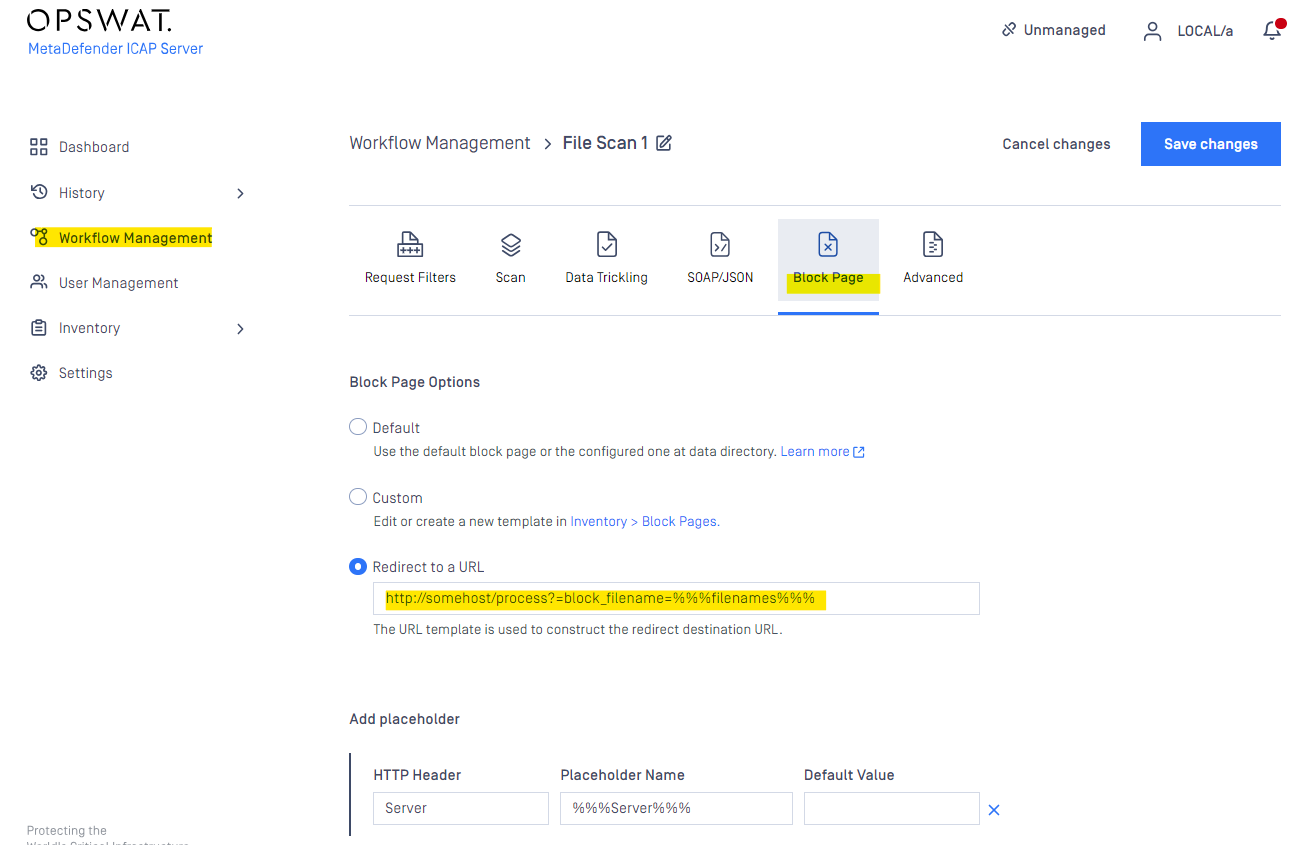
Adding Placeholder
Beside Additional placeholders, additional placeholder can be added (if the header is not found then the default value will be filled up (default value can put blank value).
REQMOD: the HTTP header is getting from request header.
RESPMOD: the HTTP Header is getting from response header.
Maximum custom place holder: 10.
Max length of HTTP header: 64.
Max length of default value: 512.
Replacing via Legacy method
To replace the default block page create a HTML file with the custom content according to the following:
Operating system | Path | Default path | Owner | Permissions |
|---|---|---|---|---|
Windows or Windows Server | <Installation folder>\data\block_page.html | C:\Program Files\OPSWAT\Metadefender ICAP Server\data\block_page.html | Local Service | Read |
Linux (RHEL / CentOS / Debian / Ubuntu) | <Data folder>block_page.html | /var/lib/mdicapsrv/block_page.html | mdicapsrv:mdicapsrv | r-- (400) |
The default block page is not represented as a file in the file system. If the above file exists, then the default block page is overridden.
ICAP Server block messages
To display ICAP Server block messages in the custom page include the following token at the desired position in the page:
This token will be replaced by the appropriate ICAP Server block message.
Additional placeholders
For custom block pages several additional placeholder tokens are also supported.
The placeholder tokens below are not used in the default block page, but are available for a custom block page.
Placeholder | Description | Note |
|---|---|---|
%%%% | URL parsed from the original HTTP request. | |
%%%% | Address of the client from whom the request originated. | |
%%%% | Name of the server the ICAP Server is running on. | |
%%%% | Arrival of the request to the ICAP Server. | |
%%%% | Filenames which are blocked. | Present only if some violations were found, otherwise replaced by empty string. |
%%%% | Media types for blocked files. | Present only if some violations were found, otherwise replaced by empty string. |
%%%% | Violations for blocked files. | Present only if some violations were found, otherwise replaced by empty string. |
%%%% | The first violation for the blocked file. | Present only if some violations were found, otherwise replaced by empty string. |
Example
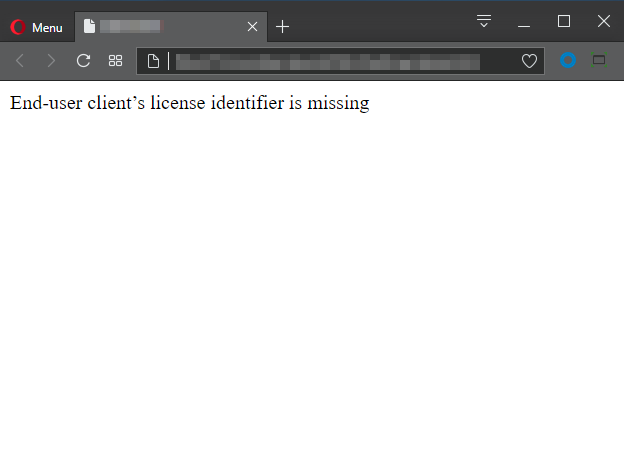
The following example is the source code of a simple custom page that displays the ICAP Server messages only with no formatting at all:
It renders a very simple page that looks like this:
Default block page source code
The default lock page's source code can be reused to create a customized one.