
Scanning Based64 embedded data in SOAP and JSON messages is supported from MetaDefender ICAP Server 5.3.0 or later
To scan Base64-encoded data using MetaDefender ICAP Server, follow these steps:
Go To MetaDefender ICAP Management Console > Choose the workflow to use for scanning Base64 embedded data > SOAP/JSON
Enable SOAP and/or JSON to parse and decode Base64 data embedded in SOAP object format or JSON object format.
Add node selector(s) to locate the node(s) you wish to decode
Click on “Add” under SOAP to add a node selector for SOAP
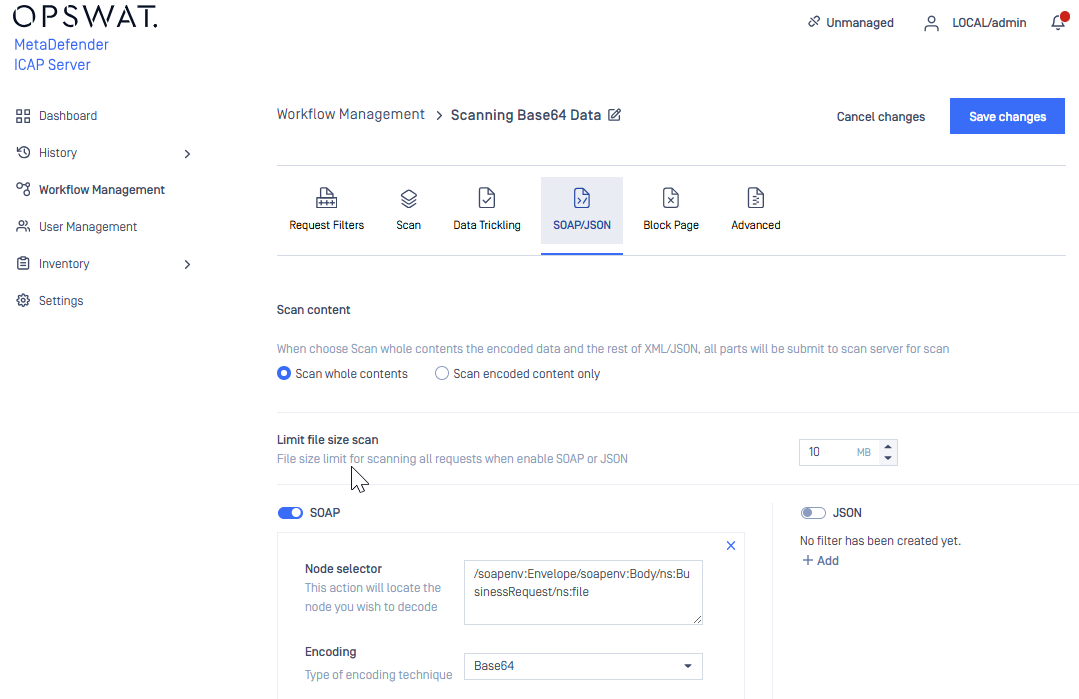
Check this link to see how to define a node path to Base64 encoded data in SOAP message.
- Click on “Add” under JSON to add a node selector for SOAP
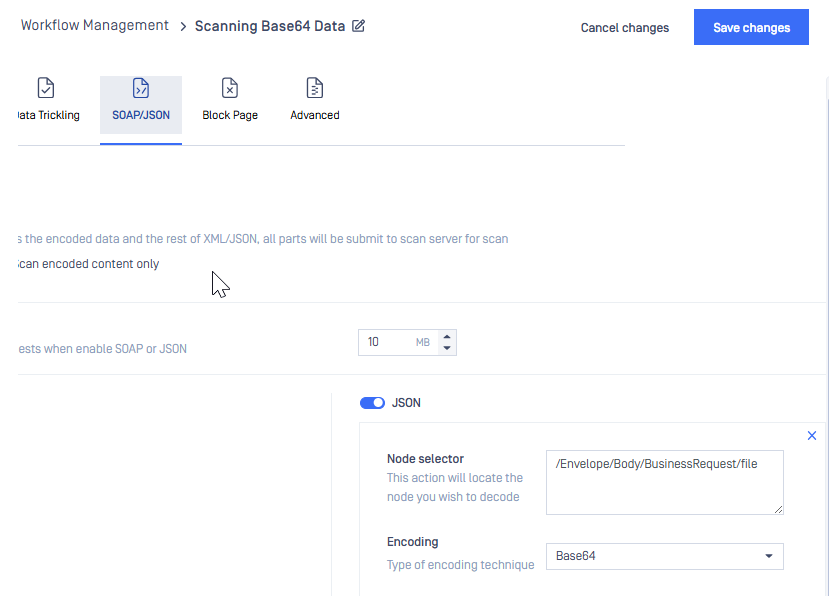
Check this link to see how to define a node path to Base64 encoded data in JSON format object
You can choose to either “Scan whole contents” or “Scan encoded content only” and set the file size limit.
Click on “Save changes” button to save the change
By following these steps, MetaDefender ICAP Server will effectively scan and sanitize Base64-encoded data embedded within supported message formats, enhancing your organization's protection against threats concealed through Base64 encoding.
If Further Assistance is required, please proceed to log a support case or chatting with our support engineer.