
This article applies to all MetaDefender Endpoint releases deployed on Windows, Linux, macOS, iOS or Android systems.
MetaDefender Endpoint Installation Guide
Getting started:
For company users, IT department will issue the installation file.
For individuals, you can download a free version at this following link: MetaDefender Endpoint for Endpoint Vulnerability & Application Patching - OPSWAT
After downloading the file, please follow the below steps to install the application
Installation for files with .msi extension:
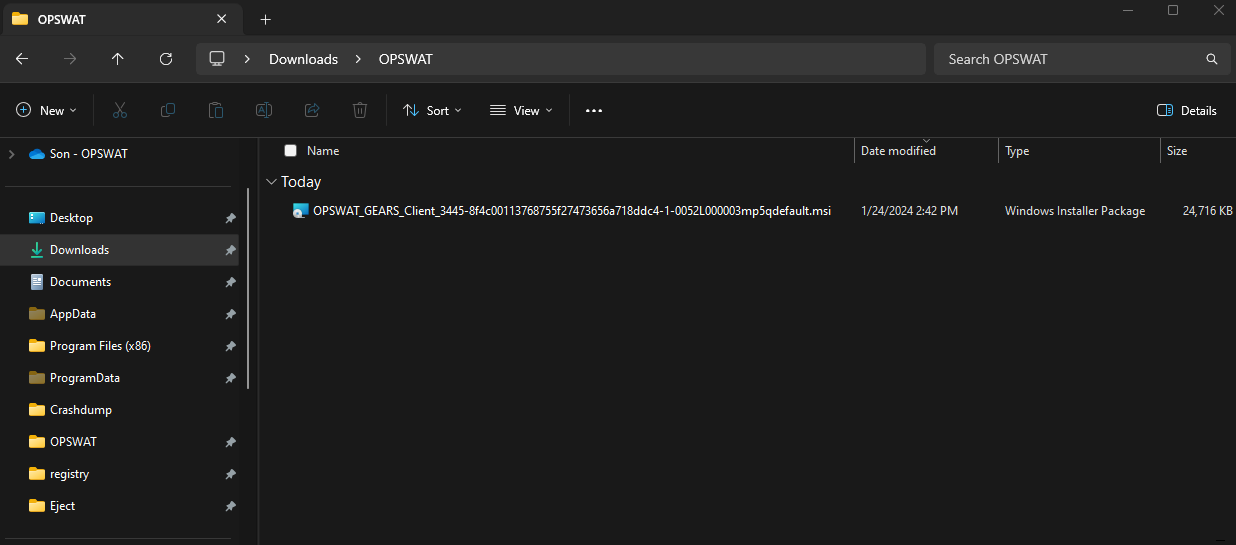
Step 1: Double-click to install the file.
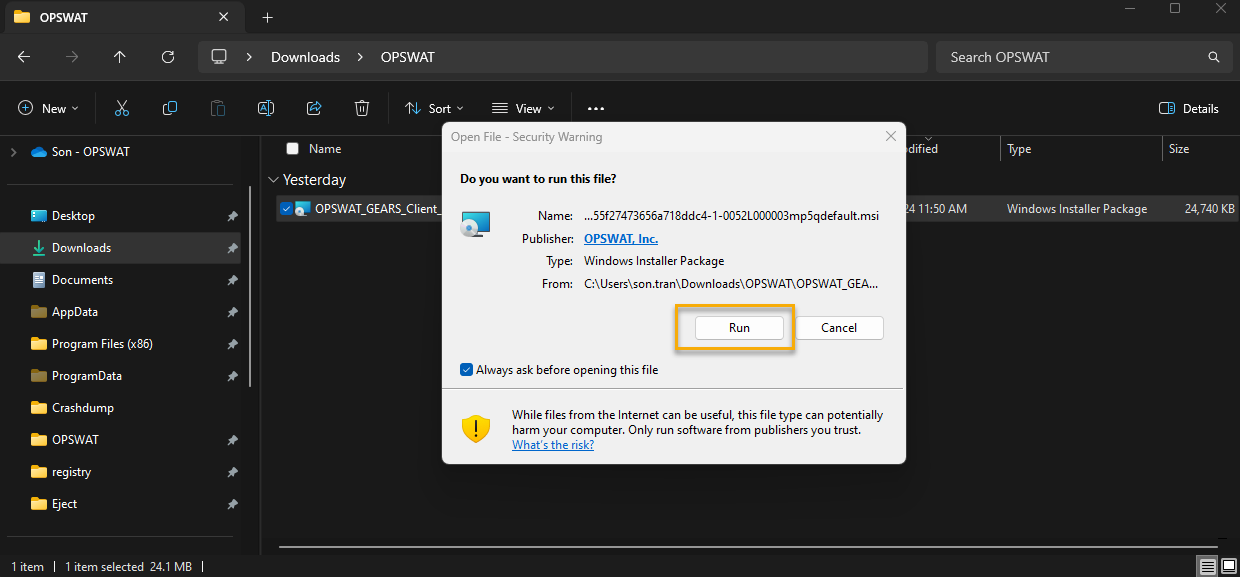
Step 2: Click “Run” on the installation popup to start the process.
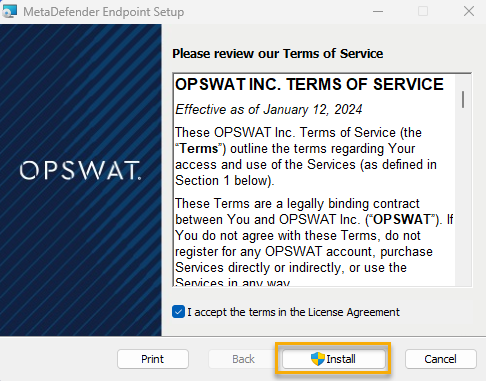
Step 3: By clicking "I Agree," you are agreeing to License Agreement. Then choose “Install” to continue.
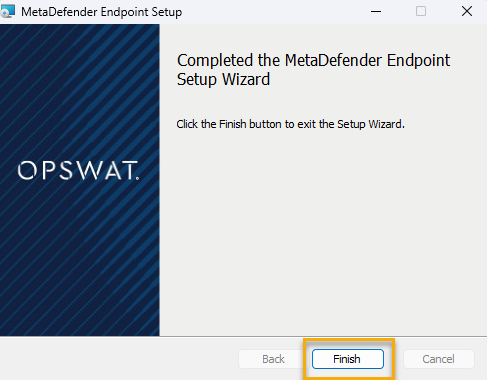
Step 4: After the process is completed, click “Finish” to exit the installation wizard.
Open MetaDefender Endpoint: Open MetaDefender Endpoint from the Tray menu or Start menu.
Case 1: You can open MetaDefender Endpoint by clicking the tray icon on the taskbar
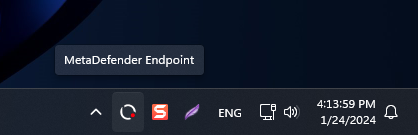
Case 2: Right-click on the tray icon and choose “Open MetaDefender Endpoint” from the menu.