
This article applies to the Windows Update Agent, the current MetaDefender IT-OT Access Console and API, and all MetaDefender Endpoint releases deployed on Windows systems.
Users running MetaDefender Endpoint on one or more Windows devices may occasionally see MetaDefender IT-OT Access device compliance warnings/flags related to Missing OS Patches.
These warnings/flags are triggered by device issues and will appear under Inventory>Devices>Select your device>Detailed Device Information>Missing Patches.
Malware is frequently designed to exploit the vulnerabilities in outdated applications and operating systems in order to gain entry to and infect a system.
This is why keeping your operating system, OS security patches and all associated apps up-to-date is an essential element of risk reduction in cyber-security.
One way to ensure that the OS patches on your Windows devices are kept up-to-date is to configure the Windows Update Agent accordingly.
To remediate Missing OS Patch related device compliance issues on your managed Windows devices, please follow the instructions for configuring the Windows Update Agent below.
Windows 10/11
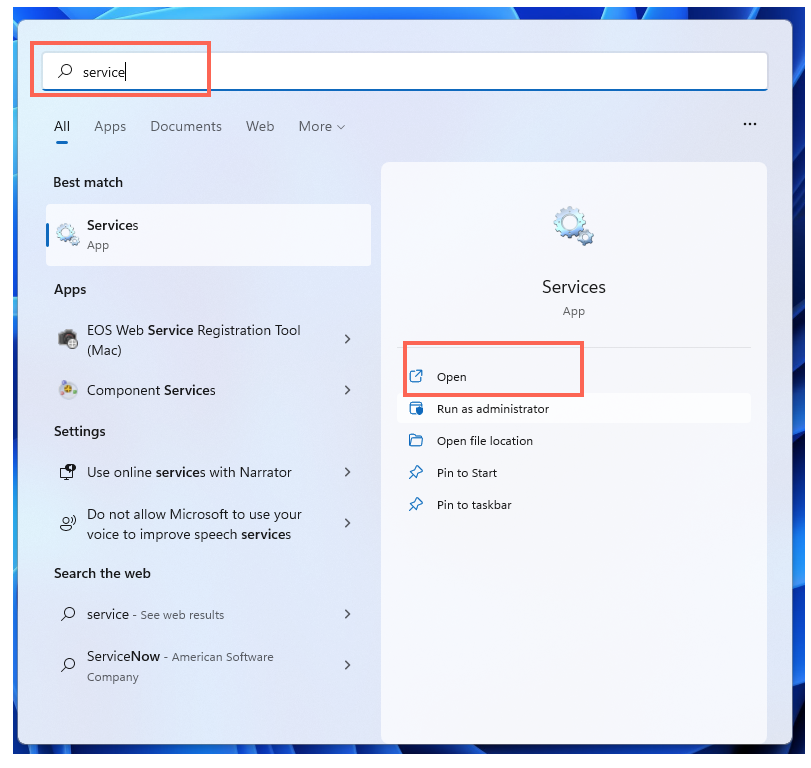
Open the Windows Start menu, search for Services and then Open it.
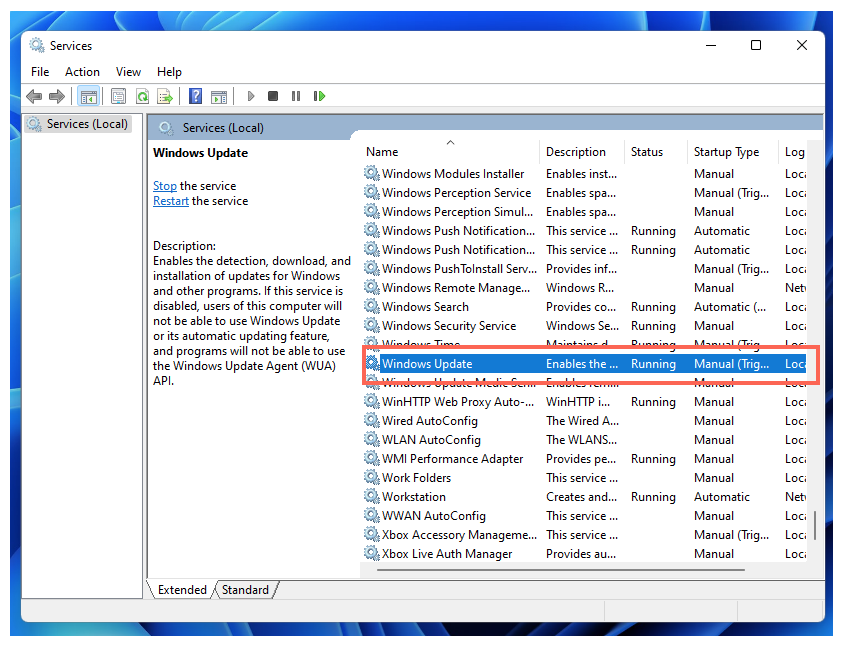
In the Services app, search for Windows Update service and, when you find it, double-click on it.
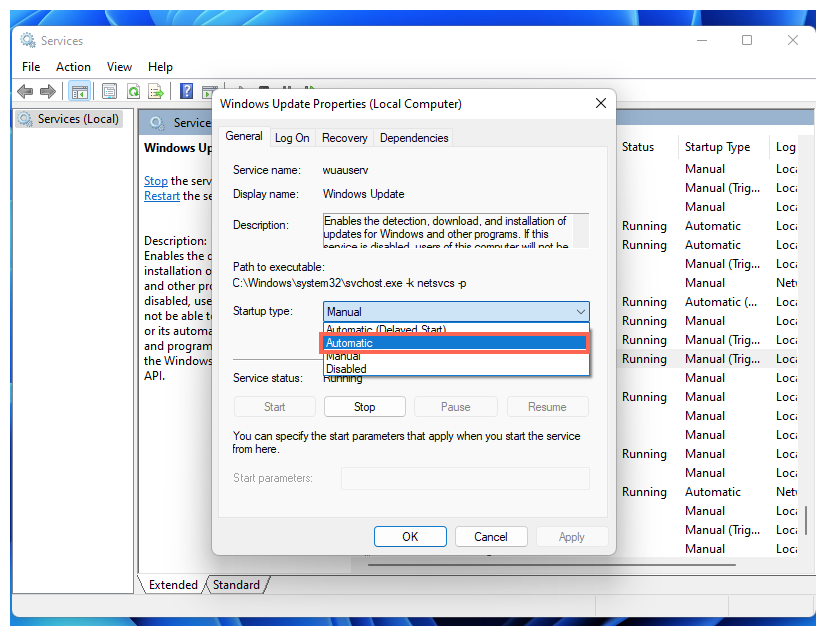
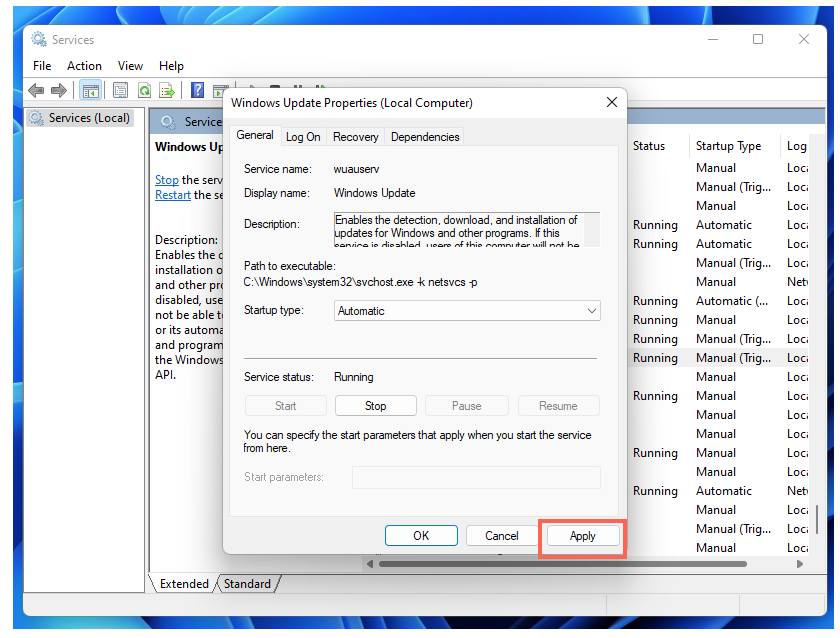
In the pop-up window, adjust the Startup type to Automatic, then click Apply.
Open the Windows Start menu, search for Windows Update Settings and then Open it.

In the Update Settings app, you can check for available updates by clicking Check for updates.
You can also install optional updates individually, by clicking Download and install under a specific update.
When you click Check for updates, the system should automatically download and install all missing patches that are available. You can check each download for additional information and progress, and Restart your device to apply certain updates as prompted.
To adjust your update settings and ensure that updates happen automatically, click on Advanced options, as illustrated below.
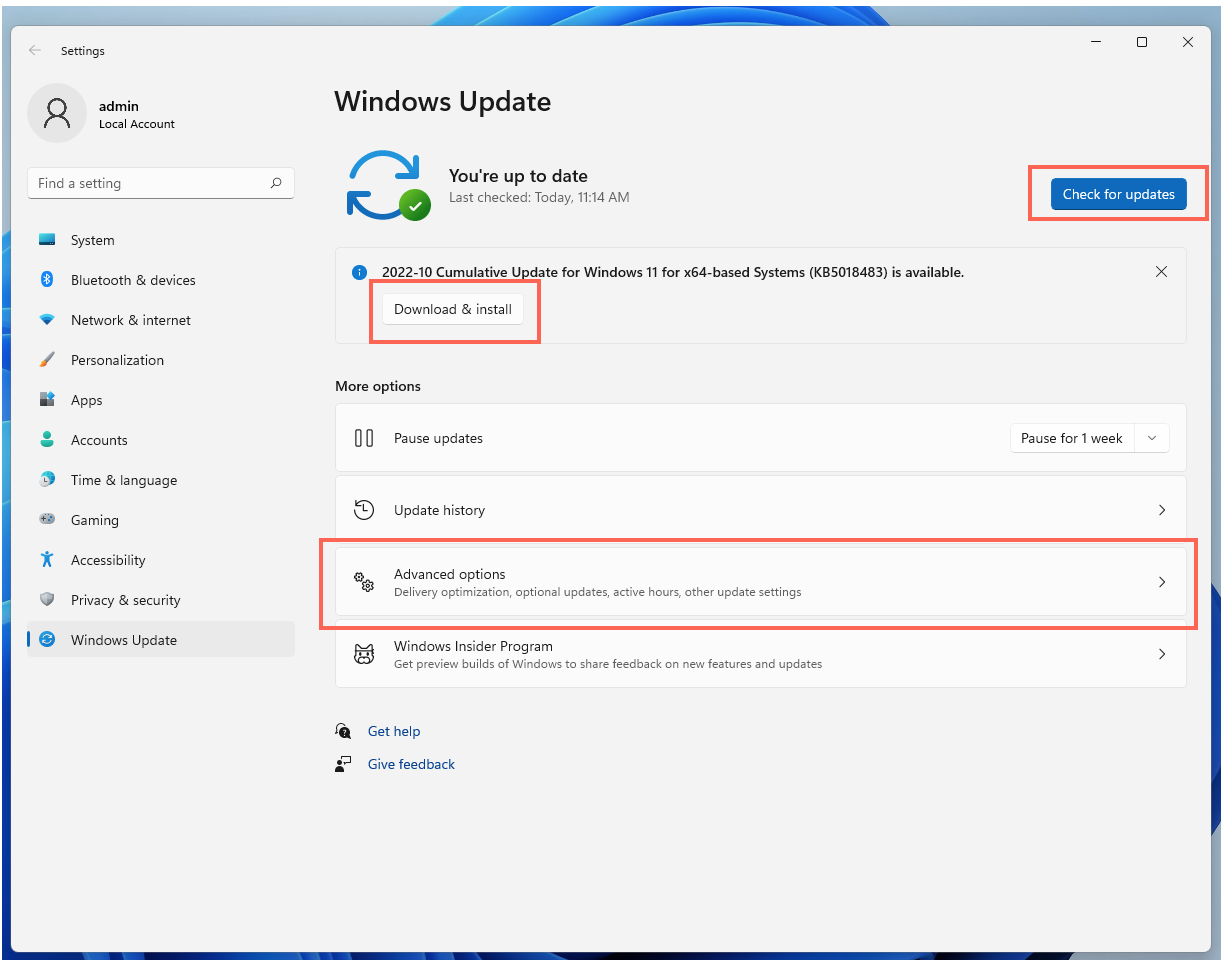
On the Advanced options page, enable the option to Receive updates for other Microsoft products, along with whichever advanced settings align with your organizational requirements, MetaAccess policies and preference.

Now, to check your device compliance again, open the Windows Start menu, search for the MetaDefender Endpoint or MetaDefender IT-OT Access, then select the Run as administrator option.

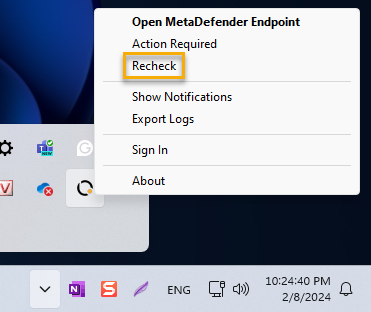
Once the app is running, right-click on the Client tray Icon and, from the pop-up menu, click Recheck.
This will trigger the MetaDefender Endpoint to scan all device compliance data and report to the MetaDefender IT-OT Access servers again.
If you have followed the instructions above but Continue To Experience Missing OS Patch Issues On Your MetaDefender Endpoint/MetaDefender IT-OT Access Managed Windows Devices, please open a Support Case with the OPSWAT team via phone, online chat or form, or feel free to ask the community on our OPSWAT Expert Forum.