
This article applies to the current MetaDefender IT-OT Access Console and API, and all MetaDefender Endpoint releases deployed on macOS systems.
Users running MetaDefender Endpoint on one or more macOS devices may occasionally see MetaDefender IT-OT Access device compliance warnings/flags related to Missing OS Patches.
These warnings/flags are triggered by device issues and will appear under MetaDefender IT-OT Access Console>Inventory>Devices>Relevant Device>Detailed Device Information>Missing Patches.
Malware is frequently designed to exploit the vulnerabilities in outdated applications and operating systems in order to gain entry to and infect a system.
This is why keeping your operating system, OS patches and all associated apps up-to-date is an essential element of risk reduction in cyber-security.
One way to ensure that the OS patches on your macOS device are kept up-to-date is to configure the macOS Update Agent.
To remediate Missing OS Patch related device compliance issues on your managed macOS devices, please follow the instructions for configuring the macOS Update Agent and updating App Store apps below.
These instructions are based on macOS Catalina 10.15.7, and will vary slightly depending on your macOS version.
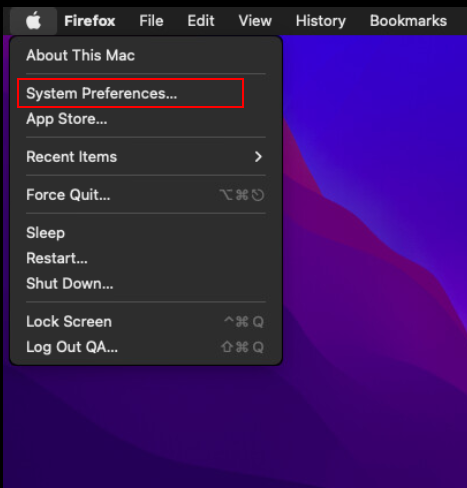
Click on the Apple menu in the top left-hand corner of the screen then, from the drop-down menu, select System Preferences.
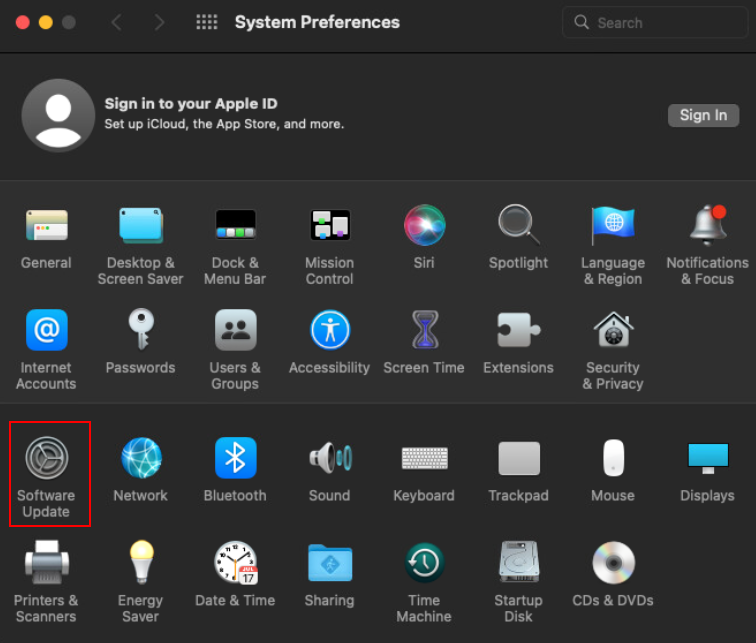
On the System Preferences window, click on Software Update, as illustrated below.
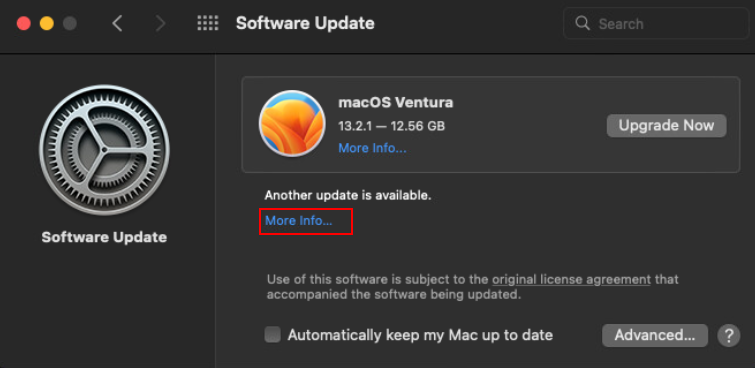
If there are any updates available, click the Update Now button to install them, or click More info… to discover details about each update and to select specific updates to install.
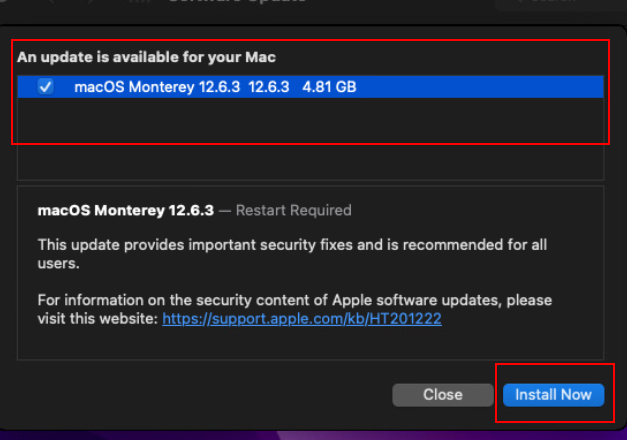
Once you’ve selected Install Now and all updates have been installed, the screen should look as follows. Ensure you check the option to Automatically keep my Mac up to date.

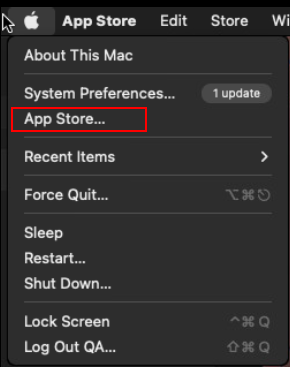
For applications and tools that aren’t native to the OS, but were downloaded separately from the App Store, you can keep these up to date by clicking on the Apple menu in the top left-hand corner of the screen, then clicking on App Store, as illustrated below.
In the App Store, click on Updates in the left-hand navigation panel and, if there are any app updates to install, you can install them individually as required, or click the Update All button in the top right-hand corner of the screen.

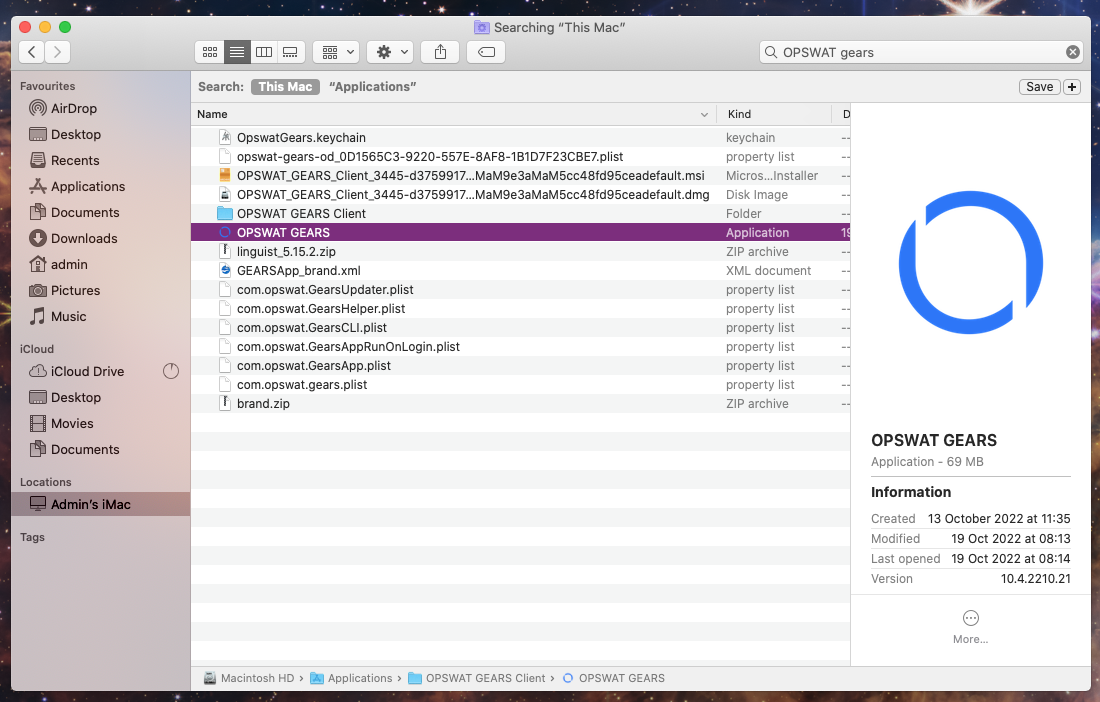
Finally, open Finder, click on Applications, then search the list for OPSWAT Gears and launch it.
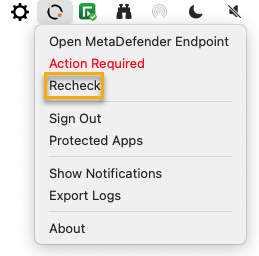
Once the app is running, click/right-click on the Client tray Icon and, from the pop-up menu, click Recheck.
This will trigger the MetaDefender Endpoint to scan all device compliance data and report to the MetaDefender IT-OT Access servers again.
Wait for a few moments, then check MetaDefender IT-OT Access Console>Inventory>Devices>Relevant Device>Detailed Device Information>Missing Patches again to see the updated issue report.
If you have followed the relevant guidelines but Continue To Experience Missing OS Patch Issues On Your MetaDefender Endpoint/MetaDefender IT-OT Access Managed MacOS Devices, please open a Support Case with the OPSWAT team via phone, online chat or form, or feel free to ask the community on our OPSWAT Expert Forum.