
Problem
Communicating parties apply encryption to maintain the confidentiality of their communiqués.
Given by the nature of encryption, real - potentially malicious - contents of an encrypted file are hidden from MetaDefender Email Gateway Security, thus encrypted files are blocked by default.
Solution
Automated decryption and scanning
Email Gateway Security can attempt to automatically decrypt password protected attachments and scan them.
Passwords are attempted to be taken from two sources:
The email body: the product can try to match regular expressions against the email body to try to extract attachment passwords. For details see Attachment password patterns.
Password lists: in MetaDefender Core administrators can define lists of passwords for each Core side Workflow that will be attempted to decrypt password protected files. For details see Password Storage.
If the attachment can be decrypted automatically then it gets scanned. Based on the outcome of the scan, the email gets blocked or delivered.
If the attachment can not be decrypted automatically, then the email gets retained in the quarantined and a dialog based password provision and rescan procedure is applied that is detailed below.
Marking emails that have password protected attachments
If Email Gateway Security is set accordingly, then emails with password protected attachments—that could not have been automatically decrypted and scanned—will be put into the Quarantine and marked with a padlock icon (for details see Operating/Quarantine ).
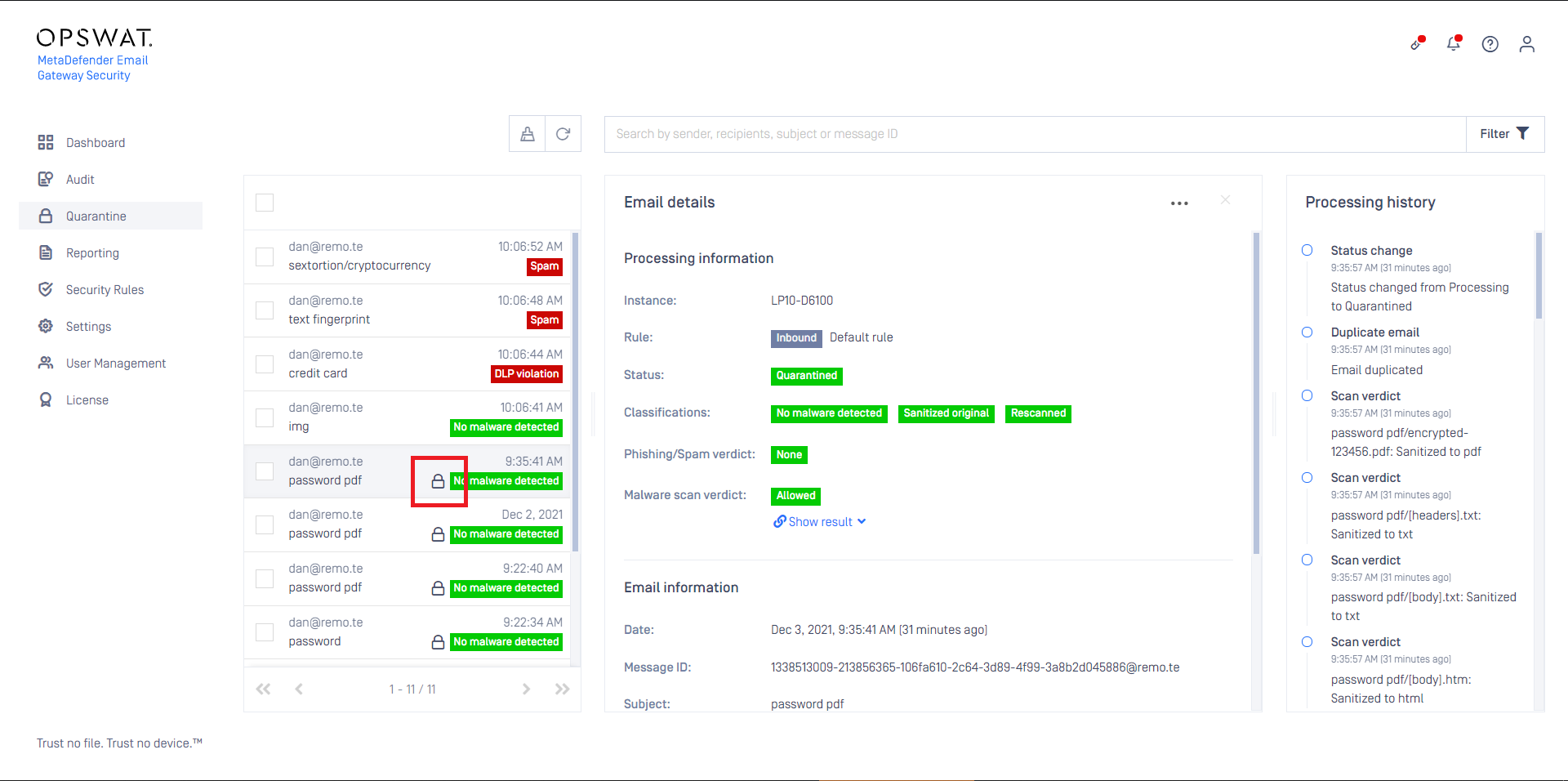
Initiate rescan and provide password
When rescanning an email that has password protected attachments, password for the encrypted items is requested by Email Gateway Security. For details about rescanning see the Rescan section in Operating/Quarantine.
Rescan may be initiated by two parties:
Administrators with Quarantine access (for details see Operating/Quarantine)
Recipients of the email
Administrators with quarantine access
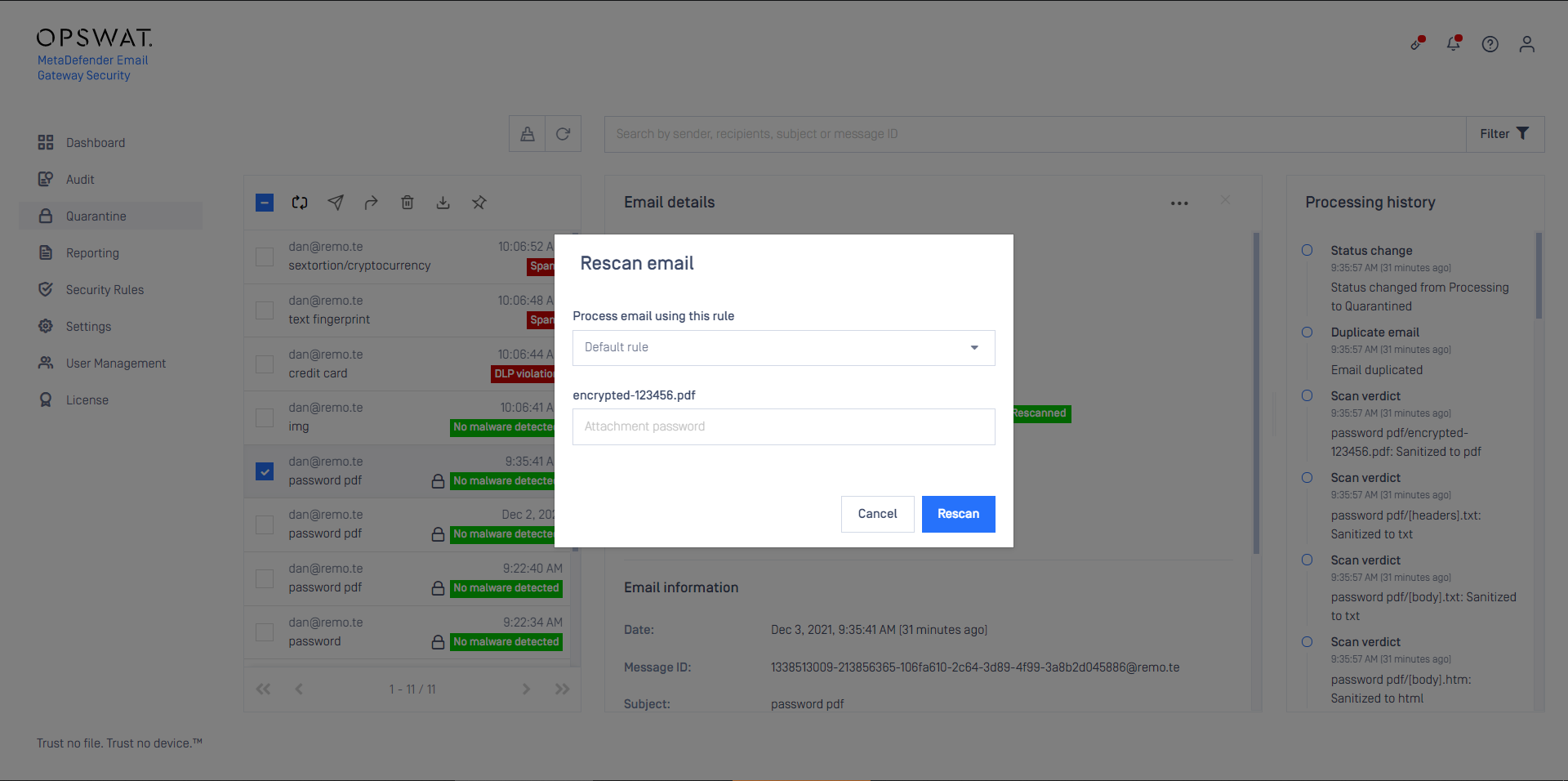
Administrators who are authorized to rescan on the Web Management Console, can initiate rescanning any blocked email on the Quarantine page. In this case the administrator need to enter the password for the encrypted attachments.
To initiate a rescan:
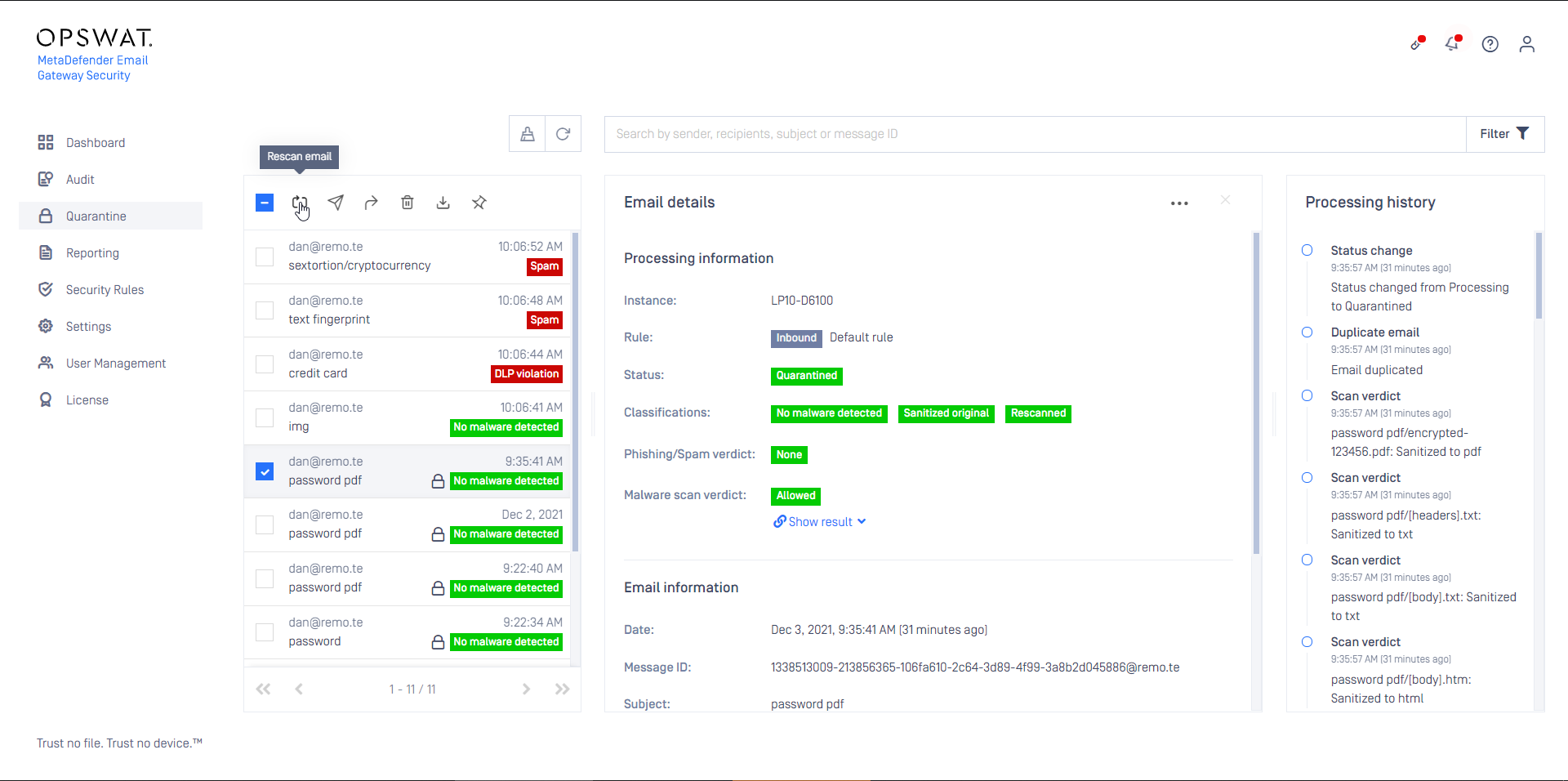
Select the email which needs to be rescanned and click the Rescan button.
Select the security rule (for details see Configuration/Policy) that will process the email and provide the password.
Recipients of the email
Recipients of the blocked email may receive a notification (for details see Configuration/Policy) about the fact that the email was blocked, and a link where rescanning can be initiated.
To initiate a rescan:
Open the notification email and click the actions link.
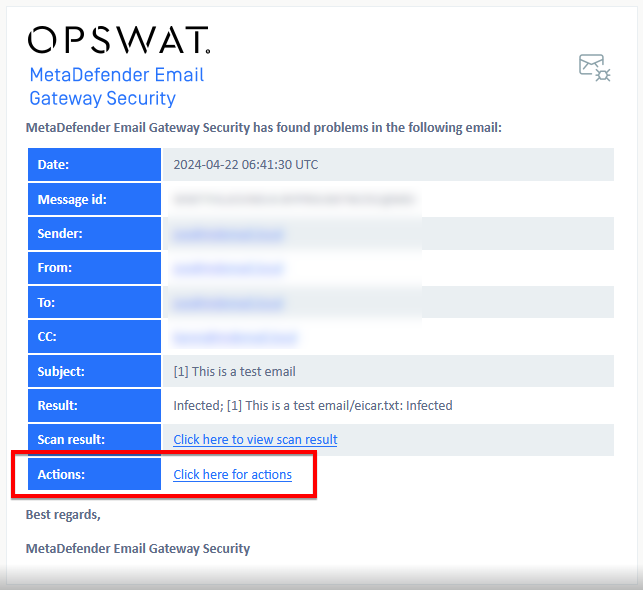
Email Gateway Security’s rescan page opens; provide the password here to decrypt the document.
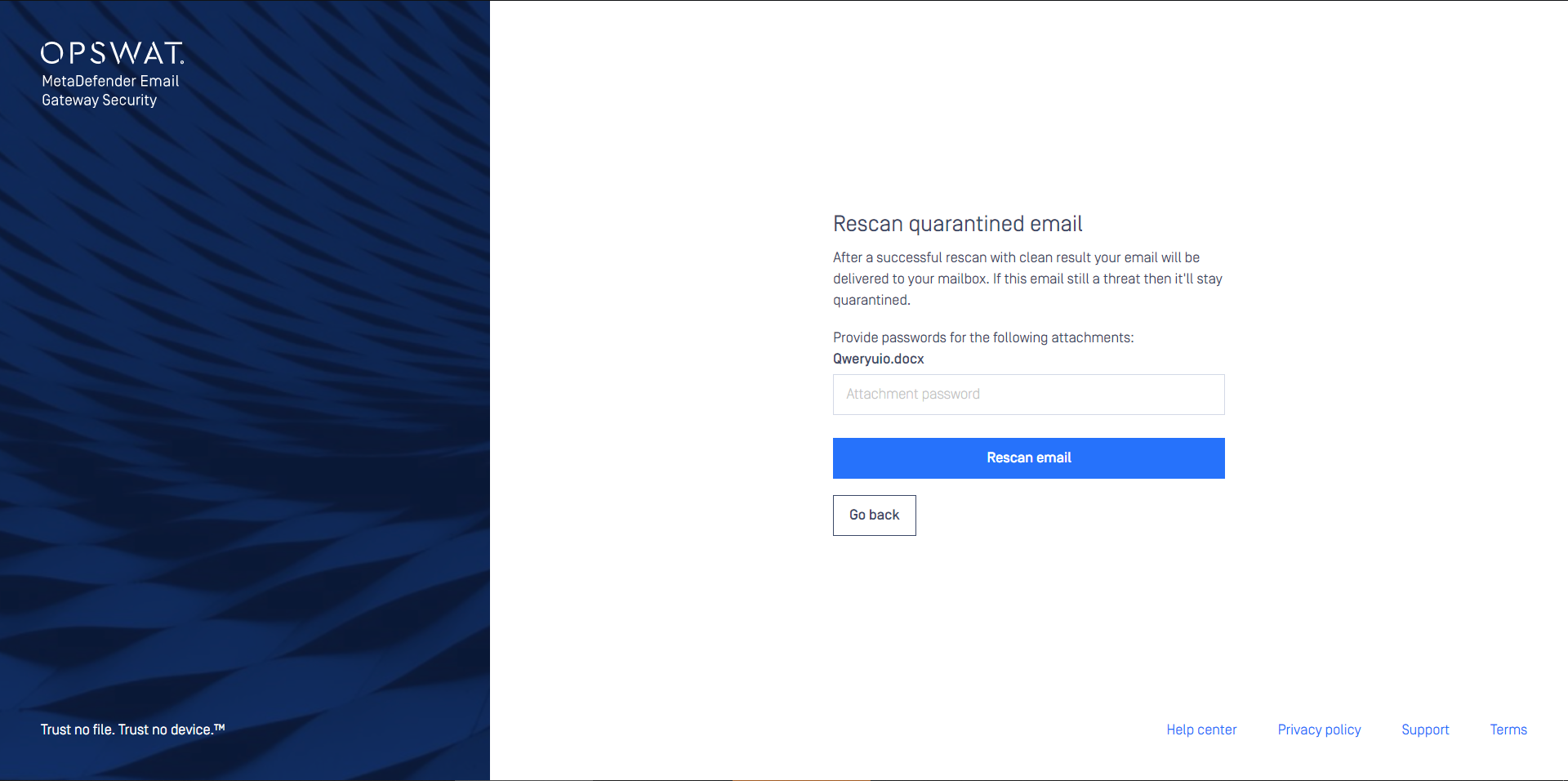
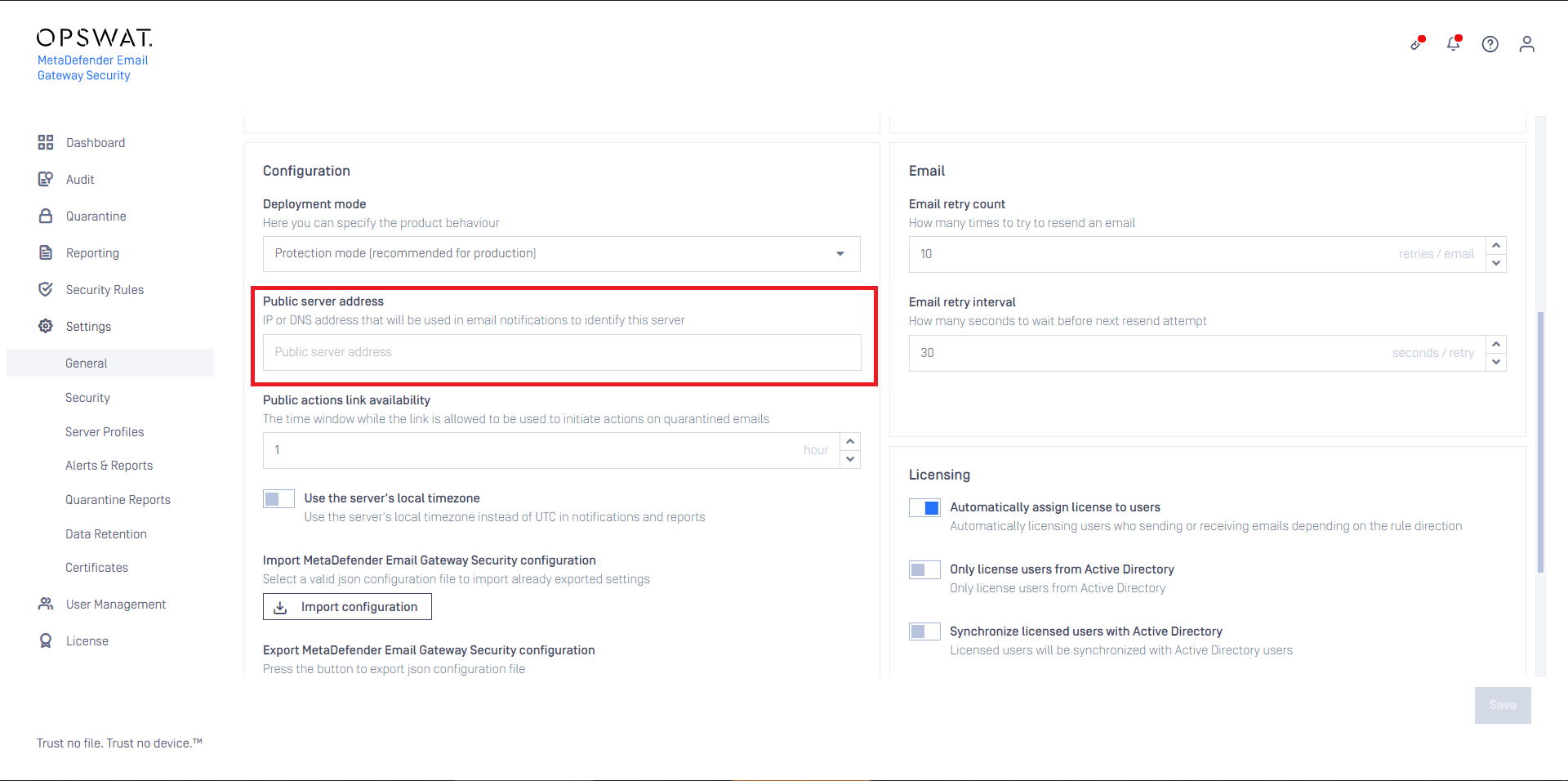
The link, where rescanning can be initiated, has a limited availability that can be configured under Settings > General / Configuration / Public actions link availability. For details see Configuration/Settings.

Please note that if Settings > General_/_Configuration / Public server address is not set then the rescan link won't be included in the notification email. For details see Configuration/Settings.
Nested password protected attachments
From MetaDefender Email Gateway Security version 5.5.1 nested password protected attachments (e.g. password protected pdf in a password protected zip) are supported both in the rescan page and in the Quarantine rescan function.
The order of the passwords provided is irrelevant, MetaDefender Email Gateway Security will apply the appropriate password to the appropriate nested attachment.
Quarantine:

Rescan page:
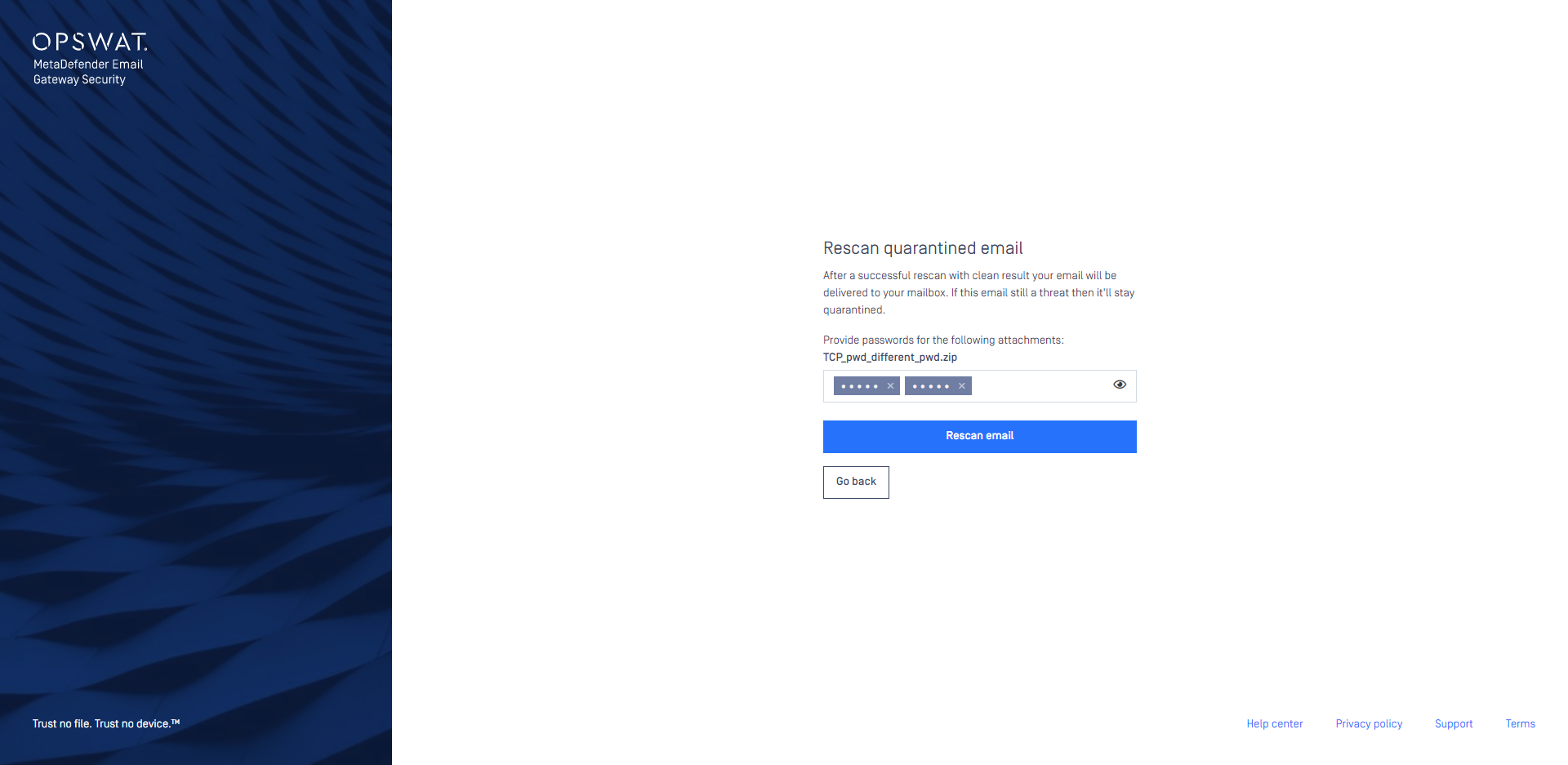
The number of passwords allowed to be entered in the dialog is 10.
The rescan will fail if
any of the passwords are incorrect, or
the password is missing for any of the nested attachments.
Supported file types
The following file types are supported:
Category | File types (extension) |
|---|---|
Archive files | .zip, .7z, .rar |
Portable Document Format files | |
Microsoft Office files | .xls, .xlt, .xlsx, .xlsm, .xltx, .xltm, .xlsb, .ppt, .pptx, .doc, .dot, .docx, .docm, .dotx, .dotm |
GnuPG symmetric encryption | .gpg |