Overview
To provide continuity of the email flow, Email Gateway Security can be
configured in the Policy to bypass processing in certain conditions;
instructed in the Email History to bypass in case of an emergency.
If an email gets bypassed, then the original, potentially harmful email is delivered to the original recipient.
Policy-based bypass
For configuration details see Configuration/Policy.
Disclaimers
Email Gateway Security should be configured to append a disclaimer to the email when it is bypassed. This disclaimer can inform the user about the fact that the email was bypassed and that it may contain harmful content.
For details see Configuration/Policy.
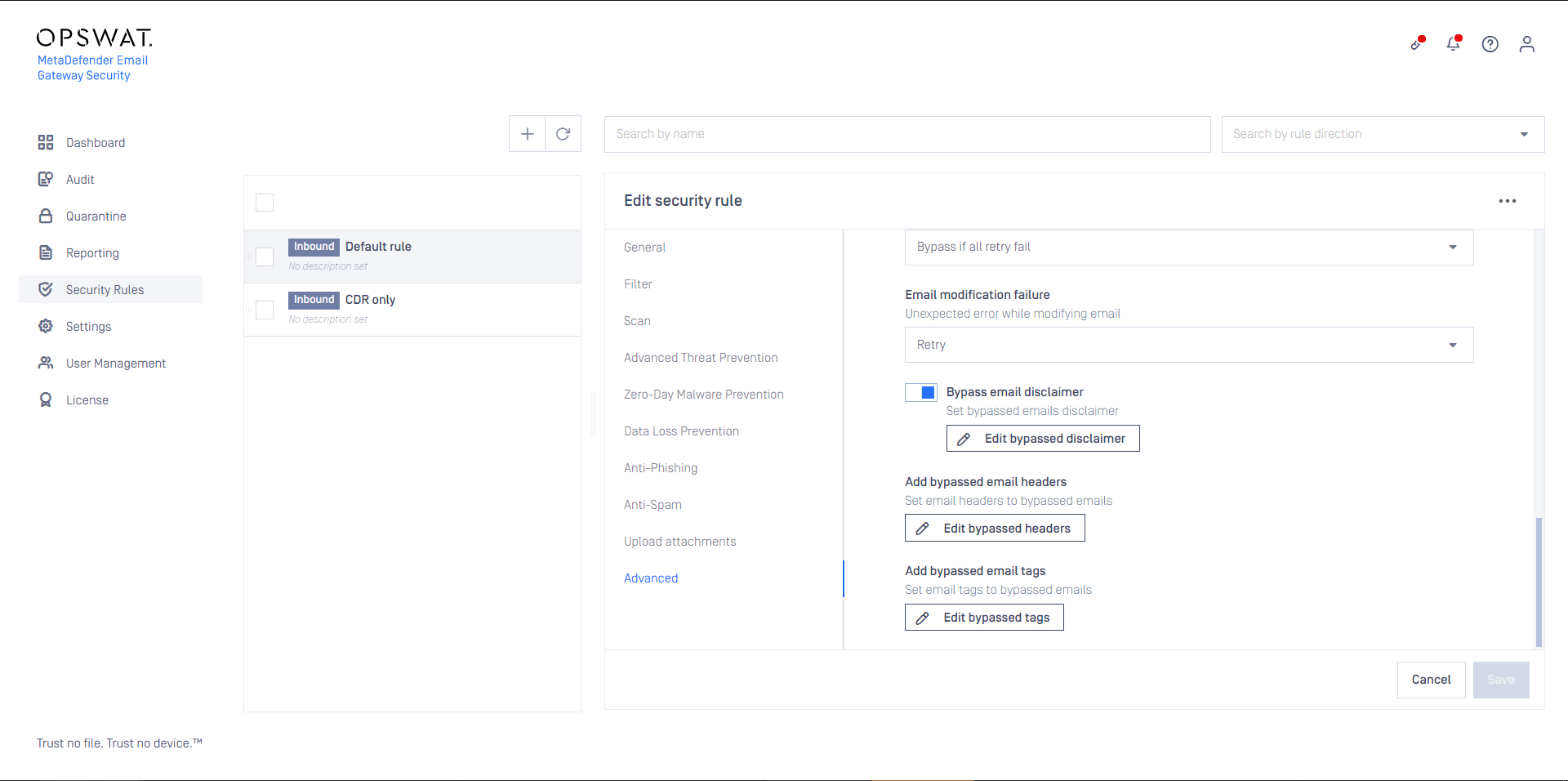
The disclaimer warning about bypassing rendered in an email:

Monitoring
Bypassing exposes the email system and the whole organization to higher level of risk. Bypassing can be monitored on the Dashboard via the Risk and Risk summary widgets.
For details see Dashboard.
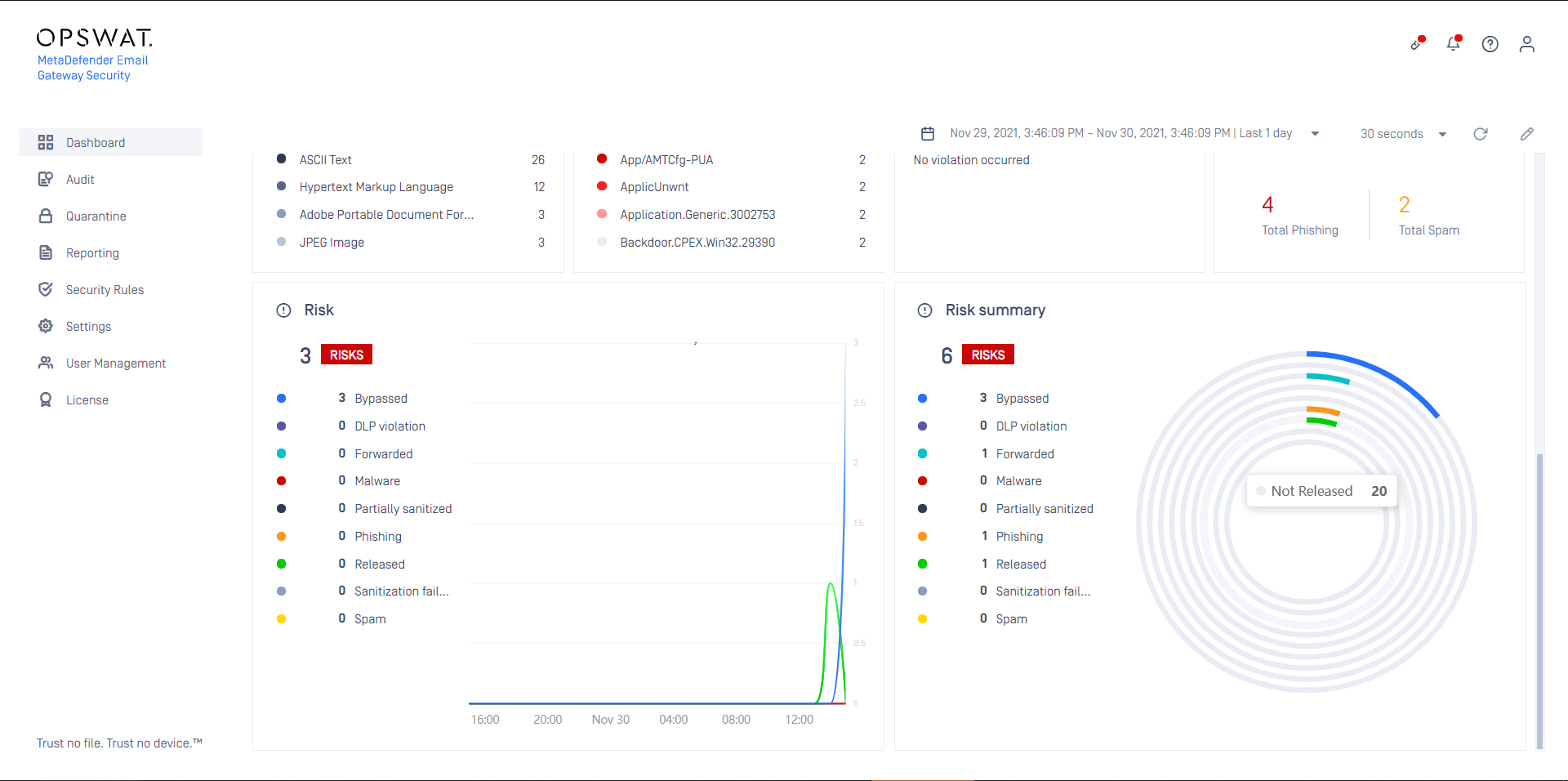
If the number of bypassed emails is raising, that indicates a potential problem in the system and the raised level of security risk.
Emergency bypass
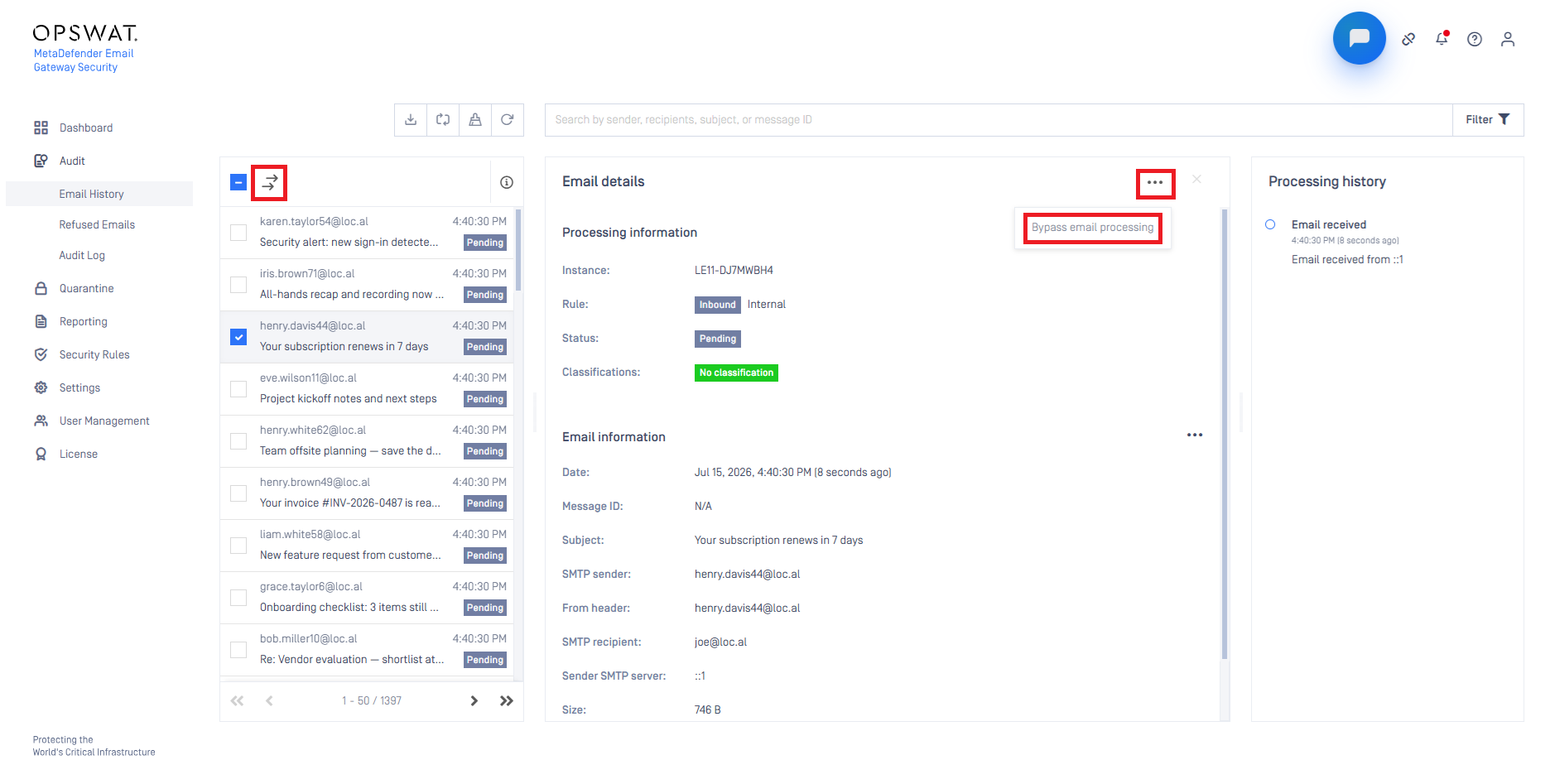
In case of an emergency, emails can be bypassed using the Bypass email processing button or action in Email history. Bypassed emails are pushed immediately to the SMTP delivery queue, skipping scanning.
For details see the Bypass processing emails subsecion in Bulk email operations.