
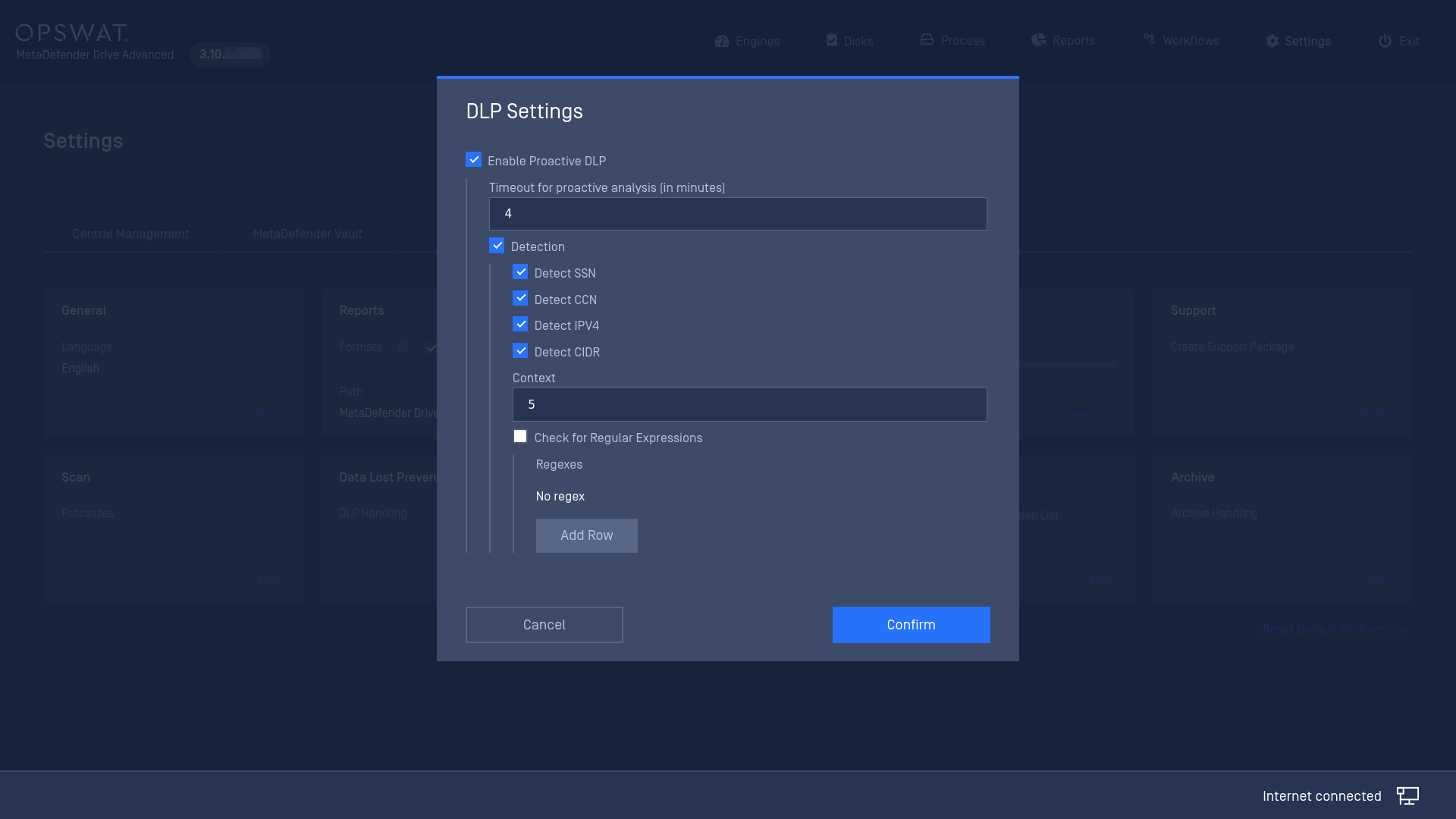
OPSWAT's Proactive DLP™ (Data Loss Prevention) can help prevent potential data breaches and regulatory compliance violations by detecting sensitive and confidential data. From MetaDefender Drive's settings, you can adjust the following settings:
Enable/Disable Proactive DLP
Timeout to Proactive Analysis: Set the timeout for each Proactive DLP file operation
Detection: Select which type of data is to be detected, including Social Security Number (SSN), Credit Card Number (CCN), IPV4, CIDR, and custom regular expression
To adjust the Data Loss Prevention (DLP) settings, please navigate to Settings → Preferences → Data Loss Prevention, and click Edit Settings:
*Find more details on OPSWAT Proactive DLP on this page.
**You can find more information about the best practices of using regular expression with OPSWAT Proactive DLP on this page.