Issue:
Sometimes, a MetaDefender Drive is failing to boot, or seems to be corrupted
Solutions:
Check for Updates: If your MetaDefender Drive still boots you can check for an update to the Drive software by going to Settings→Update and clicking "Check for Updates".
You will need an active internet connection.
Once the update has downloaded you can click Update and reboot the drive to see the upgrade take effect.
OT Drive Toolkit: If your MetaDefender Drive is non-functional or you do not have access to an internet connection you can follow the instructions to download and use the Toolkit https://docs.opswat.com/mddrive/advanced-usages/drive-toolkit.
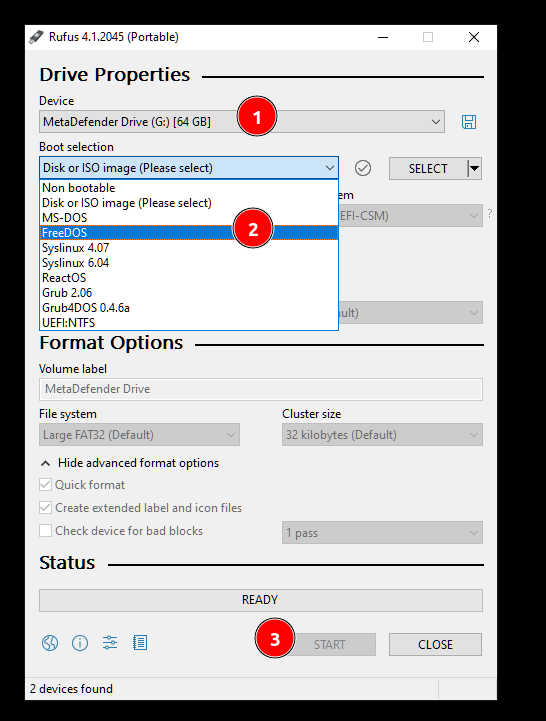
Rufus: If for some reason, the MetaDefender Drive is corrupted, one of the good option is to follow the instruction with Rufus. After that, you can use the OT Toolkit to restore your MetaDefender Drive.