
MetaDefender Distributed Cluster (MDDC) introduces three modes of Module Update. To switch between the modes, please sign in to MDDC Control Center console, navigate to Settings and select Module Update tab.
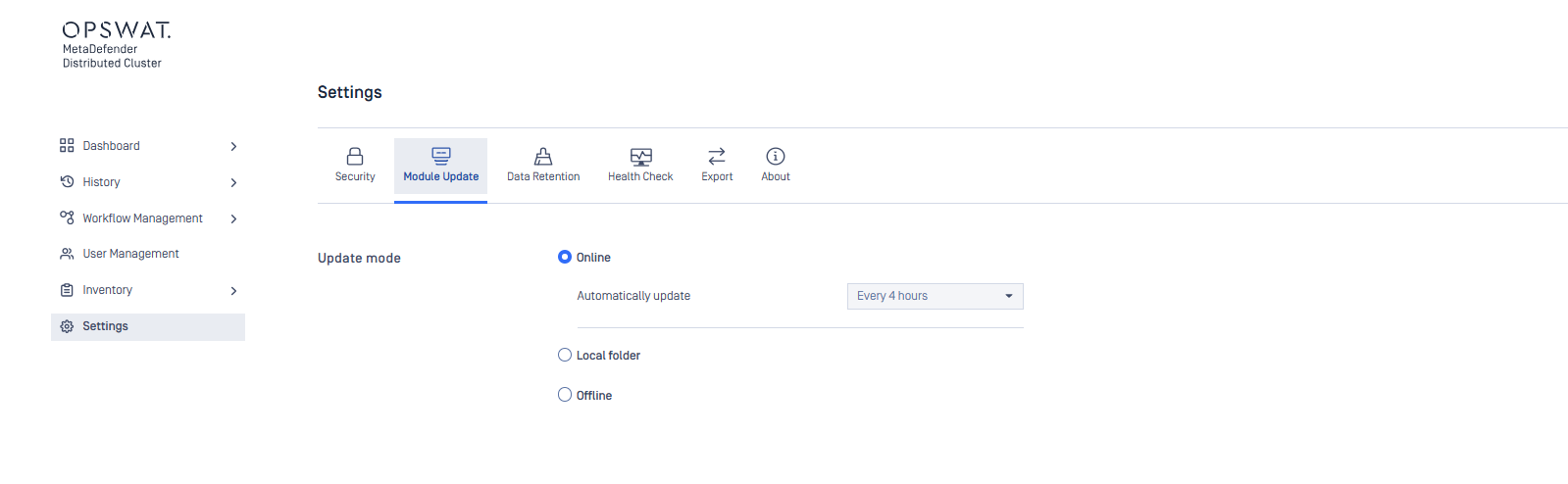
Online update mode is enabled by default.
Online module update
In online update mode, MDDC Control Center will base its checks on the activated licenses to find and download the latest engine packages from OPSWAT online update infrastructure, repeating this process every four hours.
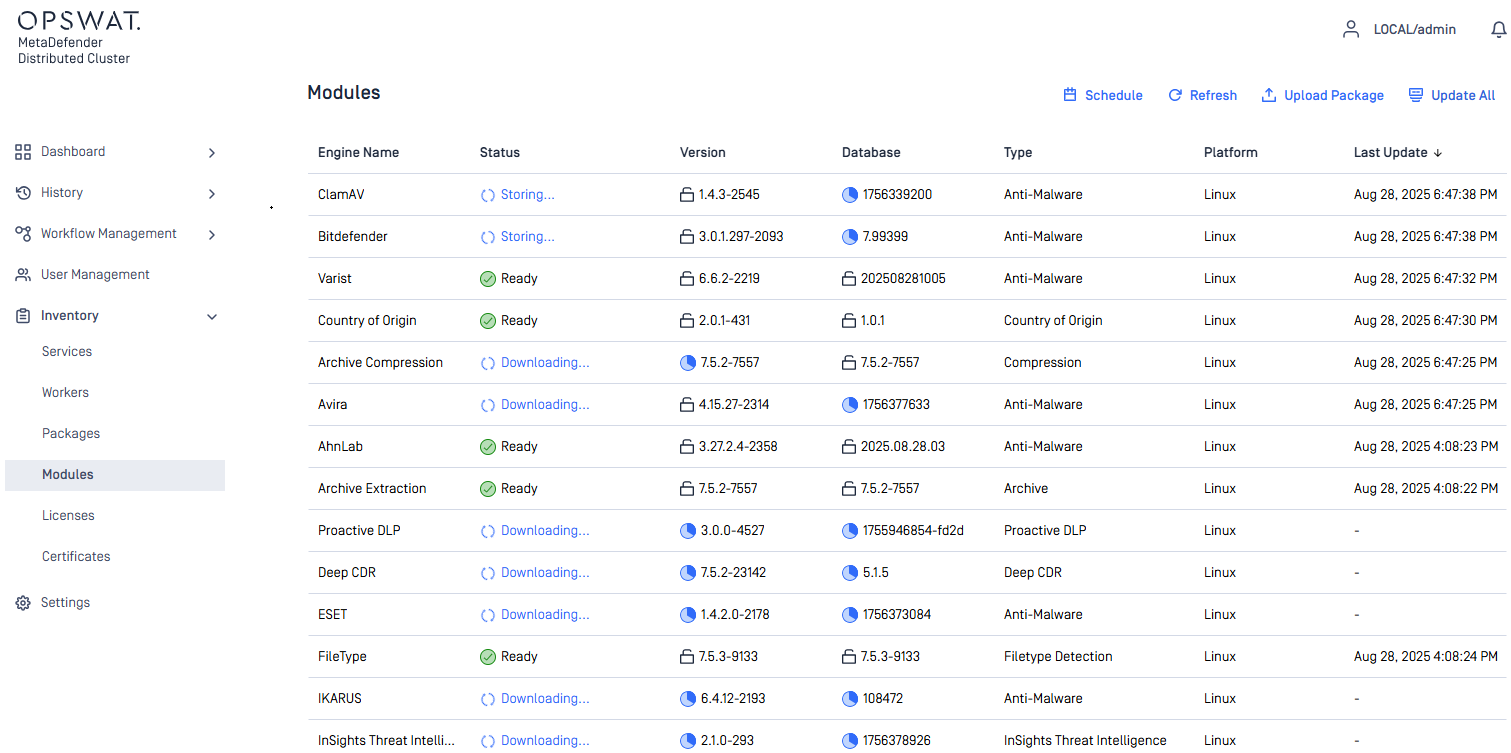
All downloaded engine packages are verified and stored in MDDC File Storage for licensed MetaDefender Core instances to pull, install, or upgrade on their end. Through this mechanism, the instances cease to independently pull the engine packages from the update infrastructure, conserving network bandwidth while enhancing their readiness.
Offline module update
In offline update mode, administrators must download the licensed engine packages from MetaDefender Update Downloader and upload them manually to MDDC Control Center.
Please reference here for more details about downloading engine packages from MetaDefender Update Downloader.
- Sign in to MDDC Control Center console.
- Go to
Inventory>Modules. - Press
Upload Packageat the top right corner.
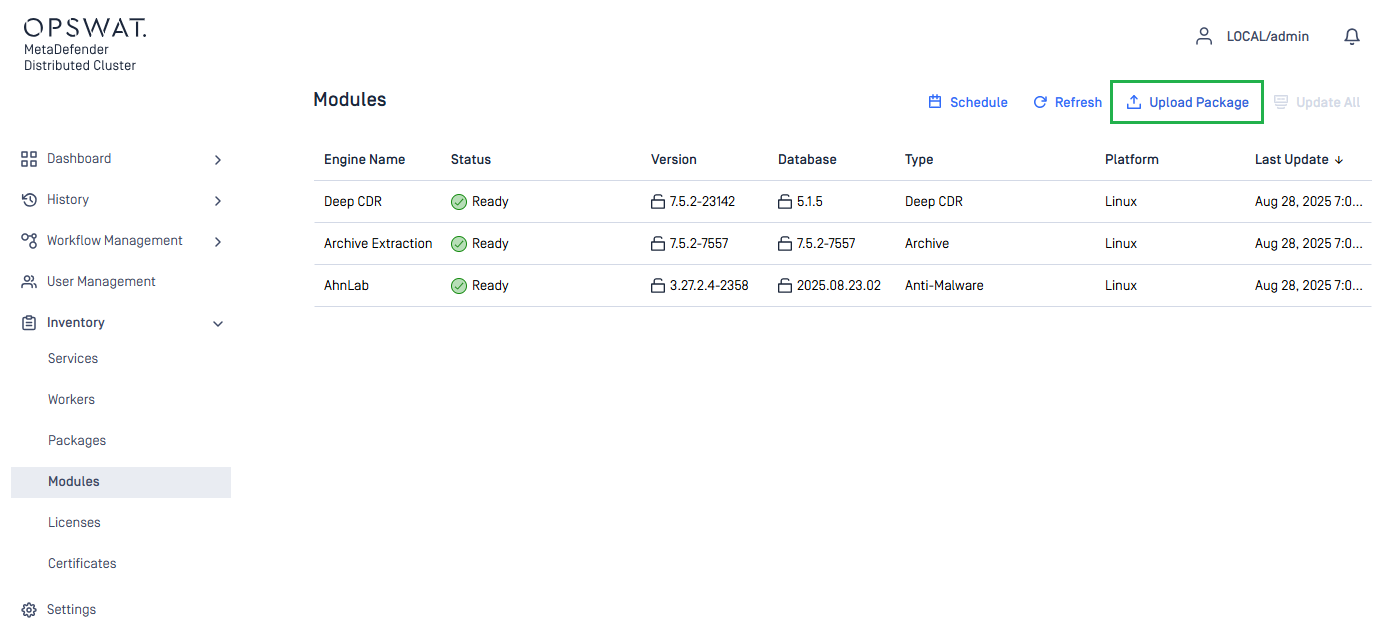
Update All is always disabled if Offline Update mode is selected in Settings > Module Update.
- Choose your engine package files.
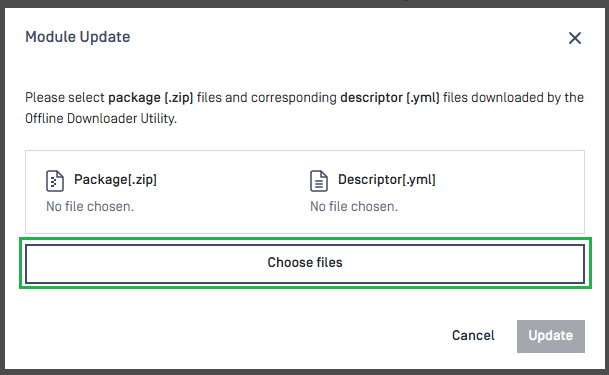
- Click
Updateto submit the package files.
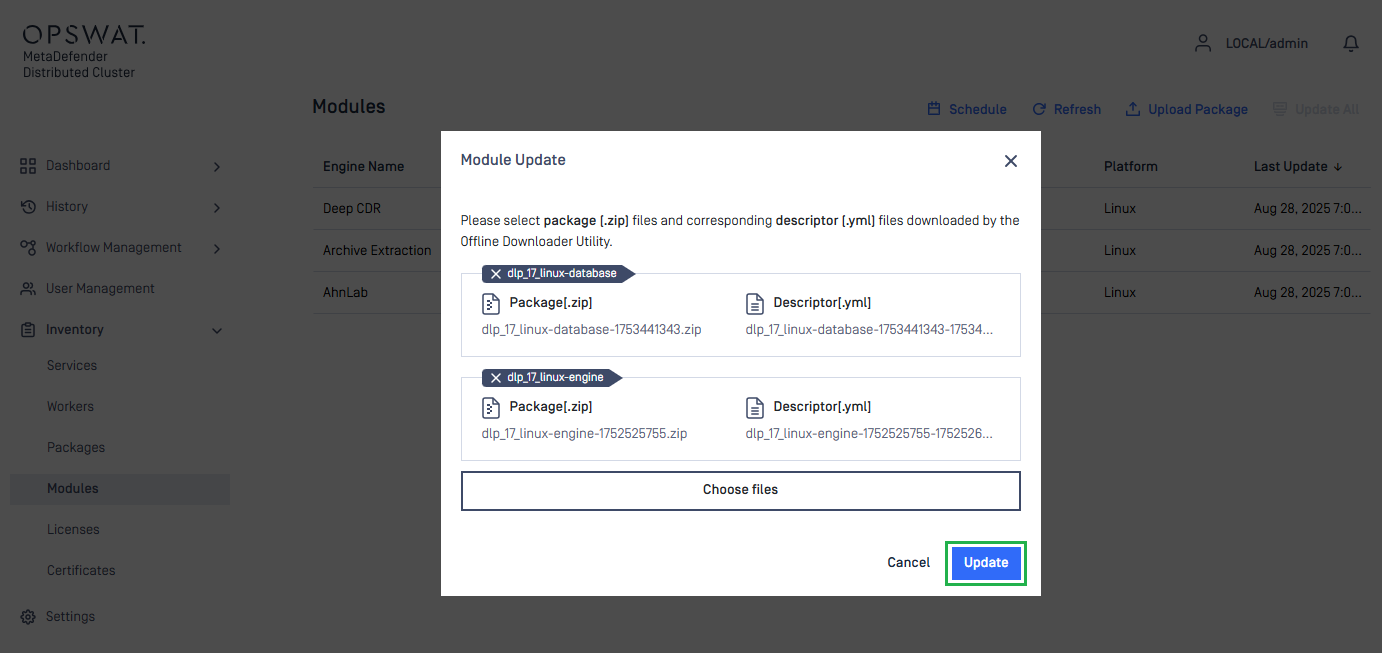
Package files from various engines can be selected simultaneously.
- Wait until engine packages are ready.
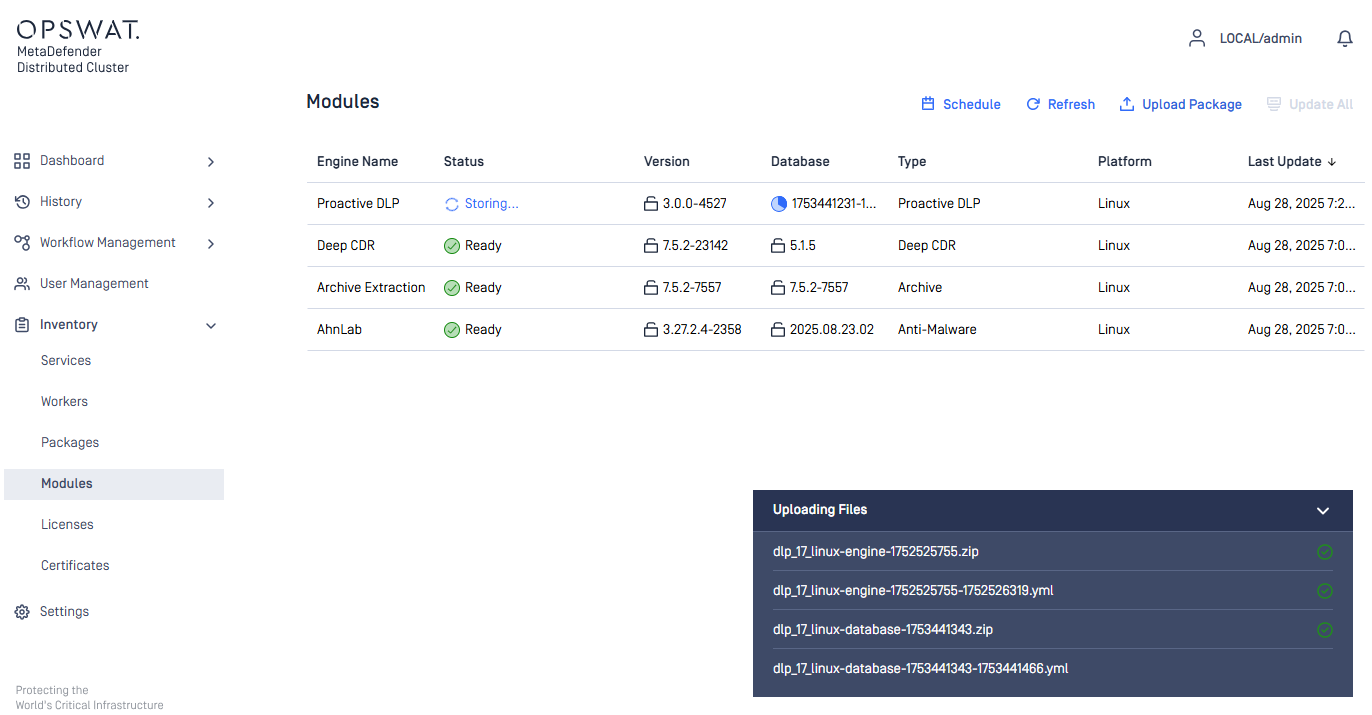
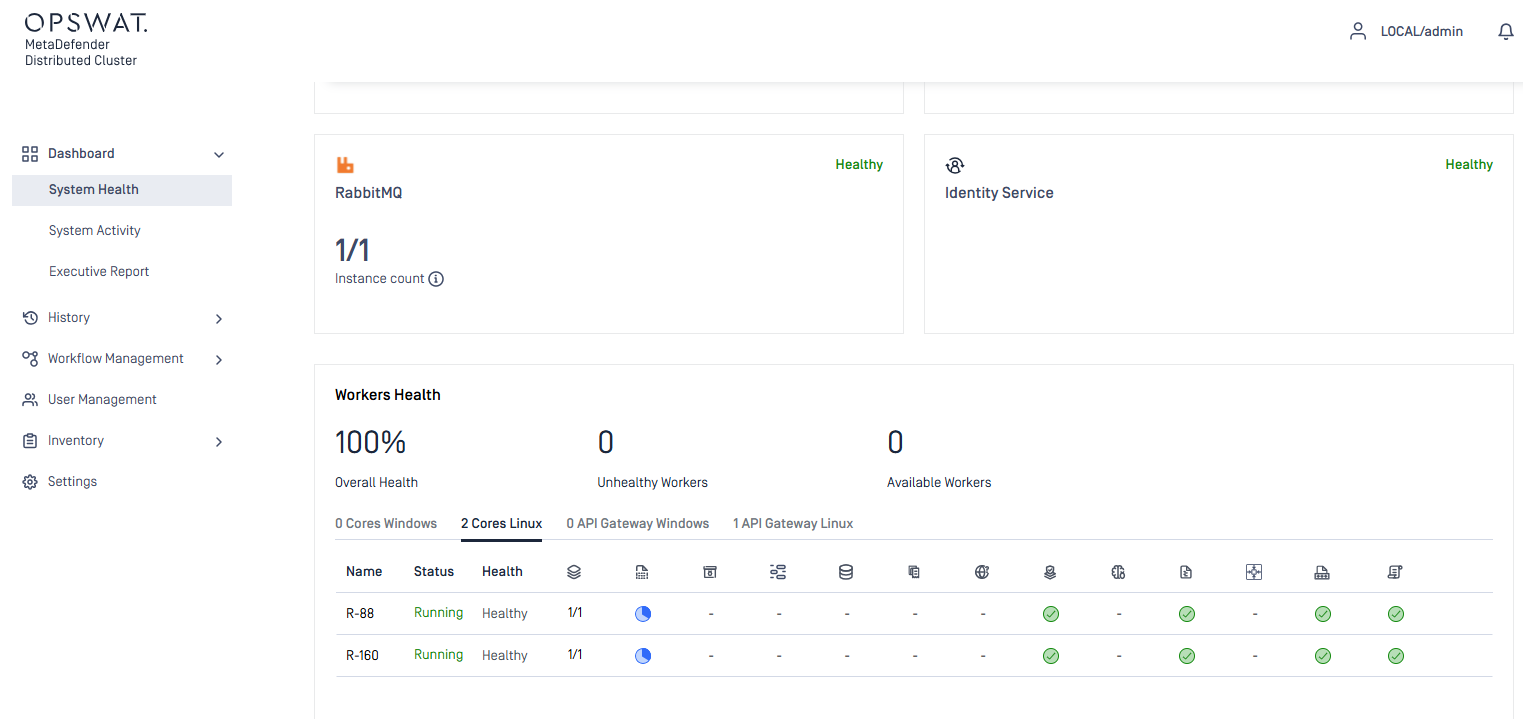
- Engine update statuses on MetaDefender Core instances can be monitored in
Dashboard>System Health>Worker Health.
Local folder update
In local folder update, the administrator can specify the path to a folder in Pick updates from option. MDDC Control Center autonomously gathers packages that are added to the folder, then verifies the packages and stores them in MDDC File Storage for licensed MetaDefender Core instances to retrieve, install, or update on their end.

The administrator has the option to select Delete files after import so that MDDC Control Center wipes all packages upon success.
Network-mapped drives and UNC paths are permitted.
- On Windows, ensure that MDDC Control Center has permission to access to the folder.
- On Linux, ensure that the folder has read and execute permissions set (e.g.,
chmod 755).

