Starting from version 5.16.1 - MetaDefender Core can integrate with BeyondTrust Password Safe to manage Active Directory (AD)'s admin credential.
Note: Does not support for LDAP Directory
When adding Active Directory, please select BeyondTrust Password Safe in section "Privileged Access Management Manager"
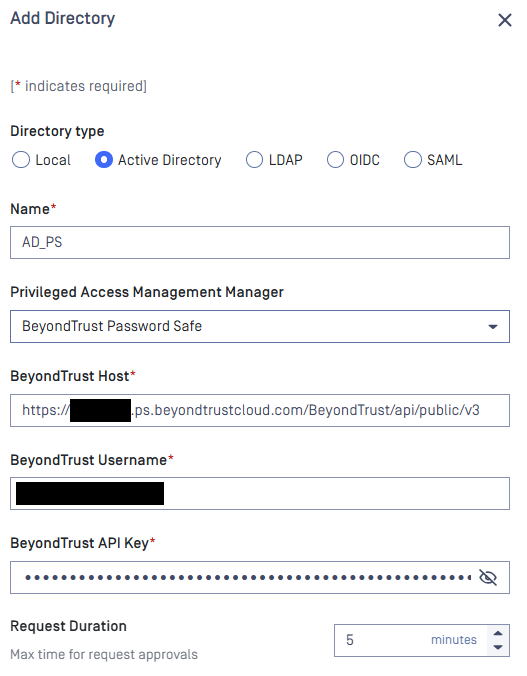
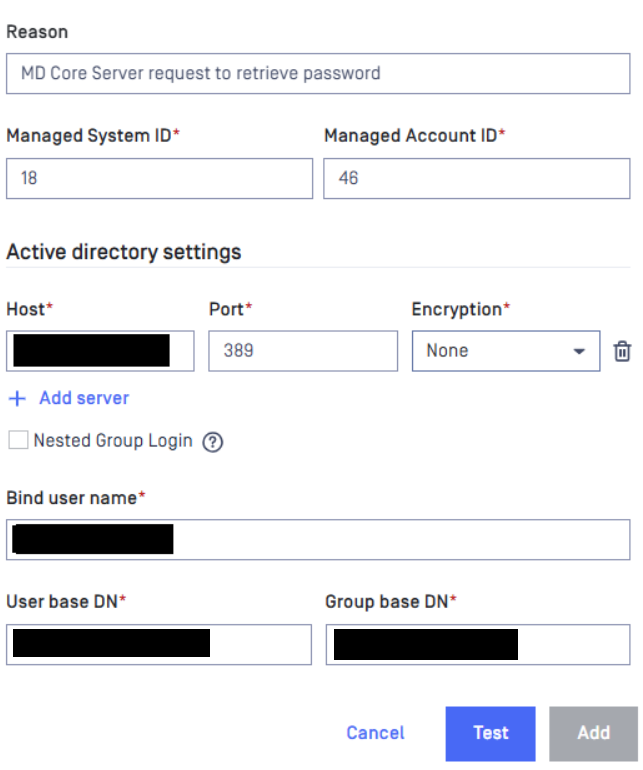
There are several items need to be filled:
BeyondTrust Host
BeyondTrust Username: your Password Safe login account.
BeyondTrus API Key
Managed System ID
Managed Account ID
Get BeyondTrust Host and BeyondTrust API Key from Password Safe.
Login to Password Safe.
Navigate to Configuration → General → API Registrations → Create API Registration → API Key Policy.
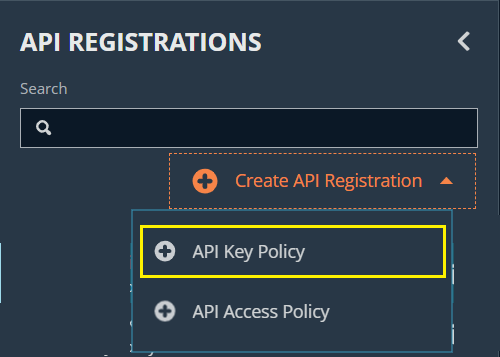
Fill the name for the new API Key policy and create new Authentication Rule as below
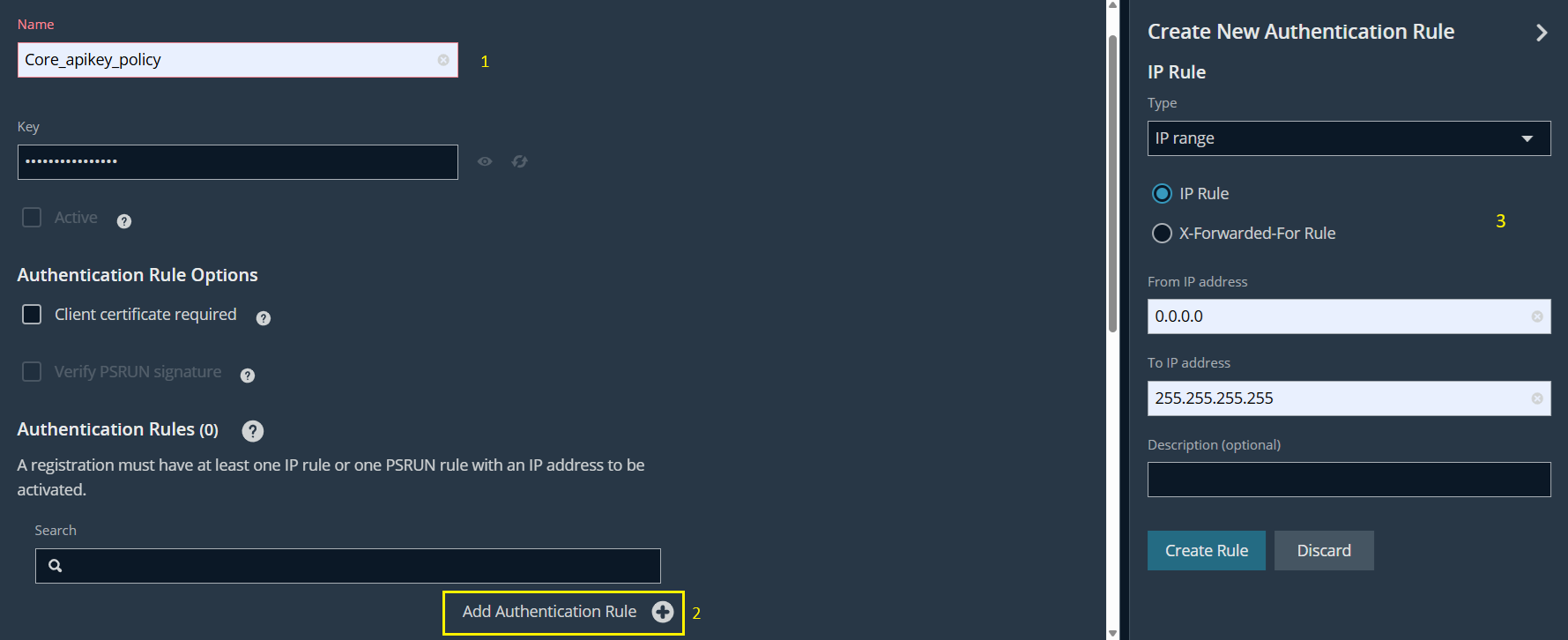
Click Create Registration button to finish.
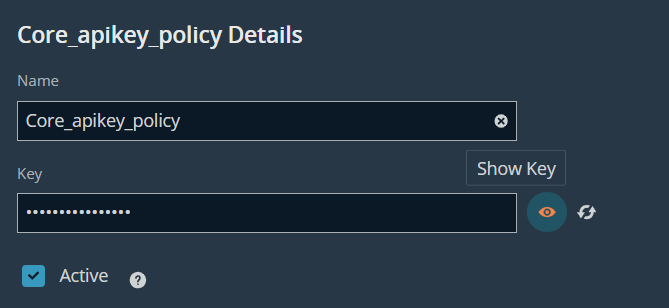
Click on the new API Key policy we just created to view details → show and copy the key as BeyondTrust API Key.
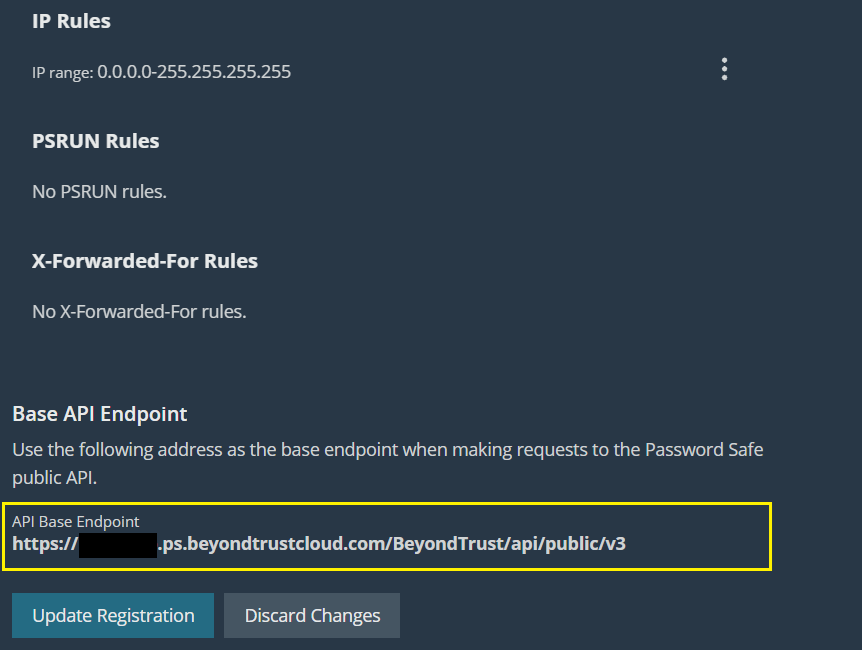
Continue to scroll down to bottom → copy API Base Endpoint as BeyondTrust Host.
Get Managed System ID and Managed Account ID of managed AD account from Password Safe
Login to Password Safe.
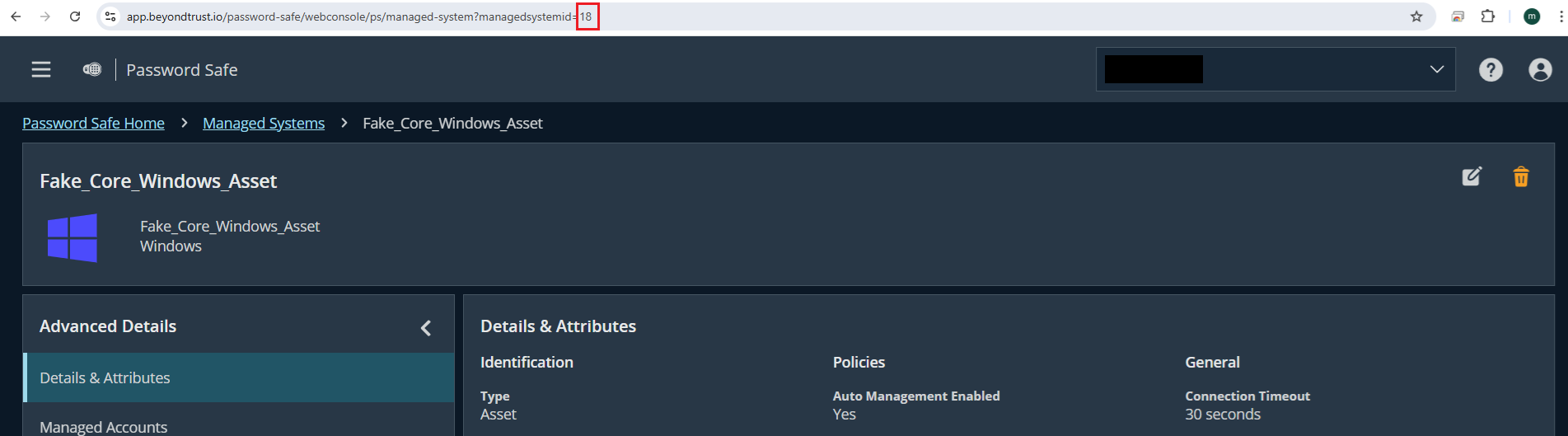
Navigate to Managed Systems → select your relevant system → click the 3-dots options on the right → select Go to Advanced Details…
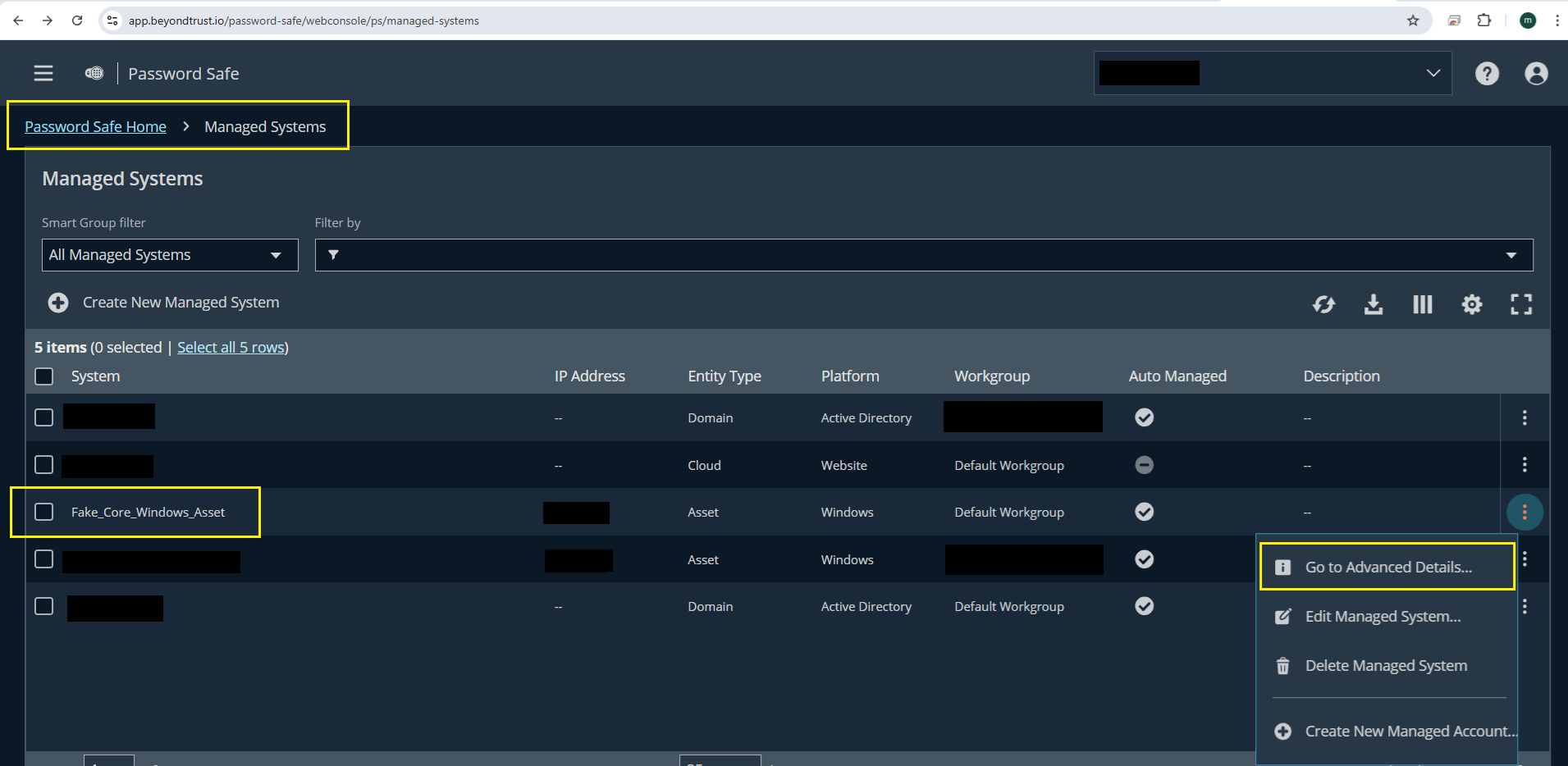
The Managed System ID will show up in the URL
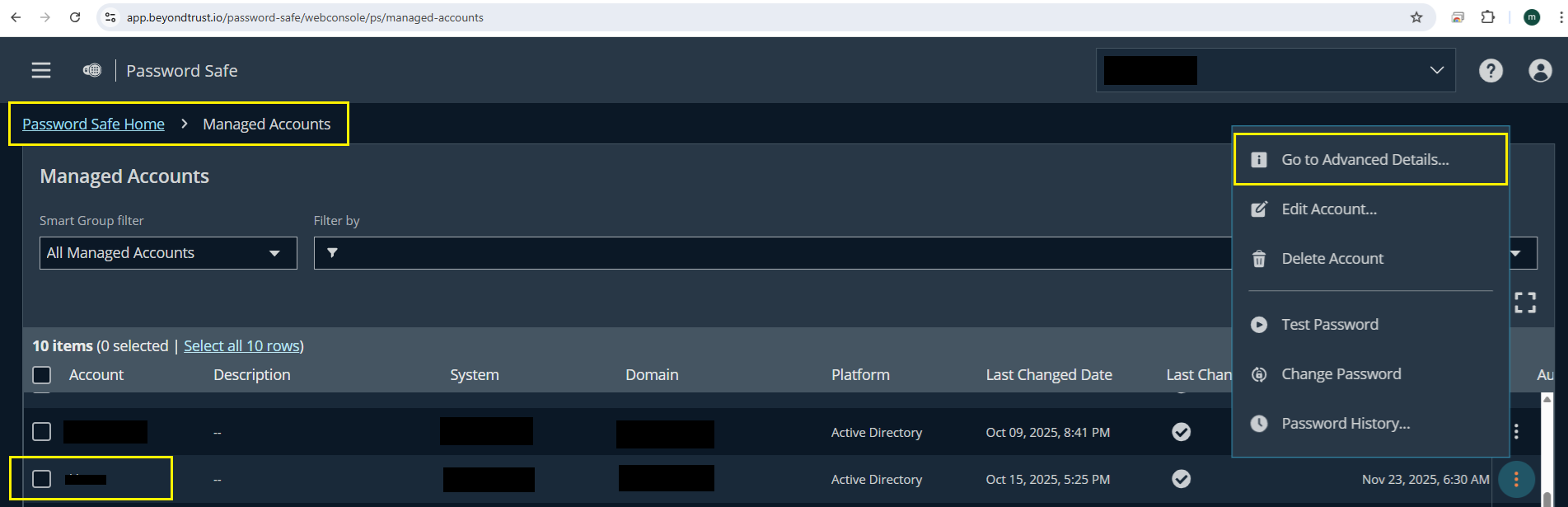
Next, navigate to Managed Accounts → select your AD account → click the 3-dots options on the right → select Go to Advanced Details…
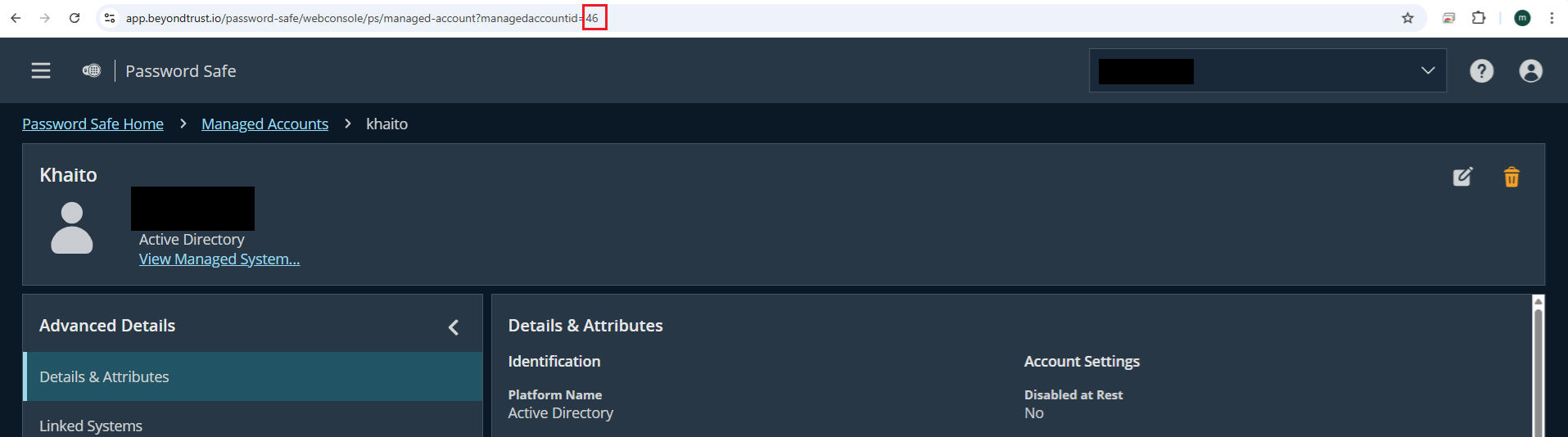
The Managed Account ID will show up in the URL
When integrating AD with Password Safe, the users don't need to input "Bind password" - because this password will be managed by Password Safe, users don't need to care about this field anymore.
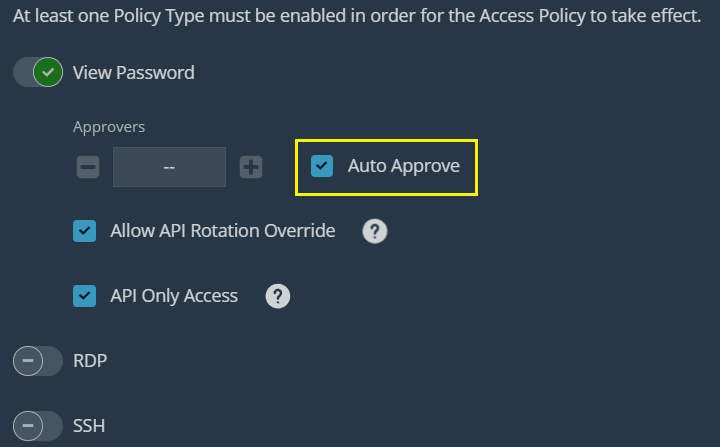
Enable auto-approve in Password Safe
We highly recommend that the user should enable auto-approve in Password Safe for seamlessly integration with Active Directory
Login to Password Safe.
Navigate to Privileged Access Management Policies → Access Policies → edit your Access policy → enable Auto Approve