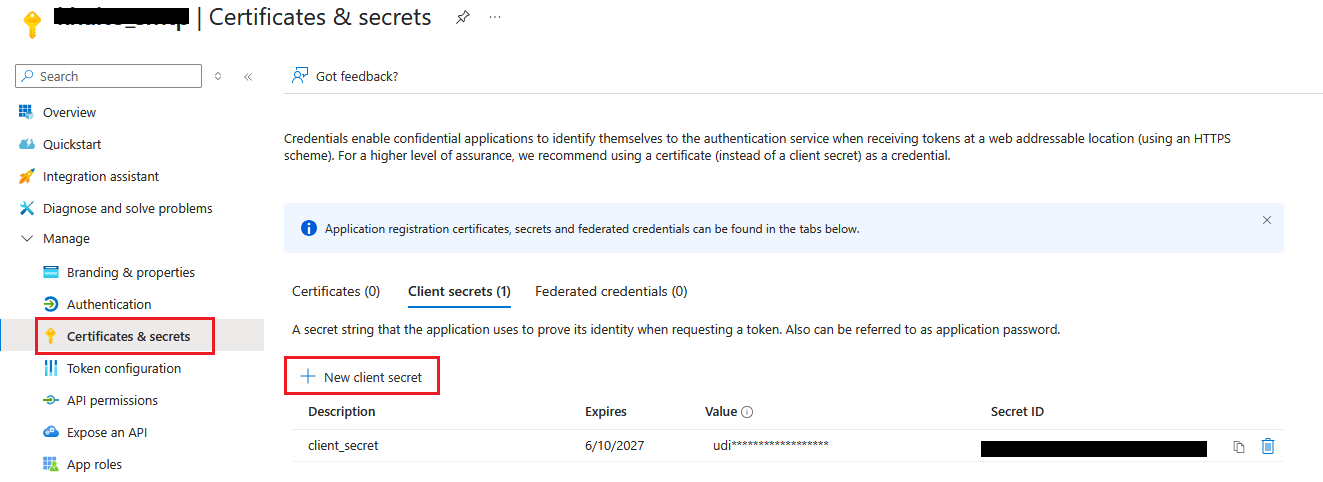
Users with administrator privilege on MetaDefender Core are allowed to setup email configurations for SMTP in order to enable password recovery feature (please check Password Recovery).
SMTP configuration
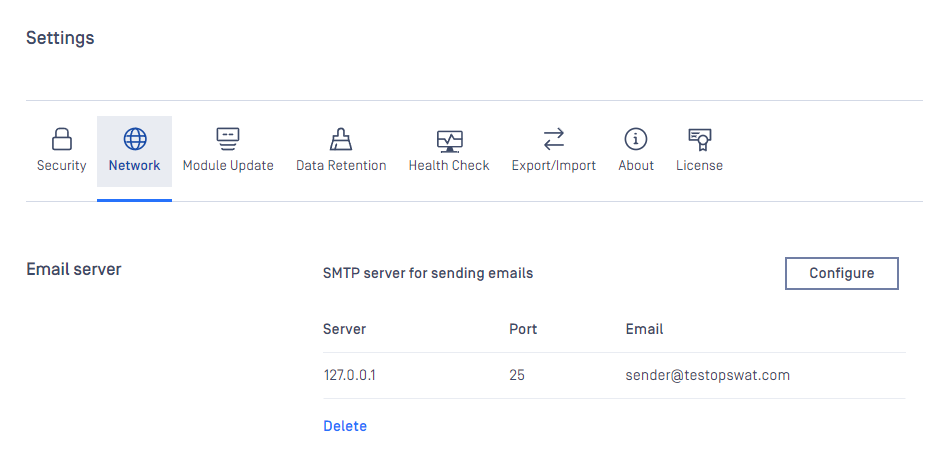
Server configuration
Properties | Description | Option |
|---|---|---|
SERVER HOST | SMTP server host | IP address / Domain all accepted |
SERVER PORT | SMTP server port | Some default common ports:
|
CONNECTION TYPE | Specify type of connection between MetaDefender Core and SMTP server |
|
AUTH METHOD | Specify the authorization protocol connecting to SMTP server |
|
User authentication
Properties | Description | Constraint |
|---|---|---|
Email address | ||
USERNAME | Username for SMTP authentication (No required if AUTH METHOD = NONE) | Disallowed characters: [] : | ; = * ? < > / \ " |
PASSWORD | Password for SMTP authentication (No required if AUTH METHOD = NONE) |
Please make sure to hit "SAVE SETTINGS" button once configuration is done.
Otherwise "CLEAR SETTINGS" button once hit will clear up all mail settings on the page.
Microsoft 365 OAuth
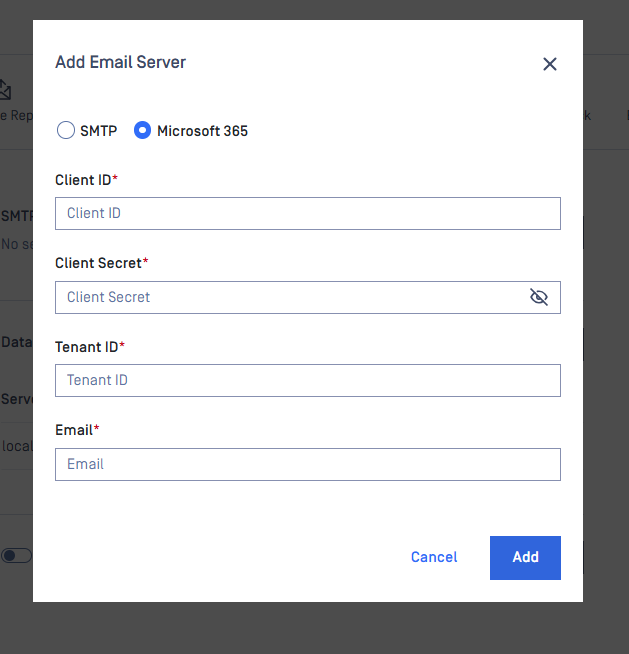
How to get Client Secret and Client ID
If you already have this setup, please ignore those steps and goto step 7 and step 8
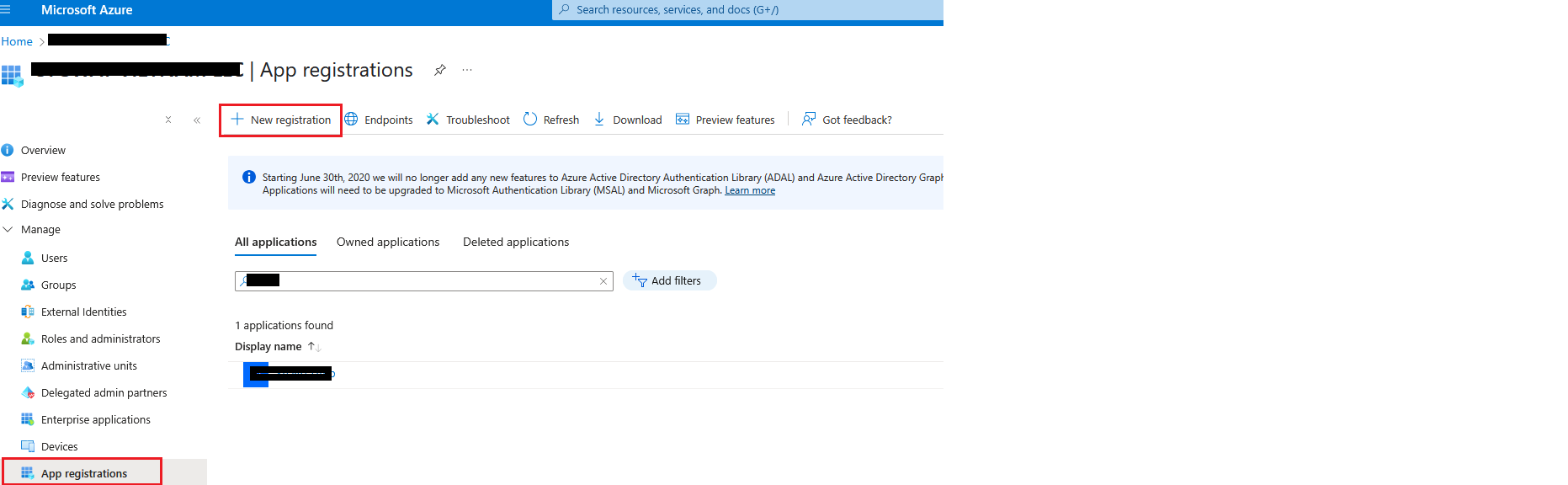
Log in to: Microsoft Azure
Select Microsoft Azure Entra ID

Register a new app
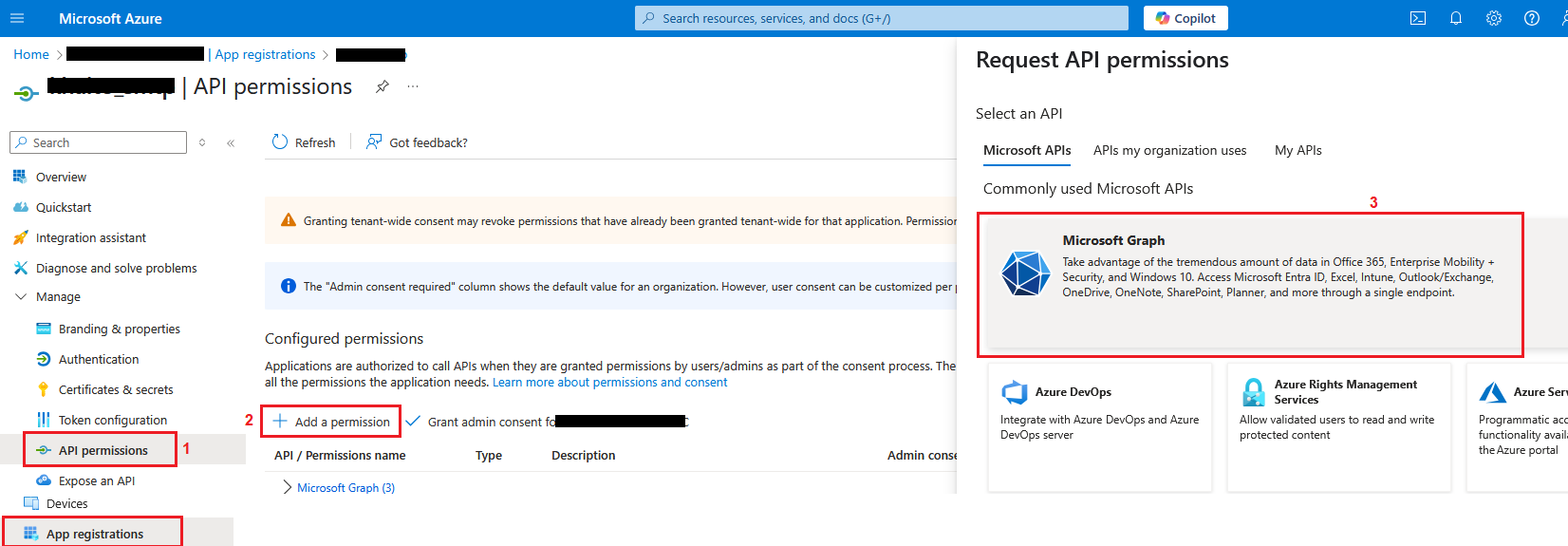
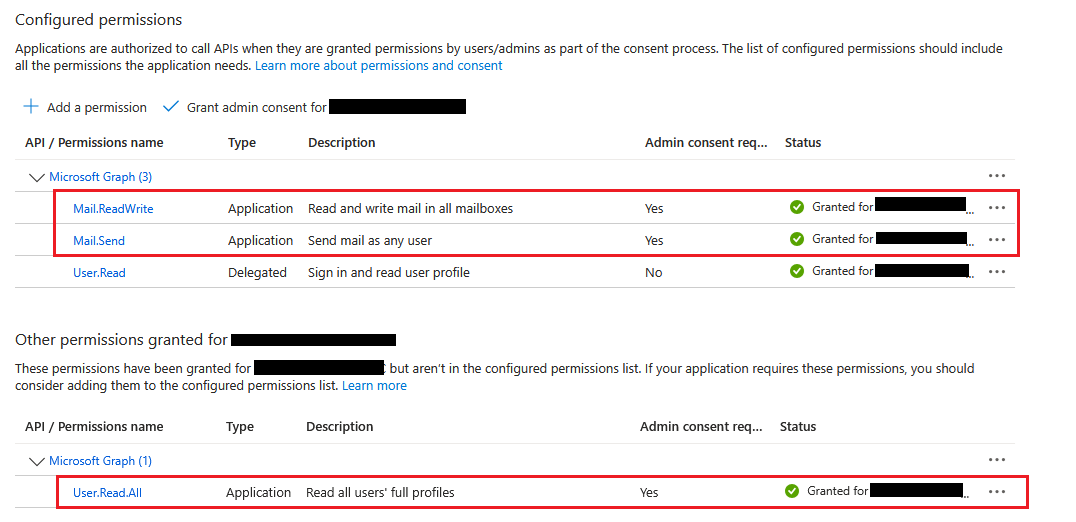
Add Graph APIs
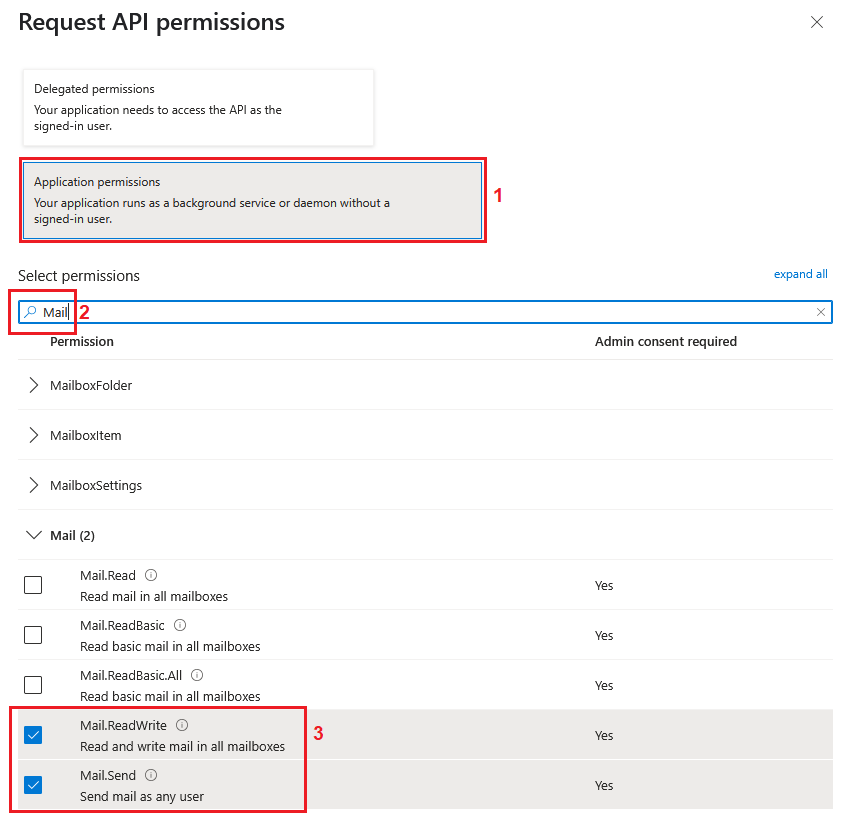
Give correct permissions for Mail: Mail.ReadWrite and Mail.Send
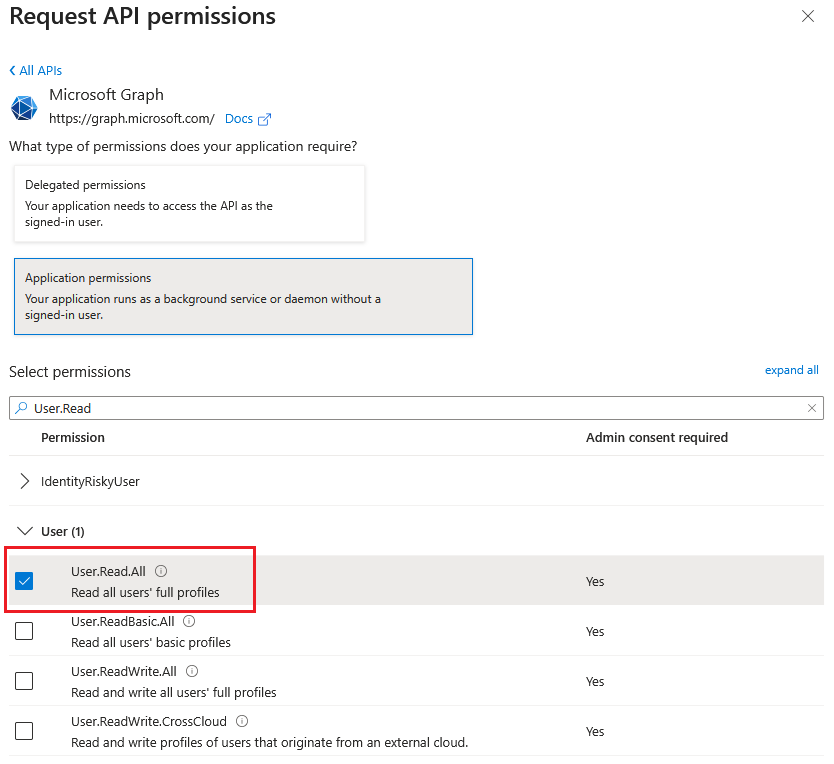
Give correct permissions for User: User.Read.All
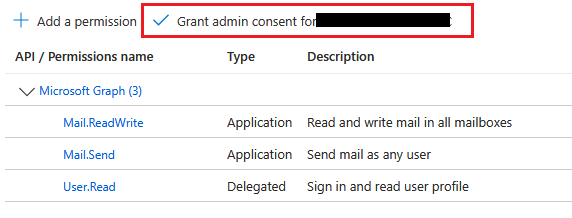
Expected result
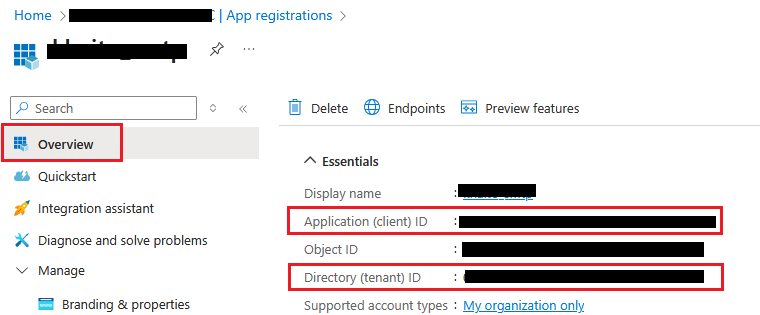
Copy client id and tenant id
Generate client secret (if it does not exist)