
The Upgrade setting is accessible under Settings > Upgrade.
There are 2 options to upgrade software: Online Upgrade and Offline Upgrade.
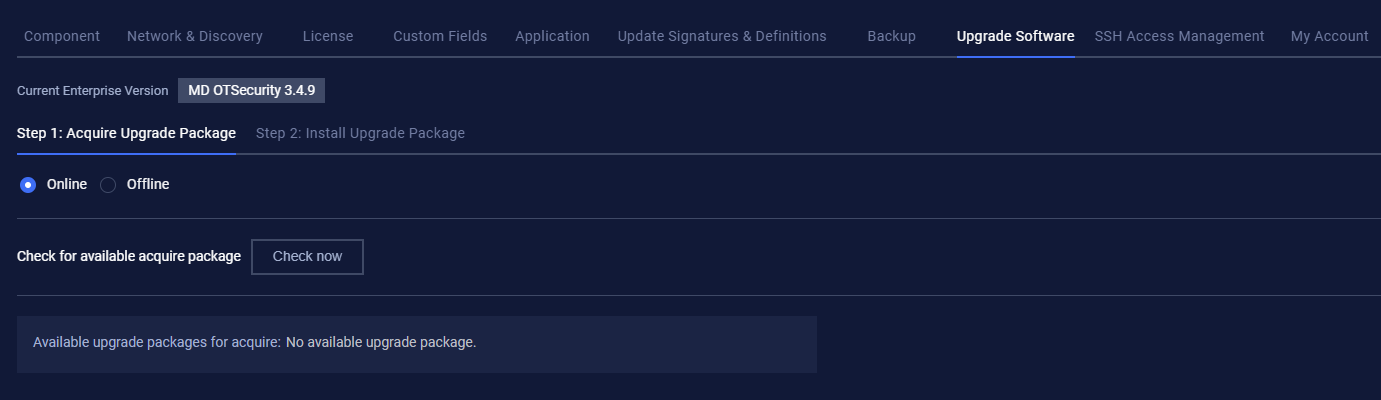
Online Upgrade
Before online upgrading, the user has to check for a new version by clicking the Check now button. If a new version is available, the user then clicks the Download button.
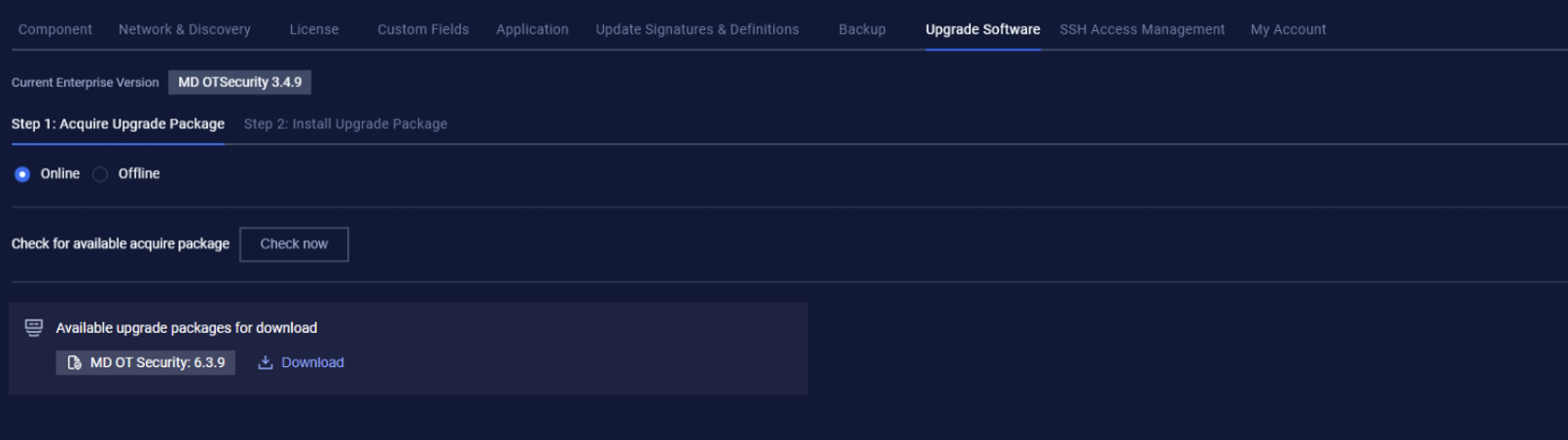
After the download finishes, proceed to Step 2: Install Upgrade Package and click on Start Install to upgrade all components (Enterprise Manager, Site Manager, and Network Sensor).
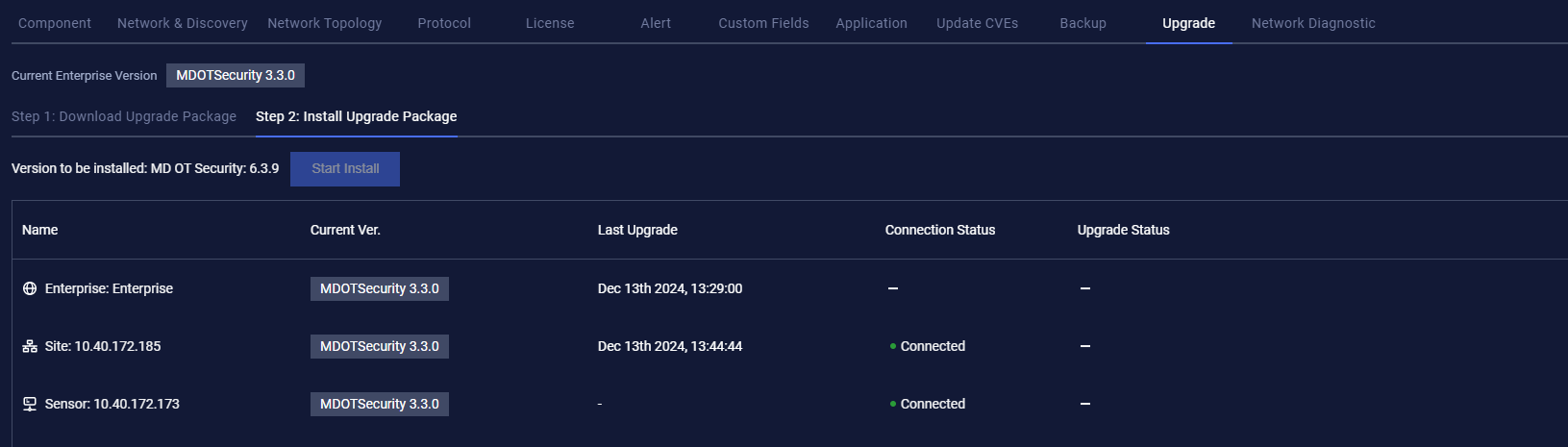
After the user clicks on Start Install, the installation package will be transferred from Enterprise Manager to Site Manager, then from Site Manager to Network Sensor.
When the package is completely transferred from Enterprise Manager to Site Manager, Enterprise Manager will start to update.
When the package is completely transferred from Site Manager to Network Sensor, Site Manager will start to update.
Offline Upgrade
For an offline upgrade, the user must first download the upgrade package from My Opswat to their local machine.
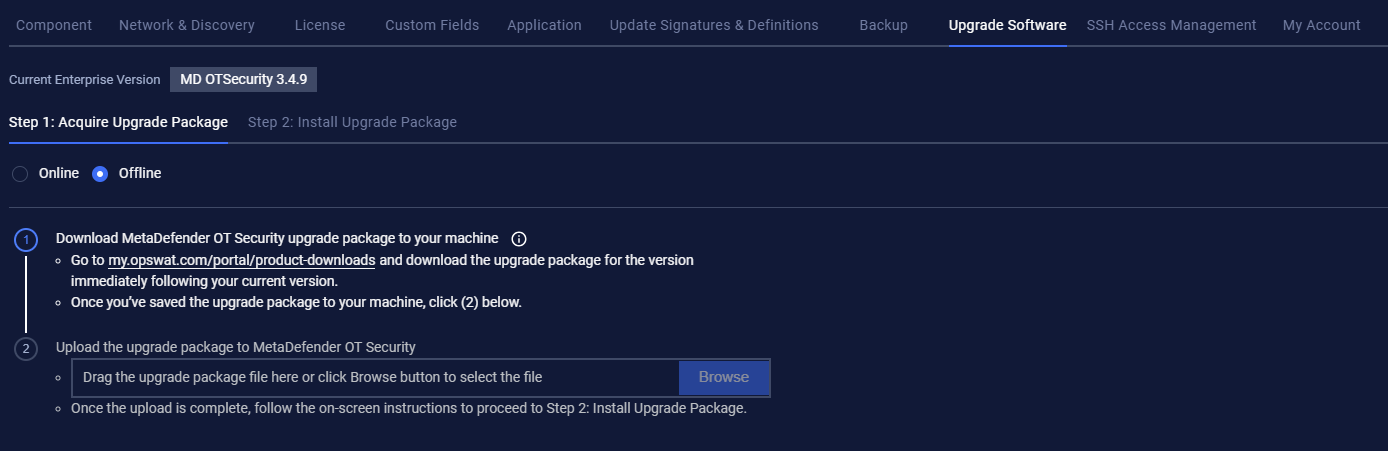
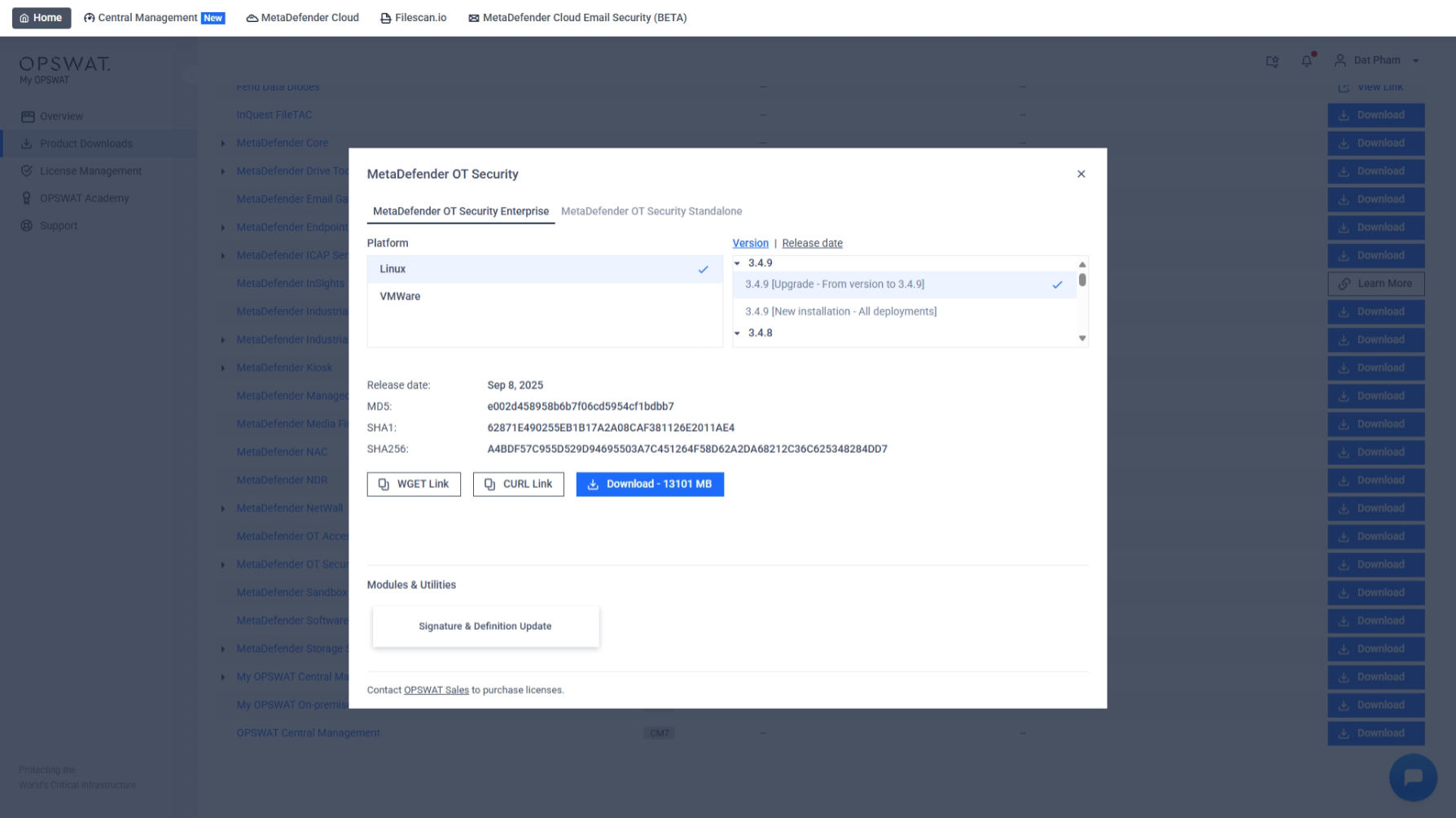
After completing the upgrade package download, proceed to the next step and upload the upgrade package to MetaDefender OT Security.
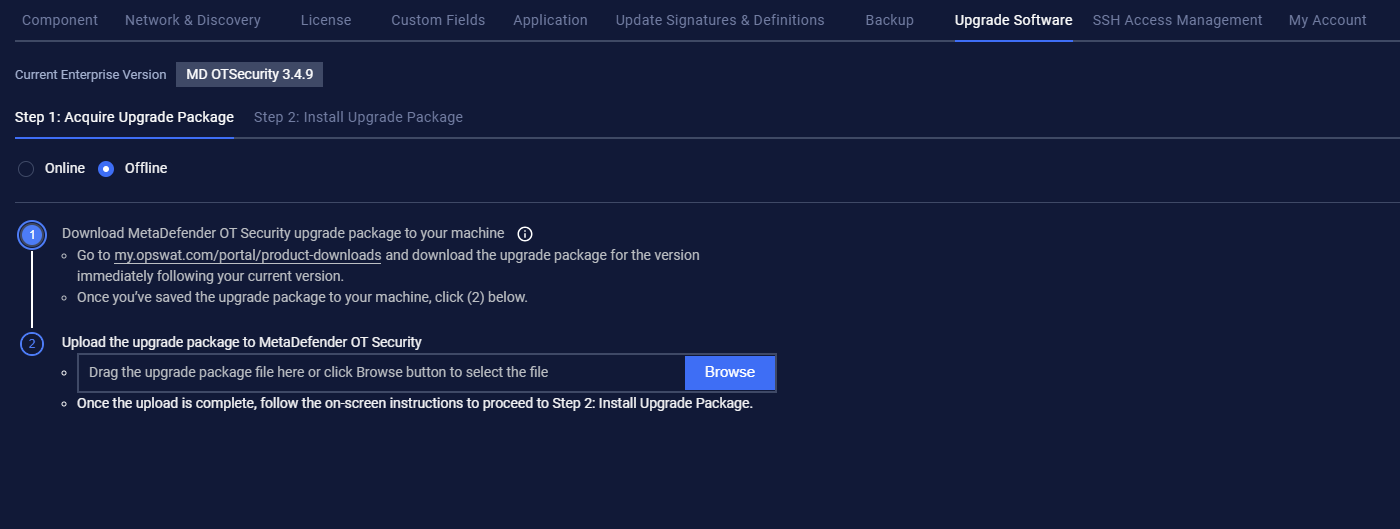
Once the upload is complete, follow the on-screen instructions to proceed to Step 2: Install Upgrade Package, then click on Start Install to upgrade all components (Enterprise Manager, Site Manager, and Network Sensor).
After the user clicks on Start Install, the installation package will be transferred from Enterprise Manager to Site Manager, then from Site Manager to Network Sensor.
When the package is completely transferred from Enterprise Manager to Site Manager, Enterprise Manager will start to update.
When the package is completely transferred from Site Manager to Network Sensor, Site Manager will start to update.