
The Threat Detection is accessible under Policies → Asset Policies → Threat Detection.
The unauthorized asset page lists asset policies that are detection of duplication of a device’s identifiable property via network connections (e.g., MAC, IP, hostname) in network connections to identify spoofed or cloned devices, and network attacks.
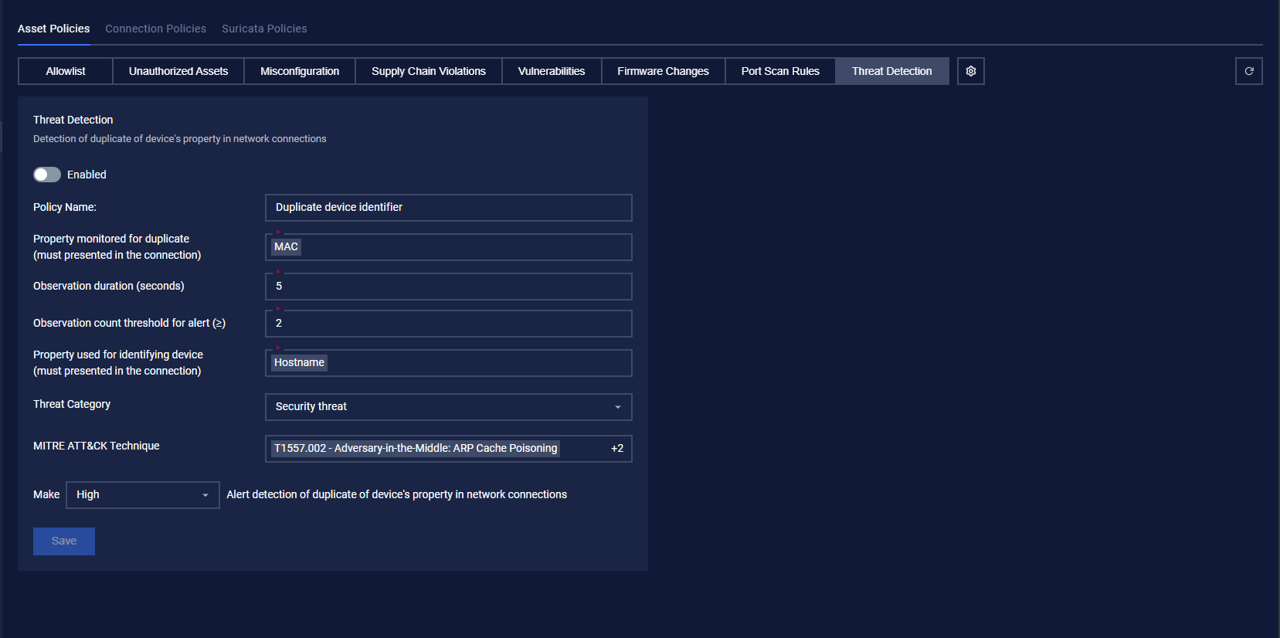
Actions on Threat Detection
1. View policy
Policies are displayed following the information:
Policy Name
Property monitored for duplicate (must be presented in the connection): MAC
Observation duration (seconds)
Observation count threshold for alert (≥)
Property used for identifying device (must presented in the connection): Hostname
Threat Category: Security threat
MITRE ATT&CK Technique
Criticality: Alert level (low/high/medium/critical).
2. Edit policy
You can edit a policy
You can see the detailed policy. You can edit by clicking on the field to be edited and performing input operations.
When finished editing, click “Save” to save the changes or “Cancel” to discard all.