
This article applies to the current MetaAccess NAC Enforcer.
Add MetaAccess NAC Authentication and a MetaAccess NAC Accounting Server as follows.
For the RADIUS Accounting Server, set the IP Address field to the IP address of your MetaAccess NAC Enforcer or, in a cluster, enter the Manager’s IP address.
Enter a Name for the RADIUS Server.
Set the Type to RADIUS Accounting.
Set the Port to 1813.
Enter the desired value for the Secret.
Click OK

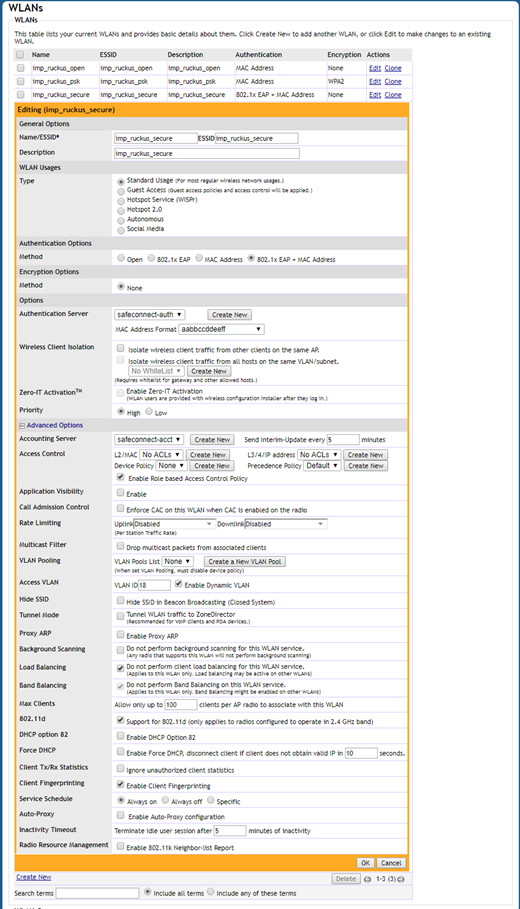
Edit your existing WLANs/ESSIDs as follows.
Edit your WPA2-Enterprise WLAN.
Expand the Advanced Actions section.
From the drop-down menu, set the Accounting Server to the MetaAccess NAC Accounting Server that you created earlier.
If you have followed the instructions above but have been unable to Send RADIUS Accounting To MetaAccess NAC For Ruckus Wireless, please open a Support Case with the OPSWAT team via phone, online chat or form, or feel free to ask the community on our OPSWAT Expert Forum.