
Overview
This article provides step-by-step instructions for configuring SAML 2.0 authentication between MetaDefender Sandbox and Okta. This integration enables single sign-on (SSO) capabilities for your MetaDefender Sandbox users.
Steps to follow
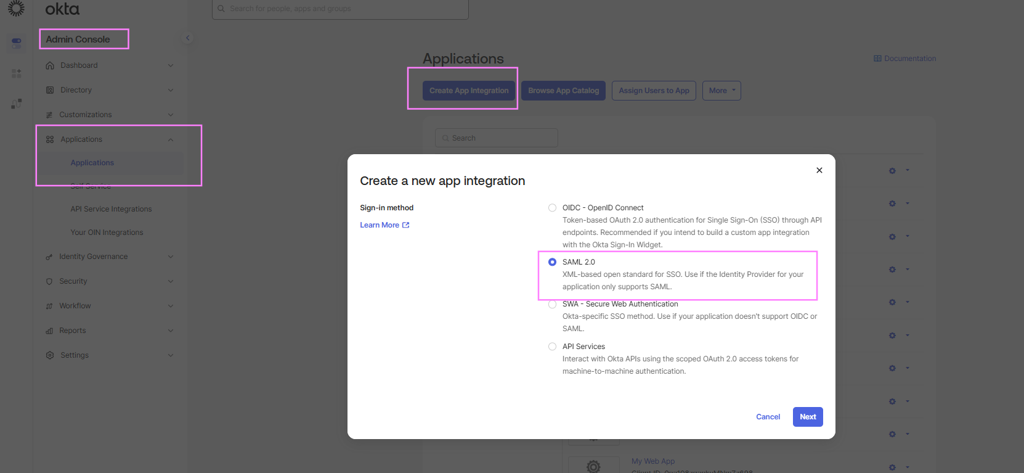
On the Okta Admin console, create a new application:
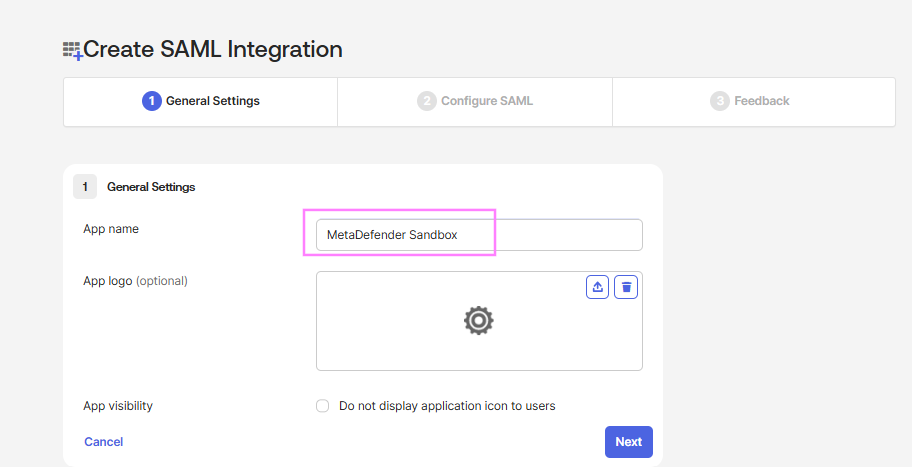
Give it a custom name that will help your team identify it later > hit next
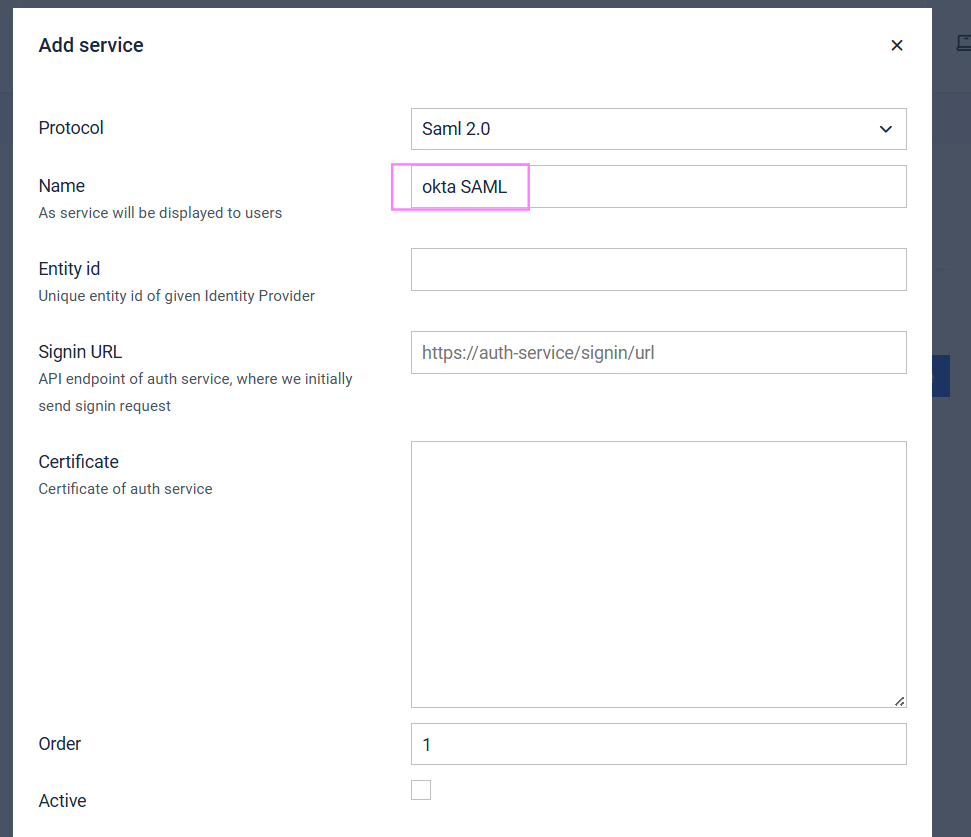
Go to Admin panel on the MetaDefender Aether [Sandbox] > Settings > Authentication > External [tab]
Click on + Add Service button
Protocol: SAML 2.0Fill in the Name (e.g. "Okta")
Service key value: okta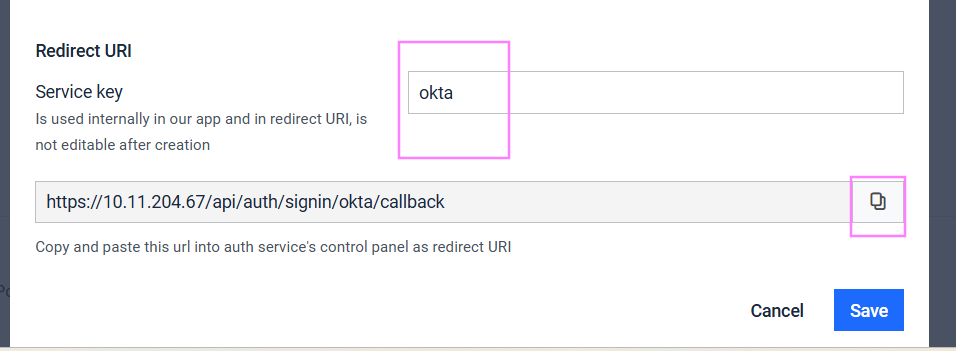
Do NOT click Save yet; the remaining values will be filled in later
Copy the Redirect URI at the bottom of the form
Go back to Okta application, fill in the Single sign-on URL with the redirect URI we just copied in step 3.
Audience URI (SP Entity ID), paste the url and remove the /api/auth/signin/okta/callback
Example: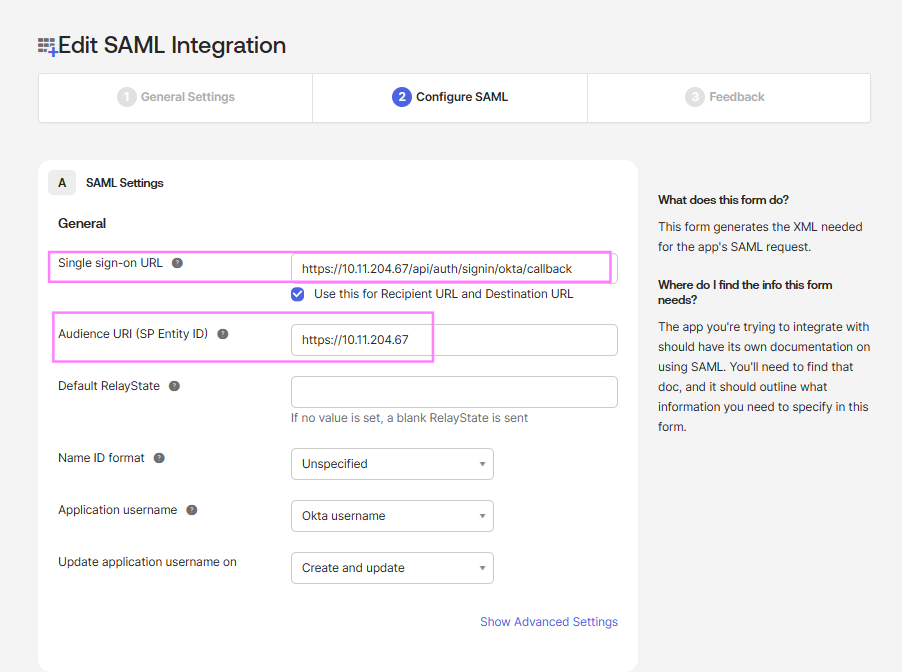
Leave the rest default, click next until and finish.
On okta, hit the Sign On then click View SAML setup instructions

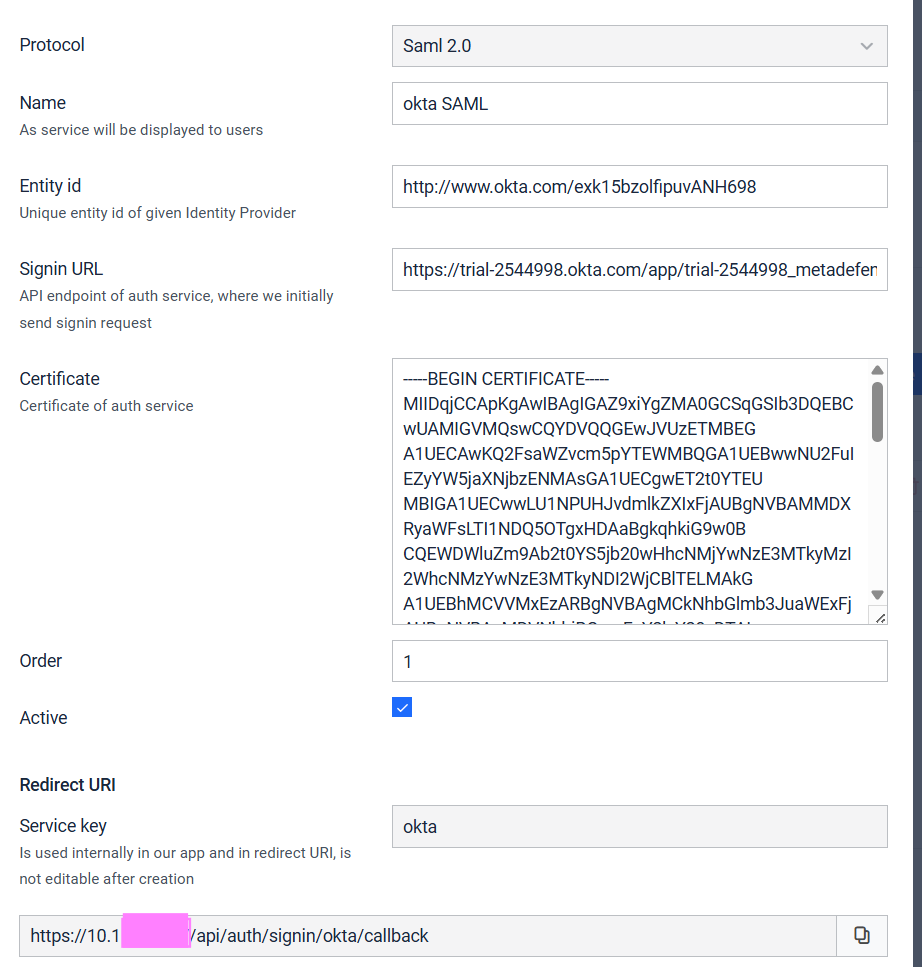
Go back to the Sandbox UI and fill in the missing values:
Entity id: Found on the “View SAML setup instructions”Example:
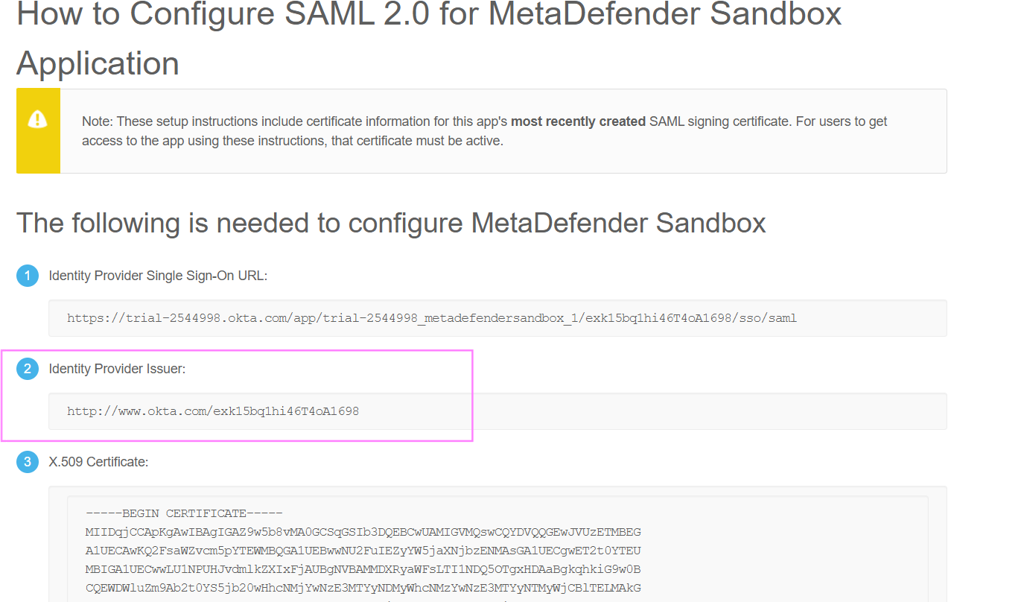
Signin URL: Found on the “View SAML setup instructions” as shown above, copy the number 1. “Identity Provider Single Sign-On URL”
Example:
Certificate: Copy the certificate include the
-----BEGIN CERTIFICATE-----and-----END CERTIFICATE-----Example:
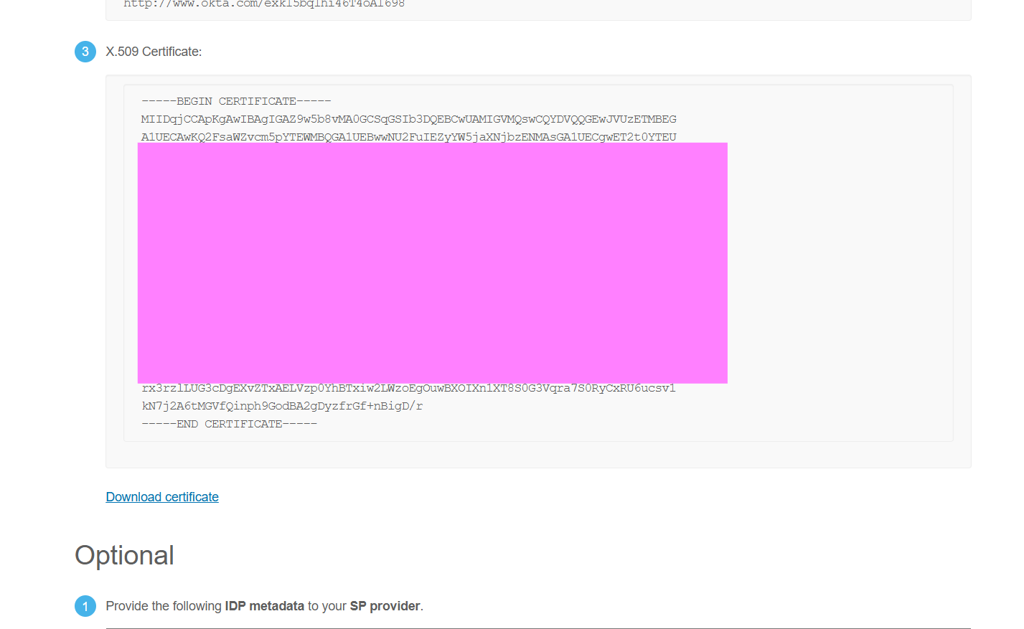

Sandbox values example after completion:
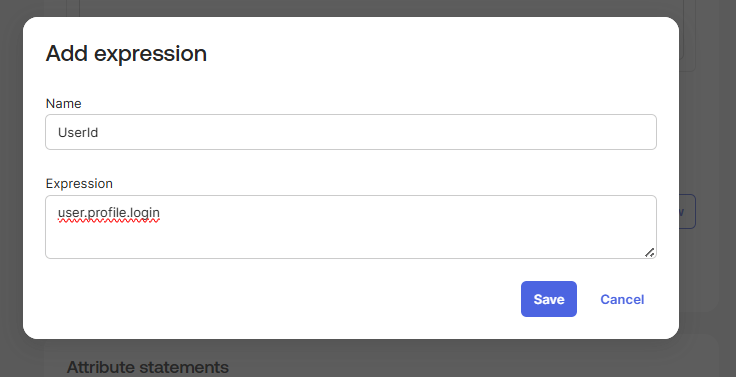
On the Okta side, we need to add the attribute expressions. Admin Panel > Applications > Applications > Sign on > Attribute statements > add expression

Fill in:
Name: UserId
Expression: user.profile.login
hit save
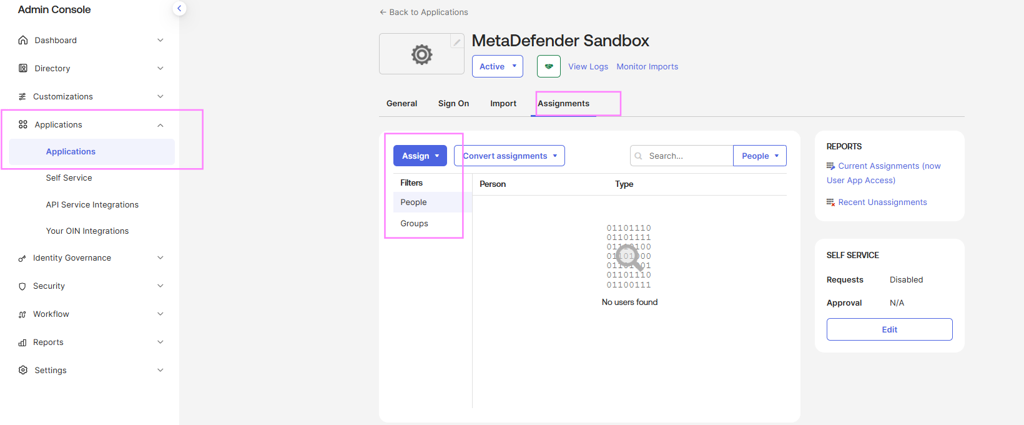
Now add people who can authenticate. Click the Assignments tab > Assign
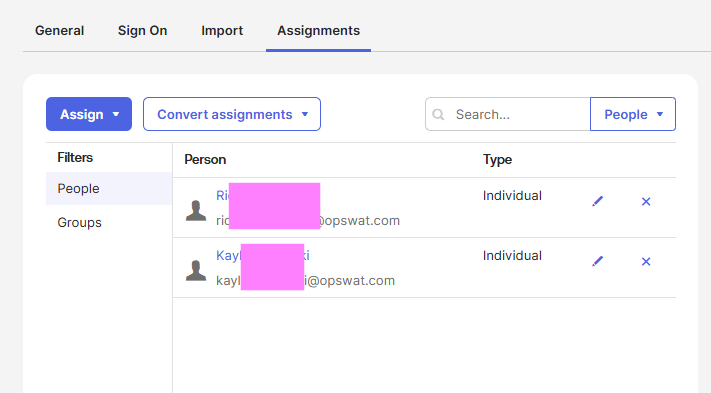
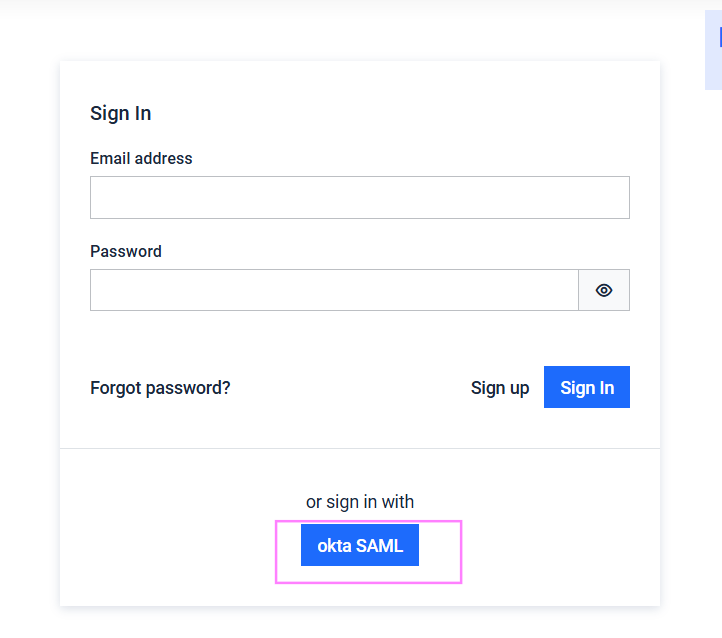
Go to MetaDefender Sandbox UI and attempt to login through sso:
Click the profile user to view who is logged in

Troubleshooting
1. Issue: SAML 2.0 option not available
Resolution: Verify you are using MetaDefender Sandbox version 2.2.0 or later.
2. Issue: Cannot find sign-on URL in Sandbox
Resolution: The sign-on URL comes from Okta, not from MetaDefender Sandbox. Check your Okta SAML application metadata.
3. Issue: Authentication fails after configuration
Resolution:
Verify certificate validity and format.
Check that URLs are correctly configured in both systems.
Ensure user assignments are properly configured in Okta.
Review attribute mappings between Okta and MetaDefender Sandbox.
4. Issue: Missing redirect URL
Resolution: Ensure you have entered "okta" in the service key field to generate the redirect URL.
Support:
If Further Assistance is required, please proceed to log a support case or chatting with our support engineer.