
This article applies to MetaDefender Aether (Sandbox) version 3.0.0 and below.
Using the same API key across two or more MetaDefender Aether (Sandbox) servers can be beneficial in several scenarios:
Simplifies integration – clients and automation tools only need to manage a single credential
Supports load balancing / failover – enables seamless switching between servers
Reduces configuration overhead – simplifies deployment and ongoing maintenance
This approach is most appropriate when all servers belong to the same environment and operate within the same trust boundary.
Instructions
Step 1:
Log in to the MetaDefender Aether Web UI and create an API Key for the current user.
User Icon > My Settings > API Key > Create API Key
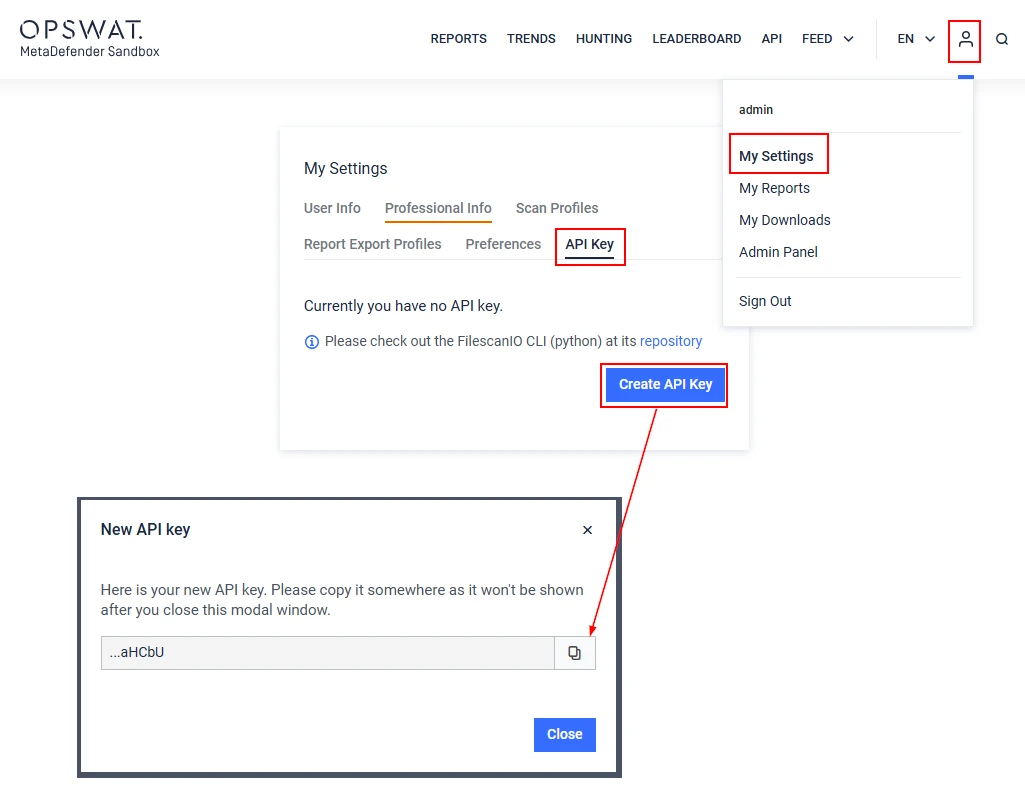
Copy the generated API Key.
Step 2:
Through the REST API Interface of MetaDefender Aether, using a tool or a library of your choice, send a POST request to the /api/users/api-key/set endpoint, including the generated key in the X-Api-Key Header (for authentication), and the new API Key in the Request Body.
cURL:
Step 3:
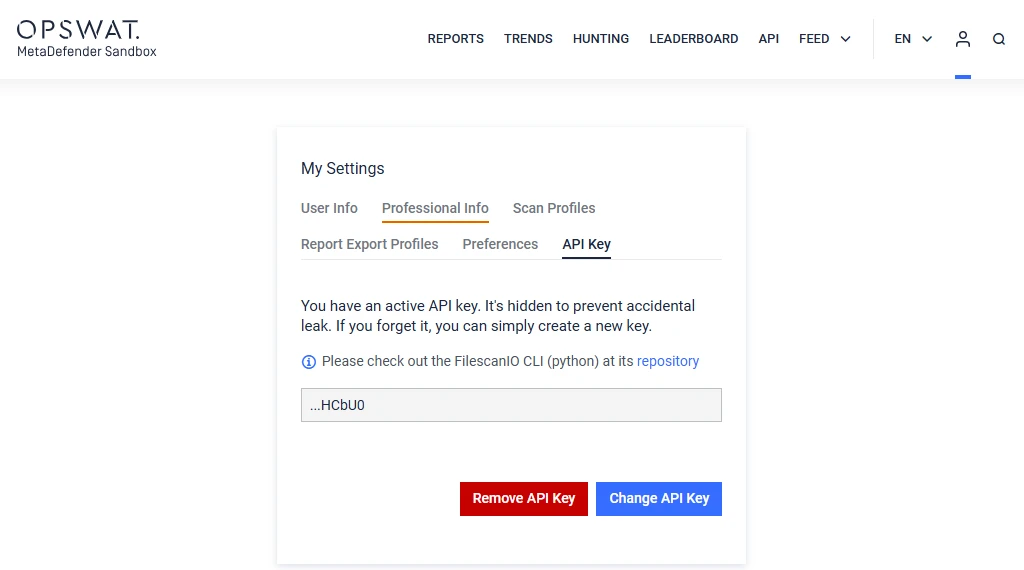
Verify that the change has been successfully applied.
If Further Assistance is required, please proceed to log a support case or chatting with our support engineer.