
MetaDefender Sandbox now allows users to set their preferred timezone and locale.
Users can navigate to My Settings > Preferences
Step 1
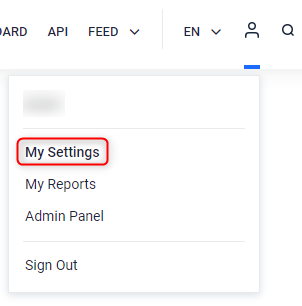
Go to the Admin Panel icon and choose the My settings menu option.
Step 2
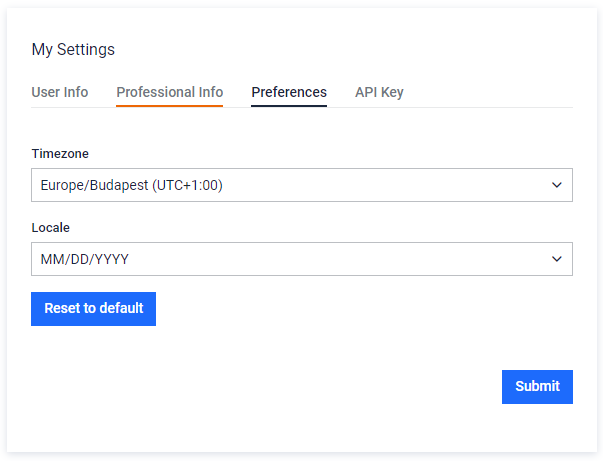
Select the Preferences tab to set the preferred Timezone as well as Locale (date format).
Note that the default settings match your browser/system configuration.
All timestamps on the Sandbox UI should be displayed following the timezone/locale configuration. For example:

Was this page helpful?
FAQ