Version | v10.6.2605 |
|---|---|
Release date | May 12th, 2026 |
Release Summary | This release enhances security operation with Third-Party Application Patch Management and unified control across OPSWAT Ecosystem. Key updates include new MetaDefender Media Firewall integration, remote application updates for Core and Industrial Firewall, Kiosk rollback support, and remote Core support package generation. Complemented by automated Core instance naming and new "Last Seen" activity filters, these enhancements ensure maximum system reliability and a hardened security posture across all environments. |
Peripheral Media Protection Solution
New Features MetaDefender Media Firewall Integration
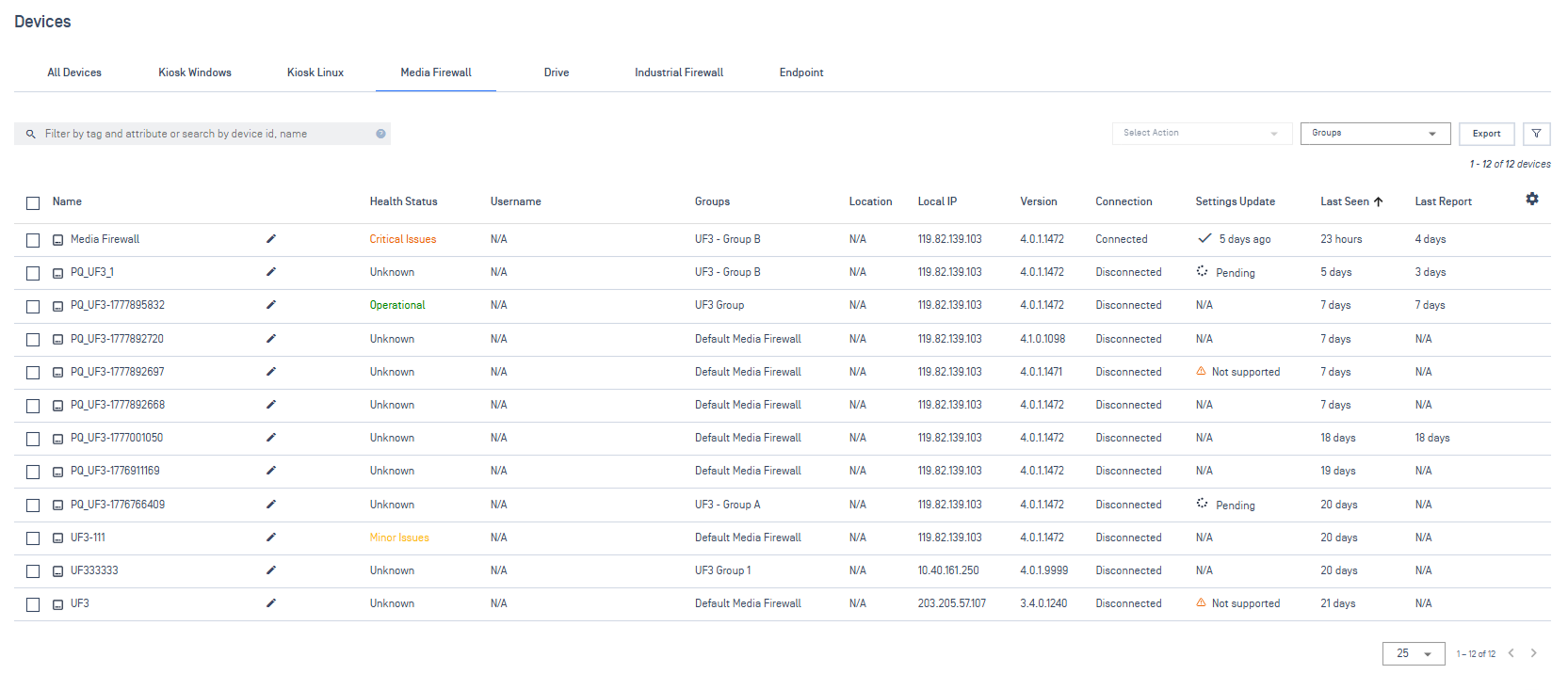
You can now enroll Media Firewall devices and manage them centrally. Monitor device real-time health status, update device settings, and import/apply Media Firewall policies all from My OPSWAT Central Management.
New Features Roll Back Kiosk Application Updates
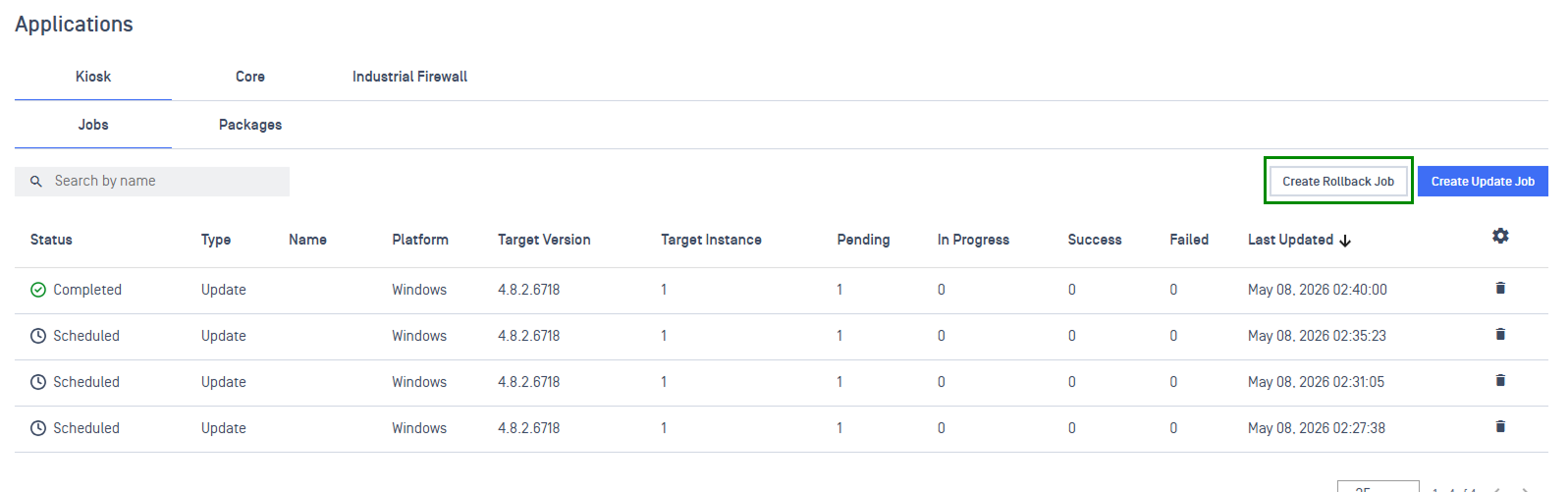
Kiosk remote application update now supports rollback to the previous stable version to keep operation running. This update removes the need for manual workarounds, ensuring high availability across large-scale Kiosk environments.
Enhancements Enhanced Peripheral Media Visibility & Reporting Across Device Scans
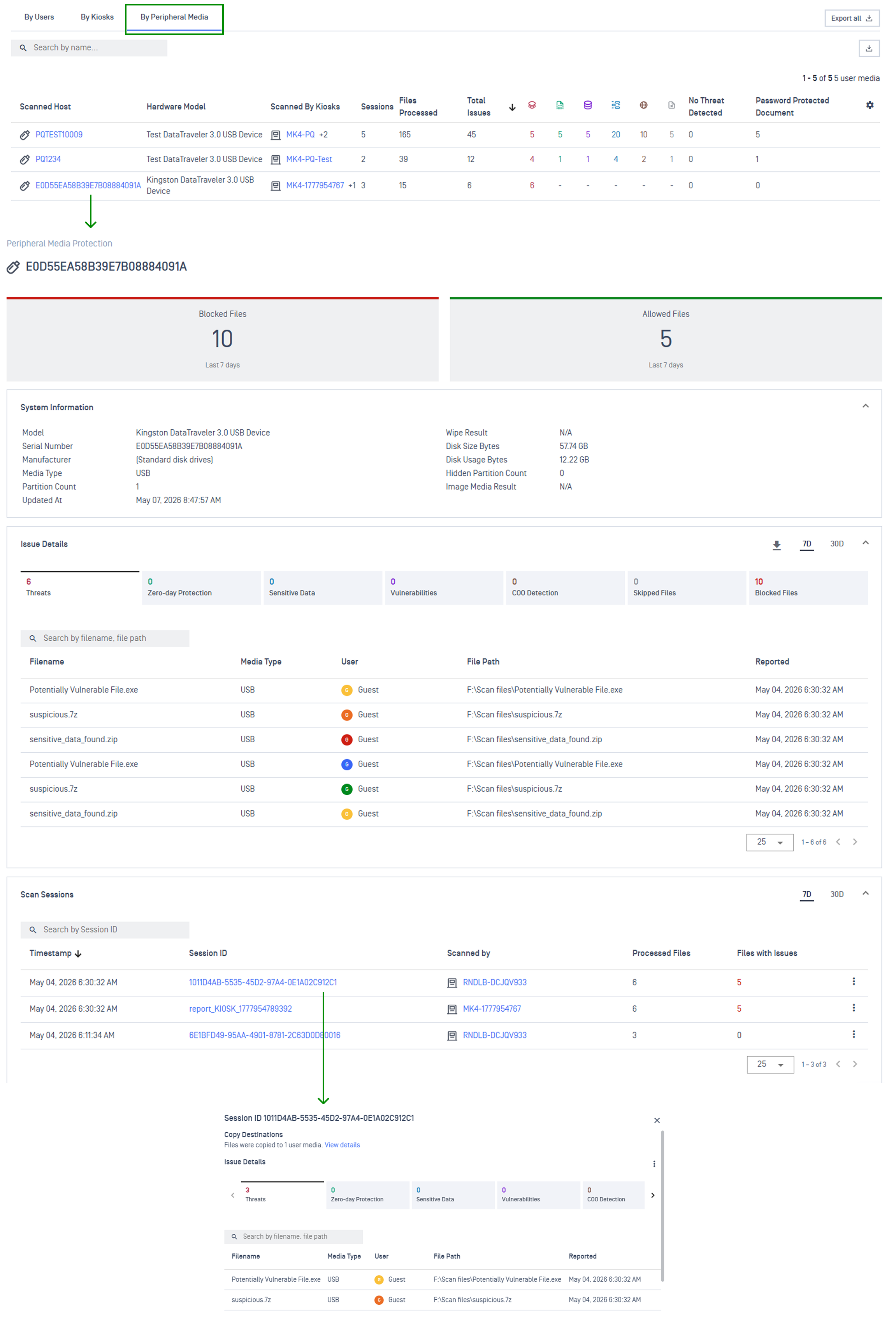
Introduced consolidated visibility into peripheral media usage. A new By Peripheral Media tab aggregates all Kiosk-scanned devices into one exportable view. Access detailed scanned host info, scan history, and copy destinations to ensure full audit compliance across your entire Kiosk deployment.
Endpoint Security Solution
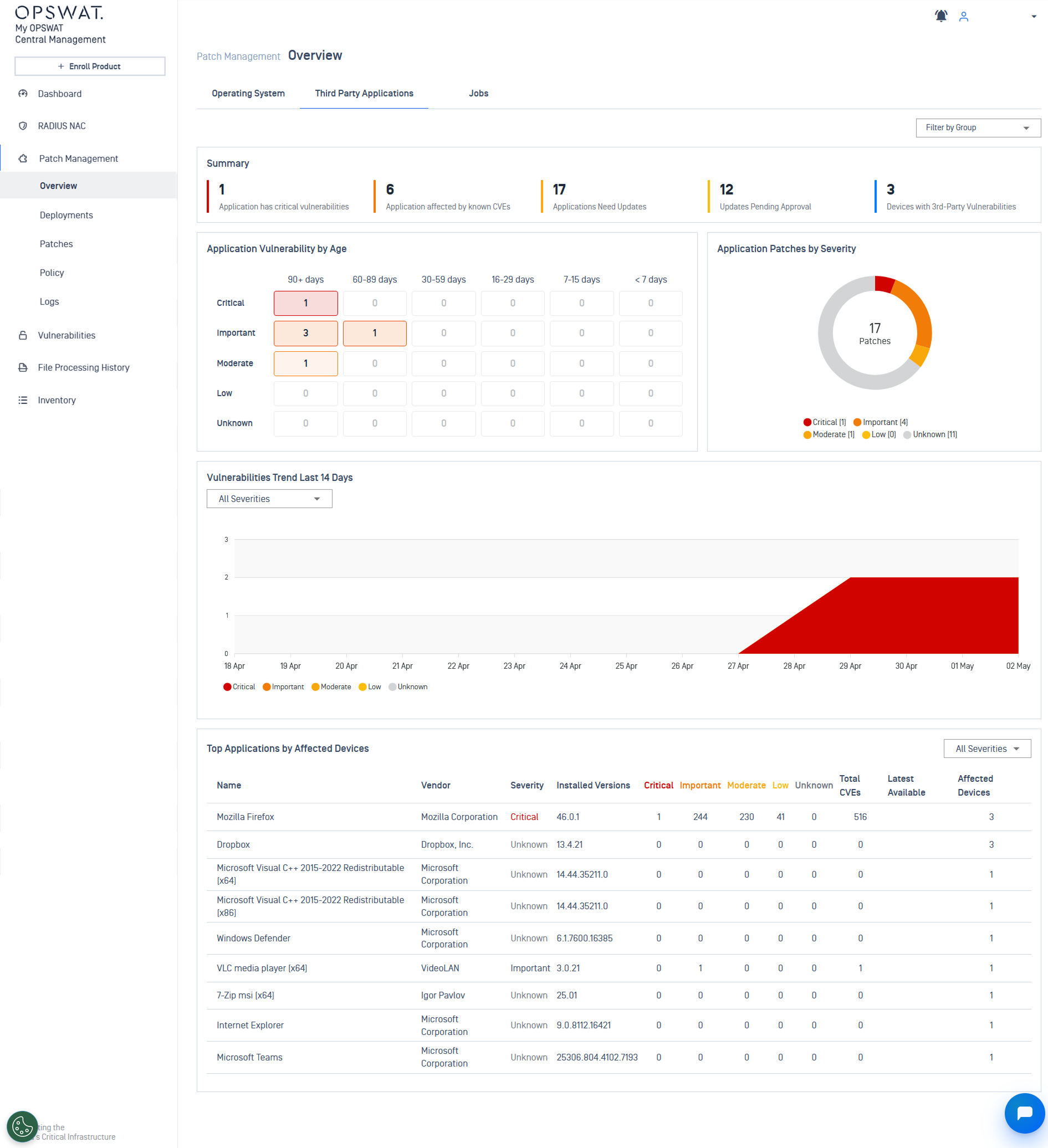
New Features Unified Third-Party Applications Patching
End-to-end patching for third-party applications is now live, with proactive workflows to identify missing patches, automate deployments through one-time or recurring policies, and monitor progress through consolidated deployment logs, ensuring a strong security posture and compliance.
Refer to Patch Management Solution Overview guidelines for detailed instructions.
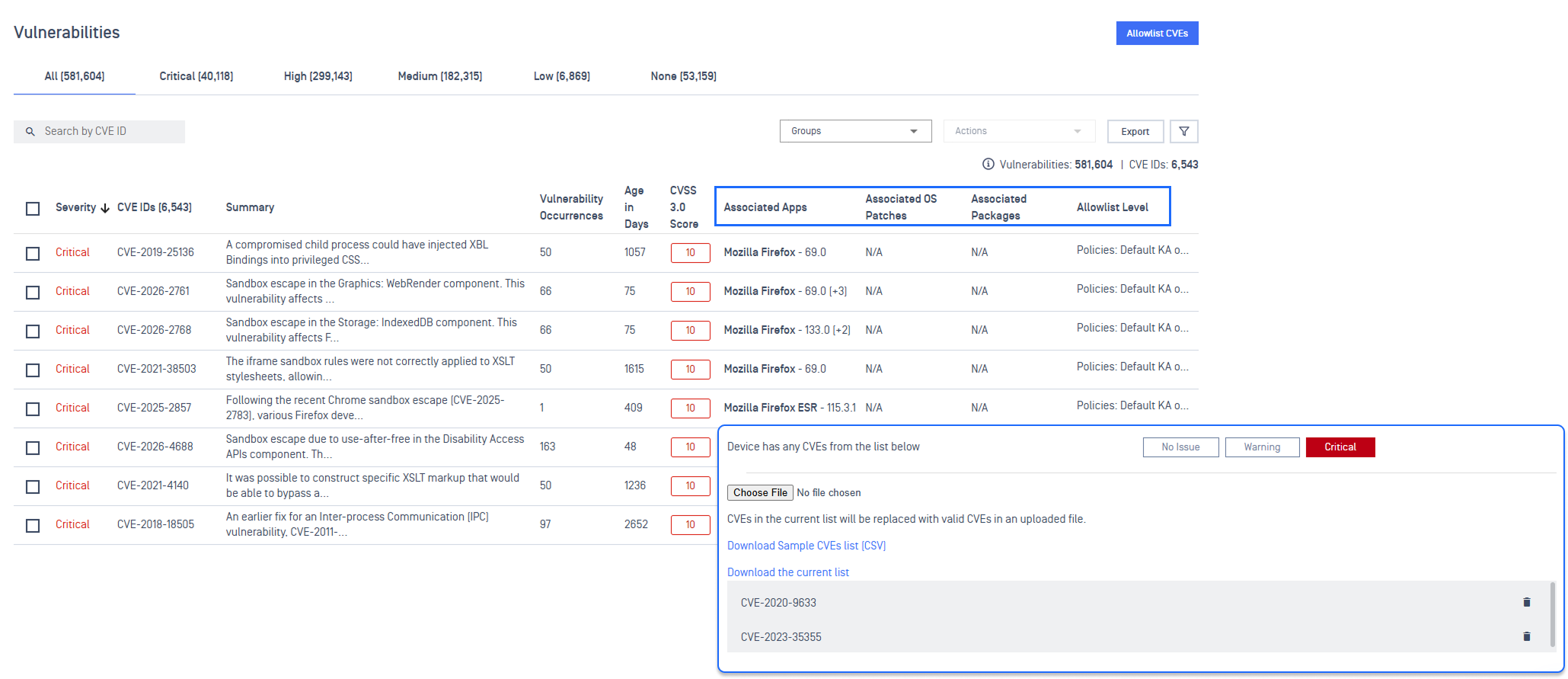
New Features OAuth APIs for Vulnerability Management
Programmatically manage vulnerabilities at scale using new OAuth APIs, including Update Vulnerabilities Allowlist, Get Vulnerabilities, and Get Policy Blocklist CVE via CSV upload/download for faster, high-volume vulnerability control across environment.
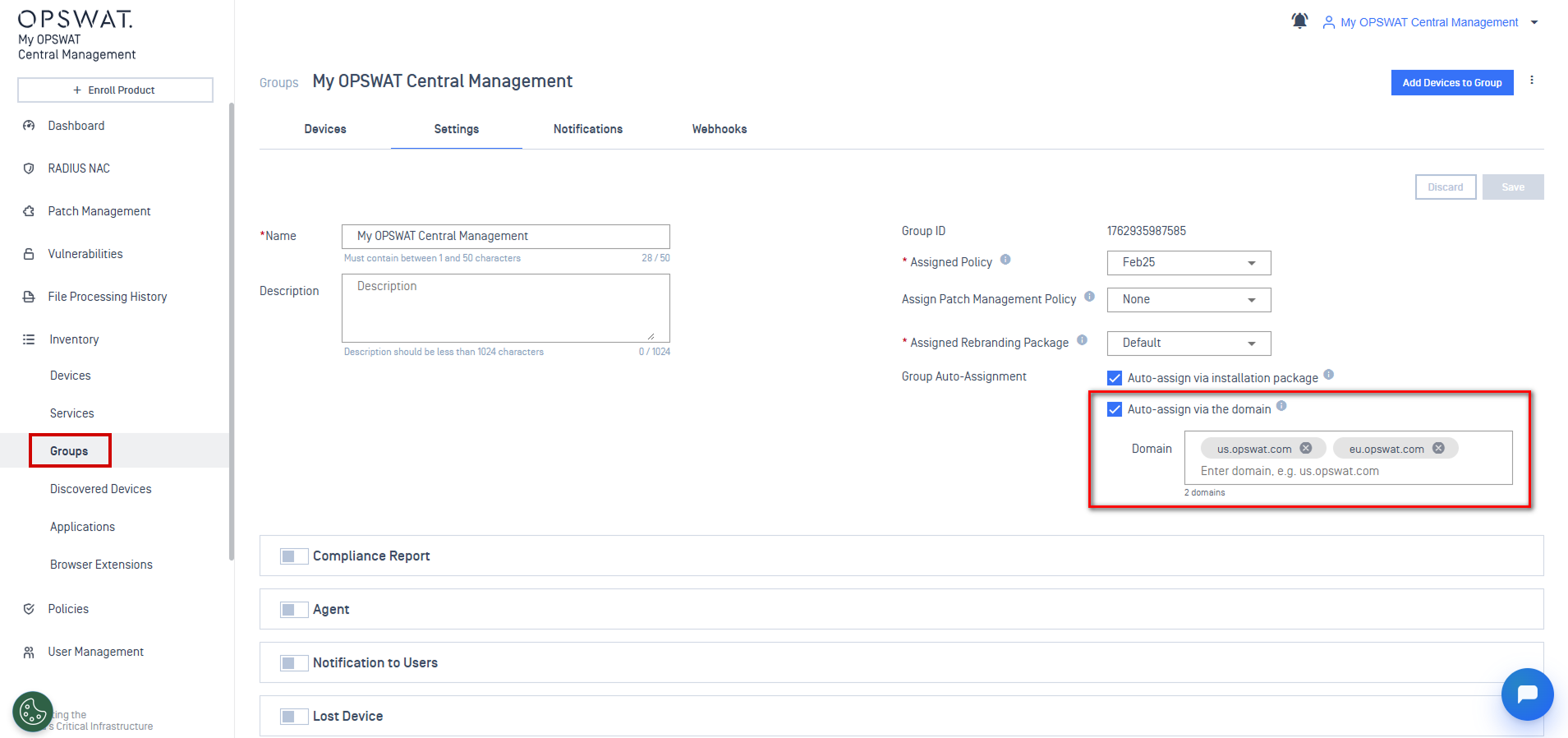
EnhancementsAuto-Assign Devices to Groups Across Multiple Domains
Auto-assign devices across multiple domains into a single group using wildcard matching, eliminating the need to create separate groups per domain.
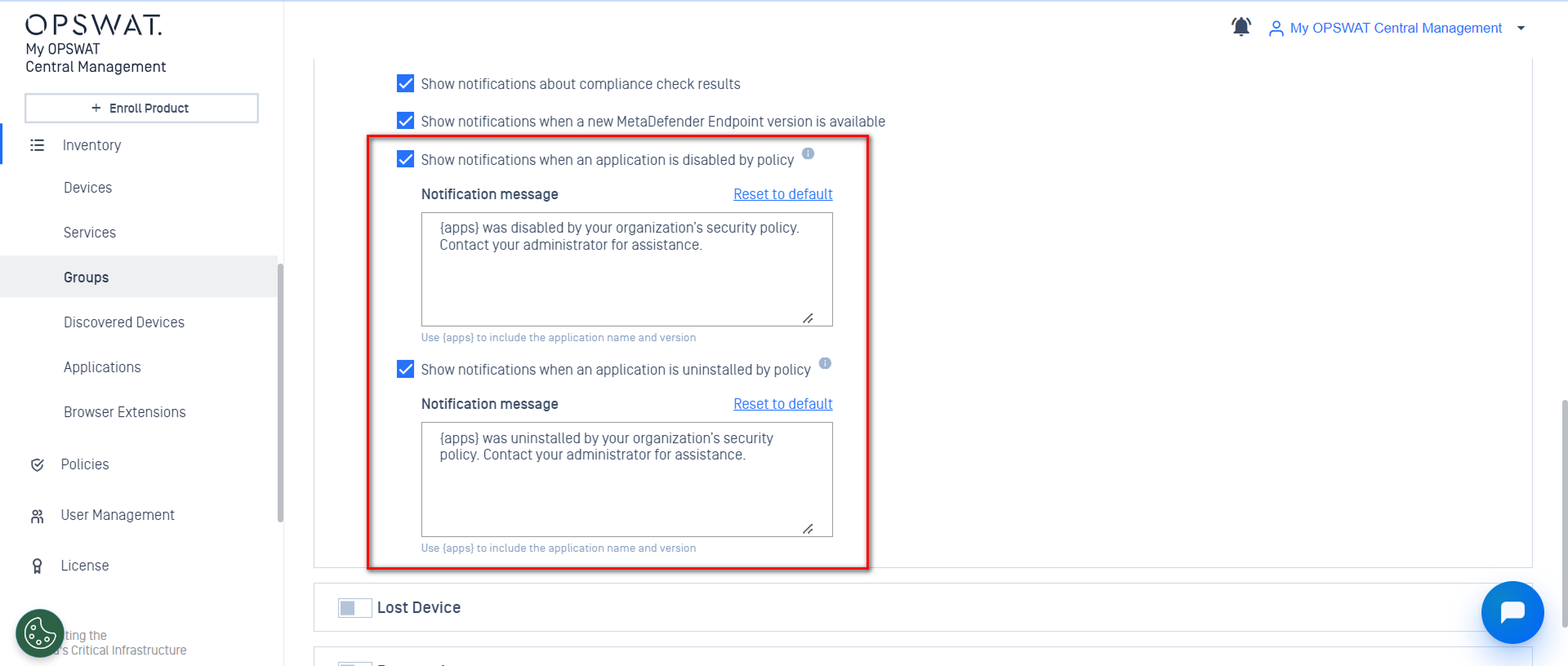
EnhancementsConfigure Settings for Application Control Notification
Admins can now enable or disable pop-up notifications for end-users when an application is disabled or uninstalled, as well as personalize the pop-up message text at both Global and Group policy settings.
Enhancements"Get Devices API" Now Supports Group Filtering
The OAuth Get Devices API now supports filtering devices by group ID, retrieving only the devices belonging to specific groups in a single API call.
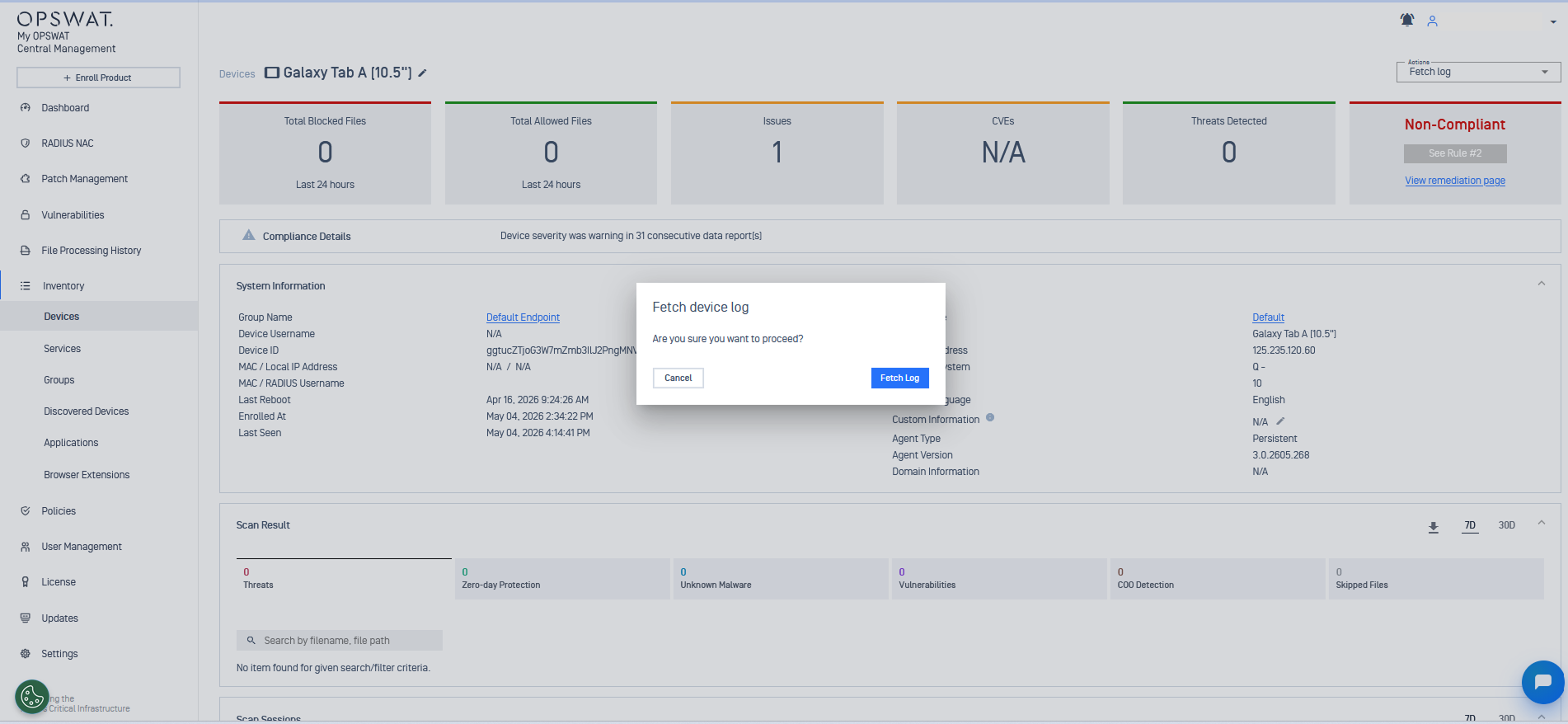
Enhancements Fetch Log Action Extends to Mobile Endpoints
Fetch Log is available for mobile devices through My OPSWAT Central Management. Logs are securely encrypted and uploaded with size and time limits. Supported on agent v3.0.2605+ (Android) and v3.2605+ (iOS).
Hardware Supply Chain
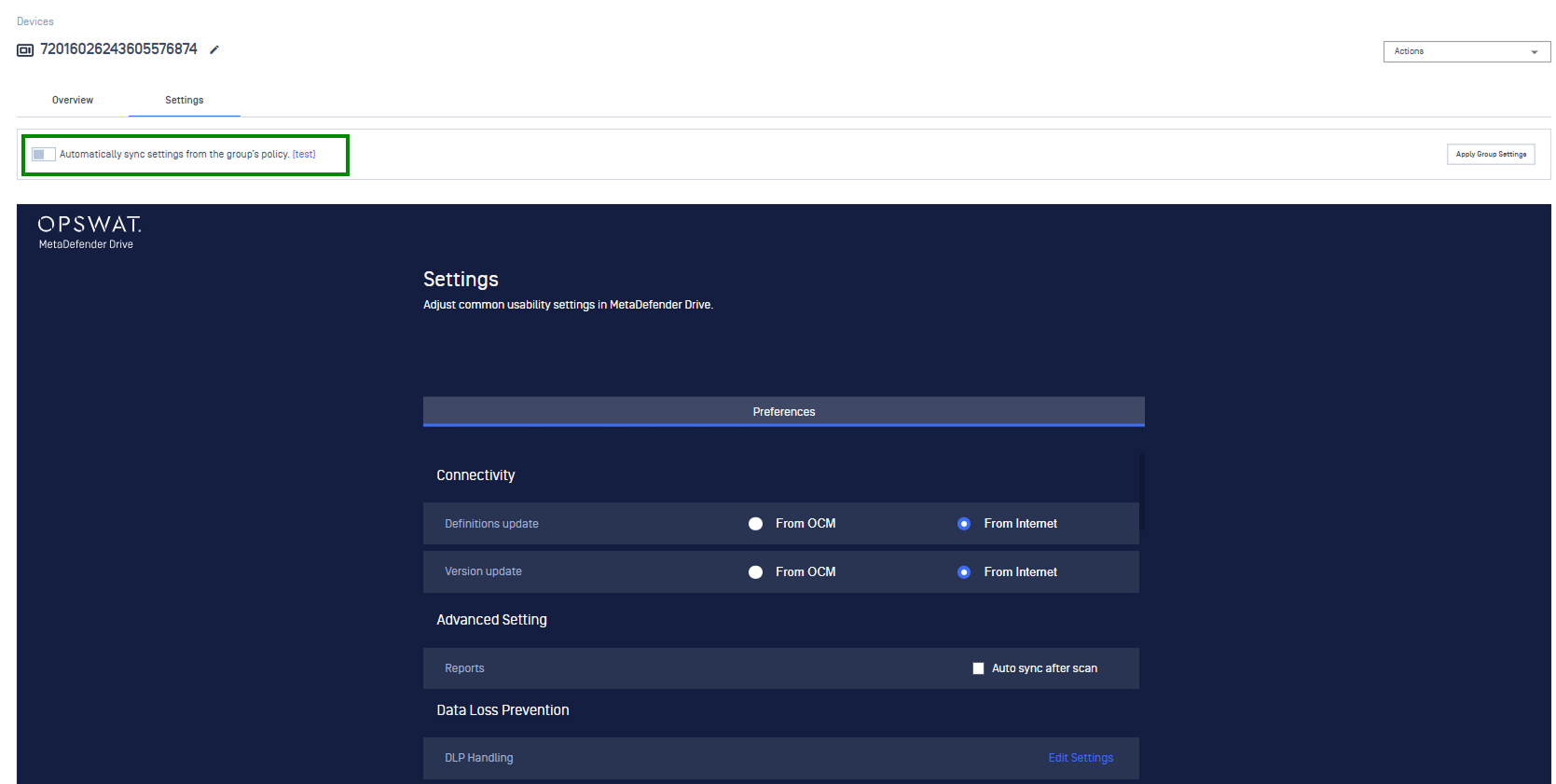
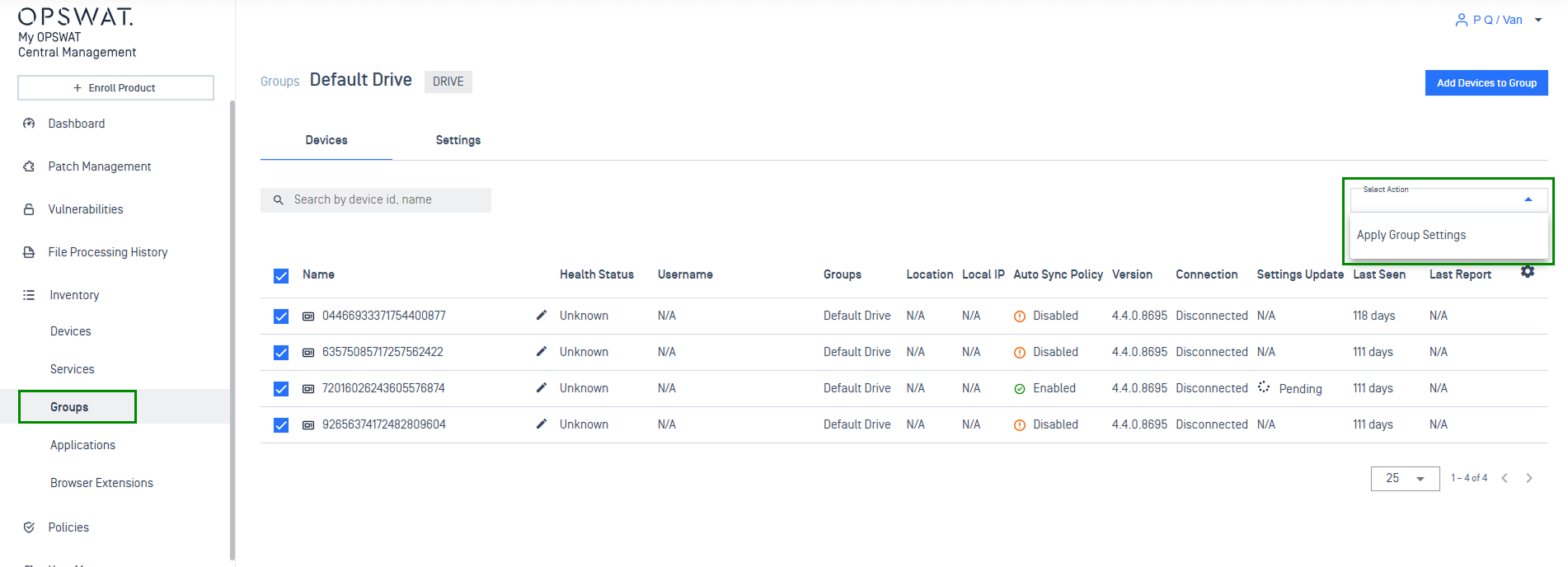
New Features Auto-Sync Configuration and Version Compatibility for MetaDefender Drive
Automate group policies configuration workflow for MetaDefender Drive with auto-sync toggle and group settings apply across multiple instances at once. Eliminate "incompatible version" errors with improved version compatibility and gain total oversight with real-time status tracking and detailed timestamps.
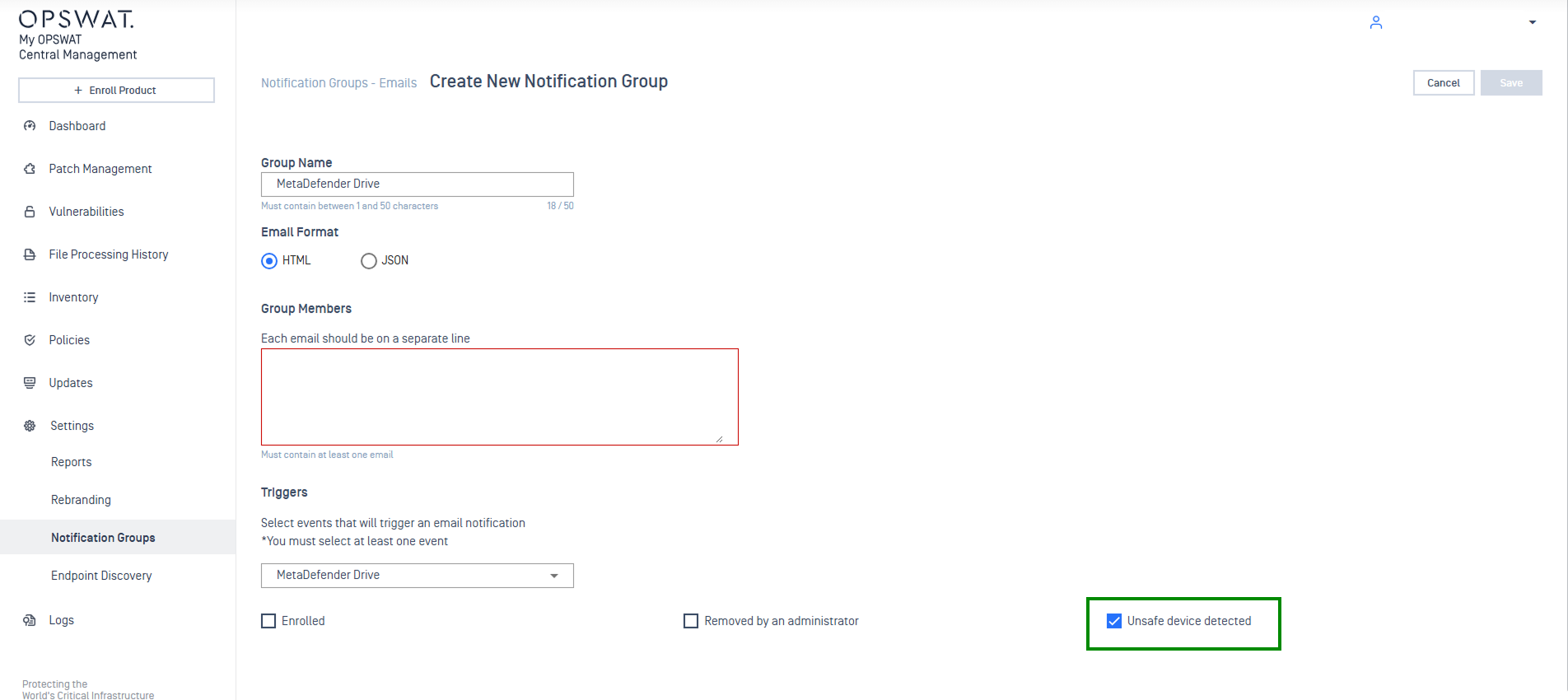
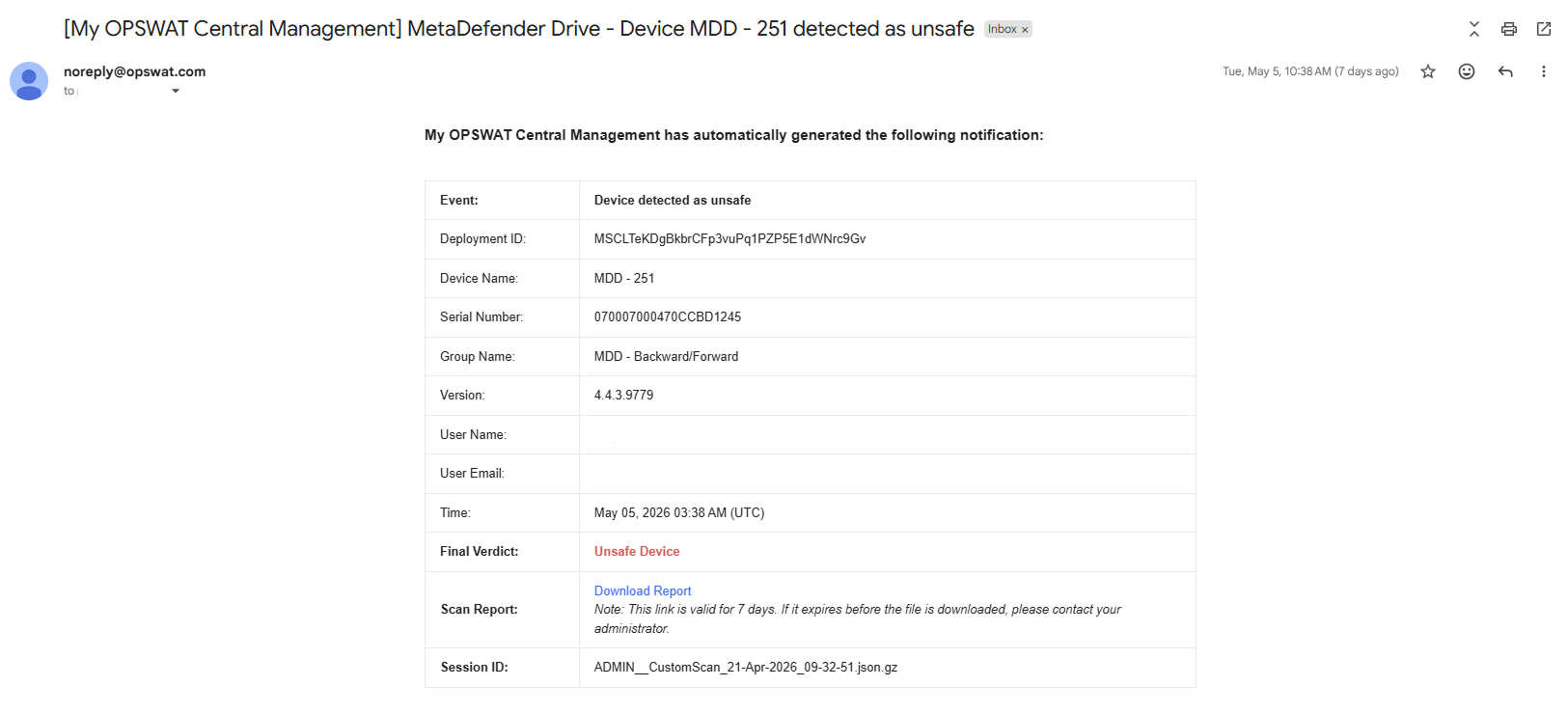
Enhancements Automated Email Alerts When MetaDefender Drive Detects An Unsafe Device
Configure My OPSWAT Central Management to automatically send email alerts when MetaDefender Drive detects an unsafe device. These notifications include downloadable reports summarizing the scan results.
Automate group policies configuration workflow for MetaDefender Drive with auto-sync toggle and group settings apply across multiple instances at once. Eliminate "incompatible version" errors with improved version compatibility and gain total oversight with real-time status tracking and detailed timestamps.
OT and Cyber-Physical Systems Solution
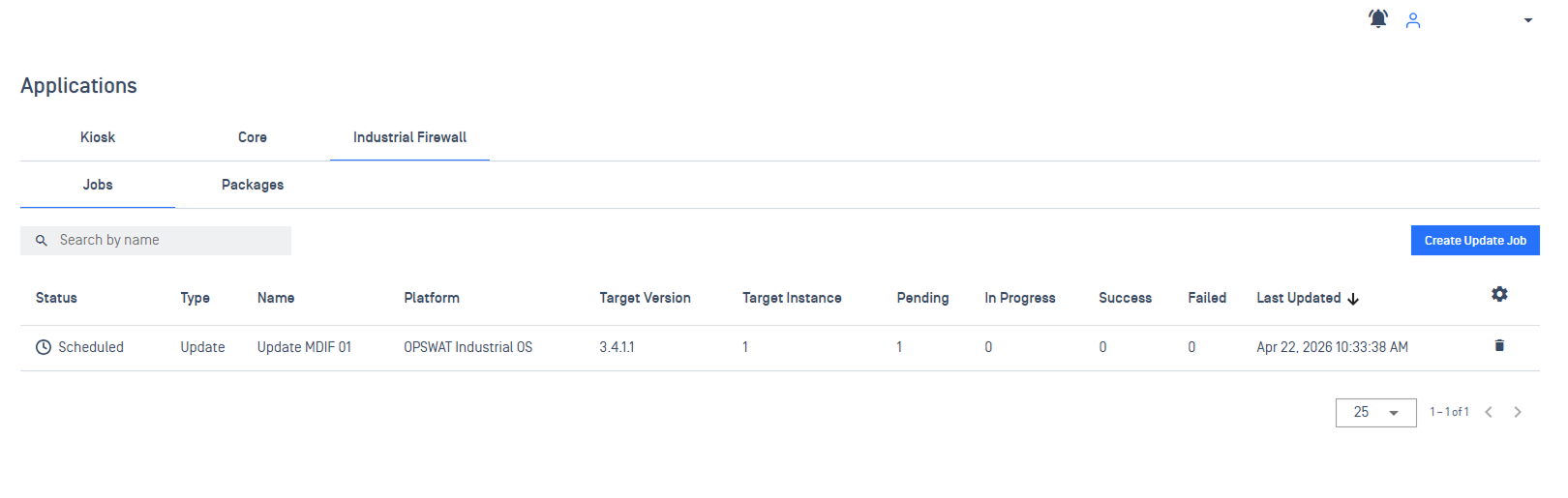
Enhancements Streamlined MetaDefender Industrial Firewall Application Update Management
Extending application update feature to support MetaDefender Industrial Firewall. Admins can now manage the entire update lifecycle, from importing update packages, scheduling update jobs, and monitoring progress, all from a single console.
File Security Solution
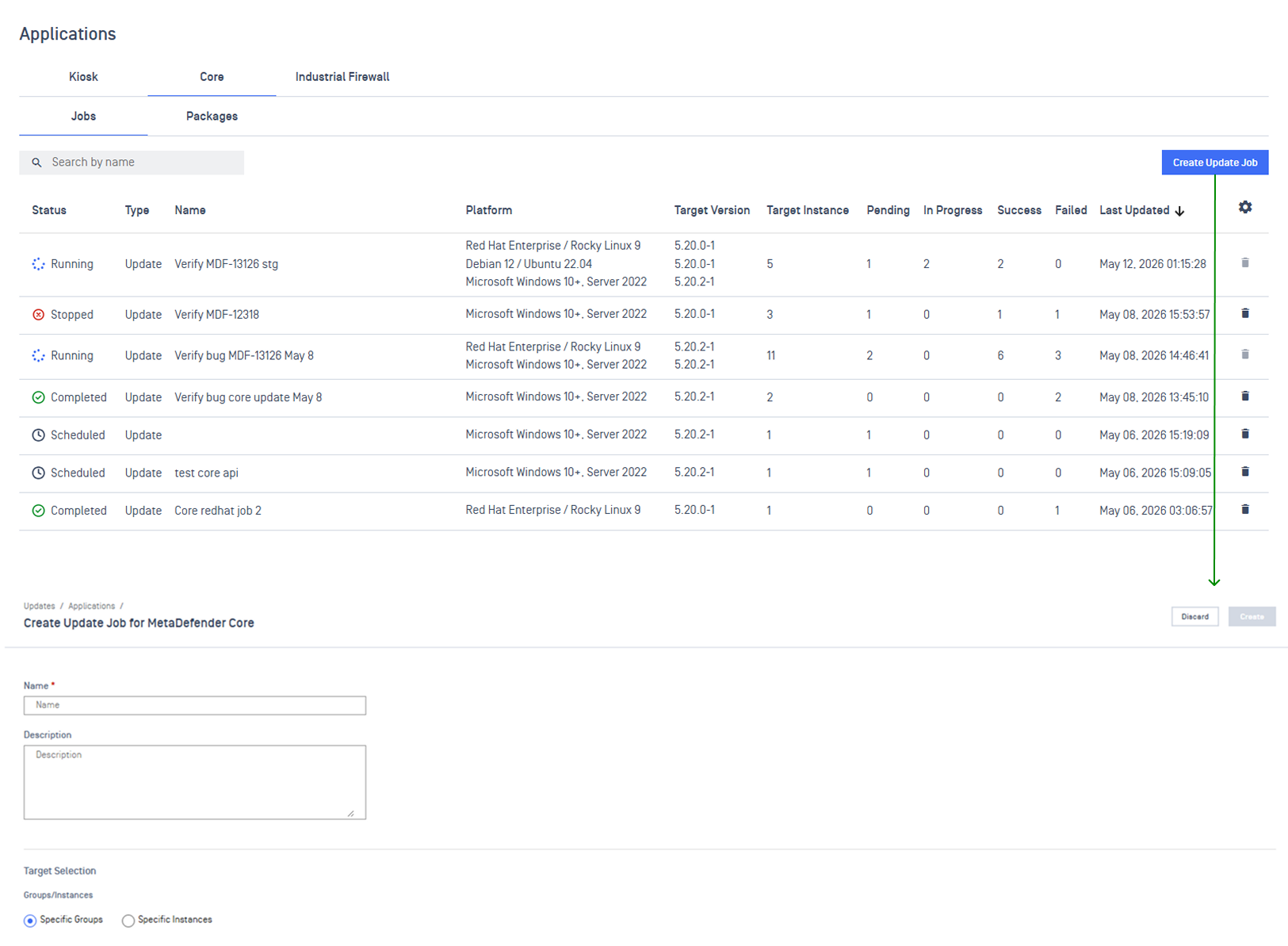
New Features Centralized Application Update Management for MetaDefender Core
Admins can now roll out MetaDefender Core application update remotely from My OPSWAT Central Management. Target specific instances or groups, schedule rollouts, and monitor progress in real time with automated email notifications.
Please note: This feature is available for MetaDefender Core version 5.20.0.
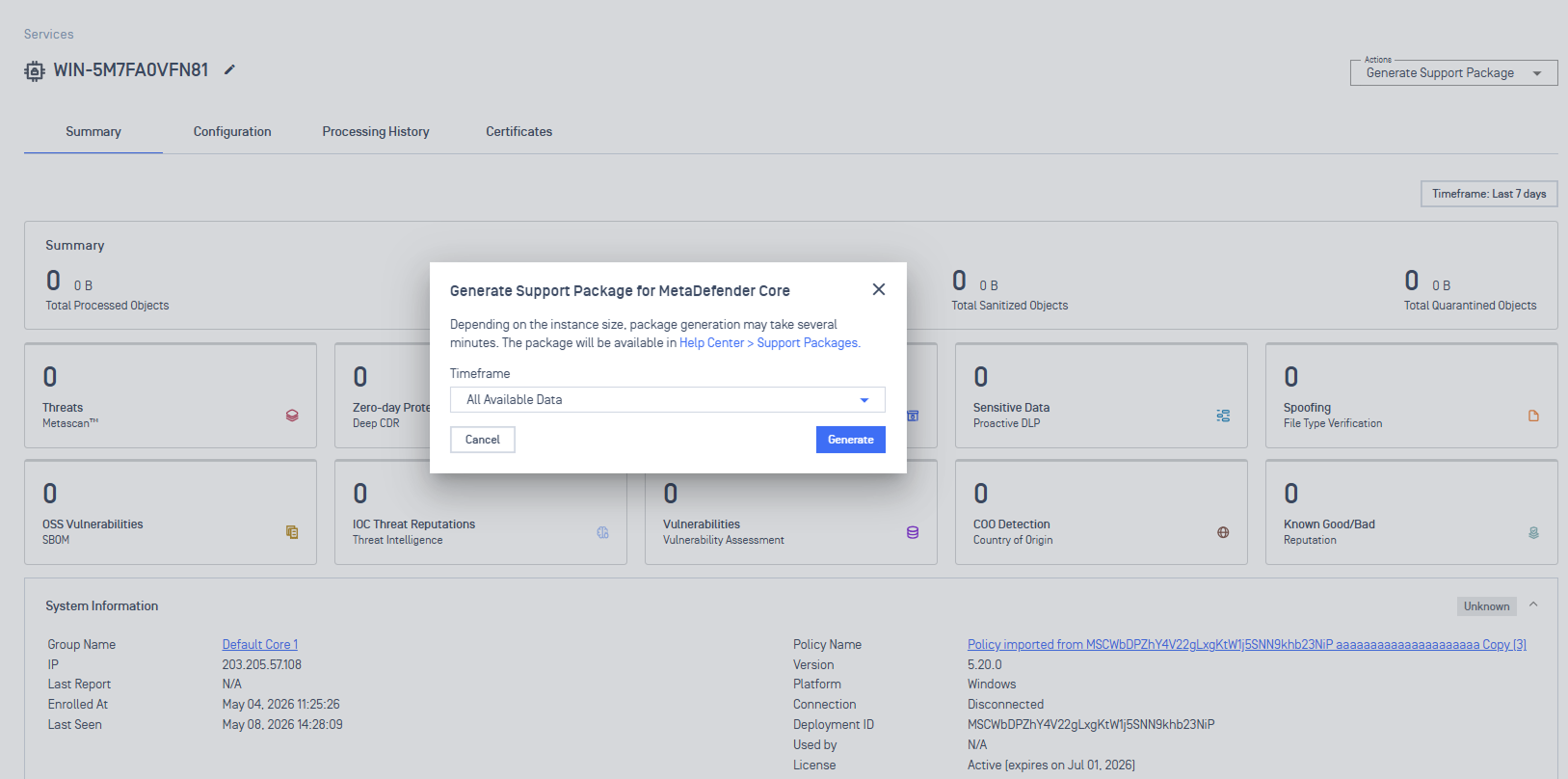
New Features Remote Support Package Fetching for MetaDefender Core
Support packages can now be generated and retrieved remotely from managed Core instances for faster troubleshooting.
New Features New API to Change Module Update Settings for MetaDefender Core Instances
Introduced new API to remotely configure module update settings for MetaDefender Core instances. Refer to our Update Module Update Settings documents for details.
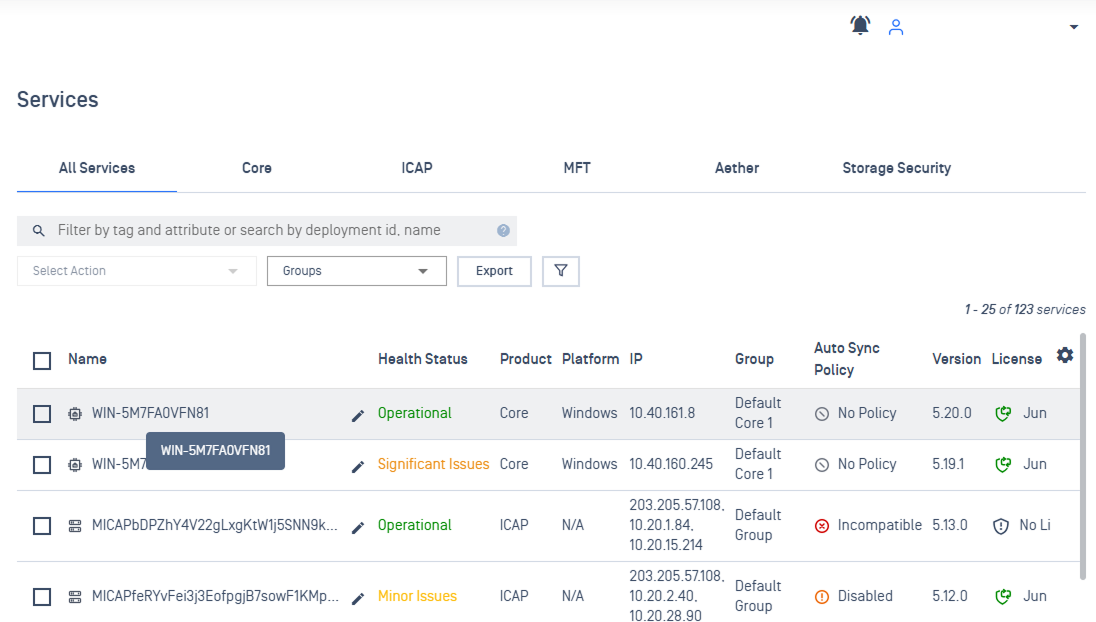
Enhancements Automated Naming Using Hostname for Enrolled MetaDefender Core Instances
MetaDefender Core instances automatically display their Hostname instead of a system-generated Deployment ID as the Instance Name upon enrollment, eliminating manual renaming and providing clear asset visibility from day one.
Additional Features
Enhancements Improved Support Package Management
Support Packages now feature better tracking with clearer status updates, automatic failure handling for unenrolled instances, and smarter storage limits (2 per instance) with auto-cleanup based on your data retention settings.
Enhancements"Last Seen" Filter for Device & Service Search Across All Products
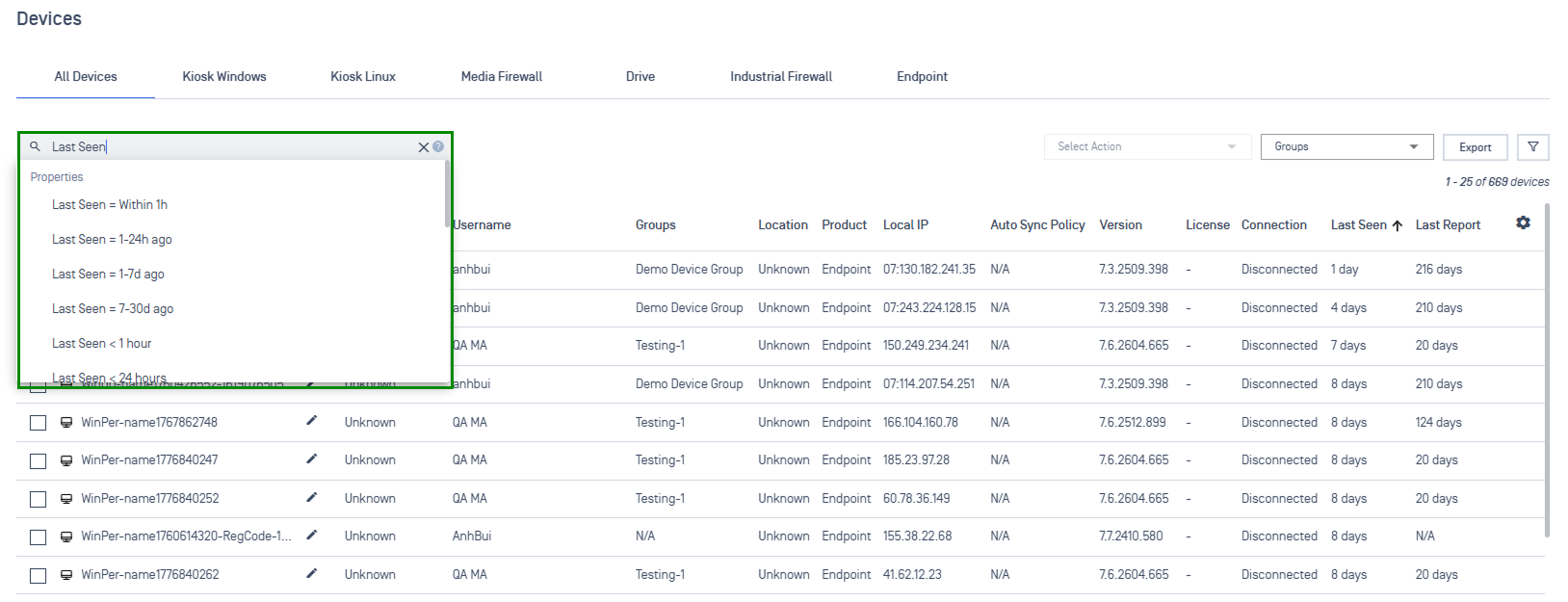
A new "Last Seen" filter enables searching across all product services by activity timeframe, instantly surfacing inactive devices within the last hour or missing for over 30 days.